Thank you for your interest in contributing to this repository. To ensure a smooth and collaborative environment, please follow these guidelines.
Our goal is to create a healthy and inclusive space for contributions. Remember that open-source contribution is a collaborative effort, not a competition.
Looking for a place to start? Have a feature request or bug report? Start with by searching through our issues.
If you're looking for a good issue to start contributing, simple issues fit for first time contributors will be labelled good first issue. More challenging issues might be labelled help wanted.
If you want to request features, improvements, or bug fixes, search for existing issues first. If you find a similar issue, comment and upvote the issue for visibility. If you cannot find a similar issues, open a new issue. If maintainer think the issue is an issue appropriate for contribution, we'll mark it as help wanted.
The issues marked with the label bounty🤑 offer rewards ranging from $10 to $100 upon successful closure.
bounty🤑, you must have previously solved at least one issue labeled as good first issue, level_1, or level_2 in this repository.
To contribute to the Blogx, you need to fork, clone, and run the website.
Start by forking the repository, which makes a copy of the repo on your GitHub profile. This allows you to make code changes when you don't have permissions in the main repo.
Then, clone the respository.
-
Docker
OR
-
Copy .env.example to .env
-
Get a postgres db from https://neon.tech/ (or any other provider)
-
Replace the DATABASE_URL in .env
-
Run
npx prisma migrate devto setup schema
With Docker
docker compose up
Without Docker
npm installnpm run db:seedto seed the databasenpm run dev
--- Go to http://localhost:3000/login for signup and signin --- http://localhost:3000/admin/dashboard to access the dashboard
Before commiting your code changes, make sure the website repo builds by running:
npm run buildThe branch naming convention is as follows
TYPE-ISSUE_ID-DESCRIPTION
example:
doc-125-submit-a-pull-request-section-to-contribution-guide
When TYPE can be:
- feat - is a new feature
- doc - documentation only changes
- cicd - changes related to CI/CD system
- fix - a bug fix
- refactor - code change that neither fixes a bug nor adds a feature
All PRs must include a commit message with a description of the changes made!
Start by forking the project and use the git clone command to download the repository to your computer. A standard procedure for working on an issue would be to:
- Before creating a new branch, pull the changes from upstream to make sure your default branch is up to date.
$ git pull
- Create a new branch from the default branch. For example
doc-125-submit-a-pull-request-section-to-contribution-guide
$ git checkout -b [name_of_your_new_branch]
- Work - commit - repeat ( be sure to be in your branch )
- Push changes to GitHub
$ git push origin [name_of_your_new_branch]
- Submit your changes for review. If you go to your repository on GitHub, you'll see a
Compare & pull requestbutton. Click on that button. - Start a Pull Request (PR) by clicking on
Create pull request. Make sure to update the PR description following the template provided. - Wait for a code review.
- If you need to make changes based on feedback, make sure to re-request a review from your reviewer after you've made the necessary changes.
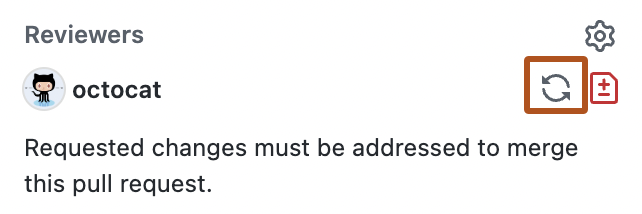
- After approval, your PR will be merged.
-
Work only on one issue at a time since it will provide an opportunity for others to contribute as well.
-
Note that each open-source repository generally has its own guidelines, similar to these. Always read them before starting your contributions.
Happy Contributing!