This page may be outdated or incomplete. Please refer to the deployment guide in our wiki for the most up to date information.
The Framework for Artificial General Intelligence (FEAGI) platform consists of core components known as FEAGI-core that is at large a Python package and is responsible for the creation, development, and operation of the artificial brain processes. FEAGI leverages many open-source libraries as part of its ecosystem to provide data visualization, data analytics, 3D simulation, and robot integration capabilities. All the needed software packages are containerized to provided a simple method to deploy the software using Docker. This document describes system requirements and the steps to deploy FEAGI platform.
- Free storage: 5 GB
- Memory: 16 GB
- CPU: 4 Cores
- macOS: Montery (12.3.1) -- Apple and Intel chips are supported
- Windows: 10
- Linux: Ubuntu (18.04)
Click on each dependency for installation instructions
- Open the terminal or command line and change to the directory in which you would like to clone feagi.
- Run the command
git clone https://github.com/feagi/feagi.git
Docker desktop application is required to launch FEAGI. If you do not have it installed you can download a free version at https://www.docker.com/products/docker-desktop/. There are multiple ways to launch docker desktop. The easiest is to search for the docker desktop application on your system and open the application. You should see a window that looks like this:
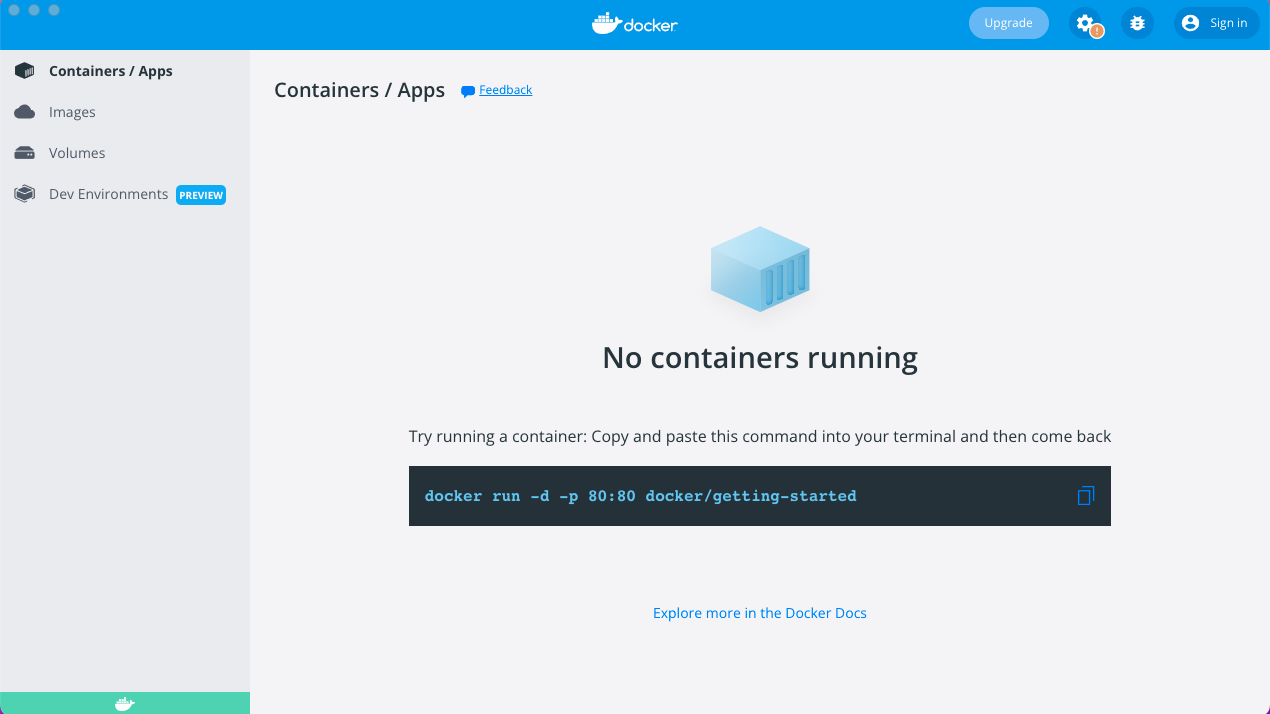
In the command line/terminal run the following commands:
cd [path to where feagi repo was cloned]/feagi/dockerdocker compose -f feagi.yml build
Note: If running on a Mac with Apple chipset, substitute feagi.yml with feagi_apple_silicone.yml throughout this deployment guide.
- In the feagi/docker folder in the command line, run
docker compose -f feagi.yml up -d - NOTE: The -d prevents the application logs from being displayed. If you would like to see the logs, don't include the -d parameter.
- To launch the application, open browser to http://localhost:3000. You should see the GUI launch page that looks like this:
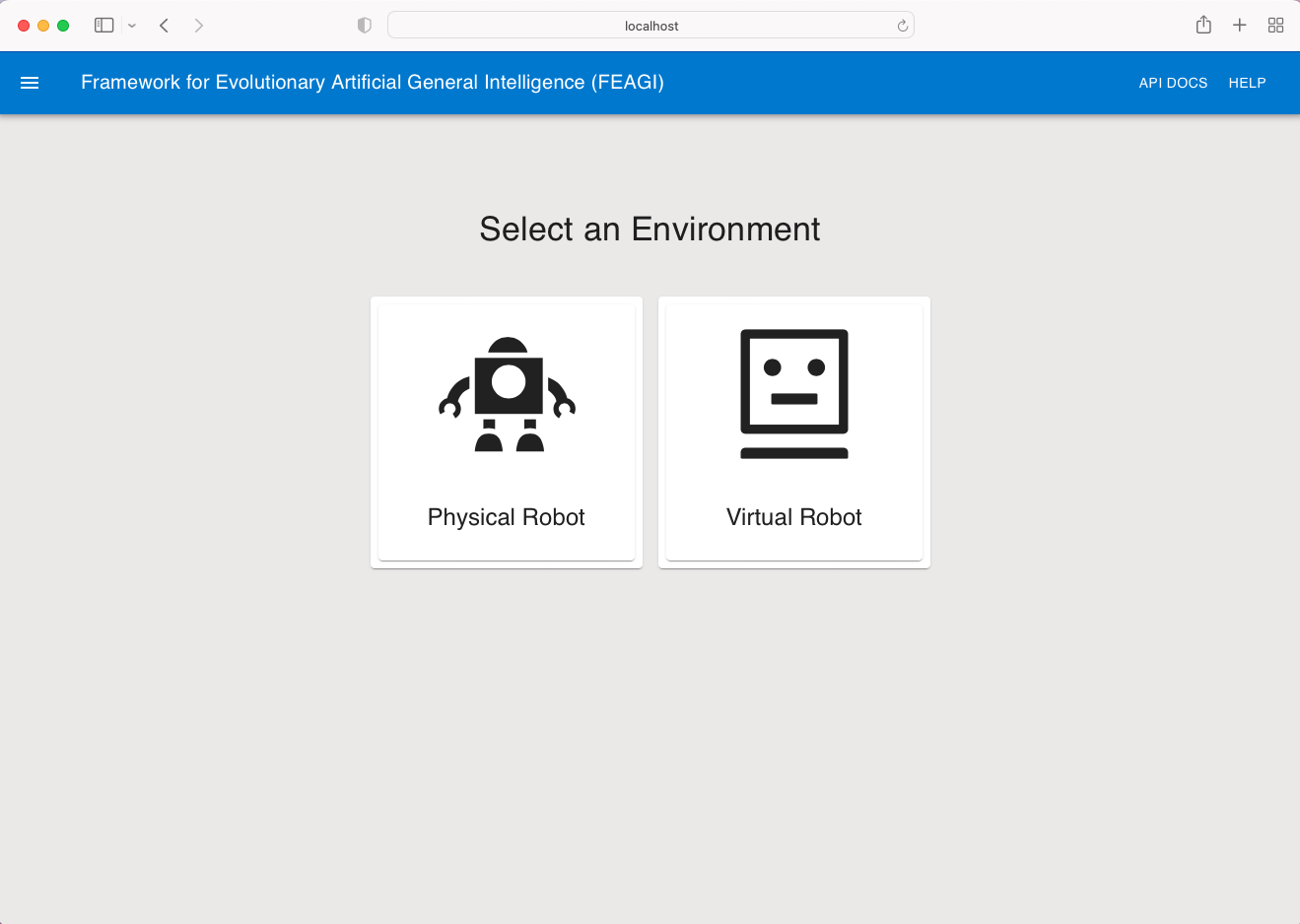
Because the application is running in the background, please make sure to always make sure to stop the application when done. There are two ways to do this.
- Run the command
docker compose -f feagi.yml downinside the feagi/docker folder on your local system. You will see logs indicating that the containers have been stopped.
- Stop the containers in the docker desktop application.
This section displays errors that users have encountered when trying to install feagi. If you encounter an error not listed here, please create an issue and we will do our best to help resolve it. Additionally, if you encounter any errors not listed here and you resolve them yourself, please add them here to help others.
If you encounter any of the following errors, please ensure that docker desktop is installed, launched, and running. These two errors were created when docker desktop was not yet installed or not launched. To launch docker desktop, follow the instructions listed under Running Docker Desktop
-
Got permission denied while trying to connect to the Docker daemon socket at unix:///var/run/docker.sock: Get "http://%!F(MISSING)var%!F(MISSING)run%!F(MISSING)docker.sock/v1.24/version": dial unix /var/run/docker.sock: connect: permission denied: driver not connecting -

To confirm docker desktop is running:
- On Mac: Clicking on the docker icon in the top right corner of your screen and ensure that you see "Docker Desktop is running"
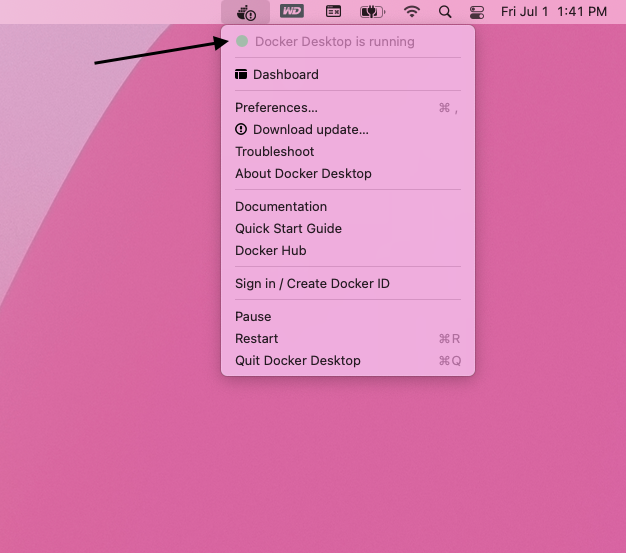
- If you receive an error indicating you have a port conflict, please follow these instructions on how to override FEAGI's default port mappings.