
Replies: 8 comments 4 replies

-
|
@psytron I like this idea. We can absolutely create a new tab in Studio to host HA configuration, statistics, and manual operations. I have to wrap my head and come up with the stuff we already have via API to create a meaningful page for the user. I'll follow up on this discussion in a few days. Anybody can contribute with idea! |
Beta Was this translation helpful? Give feedback.
-
|
Following the settings regarding HA we could display/manage from Studio:
|
Beta Was this translation helpful? Give feedback.
-
|
This is just a sketch
|

Beta Was this translation helpful? Give feedback.

-
|
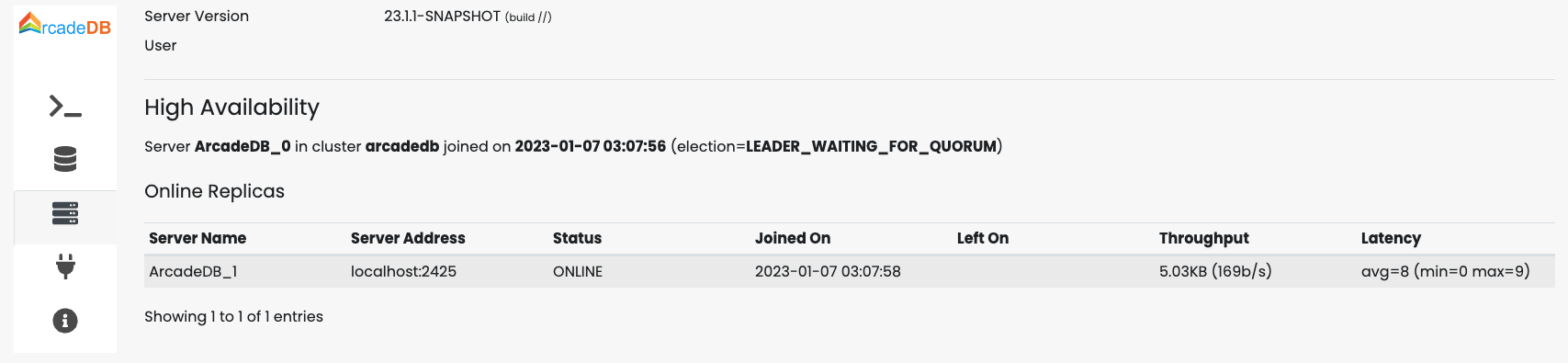
The current server where you're logged is at the center. You can see the server names, their IPs, the status and if online the latency, otherwise when they went offline. It should be easy to add/remove servers. We could also show latest transaction committed, so you can see how far behind are servers. |
Beta Was this translation helpful? Give feedback.

-
|
It would be great if this system could also be used to migrate data, backup data and reflow specific datasets. Say you're working with a dataset and your schema holds risk of somehow corrupting your data: 1. replicate backup copy. 2. run app 3. check corrupt 4. delete whole database and replicate from backup instance. Would be great if this setup would also allow you to pull down a production dataset into local for experimenting , and keep it synced. So many possibilities with this great feature. Arcade DB rules. |
Beta Was this translation helpful? Give feedback.
-
|
Without waiting too much for a nice GUI, I was thinking on providing the features first. I've just added a new "Servers" tab in Studio with some basic information.
The next step is to display the databases and implement some actions, like:
|
Beta Was this translation helpful? Give feedback.
-
|
Created an issue to track the progress: #749 |
Beta Was this translation helpful? Give feedback.
-
|
Maybe in your list of all servers there could be a drop down on each line to select target ? And then drop down for targets is automatically populated with all servers in main list |
Beta Was this translation helpful? Give feedback.

-
|
Ok. Got it: #749 (comment) |
Beta Was this translation helpful? Give feedback.
-
|
On the The alignment is a command that computes a checksum of the file locally, sends it over all the replicas, check if the checksum is the same, and otherwise asks for the portions that are different from the leader. In normal conditions, databases are always aligned, but if it's not the case you can "sync", or align, the database from the leader to the replicas. |
Beta Was this translation helpful? Give feedback.

-
|
Just wanted to add to this discussion. From a PlayWithData frame of thinking, it would be ideal if users didn't have to struggle with "HA configuration" or "leader election". Basically enable the users to just Play With Data without getting stuck in a swamp of complex configuration. Ideal scenario would be pasting a URL and the system is just like a smart mesh, it figures itself out and synchronizes everything auto-magically. |
Beta Was this translation helpful? Give feedback.
-
|
Actually, it's like this: you just enable It's all transparent, so the replication. You shouldn't need to synchronize manually things, unless there is an edge case we didn't cover or a bug in the replication. |
Beta Was this translation helpful? Give feedback.


Uh oh!
There was an error while loading. Please reload this page.
-
Would it be possible to have a replication screen in Studio?
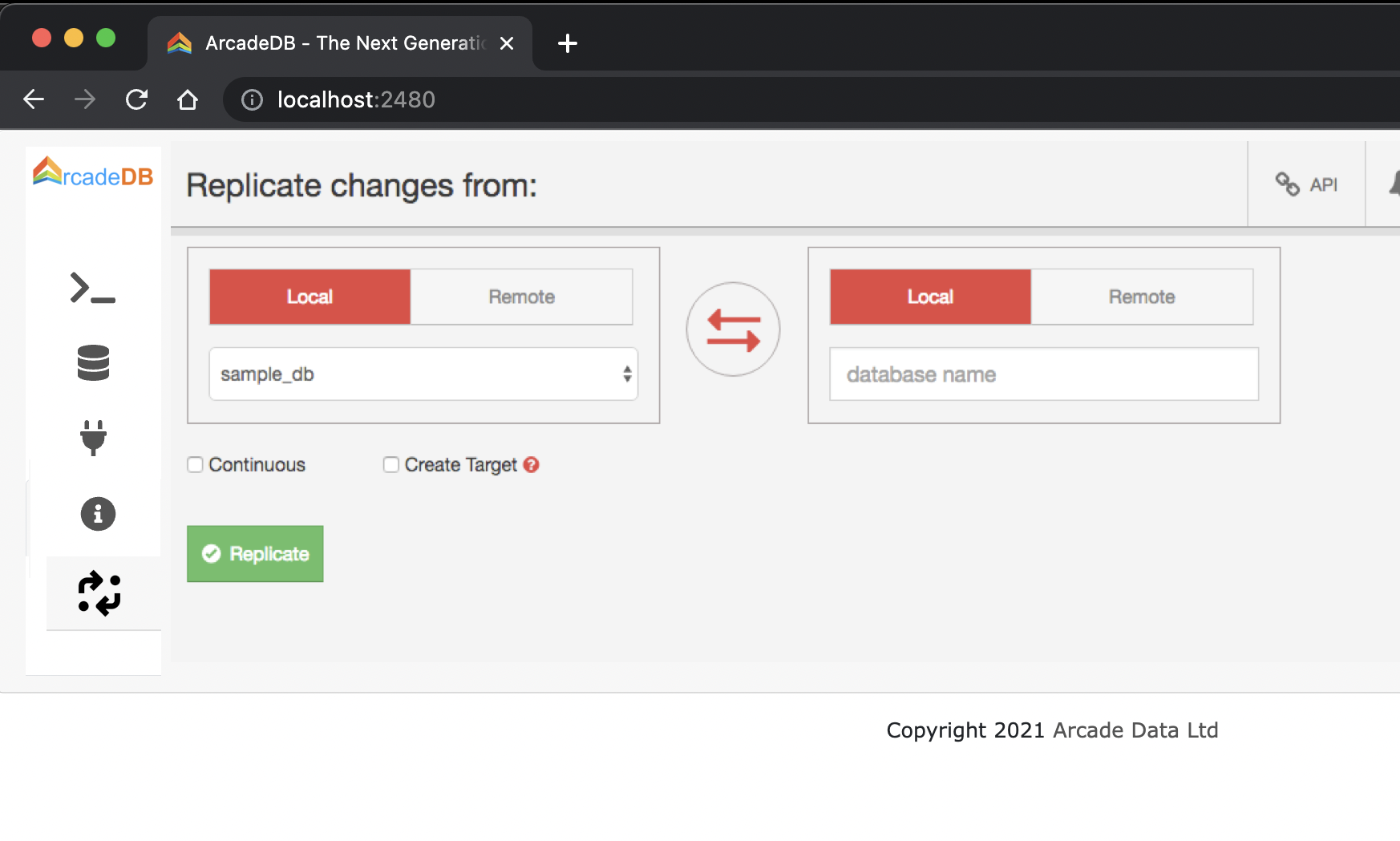
With option to select Local or Remote database, and then click replicate to have them magically synchronize like a mesh fungus.
For easy backups and moving datasets around, prod to local test etc.
Beta Was this translation helpful? Give feedback.
All reactions