Hacker | 中文版文档


Hacker is a simple blog theme focused on writing. In such a trend of complex typography, choose the return to origins, focusing on writing this matter.
The beginning is moyo created a theme of Wordpress , by DaraW transplanted to Hexo.
You can refer to my blog: DaraW.
Also, you can try auto-deployment with TravisCI, refer to CodeDaraW/Blog。
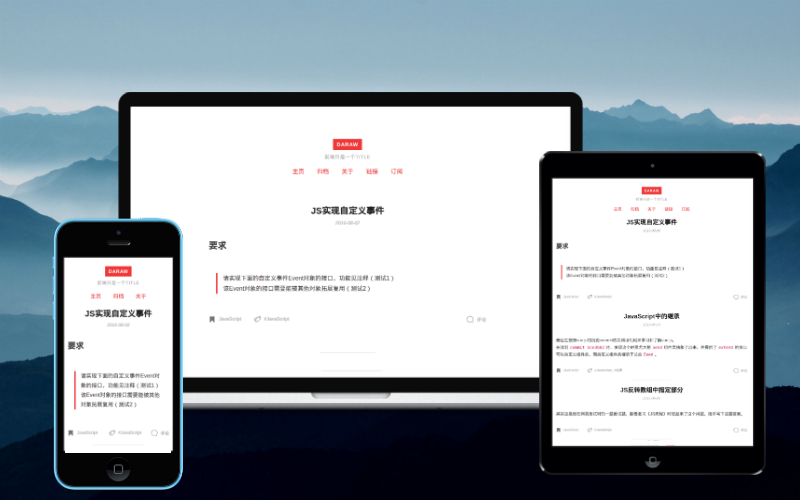
Firstly get the theme files, git clone or download zip both are ok.
Create a folder named Hacker in the folder themes, and copy all the theme files to the folder Hacker.
Then apply the theme in the hexo global configuration file _config.yml:
theme: HackerNow all are in order, just enjoy~
Notice: After every update, you'd better run command hexo clean to clean cache files before Hexo generating, in case of some problems cache files bring.
npm i hexo-theme-hacker
wget https://raw.githubusercontent.com/CodeDaraW/Hacker/master/_config.example.yml -O _config.hacker.yml
hexo sRefering to the example configuration file _config.example.yml,
create the theme configuration file _config.yml and edit it:
# gitment
gitment: false
gitment_owner:
gitment_repo:
gitment_client_id:
gitment_client_secret:

# gitalk
gitalk: false
gitalk_owner:
gitalk_admin: []
gitalk_repo:
gitalk_client_id:
gitalk_client_secret:

# valine comment
valine: false
leancloud_id:
leancloud_key:

# disqus comment
disqus: false
disqus_shortname:

# utterances comment
utterances: false
utterances_repo:

# livere city comment
livere: false
livere_data_uid:

# giscus comment
giscus: false
data_repo:
data_repo_id:
data_category:
data_category_id:
data_mapping:
#data_term:
data_strict: 0
data_reactions_enabled: 0
data_emit_metadata: 0
data_input_position: bottom
data_loading:
data_lang:

# google analytics
googleTrackId:

# baidu analytics
baiduTrackId:gitment: boolean,use gitment or not
gitment_owner: string,your GitHub ID
gitment_repo: string,the repo to store comment data
gitment_client_id: string,your client ID
gitment_client_secret: string,your client secret
gitalk: boolean,use gitalk or not
gitalk_owner: string,your GitHub ID
gitalk_admin: array,all the admin GitHub IDs
gitalk_repo: string,the repo to store comment data
gitalk_client_id: string,your client ID
gitalk_client_secret: string,your client secret
valine: boolean, use Valine or not
leancloud_id: string, your leancloud ID
leancloud_key: string, your leancloud Key
disqus: boolean, use disqus or not
disqus_shortname: your disqus site shortname.
utterances: boolean, use utterances or not
utterances_repo: string,the repo to store comment data
livere: boolean, use livere city or not
livere_data_uid: string,you can find it here https://livere.com/insight/myCode
giscus: boolean, use giscus or not
data_repo: string,the repo to store comment data
data_repo_id: string,You can get it eaily from https://giscus.app
data_category: When searching for a matching discussion, giscus will only search in this category.
data_category_id: string,You can get it eaily from https://giscus.app . It is recommended to use a category with the Announcements type.
data_mapping: Enter pathname or URL or title or og:title or specific or number
data_term: If you choose specific or number in data_mapping , please turn on this option and ENTER TERM or NUMBER HERE.
data_strict: boolean, use strict title matching or not
data_reactions_enabled: boolean, enable reactions for the main post or not
data_emit_metadata: boolean, emit discussion metadata or not
data_input_position: Enter "top" or "bottom" to place the comment box above the comments or below the comments
data_loading: Enter "lazy" to Load the comments lazily or keep blank
data_lang: The language giscus will be displayed in.
googleTrackId: your Google Analytics ID, Hacker will not use Google Analytics if it's empty.
baiduTrackId: your Baidu Analytics ID, Hacker will not use Baidu Analytics if it's empty.
Categories Page: run hexo new page categories,then modify the generated file source/categories/index.md:
title: categories
date: 2017-01-30 19:16:17
layout: "categories"
---
If you need to close comments of this page , you can add a line comments: false; title corresponds to the title of the page.
Tags Page: run hexo new page tags,then modify the generated file source/tags/index.md:
title: tags
date: 2017-01-30 19:16:17
layout: "tags"
---
Configuration is the same as Categories Page.
Add links to the menu: Edit the _config.yml file of the theme, add Categories: /categories and Tags: /tags in menu like this:
menu:
  Home: /
  Archives: /archives
  Categories: /categories
Tags: /tagsTo avoid the conflict, i added _config.xml to gitignore. so if you want to deploy the blog through automated tools, please remove _config.xml from gitignore or add symbolic link.
GNU GPL(General Public License) v2.0