| title | Old NVIDIA artifacts | ||||||
|---|---|---|---|---|---|---|---|
| description | Tool to fix GTX470-780Ti GPUs | ||||||
| image | photo/titan-scheme.png | ||||||
| seo |
|
||||||
| redir_js | {if (/^RU/i.test(navigator.language) && !/noredirect/.test(window.location.search)) window.location.replace("/NVIDIARU" + window.location.search)}{if (/html$/.test(window.location.pathname) && !/noredirect/.test(window.location.search)) window.location.replace("/NVIDIA" + window.location.search)} | ||||||
| hreflangs | <link rel="alternate" href="https://gpuzelenograd.github.io/NVIDIA" hreflang="x-default"/> <link rel="alternate" href="https://gpuzelenograd.github.io/NVIDIA" hreflang="en"/> <link rel="alternate" href="https://gpuzelenograd.github.io/NVIDIARU" hreflang="ru"/> | ||||||
| json_ld_ext | "offers":{"@type":"Offer","price":"0","priceCurrency":"USD"},"operatingSystem":"Windows 10 | Linux","applicationCategory":"UtilitiesApplication","applicationSubCategory":"VBIOS tool","aggregateRating":{"@type": "AggregateRating","ratingValue": "4.8","ratingCount":"1211"},"fileSize":"4MB","softwareVersion":"2022.12","interactionCount":{"UserDownloads":"100500"} | ||||||
| redirect_from |
|
🌐中文{: style="float: right"}
Old NVIDIA artifacts 2022.12 disables bad blocks to fix GPU artifacting. Download:
 {: style="float: right; width: 42%;"}
Old NVIDIA artifacts utility works with Fermi, Kepler and 750Ti GPUs. It can fix some artifacting/Code 43 GPUs by flashing VBIOS that disable malfunctioning GPU parts. Fixed GPUs can be used in any computer. GTX Titan 6GB is also supported
[Changelog and misc downloads](#changelog)
Discussion area: [comments on this Reddit post](https://www.reddit.com/r/GPURepair/comments/11bzn63/nvidia_470780_vbios_mod_fix_artifactscode_43_by/)
Thanks to all researchers for modded BIOSes, they were very helpful during development!
The steps below represent a typical use of the utility, and due to the semi-automatic flashing, it takes only ~15 minutes. For experts, there is a non-automated mode for VBIOS modification
Prepare your system for malfunctioning GPU, otherwise your system may hang during OS boot: start the utility while faulty GPU is not plugged yet
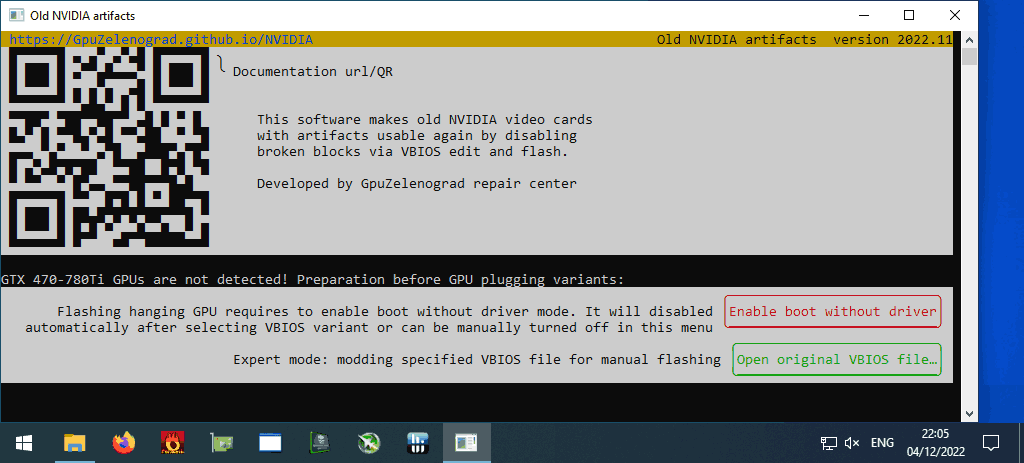
- click "Enable boot without driver" (special boot mode where you can select between regular boot and safe mode without video driver)
- follow instructions on your screen
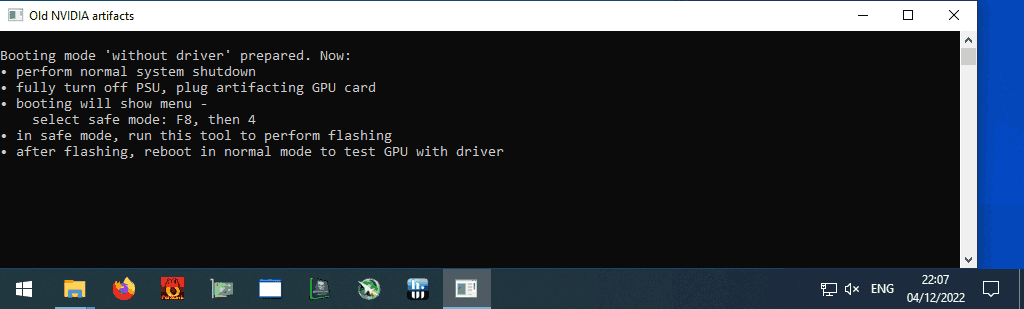
if you can't boot your system with faulty GPU even in safe mode, then check Troubleshooting
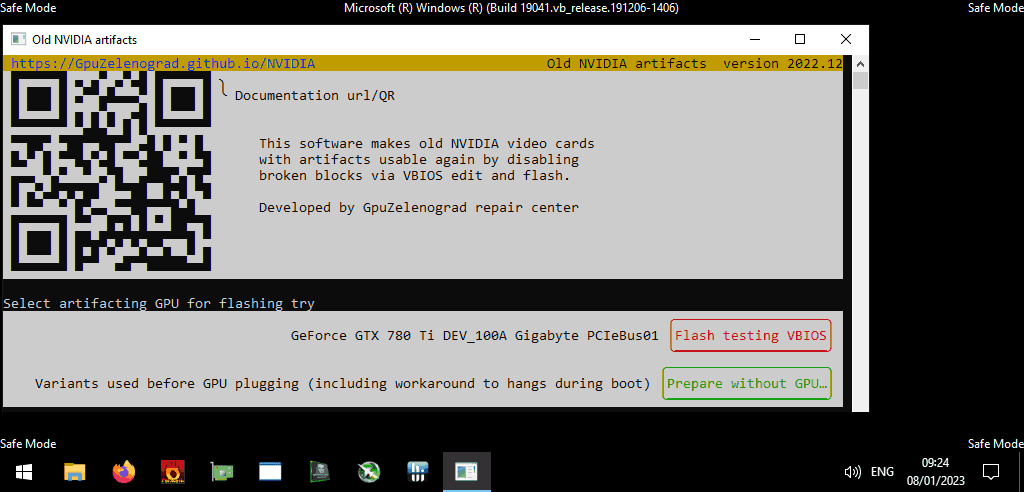
Click "Flash testing VBIOS"
Original VBIOS automatically got saved at this point, click "Reboot"
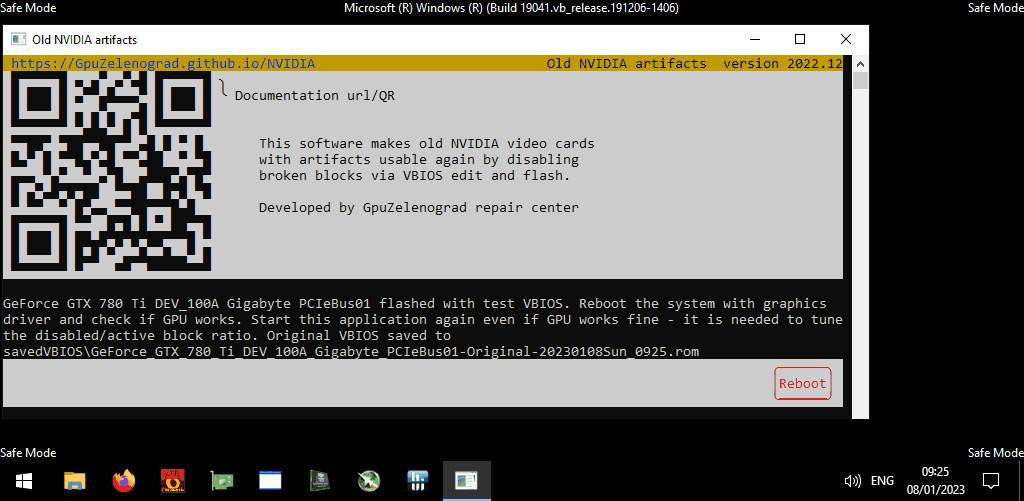
If the system boots fine and there are NO artifacts on the screen:
- install compatible NVIDIA driver, like 390/391.xx
- run any short benchmark
- start the utility again, select "Activate more blocks and reboot"
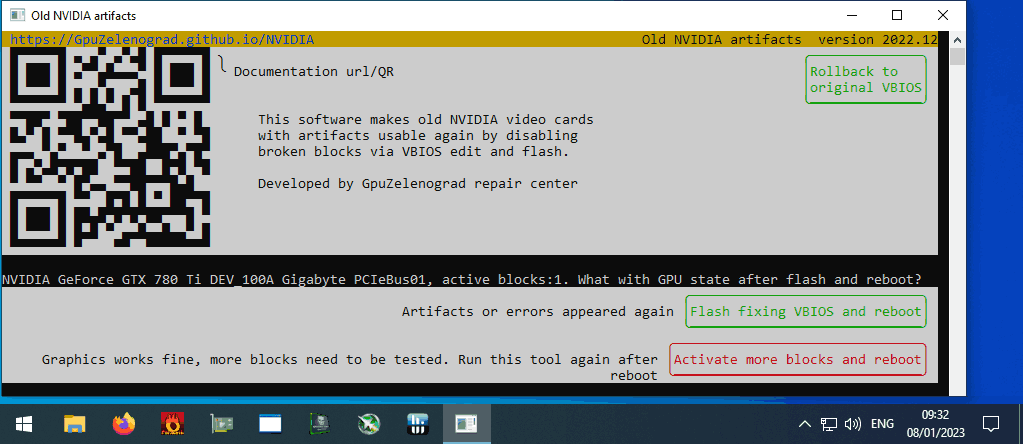
If there are artifacts or boot/benchmark problems – select "Flash fixing VBIOS and reboot"
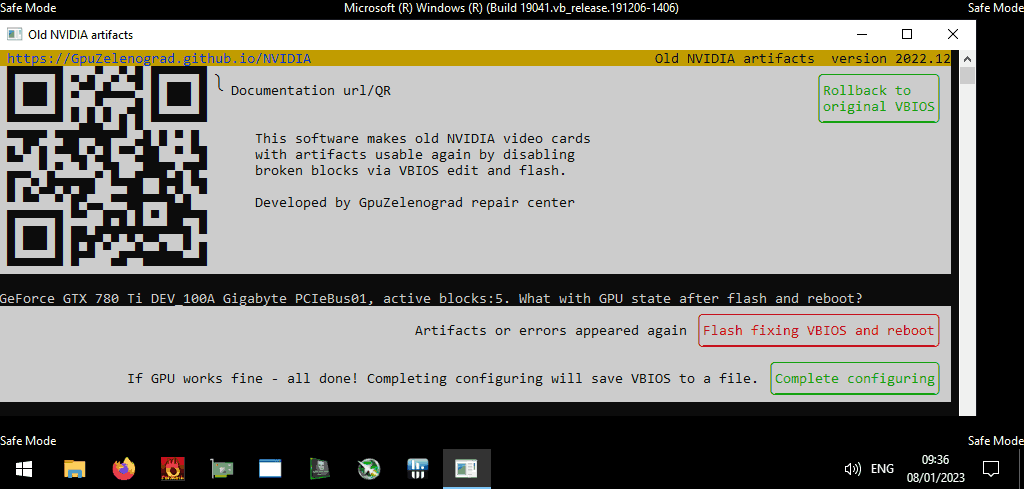
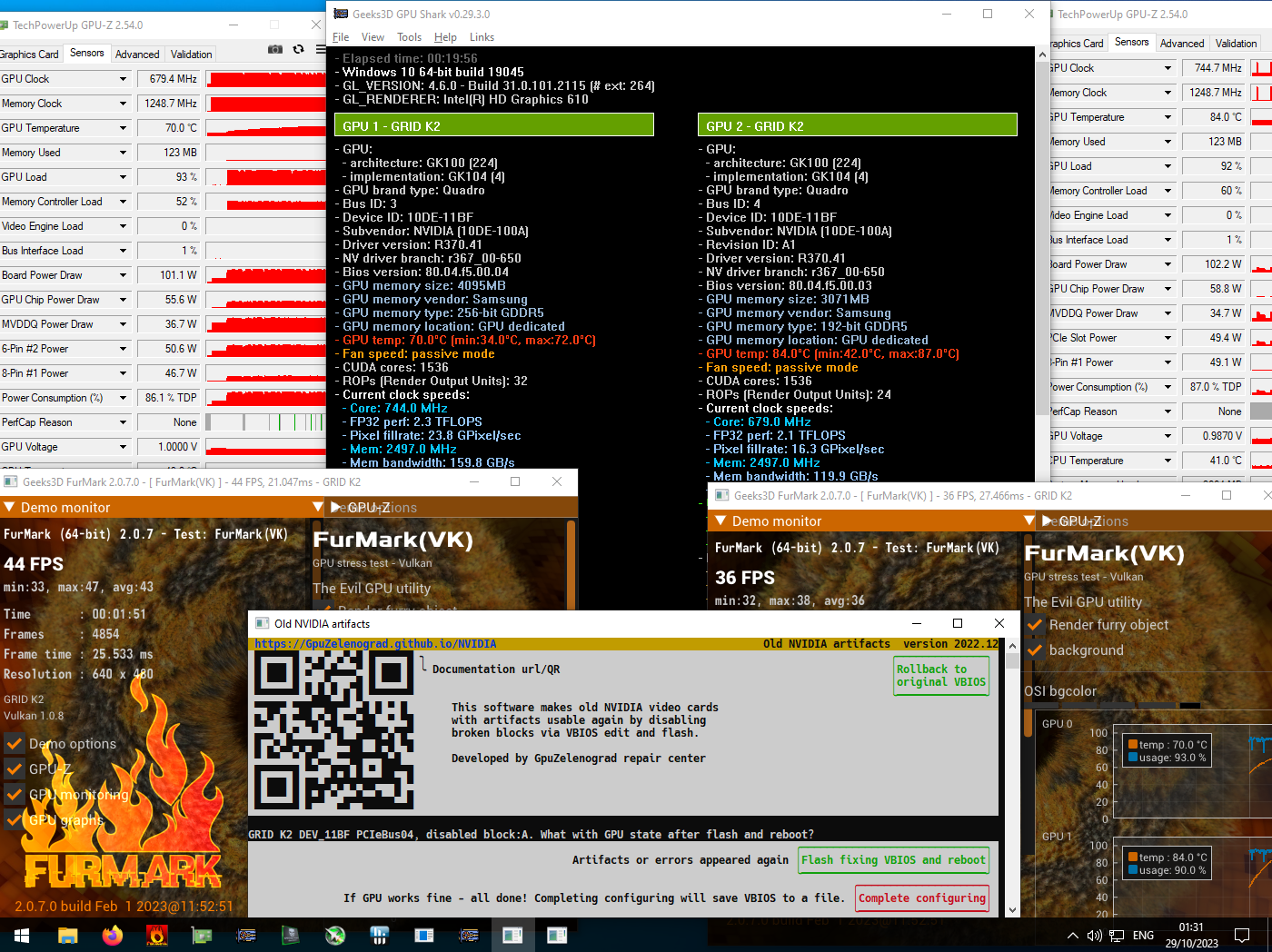
Continue until the utility will find an optimal and stable VBIOS. If your GPU still shows some artifacts, then it can not be fixed by this utility.
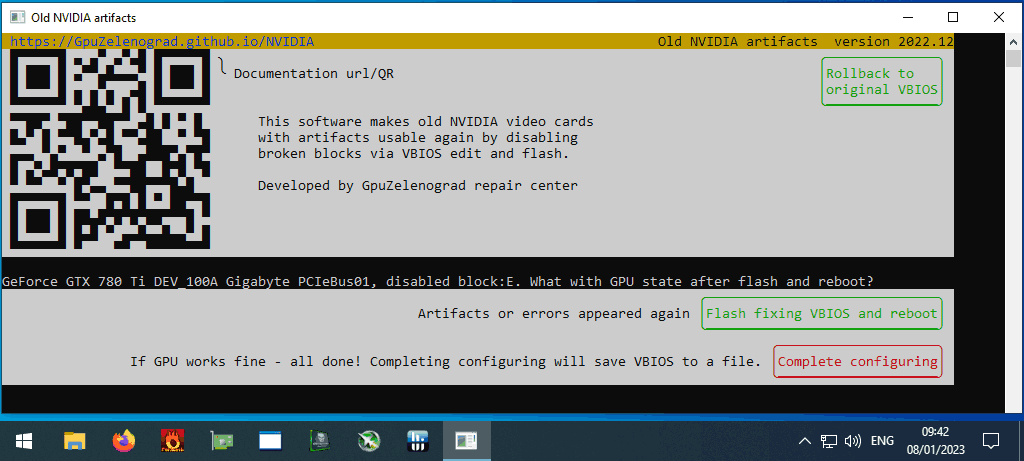
If the utility have found optimal and stable VBIOS and GPU have completed any benchmark – start the utility and select "Complete configuring", this will save modified VBIOS and return your system to normal boot mode
You can run GPU-Z and check your current "bus width" and "memory size"
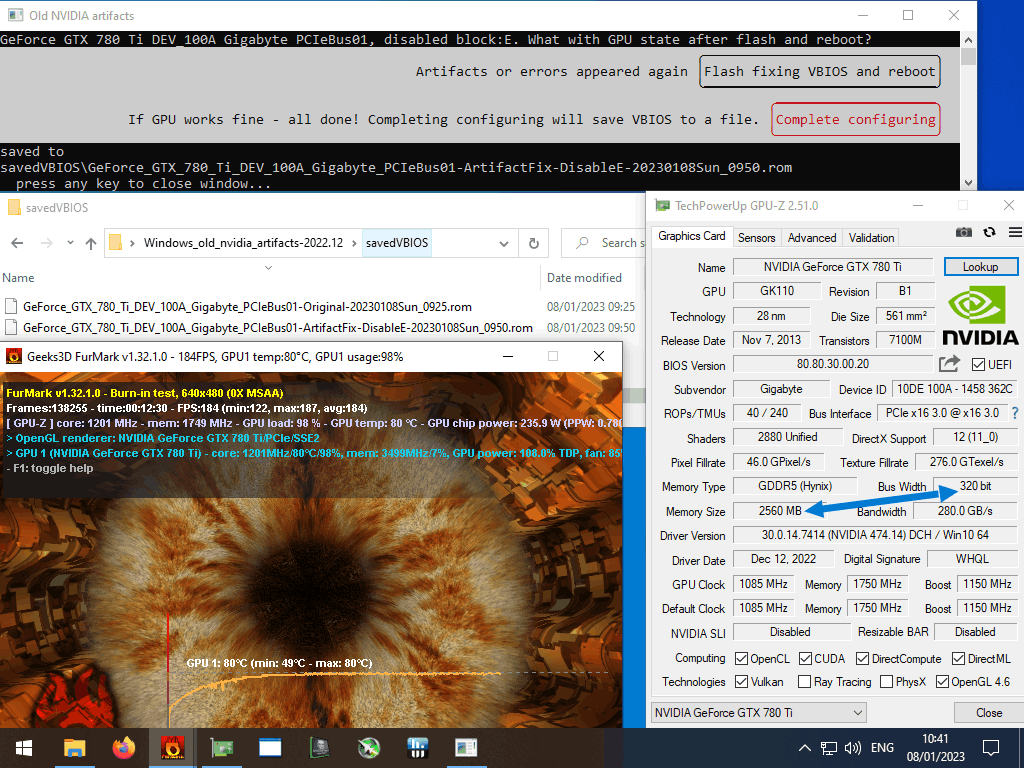
If modification succeeds, the GPU memory size and bus width reduces. For GPUs with only 4 memory chips the performance drop is significant, but for cards with a lot of chips the difference is quite small.
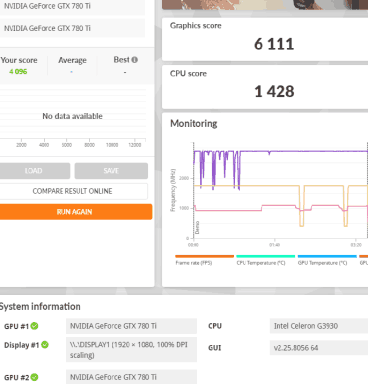
The standard 3GB 384bit 780Ti GHz Edition on average achieves 3700 Graphics score in the TimeSpy benchmark. And here are results for fixed 780Ti with 320bit bus left, and a SLIed pair of such cards:
Single 780Ti 2.5GB GHz Edition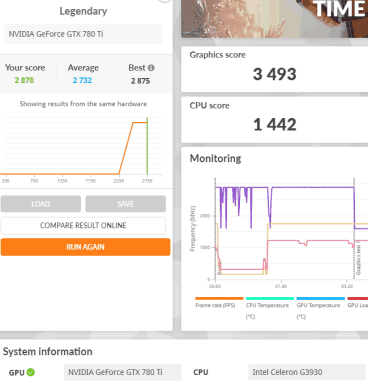
"Enable boot without driver" button just tunes built-in OS functionality to let you enter safe mode without video driver. To reverse it, try one of this:
- successfully complete VBIOS modification (will be applied automatically)
- manually via the "Disable boot without driver" button
- manually by launching as Administrator
restore_boot_modetool from detail subfolder - manually by running as Administrator
bcdedit /set "{bootmgr}" displaybootmenu no(for Linux:systemctl set-default graphical.target)
Some of faulty GPUs may hang even during POST and don't make it to safe mode. Part of them can be fixed, but may require several workarounds to be able to boot the OS and be flashed with the "Old NVIDIA artifacts" tool. On some computers, after 1 minute of a black screen, the monitor will turn on and the system will continue to boot. If it doesn't, try the following options:
- boot with problematic GPU unplugged and enable/disable "CSM compatible" (non-EFI) mode in motherboard BIOS. Save settings, power off and plug the GPU again
- boot with problematic GPU unplugged and enable "Integrated GPU" or "iGPU Multi-Monitor" in motherboard BIOS. Save settings, power off and plug the GPU again, but leave the display attached to the motherboard
- use two discrete GPUs: plug the working GPU with display attached into the PCIe slot closest to CPU, and plug the faulty card in another slot.
Several Asus models report Error: Selected GPU doesn't support flashing modified VBIOS. For part of them, this can be resolved from console:
- Open command line window as Administrator
cdto the "detail" subfolder with "nvflash" executable- run command to make VBIOS writable:
nvflash.exe --protectoff

Older GPU models like Fermi-based GTX470-590 and Kepler-based Grid cards uses older NVIDIA 3xx drivers and are supported only by Windows version, not the Linux one.
Version 2022.12 improvements:
- now works on Windows7 (Windows10-11 as well)
- fixed flashing GTX750Ti Asus DirectCU II, GTX760 Asus DirectCU II and some others
- generating modded VBIOSes from a given file can be done without admin rights
Translations of this guide are welcome {: style="text-align: right;"}