Issue of lighting in VR only #4748

Description

I loaded a photogrammetry environment in Spoke which really needs to be shadeless to look good. For this reason, I remove the default lights and the skybox.
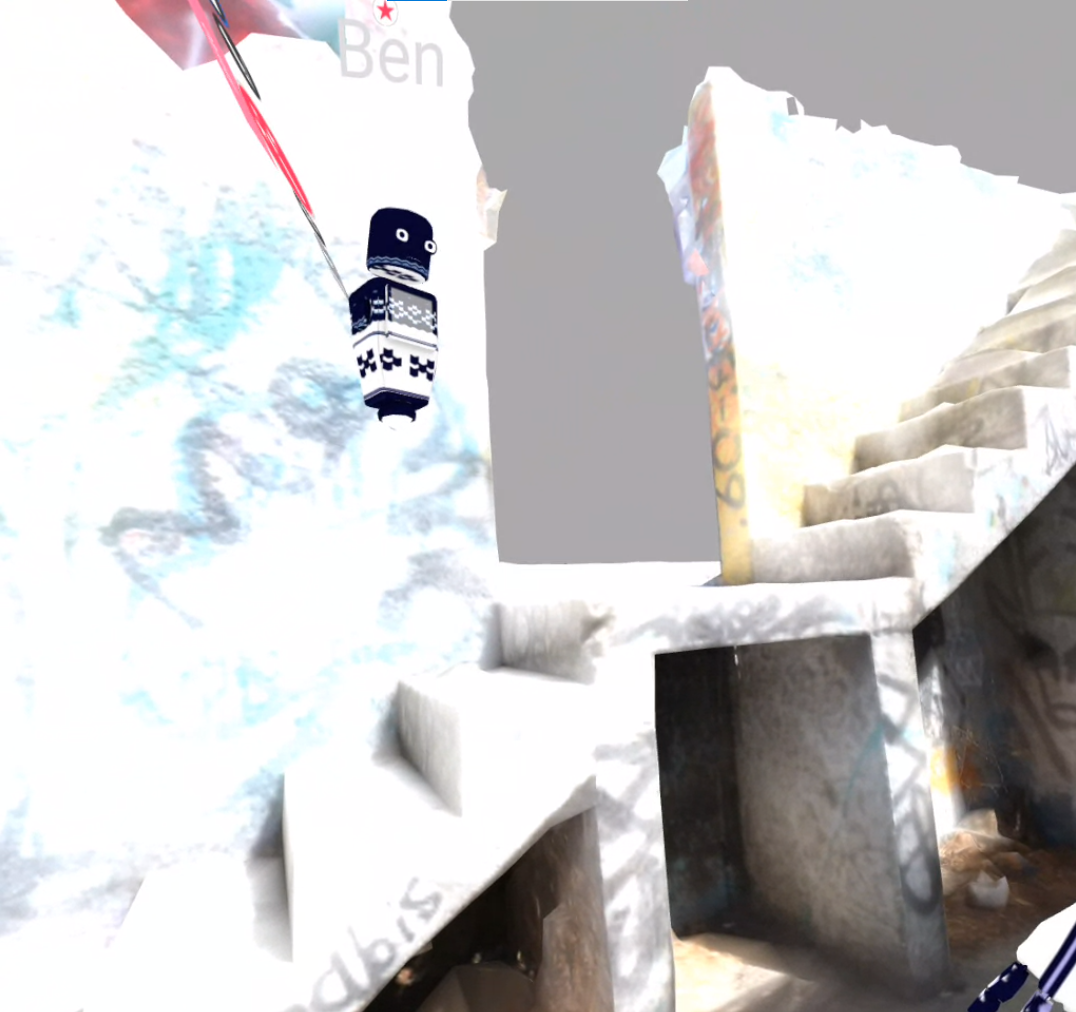
What is weird is that after when entering a room in Desktop mode, it works well, but in VR it has some strong lighting like the ones caused by the default light skybox even though I removed them.
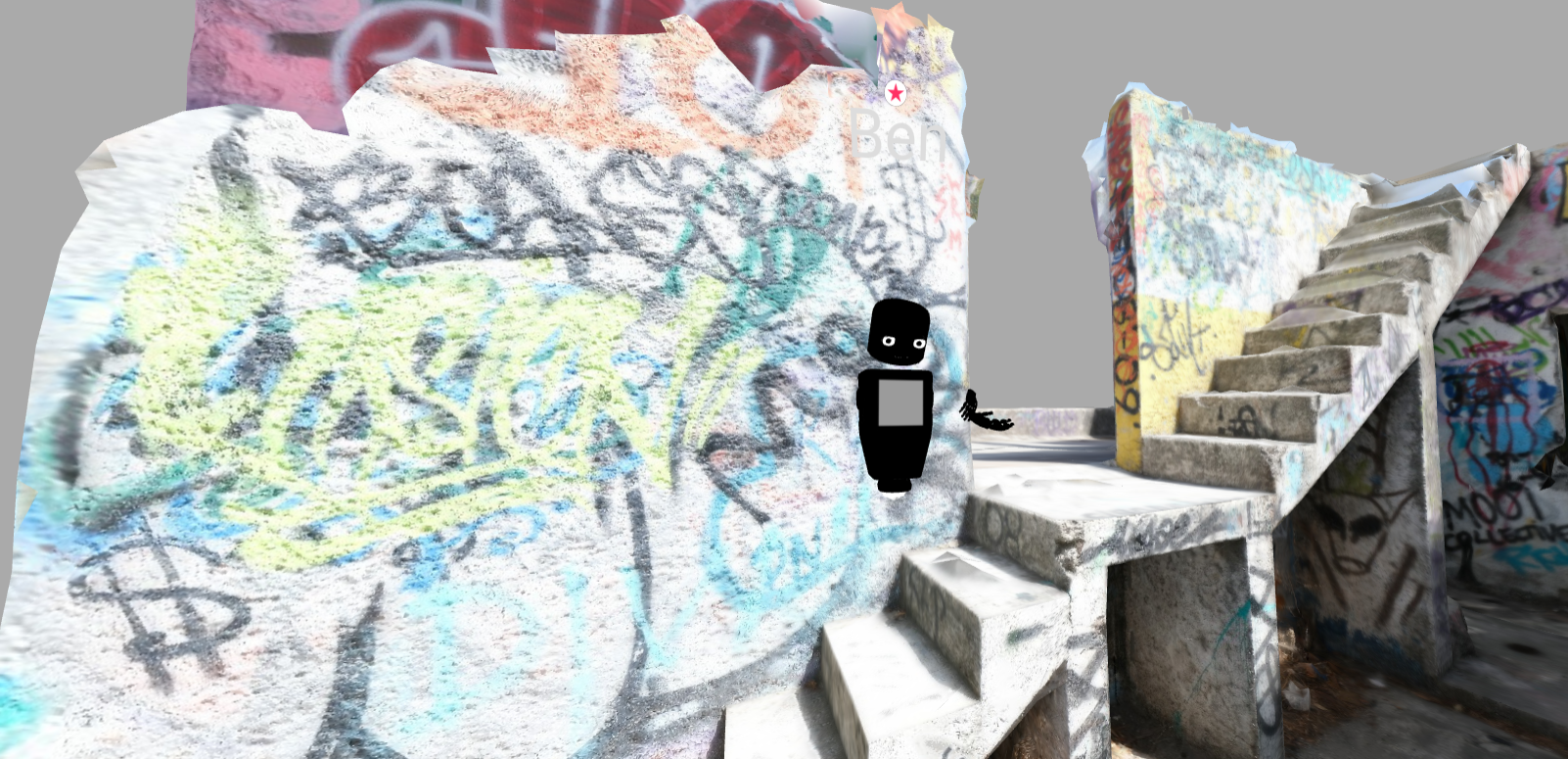
I even tried multiple participants, and on the desktop it is unlit and on VR it is lit which really shows that the issue is related to VR.
Do you know how this can be fixed? I would like to have a meeting with a client to show them the photogrammetry model in VR
To Reproduce
Steps to reproduce the behavior:
- Create a new scene in Spoke, deleting the light and skybox
- Adding a photogrammetry model (environment)
- Publishing to a scene on Hubs
- Entering the Hubs room on the desktop is all good
- Entering it in VR in Oculus Quest and there is a strong ugly light emission on the photogrammetry environment
Expected behavior
I expect the model in VR to also be shadeless like in Desktop mode, not lit and very bright
Screenshots
What I see on Desktop that is correct (the guest A is actually unlit which is ok)
The wrong brightness I see in VR (even the guest B is lit in there)
Hardware
- Device: Desktop PC and Oculus Quest
- Browser on Desktop PC is Chrome
┆Issue is synchronized with this Jira Task