Home
Terre is a proxy server for Terraria that can be used for multi-world and cross-play (desktop + mobile) setups. It is a standalone application that you will be running alongside your Terraria servers. Before getting started with setting up your own proxy, you will need to understand how it works.
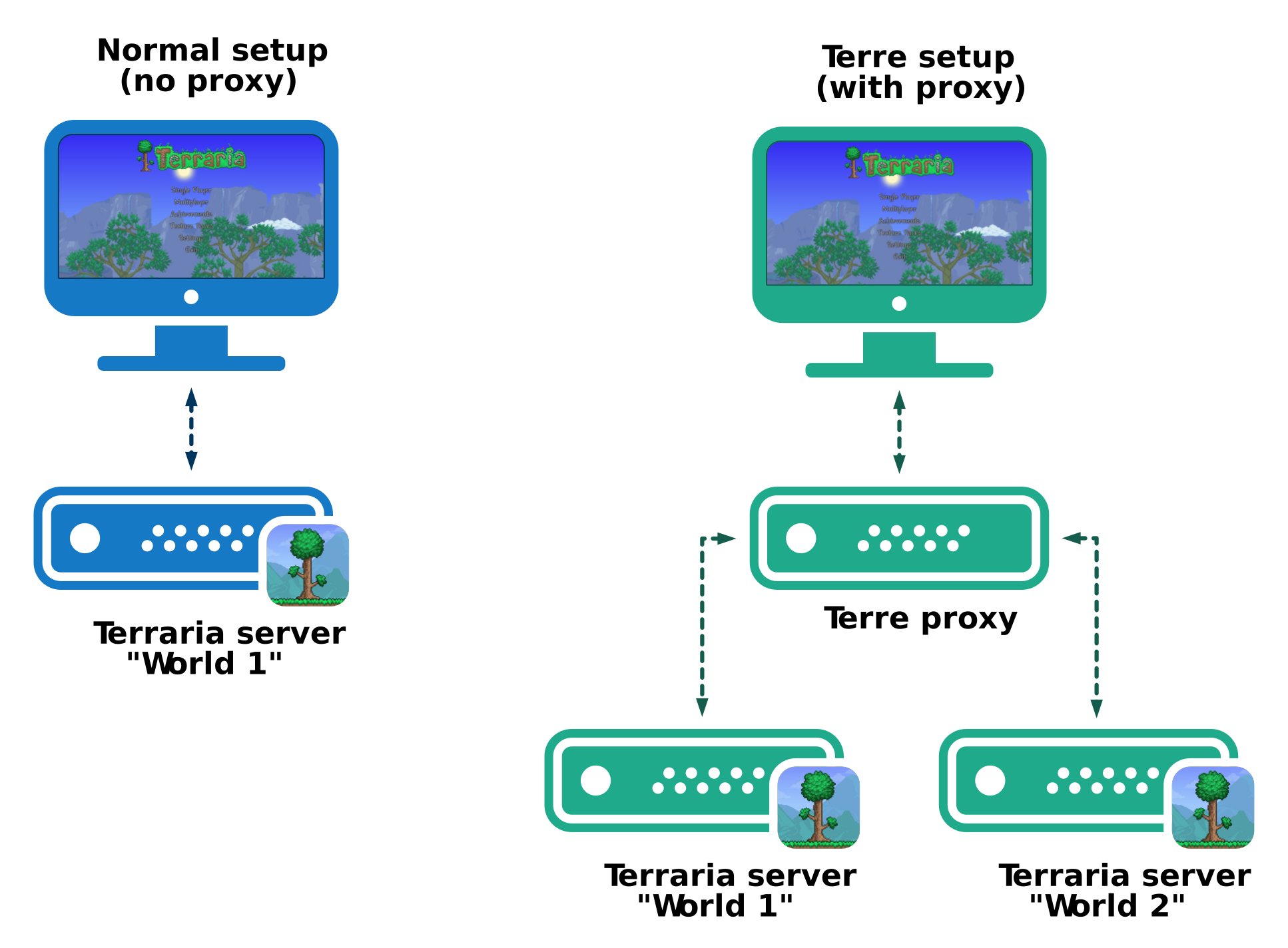
The following figure gives an overview of the setup of Terre. On the left hand side you can see the traditional setup with a single Terraria server. On the right hand side you can see a setup of Terre. The Terraria client will connect to the Terre proxy which will then decide how to redirect you to one of your configured Terraria servers. In this setup, every Terraria server can be considered a "world".
Now that you know what Terre is and have a basic understanding of how it works, you can now start setting up your own proxy. The following topics will guide you through this process. If there are any more questions, you can you can jump into the discussions.
- Getting started
- Getting started with docker
- Setting up a multi-world server
- Setting up a cross-play server (desktop + mobile)
- Developing plugins