On-device voice-guided field reporting: capture field reports hands-free with wake word activation, spoken prompts, structured intent capture, and free-form voice notes. Everything runs on-device, with no cloud processing and no data leaving the device.
Porcupine Wake Word starts the report, Orca Streaming Text-to-Speech speaks each prompt, Rhino Speech-to-Intent captures structured answers, and Cheetah Streaming Speech-to-Text records free-form notes.
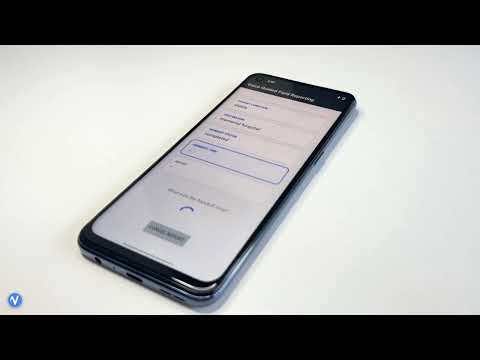
- Porcupine Wake Word
- Rhino Speech-to-Intent
- Cheetah Streaming Speech-to-Text
- Orca Streaming Text-to-Speech
- Porcupine detects the wake word and starts the field report.
- Orca speaks each prompt in the report, one field at a time.
- Rhino captures each answer as a structured intent and re-prompts if it does not understand.
- Cheetah records the final free-form notes as text.
Is it fully on-device? Yes. Porcupine, Rhino, Cheetah, and Orca all run on-device, with no cloud and no data leaving the device.
Is it hands-free? Yes. Porcupine starts the report with a wake word and Orca speaks each prompt, so the worker keeps their hands and eyes on the task.
How does it capture structured fields and free-form notes? Rhino captures the structured fields as voice intents, so each answer maps to a known field, and Cheetah transcribes the free-form notes at the end as open text.
More FAQs can be found on Picovoice website.