On-device voice memo assistant: record, rewrite, summarize, and replay voice memos hands-free by voice. Everything runs on-device, with no cloud processing and no data leaving the device.
Porcupine Wake Word starts the assistant, Rhino Speech-to-Intent handles voice commands, Cheetah Streaming Speech-to-Text transcribes the memo, picoLLM Inference rewrites or summarizes it with a local LLM, and Orca Streaming Text-to-Speech reads memos back aloud.
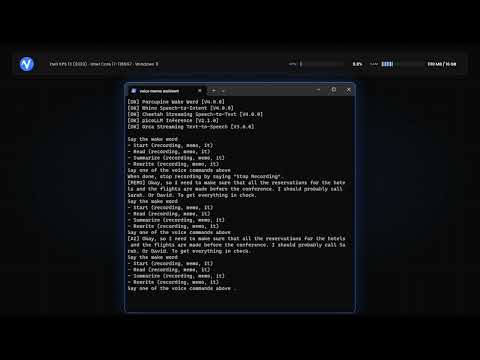
- Porcupine Wake Word
- Rhino Speech-to-Intent
- Cheetah Streaming Speech-to-Text
- picoLLM Inference
- Orca Streaming Text-to-Speech
- Porcupine detects the wake word and starts the assistant.
- Rhino recognizes a voice command: start a memo, read it, summarize it, or rewrite it.
- Cheetah transcribes the dictated memo until you say "stop recording".
- picoLLM summarizes the memo into one short sentence or rewrites it to fix grammar, filler, and false starts, all with a local LLM.
- Orca reads the memo back aloud on command.
Is it fully on-device? Yes. Porcupine, Rhino, Cheetah, picoLLM, and Orca all run on-device, with no cloud and no data leaving the device.
Is it hands-free? Yes. Porcupine starts it with a wake word and Rhino takes voice commands, so you record and manage memos without touching the device.
What can it do with a memo? Record it, read it back aloud, summarize it into one short sentence, or rewrite it to fix grammar, punctuation, filler words, and false starts while keeping the original meaning.
Does the rewrite or summary change the meaning? No. picoLLM is instructed to preserve the original meaning and add no new information, cleaning up the wording or condensing it without altering the facts.
More FAQs can be found on Picovoice website.