add visual instructions for customizing environment #2

Description

I just took a bunch of screenshots documenting the process for adding conda packages, since it's pretty great you can do this entirely on github without a linux terminal! cc @ArianeDucellier @mdenolle
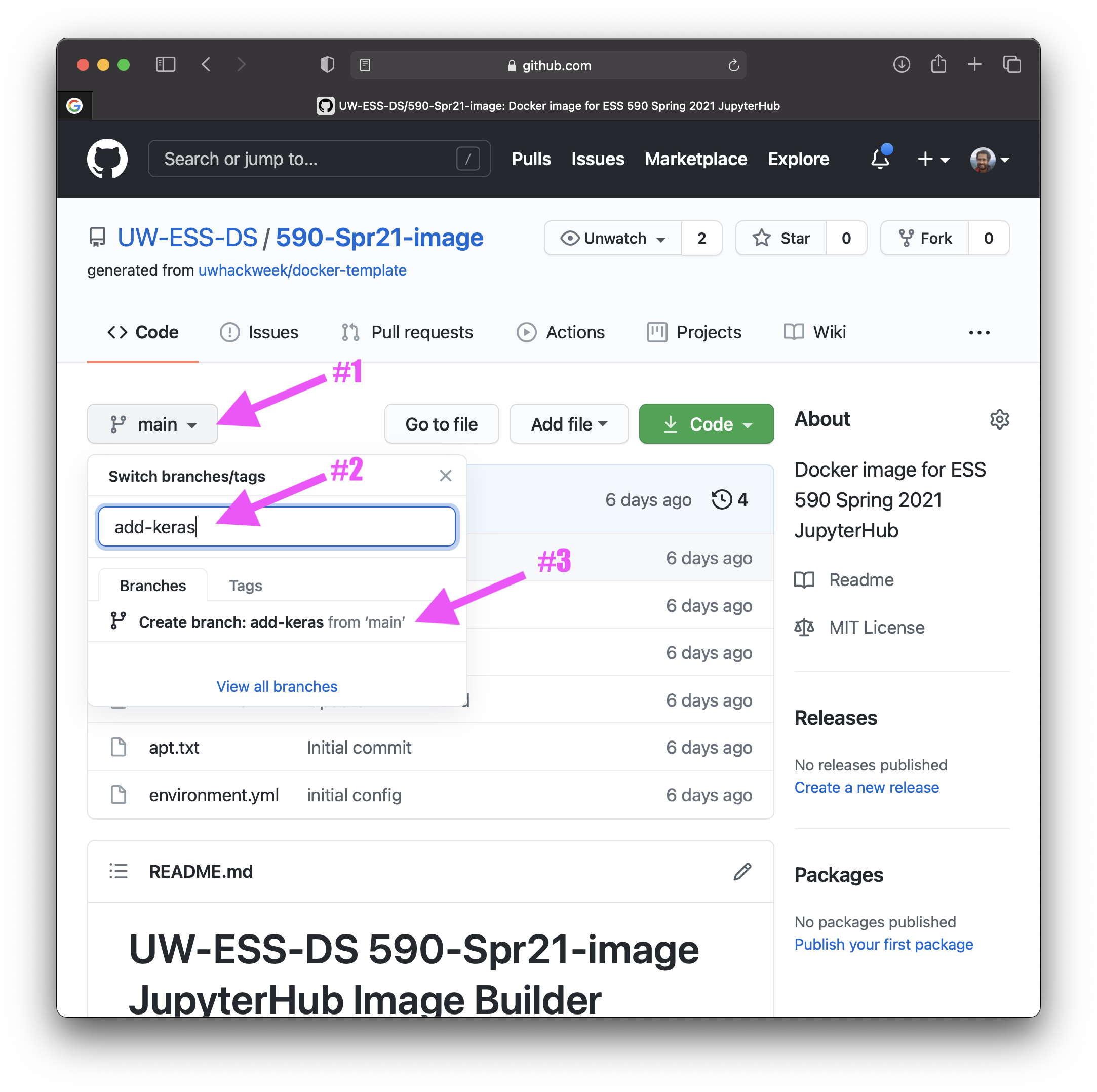
- create a new branch
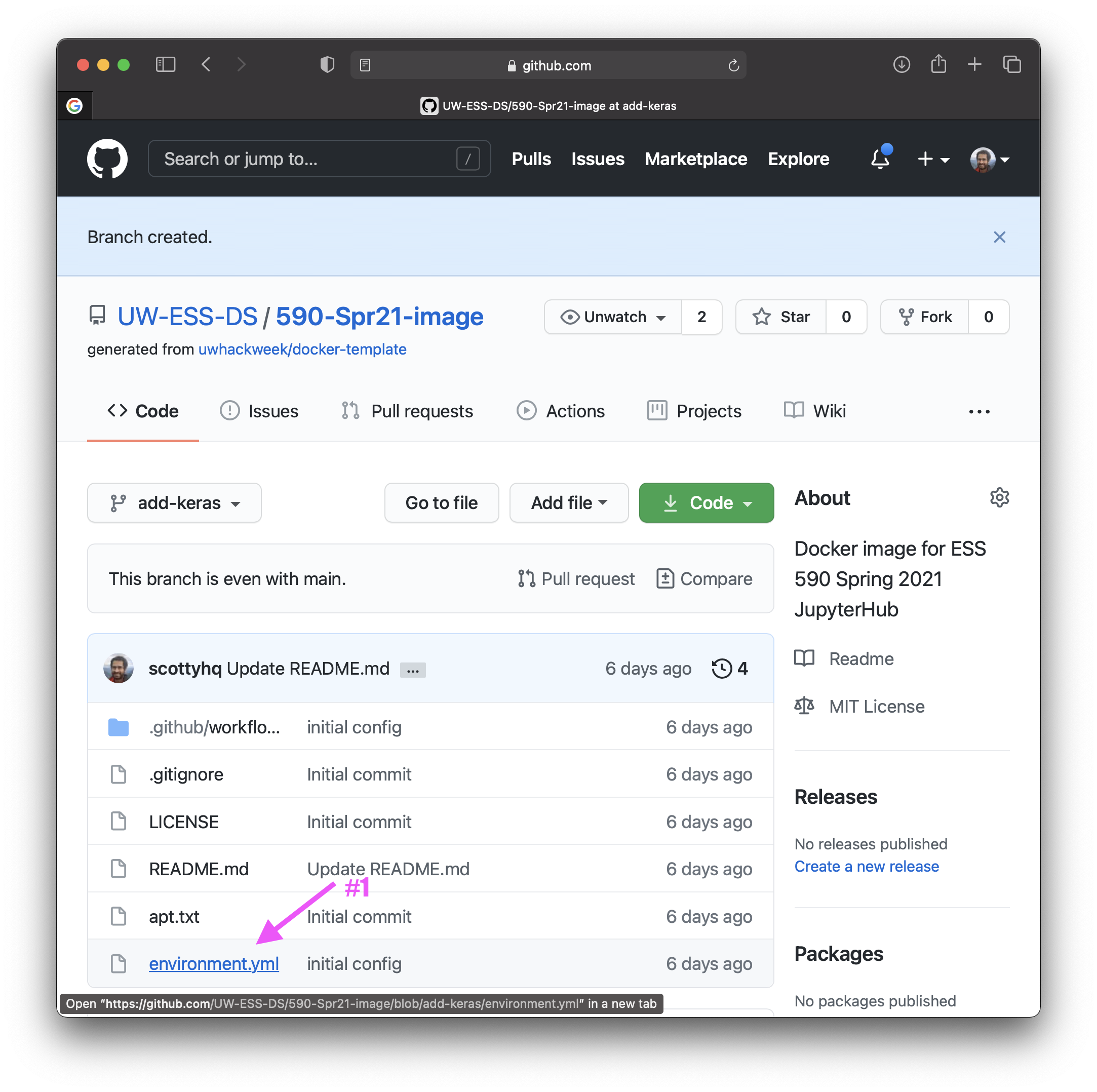
- select
environment.ymlfile
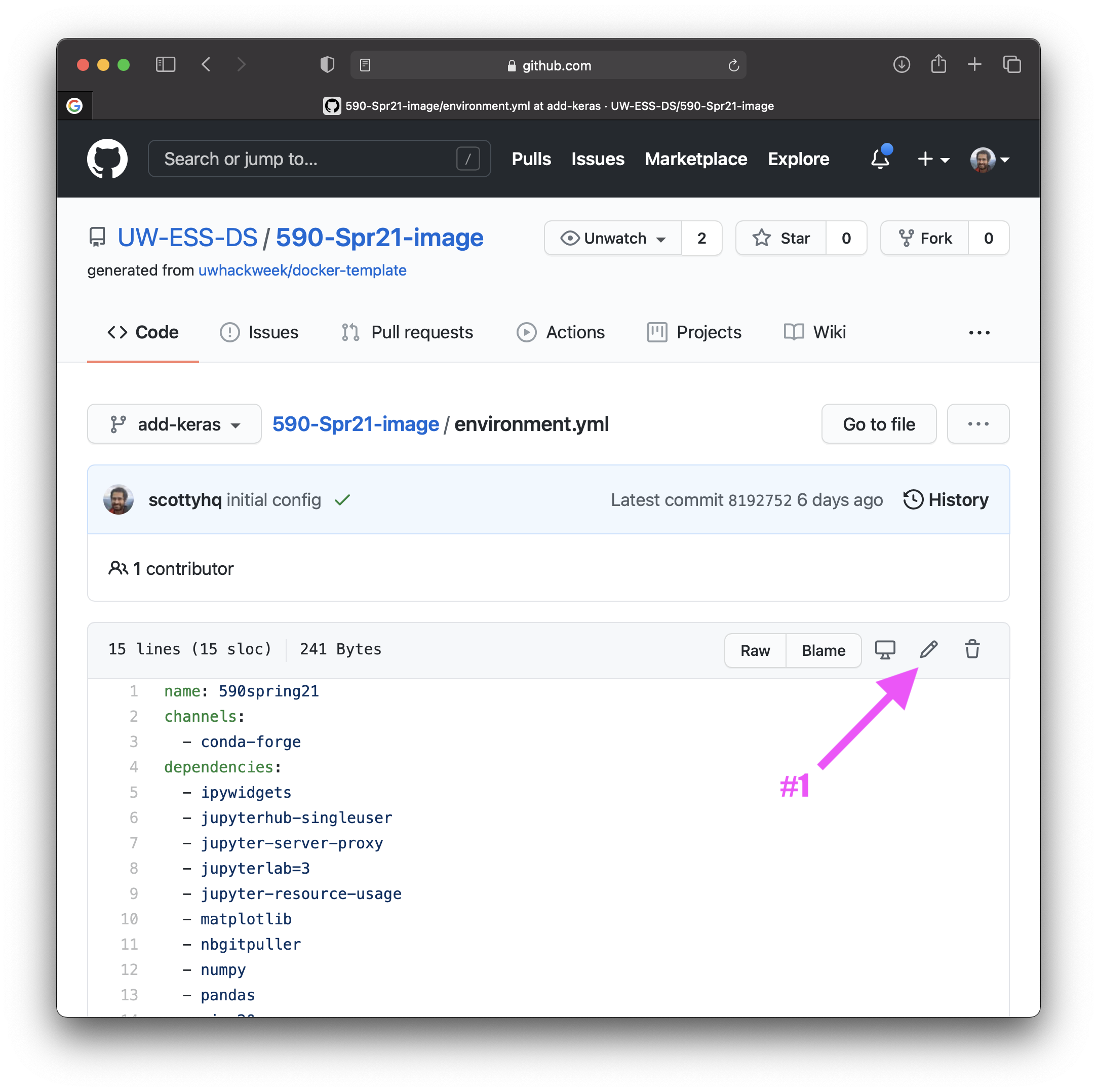
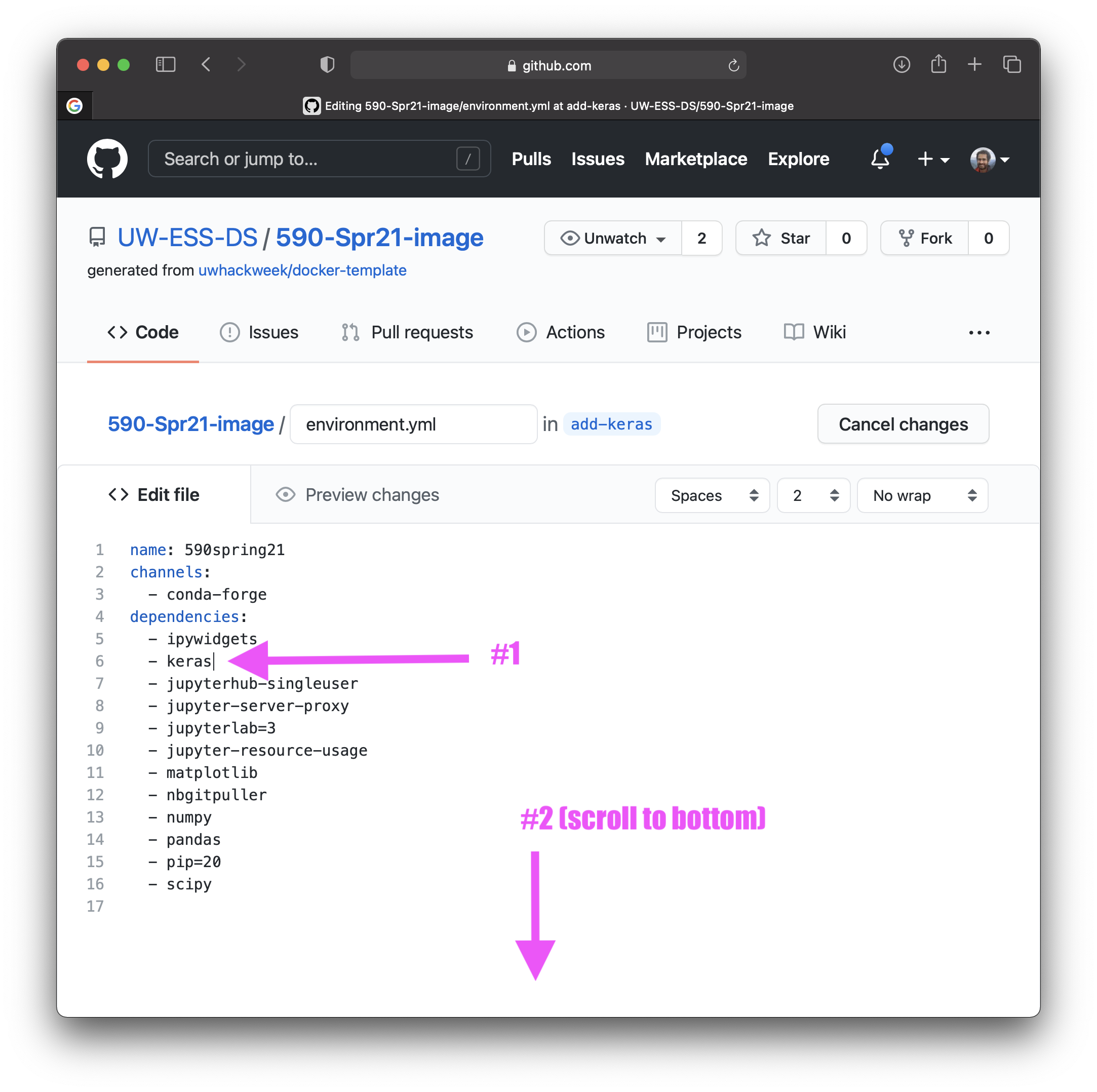
- select "edit" button
- add the package(s) you want
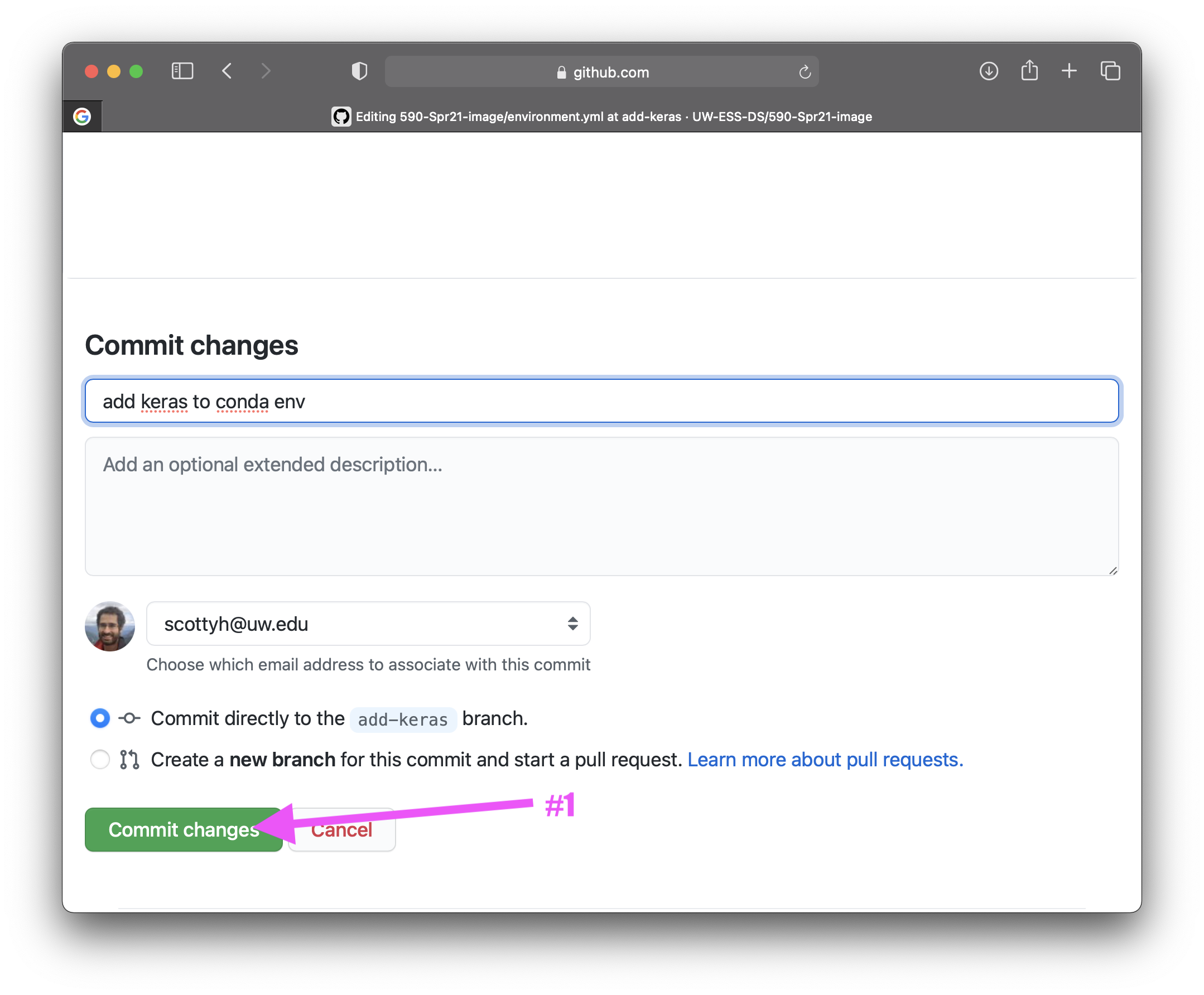
- commit changes
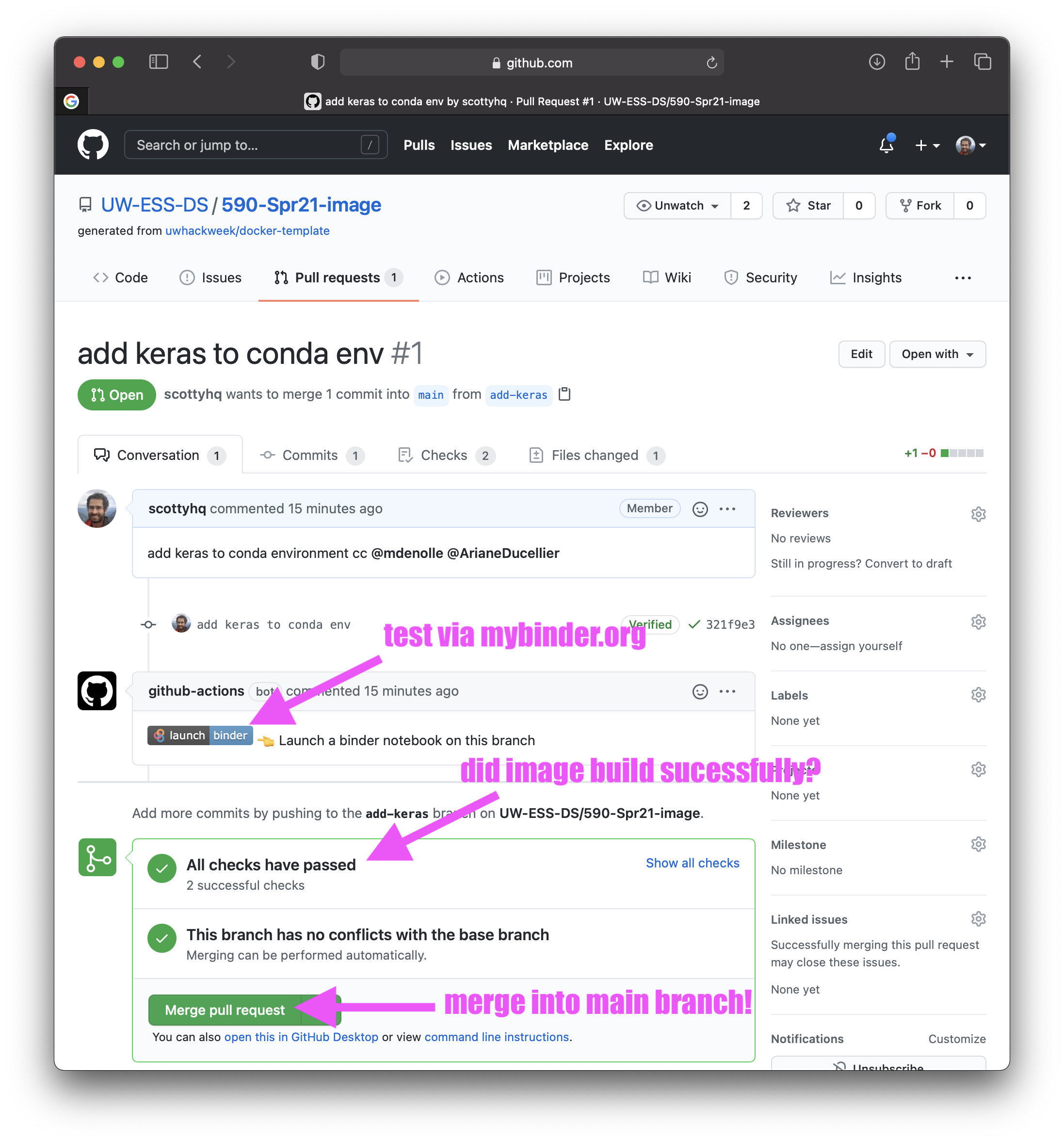
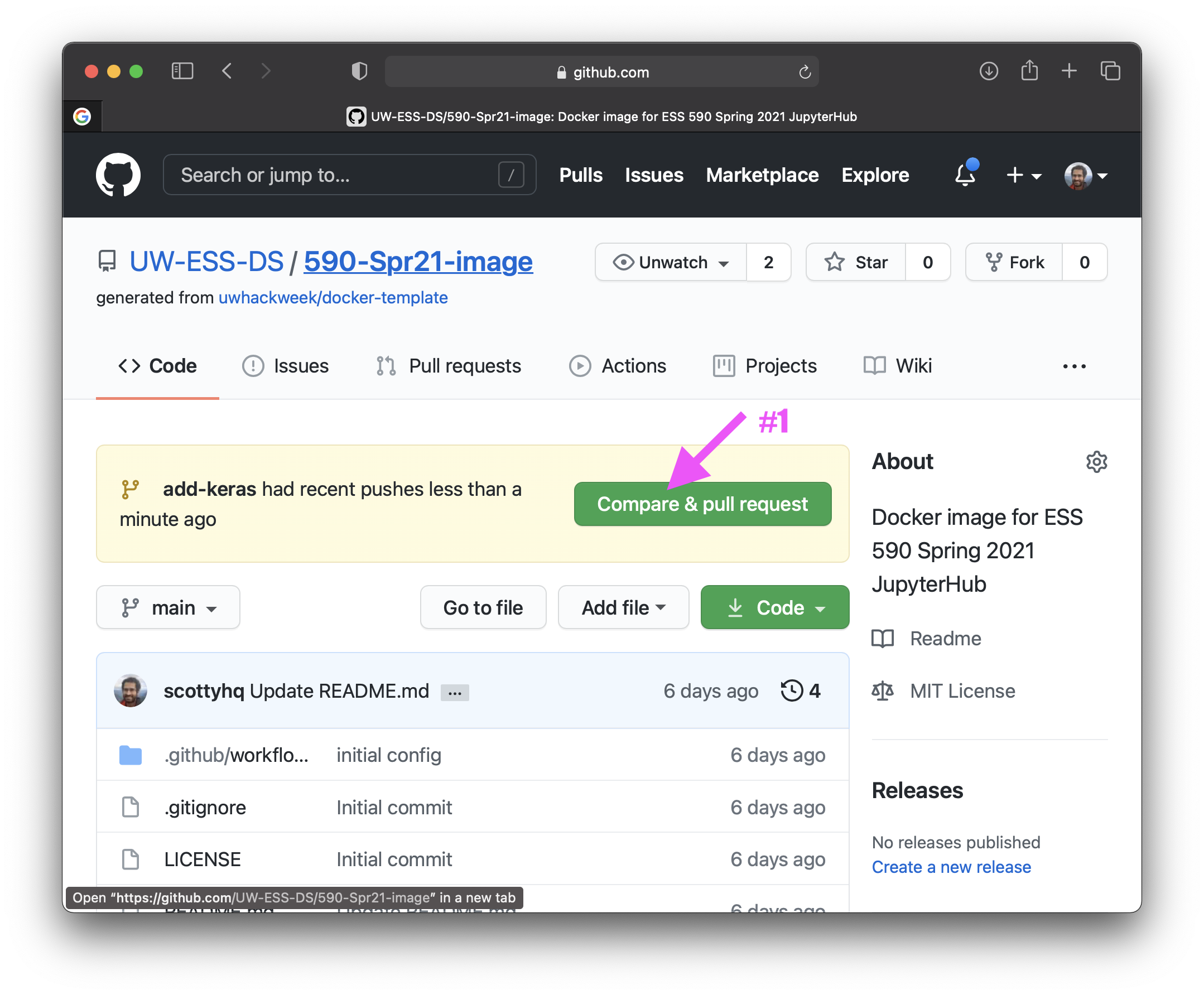
- go to main page (https://github.com/UW-ESS-DS/590-Spr21-image/) and create a pull request:
- can test the new environment via the
launch binderbutton, or merge pull request if tests pass (environment successfully builds). then it will be posted to dockerhub and available to jupyterhub.