Audio Configuration
You can use an Android or iOS device as microphone on your PC.
The UltraStar Play Companion App connects automatically to the main game.
- Connect to the same WLAN as the main game
- Check the recording options of the main game. Your Companion App should be listed.
- Start recording ;)
WO Mic allows you to use an Android or iOS device as microphone in Windows, Linux and MacOS. Only one such connection is possible at a time.
- Install WO Mic app on your smartphone
- Install Wo Mic virtual device on your PC
- Install WO Mic client on your PC
For UltraStar Play, Bluetooth connection is sufficient.
- In WO Mic app settings, select Bluetooth as "Transport"
- Start the WO Mic microphone recording
- Pair your smartphone with your PC (see Bluetooth settings of your operating system)
- Start the WO Mic client on your PC
- Under
Connection > Connect...select Bluetooth and the smartphone device that has been paired in the above step. Hit Connect.
- Under
- Finally, configure the WO Mic microphone device in UltraStar Play.
- A "Delay" around 300 ms has been found to work fine.
EZ Mic is an alternative to WO Mic.
Note however that EZ Mic does not provide unlimited usage in the free version.
Connecting the audio jack of the smartphone with the microphone input jack of the PC/Laptop is another option.
This requires a male-male audio cable.
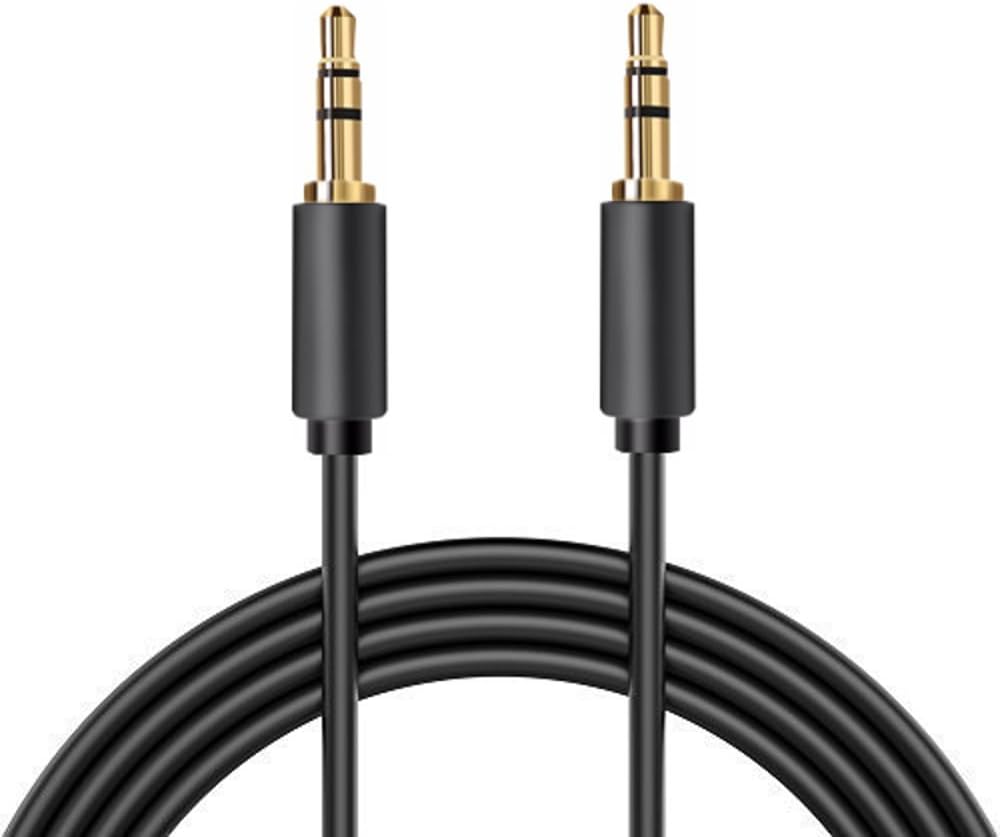
Furthermore, you need to install an app that sends your mic input to the audio jack of your smartphone. The following apps have been found to work (of course, there might be further alternatives).
- Microphone by Gaz Davidson: Google Play Store | F-Droid
- Very simple, does not require additional permissions, no ads
- Microphone by Wonder Grace: Google Play Store
- More features and more modern UI, also wants telephone permissions, no ads
If your PC/Laptop does not have a microphone input jack, then a USB-adapter might be an alternative.

See wikiHow for further alternatives.