Setup Guide: This walkthrough will help you authenticate and use Chimoney’s
/accounts/issue-wallet-addressendpoint to generate an ILP wallet address for a user.
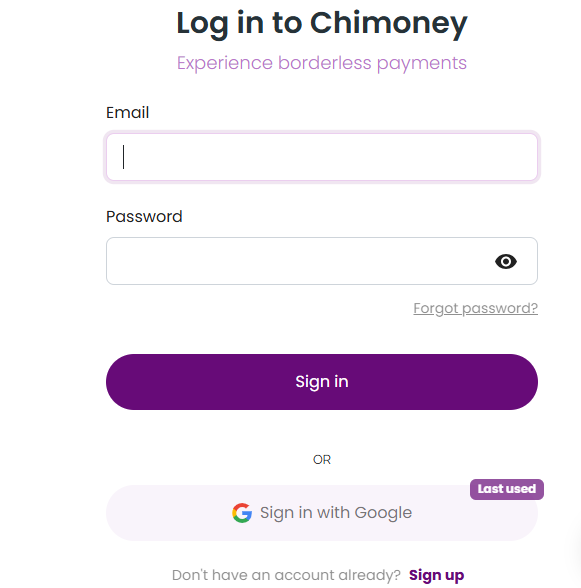
1. Go to sandbox.chimoney.io
Click “Sign Up” or “Sign In”.
📸 Screenshot Example:
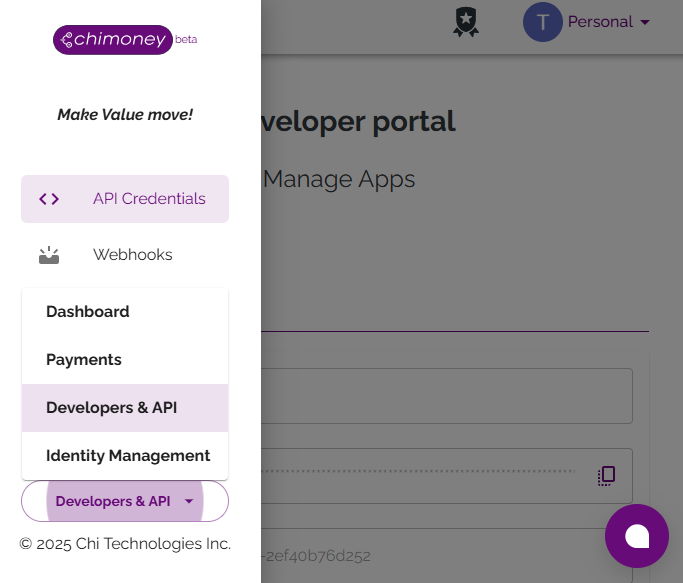
Once logged in, you'll land on the Developer Dashboard.
Navigate to the Developers & API section from the sidebar.
📸 Screenshot Example:
Click “Add New App” and enter an App name.
Once created:
- Copy your API Key
- Copy your User ID (labelled as
Team ID)
📸 Screenshot Example:
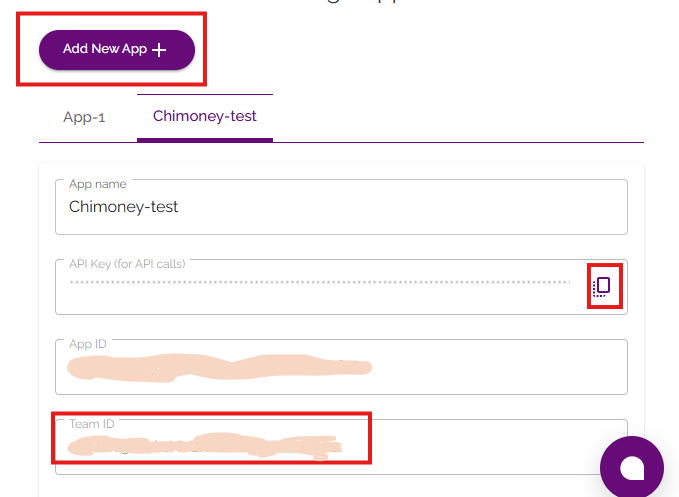
You’ll use the
Team IDas youruserIdin requests.
- Chimoney Sandbox developer account
- Your API key from the Developer dashboard
- Your Team ID (used as
userId) - A unique ilpUsername (e.g.
jane.doe) - Postman or cURL for testing the endpoint
-
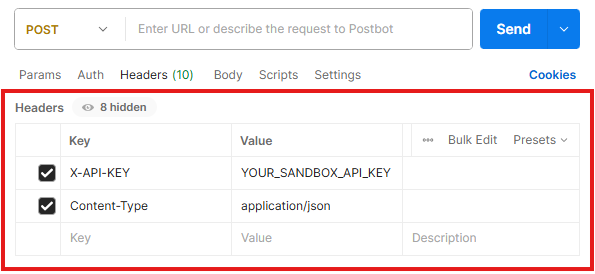
Open your collection or create a new POST request.
-
Under Headers tab, add:
Key Value X-API-KEY YOUR_SANDBOX_API_KEYContent-Type application/json
📸 Screenshot Example
-
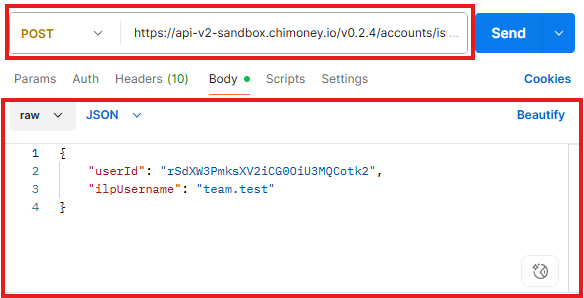
Method & URL
POST <https://api-v2-sandbox.chimoney.io/v0.2.4/accounts/issue-wallet-address>
-
Body (raw JSON)
{
  "userID": "your_team_id",
  "ilpUsername": "jane.doe"
}
📸 Screenshot Example
-
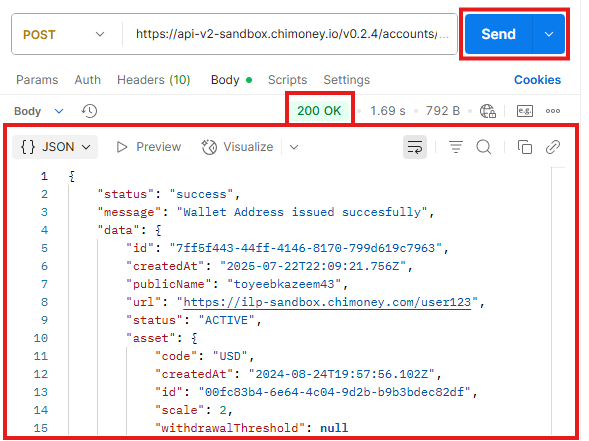
Click on Send in Postman
-
Look for 200 OK response
{
  "status": "success",
  "message": "Wallet Address issued succesfully",
  "data": {
    "id": "",
    "createdAt": "2025-07-22T22:09:21.756Z",
    "publicName": "Public Name",
    "url": "https://ilp-sandbox.chimoney.com/user",
    "status": "ACTIVE",
    "asset": {
      "code": "USD",
      "createdAt": "2024-08-24T19:57:56.102Z",
      "id": "",
      "scale": 2,
      "withdrawalThreshold": null
    },
    "additionalProperties": []
  }
}
📸 Screenshot Example
| HTTP Status | Type | Code | Message | Likely Cause | Suggested Fix |
|---|---|---|---|---|---|
| 400 | Validation Error | INVALID_REQUEST | The request parameters are invalid. | userId or ilpUsername is invalid or missing |
Double-check the request body and field formats |
| 401 | Unauthorized | – | Unauthorized access | API key is missing or incorrect | Ensure X-API-KEY is present and valid in header |
| 500 | Server Error | INTERNAL_SERVER_ERROR | An internal server error occurred. | Issue on Chimoney’s end or malformed request | Try again later or contact Chimoney support |
- Use your exact teamId as
userIdfrom the app settings — not a random string. - If you get 401, re-copy the API key from the dashboard.
- Use a unique
ilpUsernameper user (you can reuse the same userId for multiple ILP addresses).