


Sections: Git · Docker — and growing
Data-driven · Fast search · Copy-ready · Multilingual
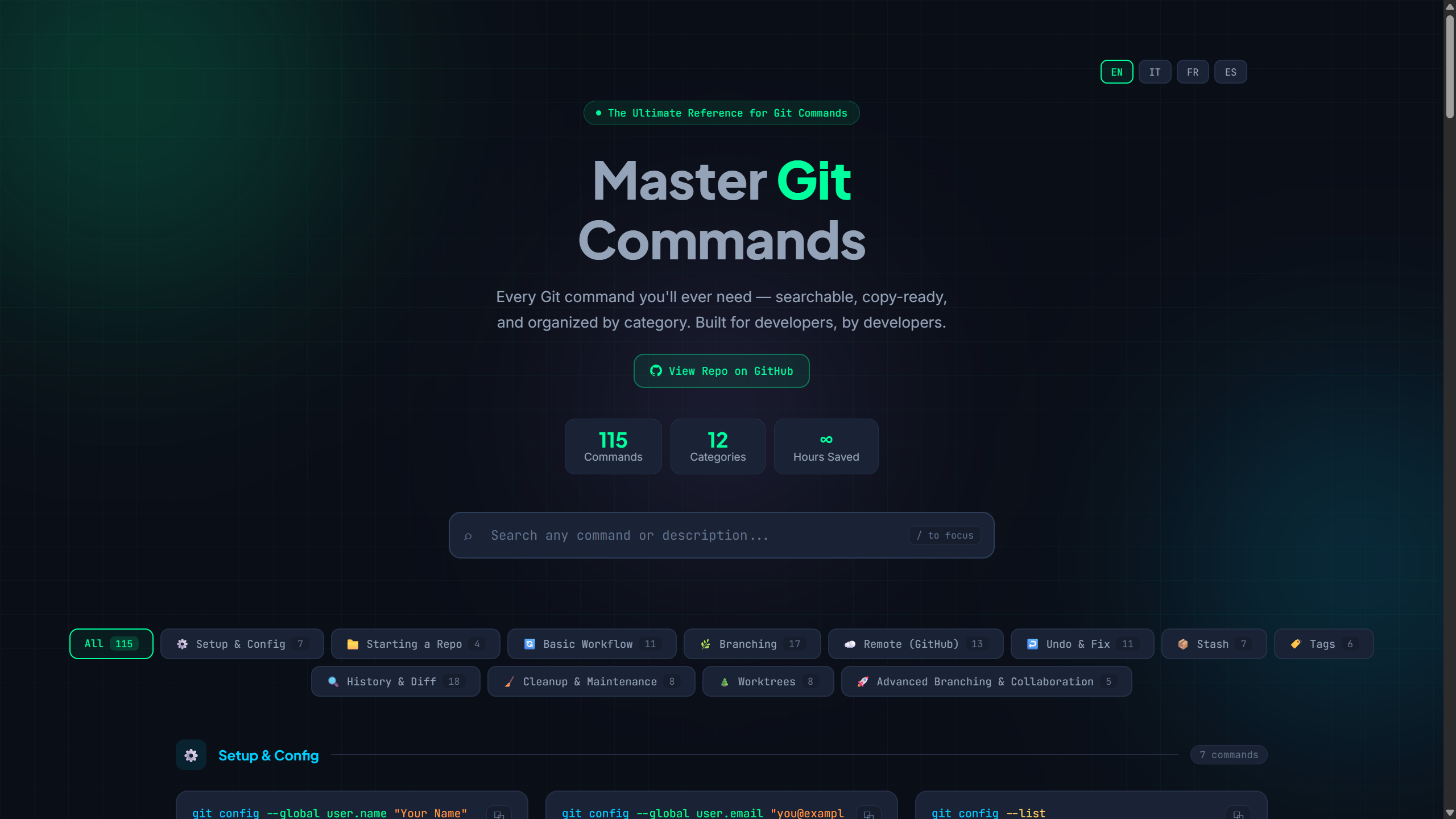
- Built for speed: open, search, copy, and move on
- Covers real daily workflows for the tools developers use most
- Easy to extend with new sections (Git, Docker, …) without touching the rendering code
- Designed to be contributor-friendly
- Clean UI that is readable for long sessions
- 🗂️ Multiple sections — switch between Git and Docker cheatsheets with a single click; new sections drop in via a JSON manifest
- ✨ Multilingual — switch between English 🇬🇧, Italian 🇮🇹, French 🇫🇷, and Spanish 🇪🇸; your choice is remembered across visits
- 🔍 Instant search — filter any command or description in real time, scoped to the active section
- 📋 One-click copy — click any command to copy it to your clipboard
⚠️ Danger warnings — destructive commands are clearly marked- ⌨️ Keyboard shortcut — press
/to focus search instantly - 📱 Fully responsive — works great on mobile and desktop
- 🌙 Dark terminal theme — easy on the eyes, built for developers
- 📡 PWA / offline — installable, with service worker caching
- 🧩 Modular architecture — separate data, rendering, state, and interactions
This project uses a clean static architecture with no framework and no build requirement.
index.html: page shell, section pills, semantic structureassets/css/styles.css: visual design, layout, responsive stylesassets/data/sections.json: manifest for each section (key,title,logo,#RRGGBBcolor, docs URL,docsLabelKey)assets/brands/: SVG marks for the section switcher (seeREADME.mdin that folder for attribution)assets/data/{section}.{lang}.json: per-section command data (e.g.git.en.json,docker.en.json)assets/data/ui.json: all UI strings keyed by locale (en,it,fr,es)assets/js/app.js: app bootstrap and orchestration (sections + language)assets/js/modules/:paths.js— resolvesassets/data/…,assets/brands/…, and other static URLs from the current page (GitHub Pages–friendly)data-loader.js— loadssections.jsonand section data on demand (per language, with English fallback per command)render.js— renders section pills, category tabs, and command cardsstate.js— section, category, and search filtering stateinteractions.js— copy, keyboard, scroll behaviori18n.js— language switching, UI strings, andlocalStoragepersistence (lang + section)
Scripts are loaded as classic <script defer> files (not ES modules) so the app runs even when a simple local server serves .js as text/plain (common with python -m http.server on Windows). Strict MIME checks for type="module" do not apply.
This keeps the app easy to maintain, easy to extend, and contributor-friendly.
- Add an entry in
assets/data/sections.json(each section needs a stablekey, humantitle,logopath underassets/brands/orassets/, themecoloras#RRGGBB, docs link, anddocsLabelKeymatching a key inui.json):
{
  "key": "kubernetes",
  "title": "Kubernetes",
  "logo": "assets/brands/kubernetes.svg",
  "color": "#326CE5",
  "docsUrl": "https://kubernetes.io/docs/reference/kubectl/",
  "docsLabelKey": "footerDocs"
}- Add the logo SVG under
assets/brands/(square viewBox, ~24px artwork scales cleanly in the section pills). - Create
assets/data/kubernetes.en.jsonusing the same shape asgit.en.json/docker.en.json(top-levelcategories, each withcommands). - Optional: add localized variants like
kubernetes.fr.json. Missing translations fall back to English at runtime with anENbadge. - Add new static files to
sw.js'sASSETSarray and bumpCACHE_NAMEso they work offline after deploy.
No JavaScript changes are required for a new section beyond listing new files in the service worker.
- Add the command to the appropriate
assets/data/{section}.en.json(required, source of truth). - Optionally add translated entries in the other
{section}.{lang}.jsonfiles in the same PR. - The UI shows an EN badge when a command is shown in English for the active language: missing locale file (all commands), missing row in a locale file, or when
descriptionHtmlstill matches the English text after merge (so leaving English copy in a translated file is detected automatically).
- Add the locale's UI strings to
assets/data/ui.json. - Add a button to the
#lang-switcherinindex.htmland to theSUPPORTED_LANGSarray inassets/js/modules/i18n.js. - Translate the per-section files you want to support (
git.{lang}.json,docker.{lang}.json, …). Files can be partial — any missing commands fall back to English at runtime.
EN badge (automatic): assets/js/modules/data-loader.js merges each section with English, then marks cards with _fallback: "en" when there is no {section}.{lang}.json, when a command row is absent in that file, or when descriptionHtml equals the English entry (normalized whitespace). The card renderer reads _fallback and shows the localized “not translated” hint from ui.json.
| Section | Categories | Commands |
|---|---|---|
| 🔱 Git | 13 | 127 |
| 🐳 Docker | 11 | 142 |
⚙️ Setup & Config · 📁 Starting a Repo · 🔄 Basic Workflow · 🌿 Branching · ☁️ Remote (GitHub) · ↩️ Undo & Fix · 📦 Stash · 🏷️ Tags · 🔏 Signing & Verification · 🔍 History & Diff · 🧹 Cleanup & Maintenance · 🌲 Worktrees · 🚀 Advanced Branching
⚙️ Setup & Info · 🐳 Images · 🚀 Run Containers · 🔁 Container Lifecycle · 🔍 Inspect & Logs · 💾 Volumes · 🌐 Networks · 🐙 Docker Compose · 📝 Dockerfile Instructions · 🏷️ Registry & Sharing · 🧹 Cleanup & Maintenance
Just visit: abdosorour7.github.io/dev-commands-cheatsheet
git clone https://github.com/abdosorour7/dev-commands-cheatsheet.git
cd dev-commands-cheatsheet
Open index.html first (double-click it, or open it in your browser).
If the page works, you are done.
If commands do not load (browser blocks file:// JSON loading), run a local server:
python -m http.server 8080Then open: http://localhost:8080
If Python is not installed, use one of these alternatives:
# Option A (Node.js)
npx serve .

# Option B (VS Code extension)
Use "Live Server" and open the project root
No build tools required for local development.
dev-commands-cheatsheet/
├─ index.html
├─ manifest.json
├─ sw.js
├─ assets/
│  ├─ brands/
│  │  ├─ README.md
│  │  ├─ git.svg
│  │  └─ docker.svg
│  ├─ css/
│  │  └─ styles.css
│  ├─ data/
│  │  ├─ sections.json       ← list of sections (Git, Docker, …)
│  │  ├─ git.en.json         ← Git — English (canonical source)
│  │  ├─ git.it.json         ← Git — Italian
│  │  ├─ git.fr.json         ← Git — French
│  │  ├─ git.es.json         ← Git — Spanish
│  │  ├─ docker.en.json      ← Docker — English (canonical source)
│  │  └─ ui.json             ← UI strings for all locales
│  └─ js/
│     ├─ README.md
│     ├─ app.js
│     └─ modules/
│        ├─ paths.js
│        ├─ data-loader.js
│        ├─ i18n.js
│        ├─ interactions.js
│        ├─ render.js
│        └─ state.js
└─ README.md
- ⭐ Star the repository if it helped you
- 🍴 Fork it and customize your own version
- 📣 Share it with teammates or in dev communities
- 🐛 Open issues for mistakes or missing commands
Contributions are warmly welcome and highly appreciated.
- ➕ Add useful missing commands to existing sections
- 🆕 Propose entirely new sections (Linux, Kubernetes, npm, AWS CLI, …)
- 📝 Improve command descriptions and examples
- 🌍 Add or improve translations
- 🎨 Suggest UI/UX improvements
Open an issue or PR directly and include clear details/screenshots when relevant.
MIT © abdosorour7 — free to use, share, and modify.
If this helped you, please consider giving it a ⭐ — it helps others discover it!
I'm not primarily a web developer — I just build practical tools that solve real problems.
Built with thoughtful AI assistance.
Made with ❤️ for the developer community