Offline Map Merge using the tool unsuccessful, need help! #1

Description

Hello!
I am looking to merge two ROS maps that I have to a single global one and have tried the commands mentioned in the readme.md file at the github page.
I am using ROS Kinetic and Ubuntu 16.04 LTS for this and was able to catkin_make the tool successfully, we have only one Turtlebot for this.
I have ran the instructions initially, but when ran the command "./a.out image1.pgm image2.pgm output.pgm", I got a message on the terminal saying that it waited for the map but did not receive the map.
Then, I have supplied the .yaml files using the command that involves map_server:
For Map1:

For Map2:

Then, I ran the commands again and this time:
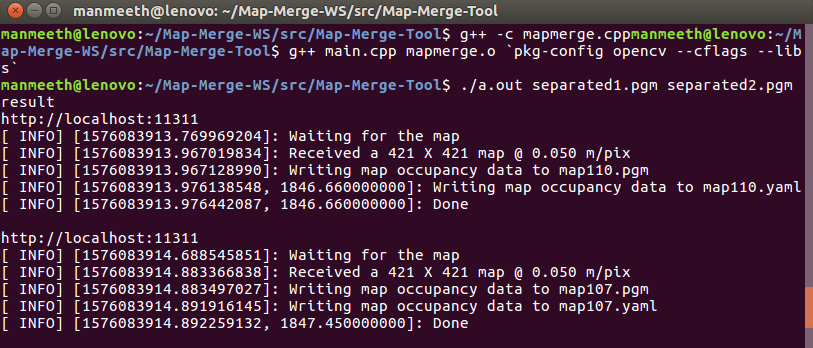
When I checked my folder, I could see the first map return back as it is, twice - due to the command for saving the map written twice in the main.cpp file.
(Even if I added .pgm extension at the end of the output map, I got the same result.)
I am not sure if my implementation is correct.
Could you please help by letting me know if:
- I need to implement the Map-Merge-Tool in a different way (if yes, what is the implementation strategy?)
(or) - If I need to install any other dependent libraries/packages for merging my two offline saved .pgm maps.(If yes, what are the dependencies? Any sources provided would be useful).
(or) - If I need to make any code changes in the files provided as a part of the tool (what are the changes?).
Could you please help as I am unable to merge the maps.
Please let me know in case you need any further information from me regarding this issue.