
Replies: 6 comments 16 replies

-
|
The https://docs.speedtest-tracker.dev/getting-started/installation#install-with-docker |
Beta Was this translation helpful? Give feedback.

-
|
Also thanks for the support! Just getting started and have a lot of ideas on how to make it a better app in the future. |
Beta Was this translation helpful? Give feedback.

-
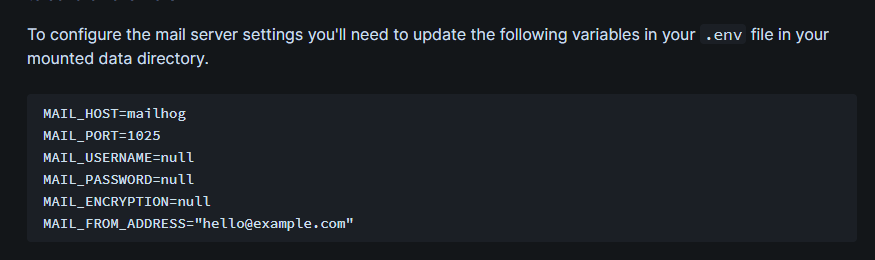
In the doc I would also specify that all environment variables in the .env file can also be configured directly in the docker-compose file (if used). The .env file is simply a central file for the environment variables that Docker reads when starting up the container. Reading the docs it seems that the .env file is mandatory, but that is not the case.
All those variables can be configured in the docker-compose file. |
Beta Was this translation helpful? Give feedback.

-
|
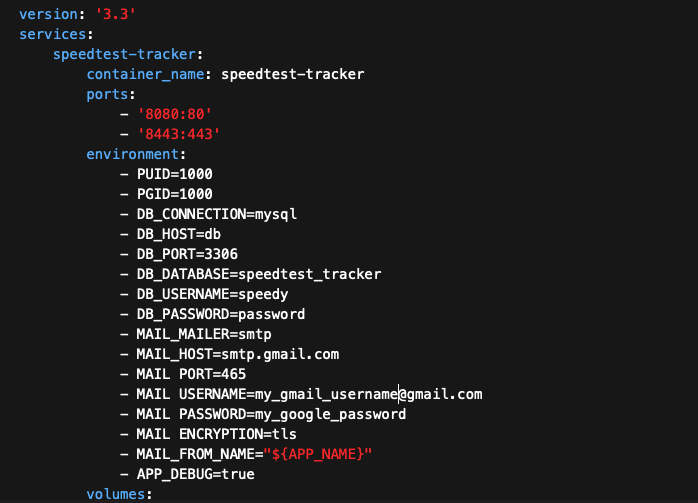
I honestly didn't see an .env file in the /config folder so I opted for adding it to the Docker compose. Adding the mail server setting note to the Doc would be very helpful. For me, I added them to my docker compose (or as they are known in Portainer as "Stacks"). I got an internal server error 500. The error is not informative to say the least. I'm pretty sure everything else is correct except for the format for the MAIL_Encryption for Gmail. Is it tls, tls/ssl or just ssl? I've tried them all to no avail. |
Beta Was this translation helpful? Give feedback.
-
|
@okynnor make sure you click the "add to recipients" button first then "save" before click "test". Note to self, this isn't obvious and probably needs to be smoothed out. |
Beta Was this translation helpful? Give feedback.
-
|
You can also change |
Beta Was this translation helpful? Give feedback.

-
|
Here's the error with the `
|
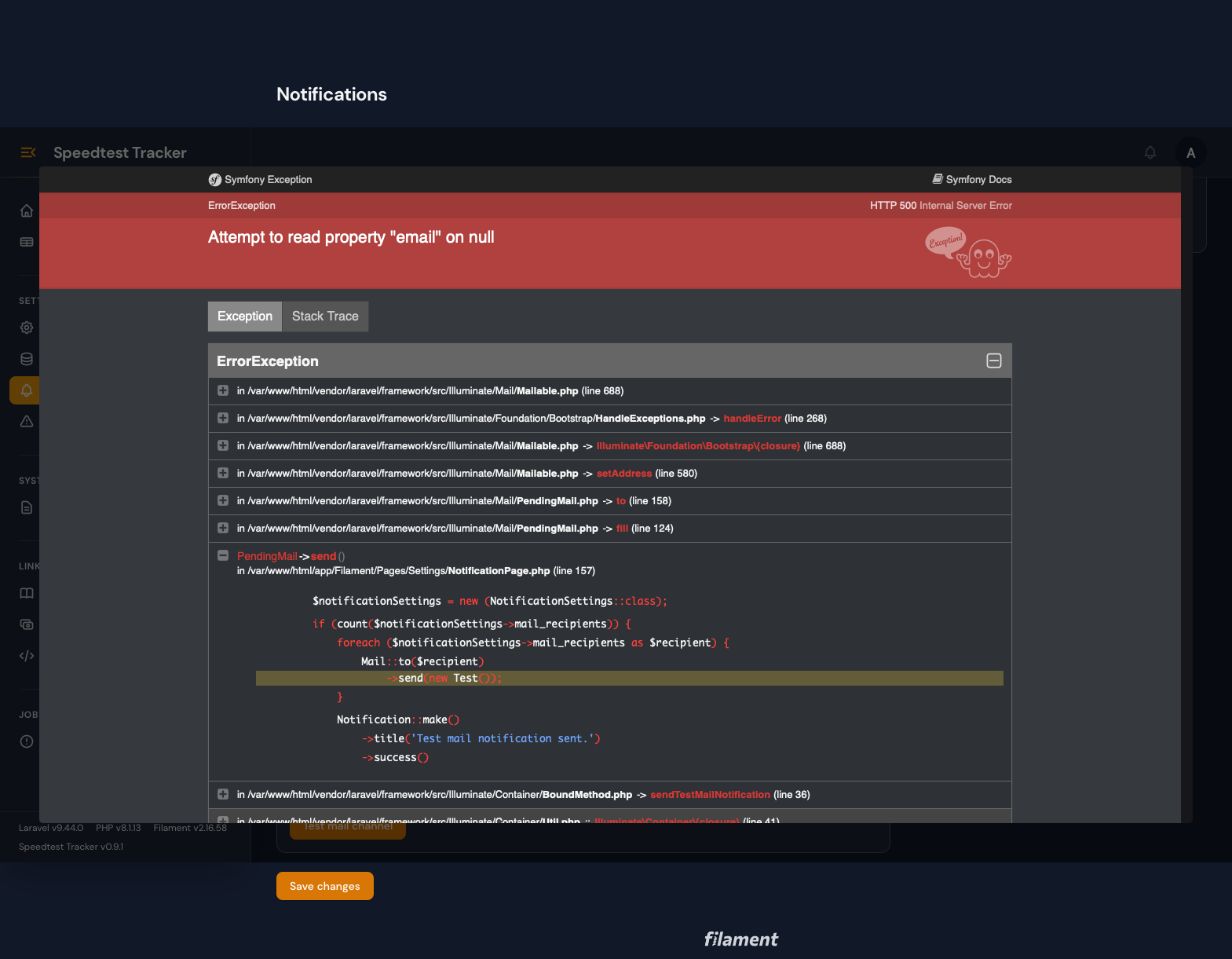
Beta Was this translation helpful? Give feedback.
-
|
Thanks, I'll take another look at this and see if I can enhance the process too |
Beta Was this translation helpful? Give feedback.
-
|
@okynnor heads up the next release contains a fix which should resolve your issue #289. The issue was because you had an empty recipient. |
Beta Was this translation helpful? Give feedback.
-
|
This is great news! @alexjustesen As you saw in my screenshot, I had my email address in the GUI. Was it that the variable wasn't being passed to the php code? Now that's fixed right? |
Beta Was this translation helpful? Give feedback.
-
|
It was more so because you had an empty value |
Beta Was this translation helpful? Give feedback.
-
|
I don’t understand how. As long as it’s fixed. |
Beta Was this translation helpful? Give feedback.
-
|
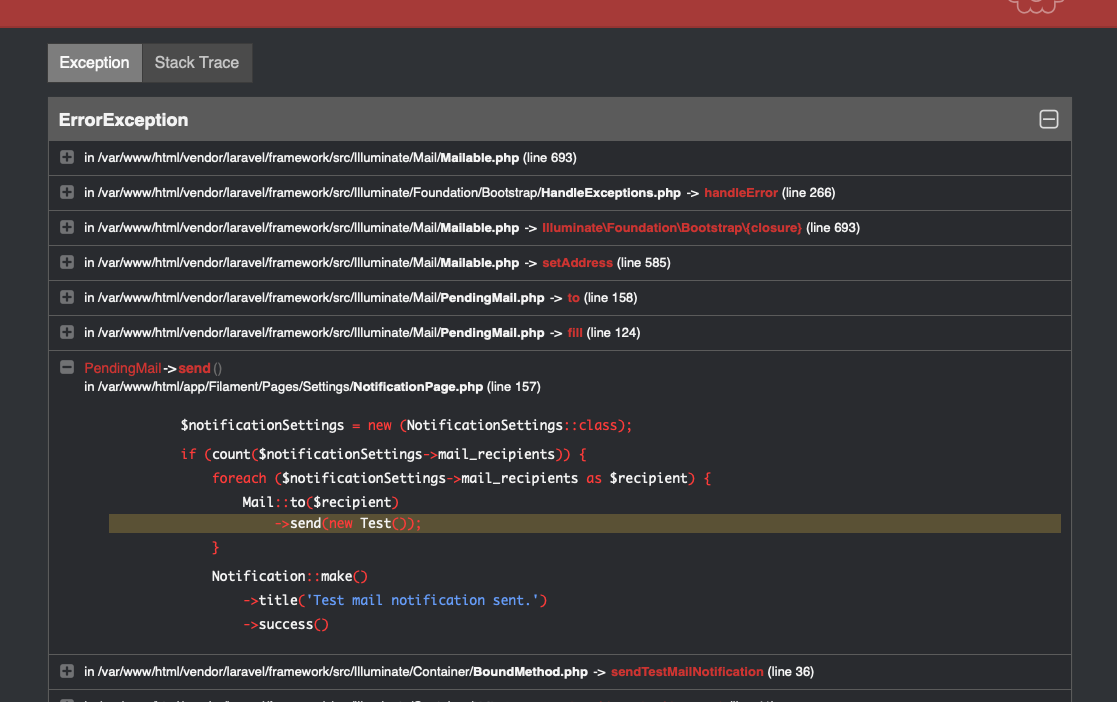
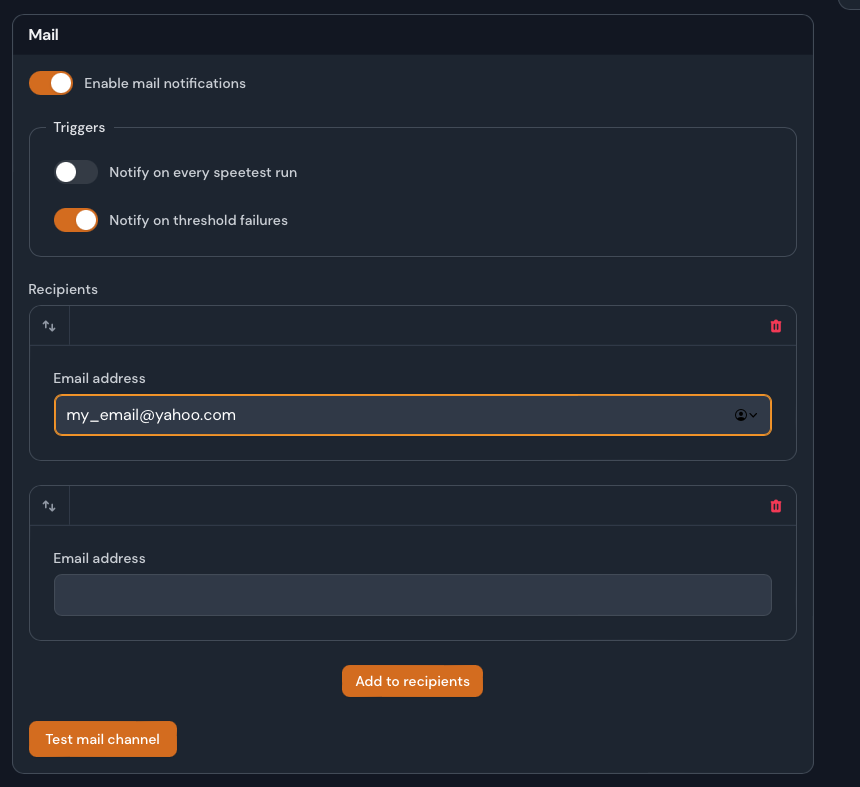
I just downloaded a new version. Has this notification email issue been fixed? This is the error I'm still getting as of this reply. Note: I updated to the latest version today.
|
Beta Was this translation helpful? Give feedback.
-
|
Remove that 2nd empty value, you should only have boxes where you actually have an email address in the field. |
Beta Was this translation helpful? Give feedback.
-
|
Geez. that was a simple solution to the error. May I suggest to add code to make it disappear if it's empty and/or not save an empty field? NEW: The app shows the message "Test Mail Notification Sent." after pressing "Test Mail Channel" button. Sadly, no email ever arrives to my email address which is set to my_email_address@yahoo.com. Not even in the Junk Folder. Waited for 30 mins. Nothing. Since I use Gmail's smtp servers for this, I check Gmail's sent folder. There was nothing there. What can I do to help troubleshoot if gmail's smtp server is even connected? I know it works because I use the same credentials in my other apps. |
Beta Was this translation helpful? Give feedback.
-
|
So |
Beta Was this translation helpful? Give feedback.
-
|
Also on the email, I "think" I remember some jank happening when dealing with Gmail SMTP and I haven't used it in a while because of that. I switched to Mailgun because you get like 1000 messages / month free. |
Beta Was this translation helpful? Give feedback.
-
|
changing the ports from 465 to 587 doesn't work too. Must be Gmail support needs to be made later. In the meantime, would like to me try and then report whether Mailgun works? |
Beta Was this translation helpful? Give feedback.


Uh oh!
There was an error while loading. Please reload this page.
-
I'm sure this going to be obvious.
I'm running it in a Docker container.
Per the docs, it says how to setup the email server for notification in the .env file inside the config. I can't seem to locate it. Can you add in the docs and let me know?
https://docs.speedtest-tracker.dev/settings/notifications/mail
.env file in your mounted data directory.I'm so glad you guys are making a new speedtest. The old one just died and was unreliable at the least. Keep up the great work! It's coming a long greatly.
Beta Was this translation helpful? Give feedback.
All reactions