docs: issue530 backend visualisation #568
Conversation


 mtreacy002
force-pushed
the
issue530-add-diagram-to-visualise-backend
branch
from
mtreacy002
force-pushed
the
issue530-add-diagram-to-visualise-backend
branch
from
9245207 to
efc4069
Compare

|
@nandini45, I remember you said I could ask your help to review the diagrams. Will you still be able to help me with this? Thanks beforehand. |

|
@mtreacy002 yeah i will check it. give my reviews too. hope it helps |
|
Good catch, @nandini45. I might have missed them accidentally. I'll add them now 😉
I was also wondering about that. I put -utils coz I thought app/api by itself can confuse people to think that those are the only files related to app/api, but it actually only things to do with utilities classes. What do you think?
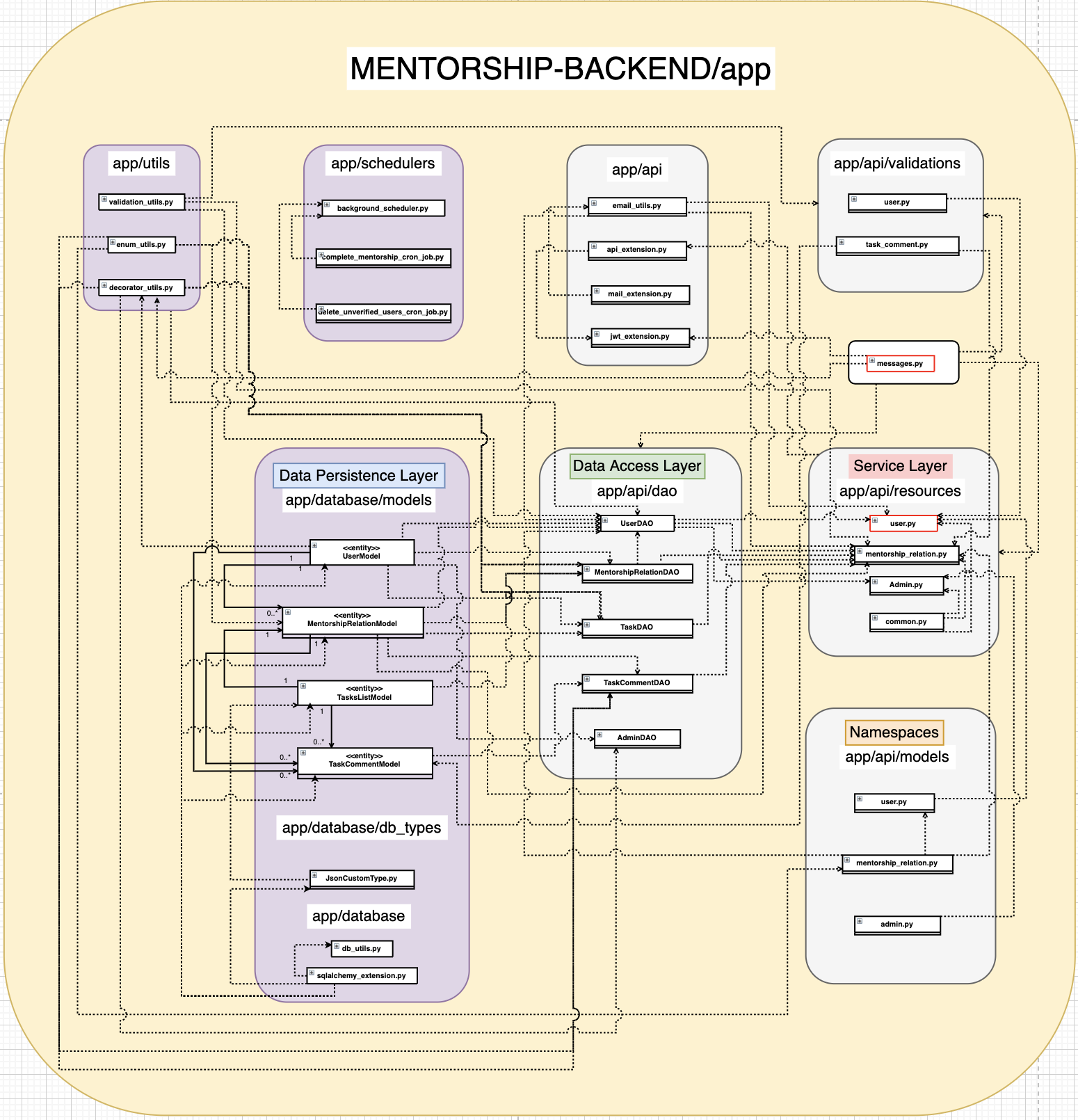
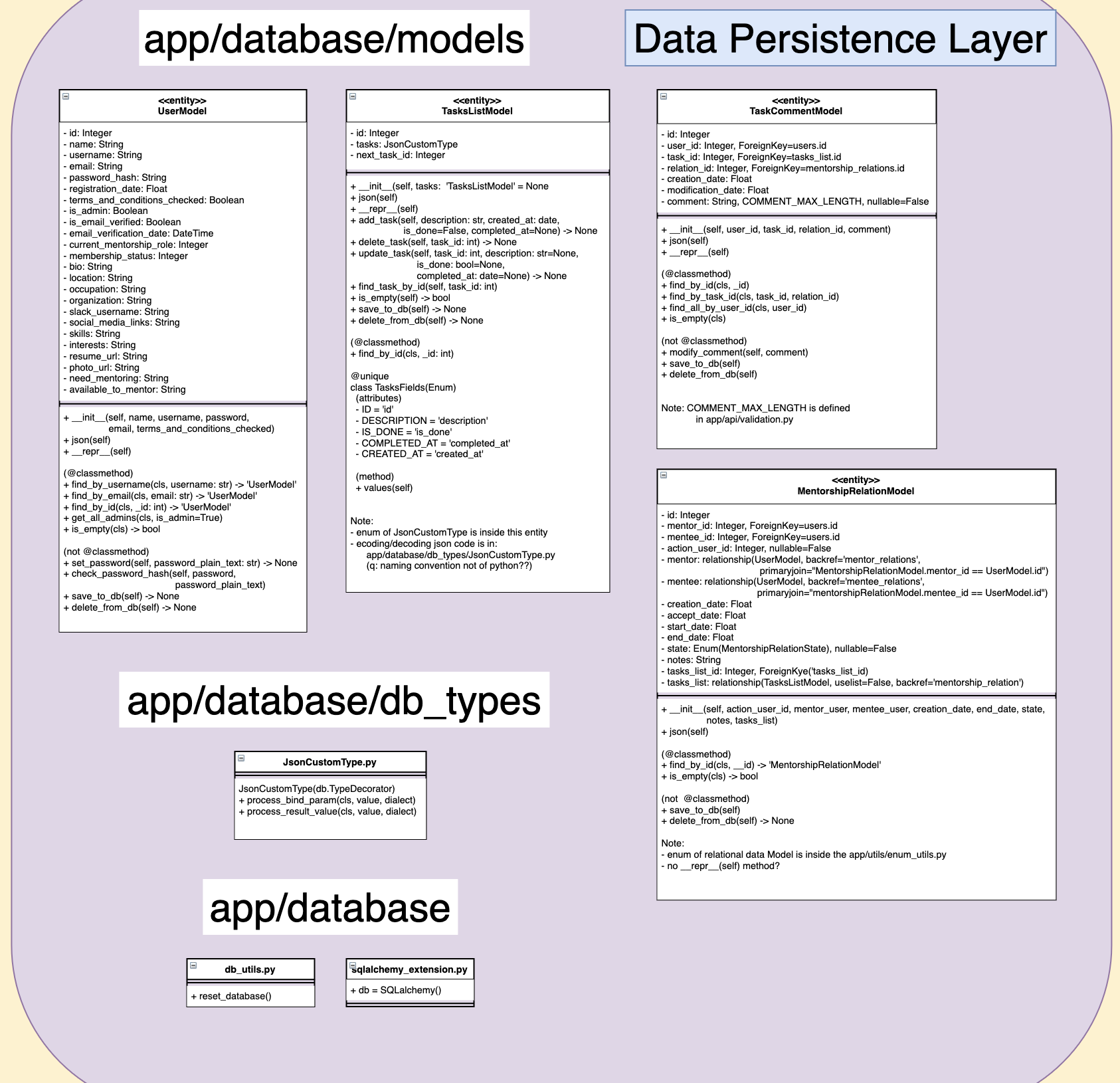
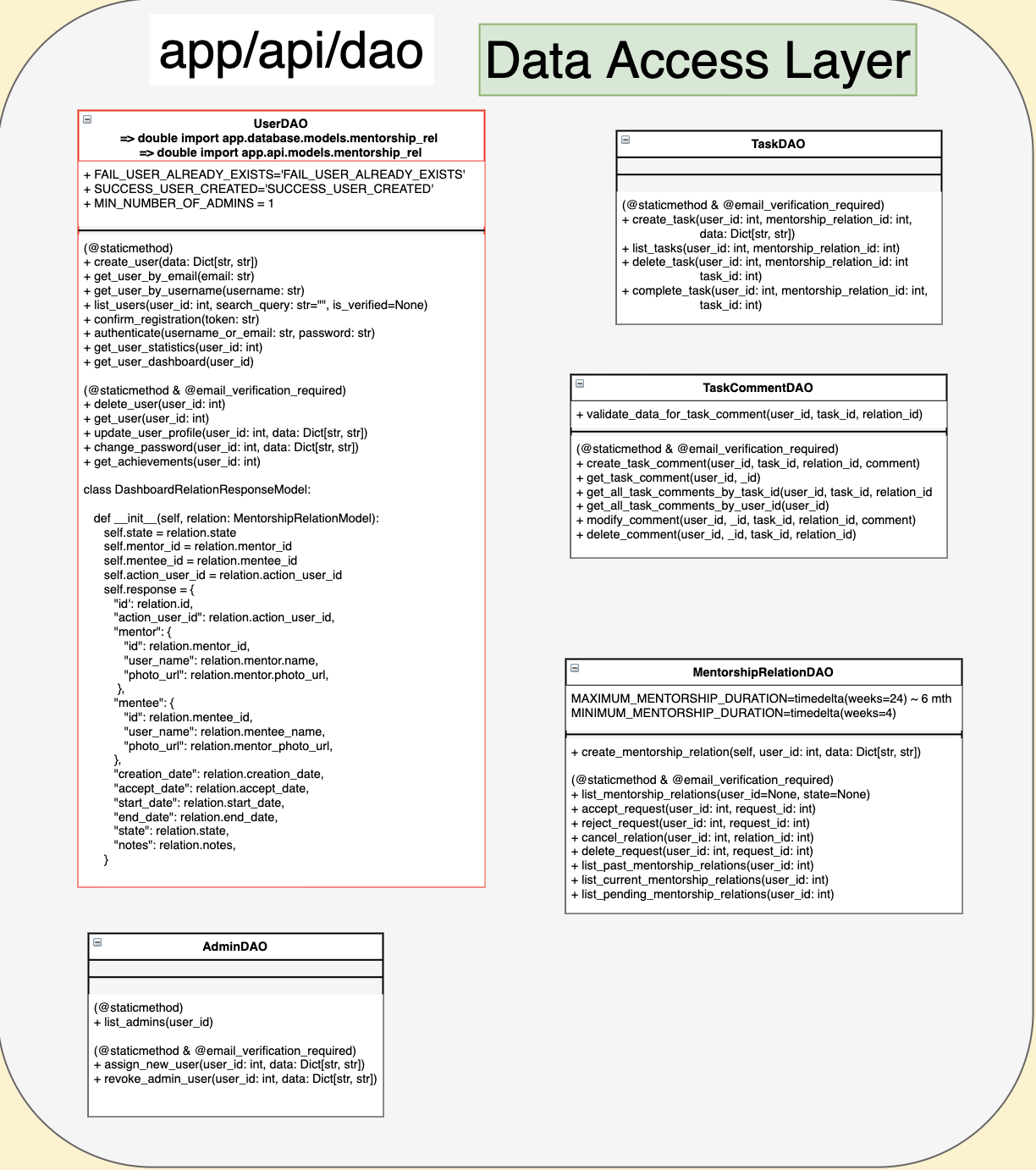
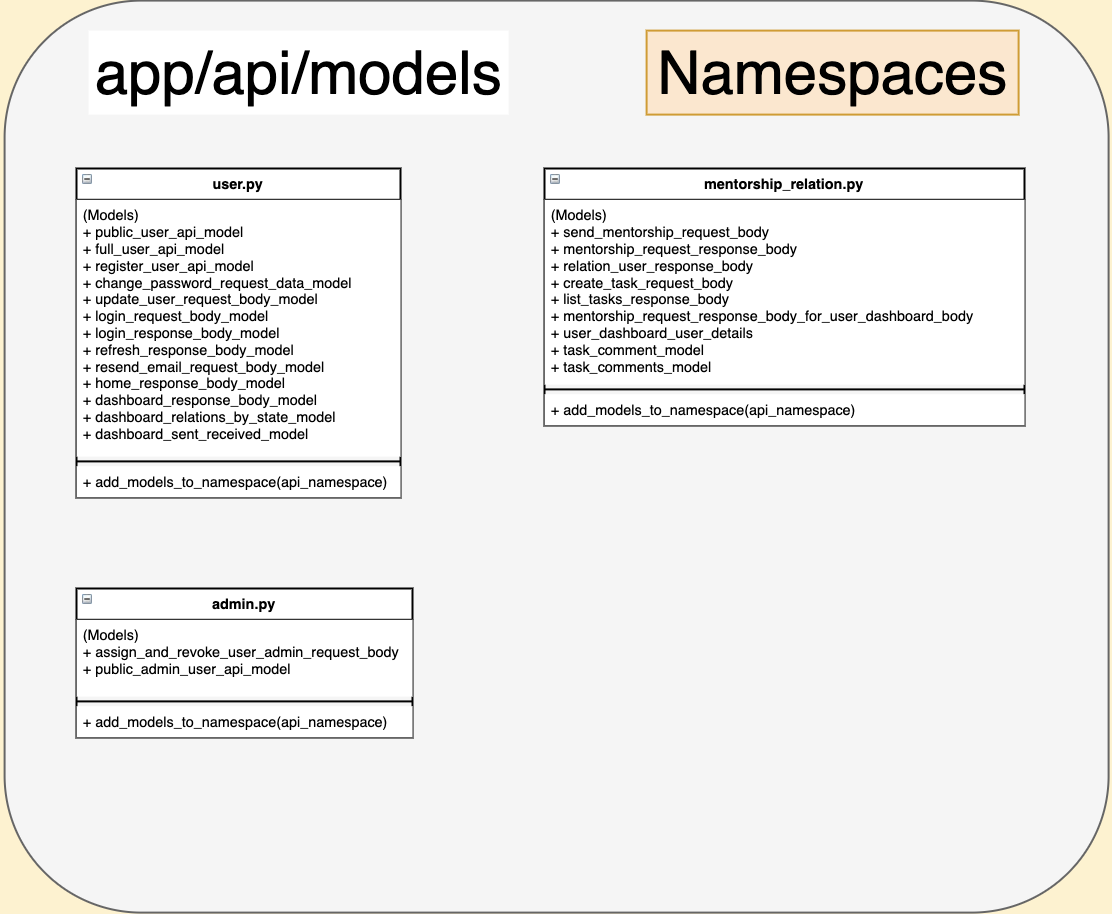
I agree, which is why at first I put the link to the file so people can zoom in and out for clarity. But you are right, probably I will add per section images underneath the second image for a better representation 😃 .
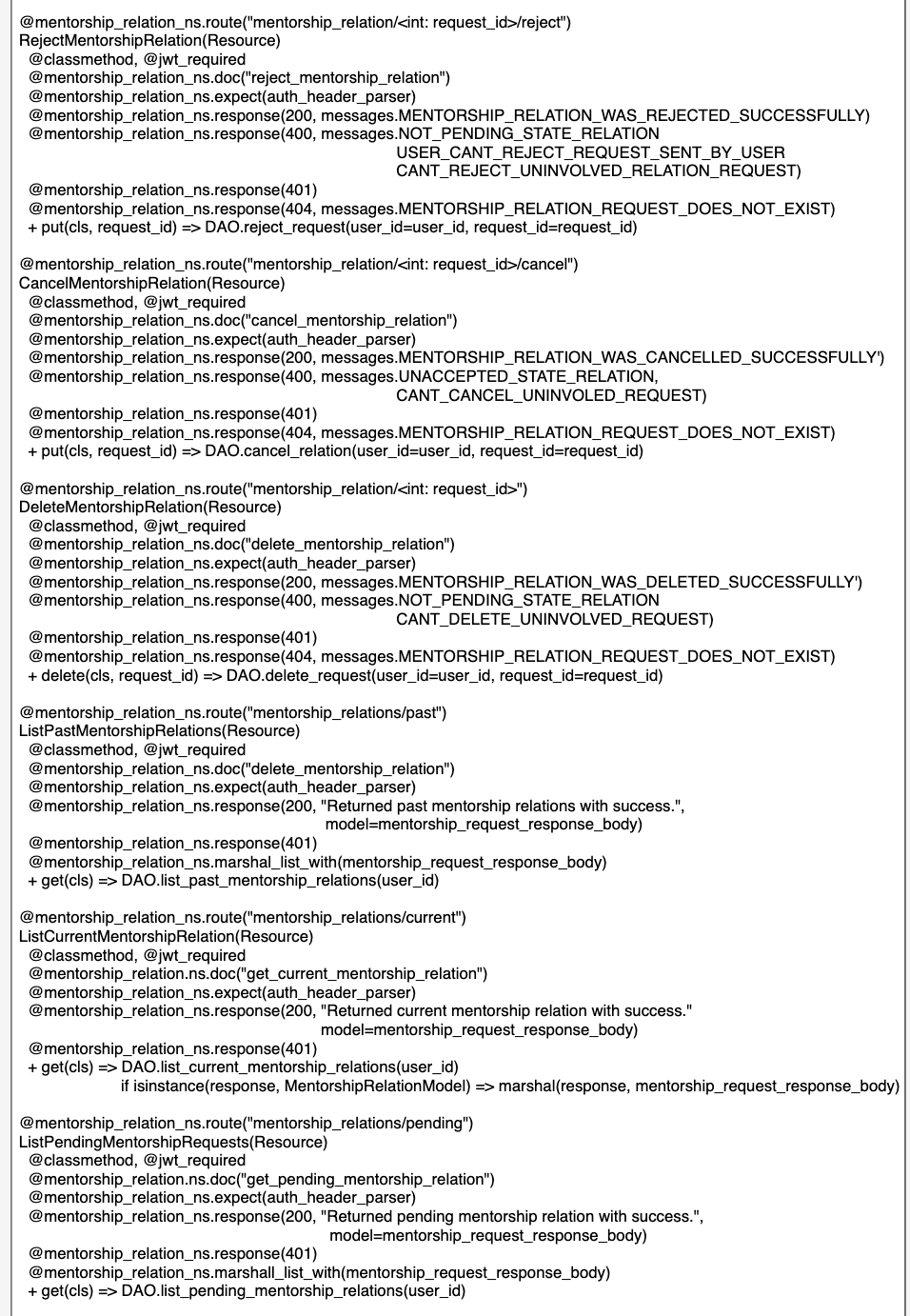
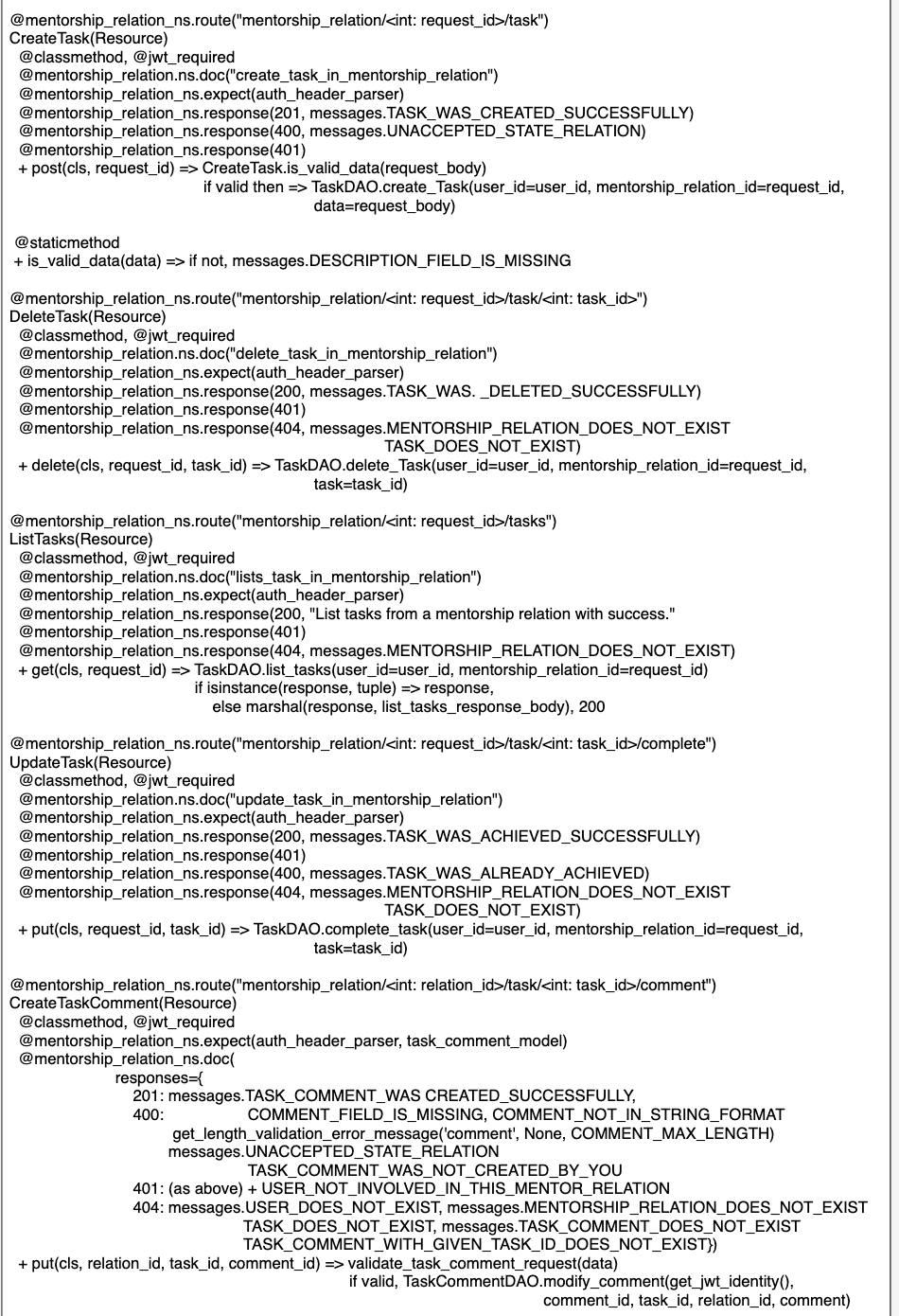
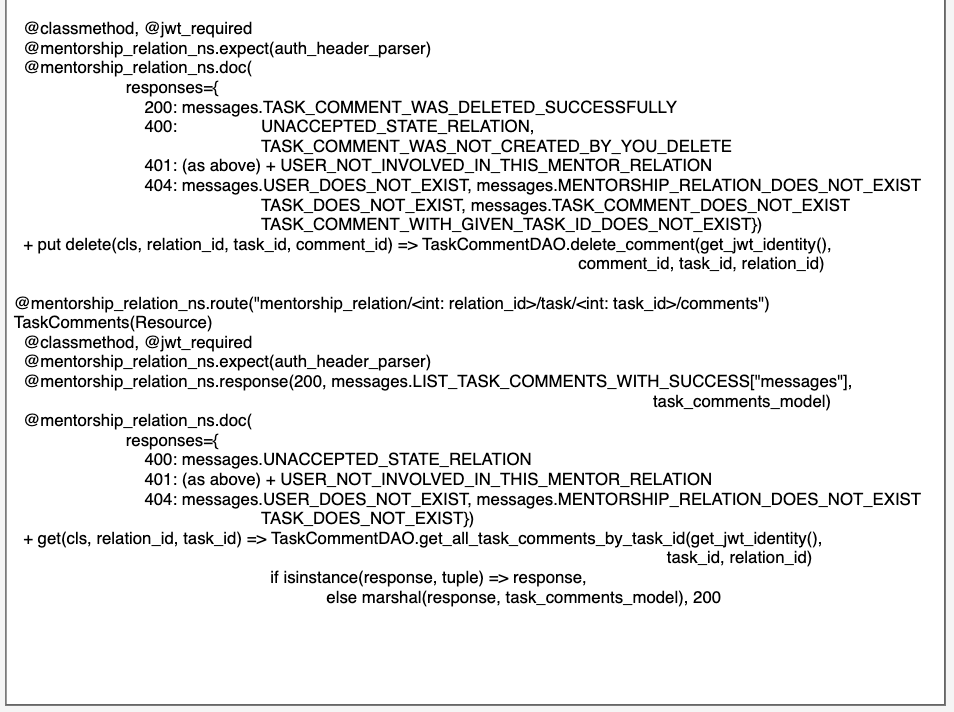
The second image is similar to the class diagram where the top part somewhat shows attributes and the bottom part shows methods of the class. I emphasise here on |
|
Fix: System integration - with db_utils and sqlalchemy_extension.
Closer look to classes Data access layer: Namespaces: app/api - general app/schedulers & utils
|
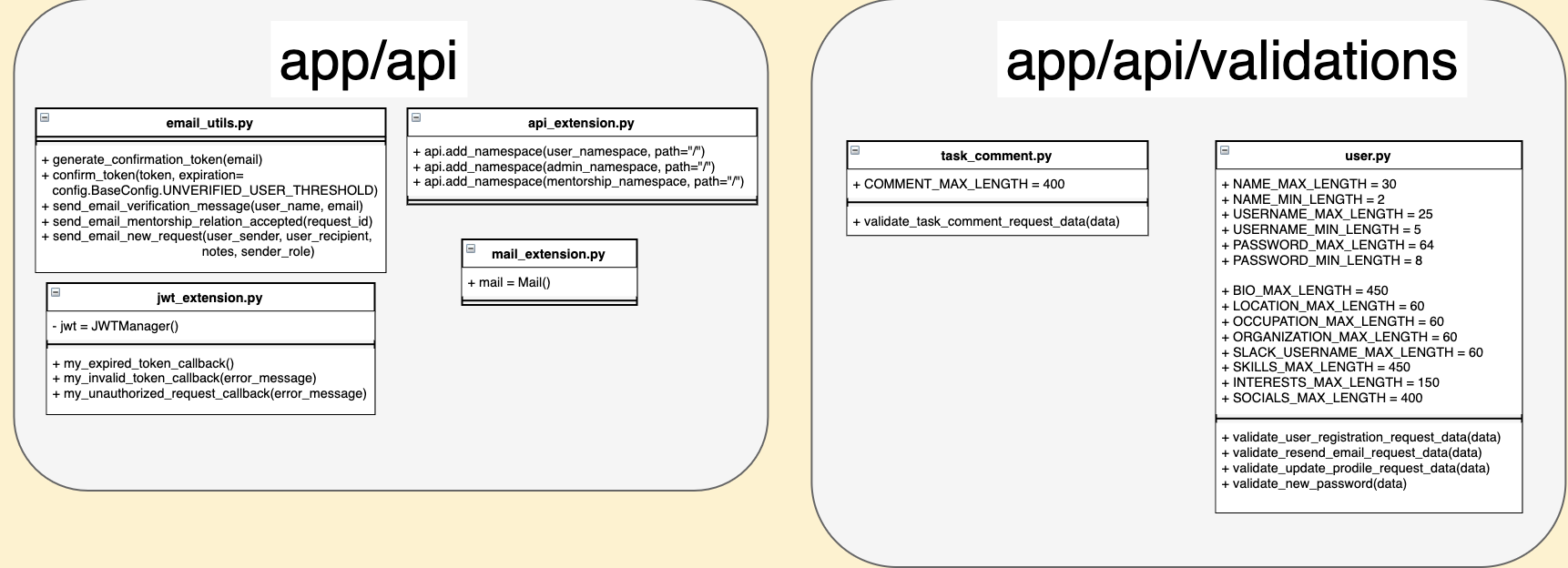
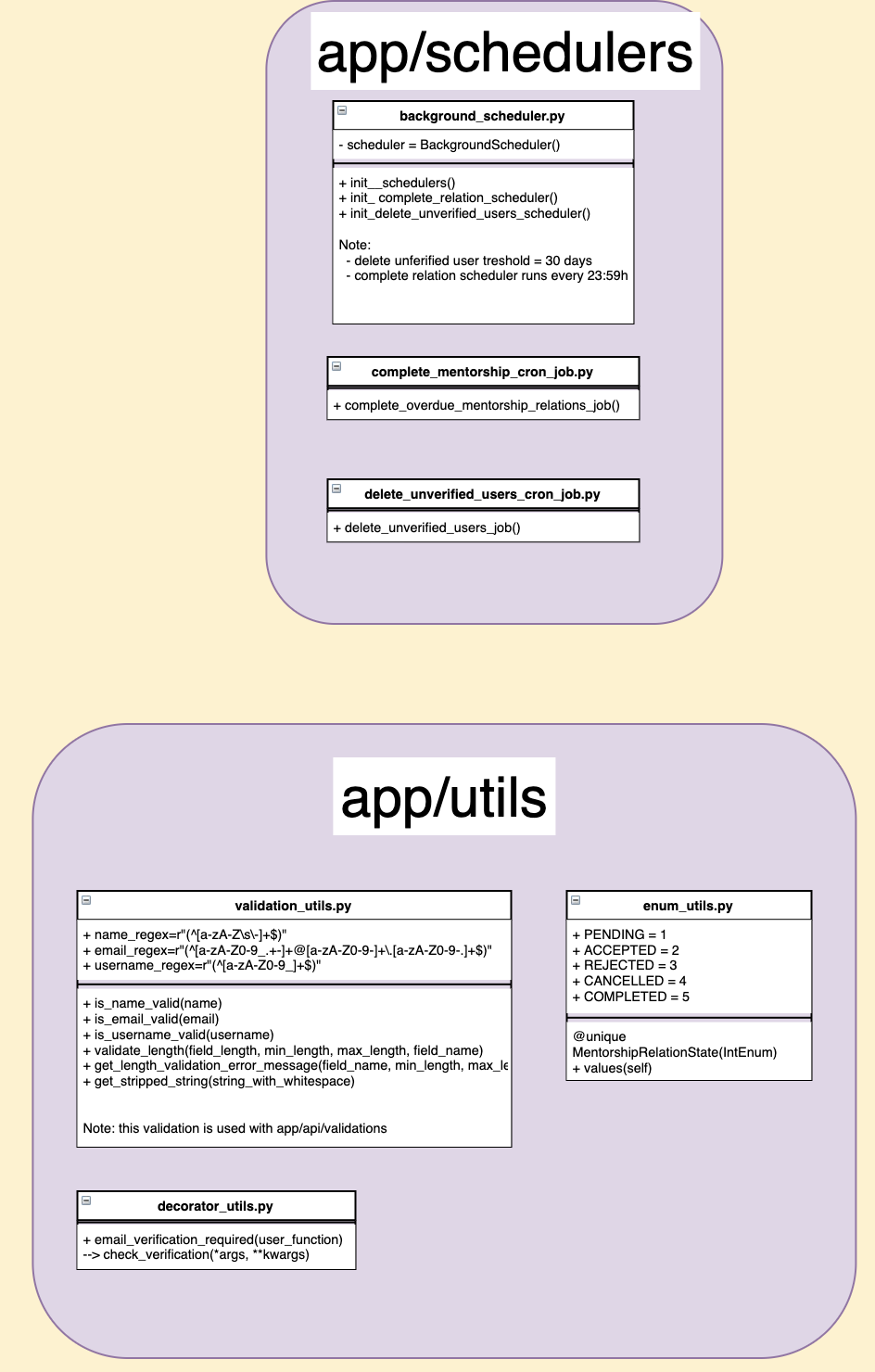 mtreacy002
force-pushed
the
issue530-add-diagram-to-visualise-backend
branch
from
mtreacy002
force-pushed
the
issue530-add-diagram-to-visualise-backend
branch
from
efc4069 to
65a50c8
Compare
|
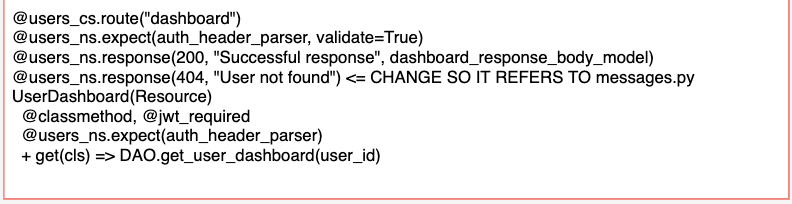
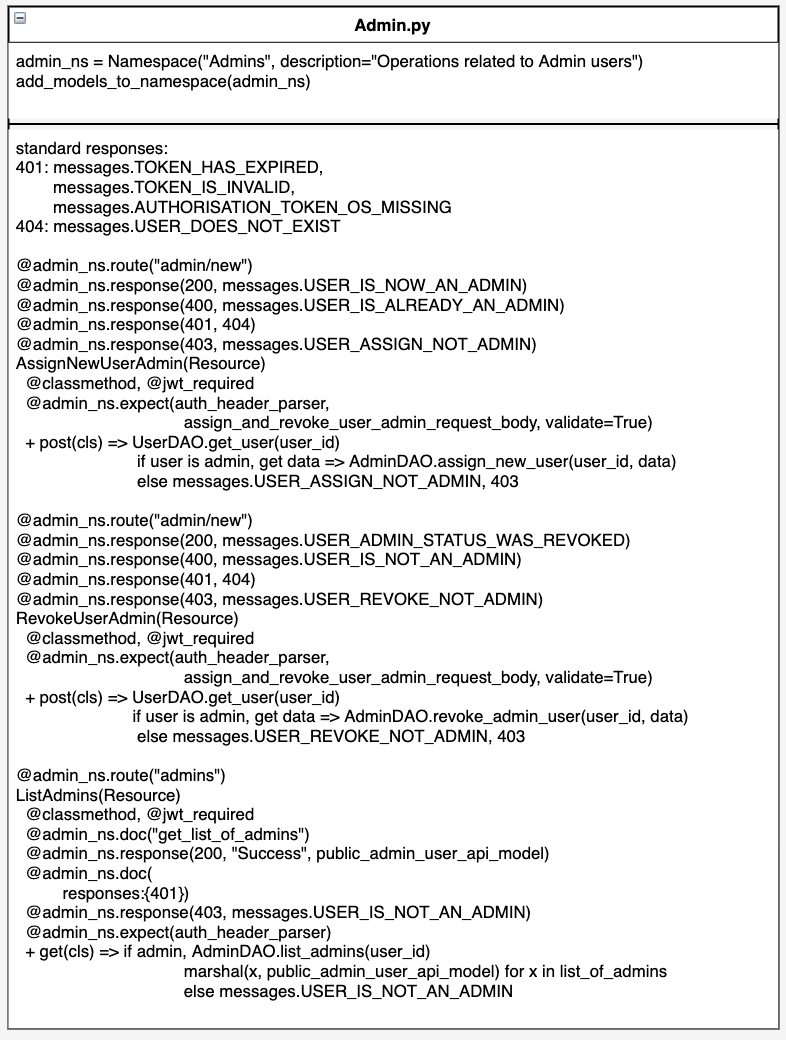
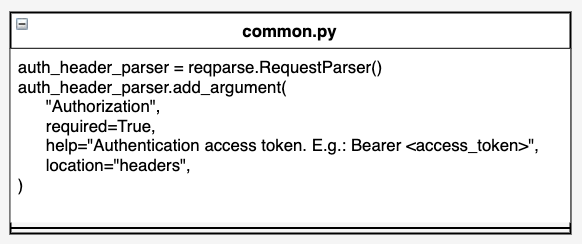
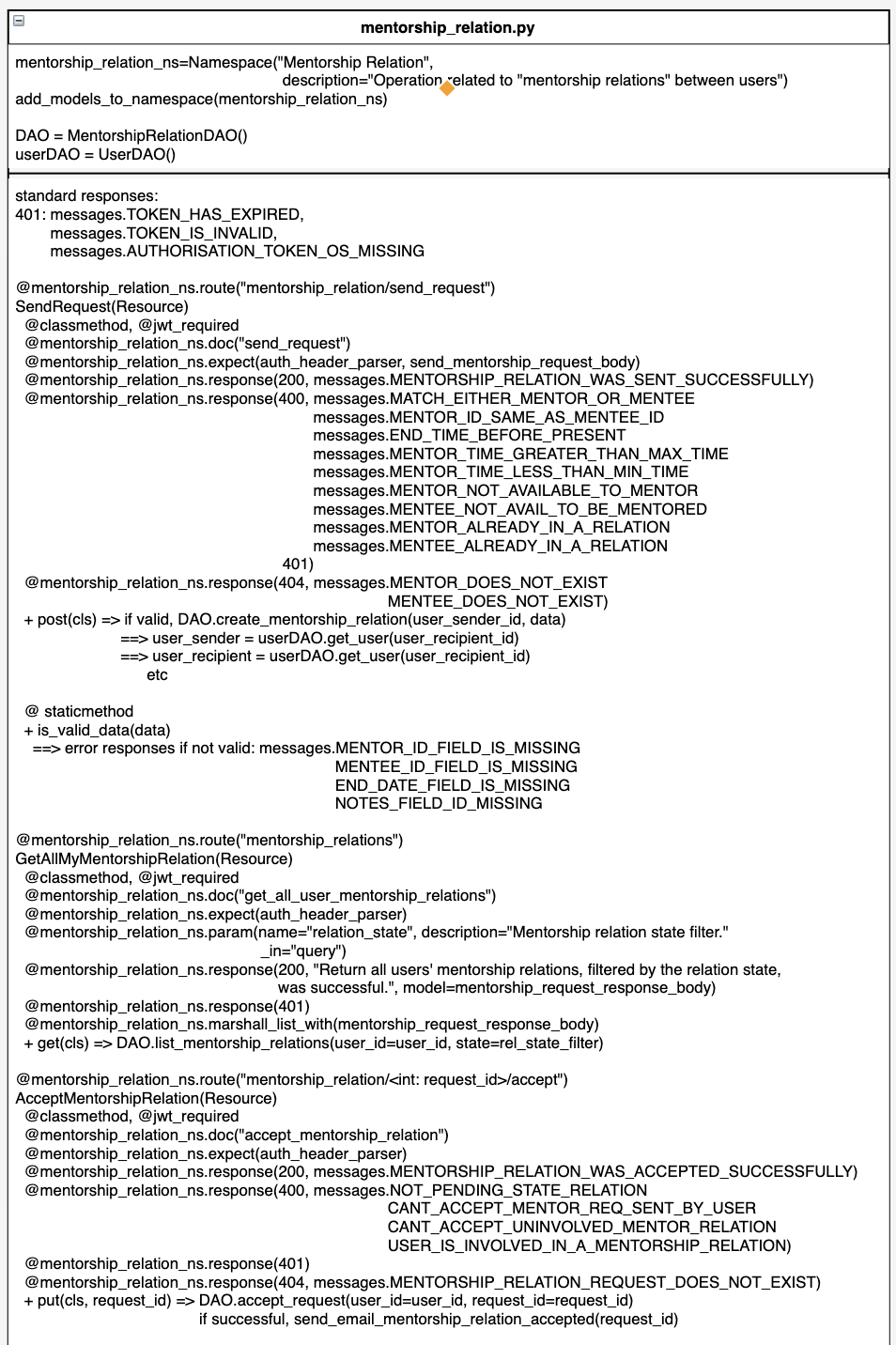
Service layer classes (app/api/resources): user.py admin.py common.py mentorship_relation.py
|
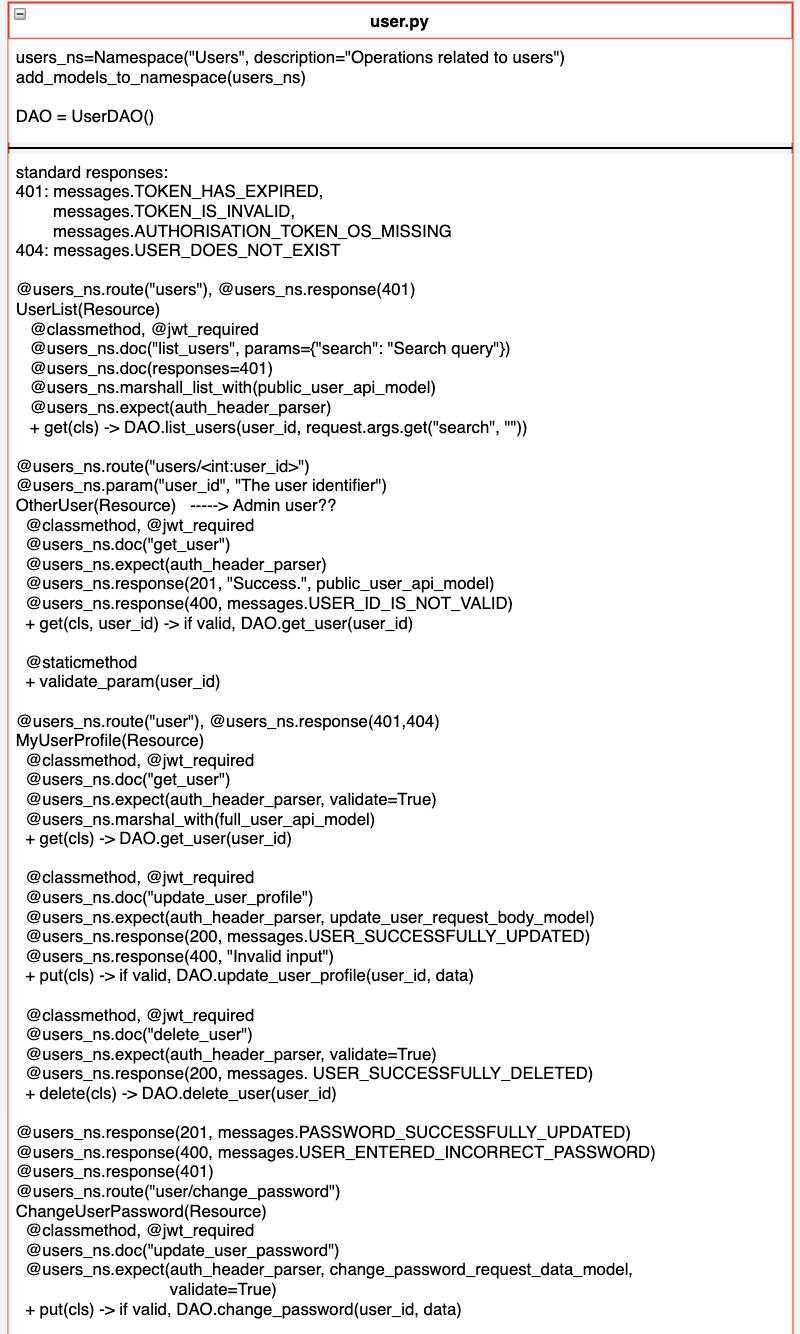
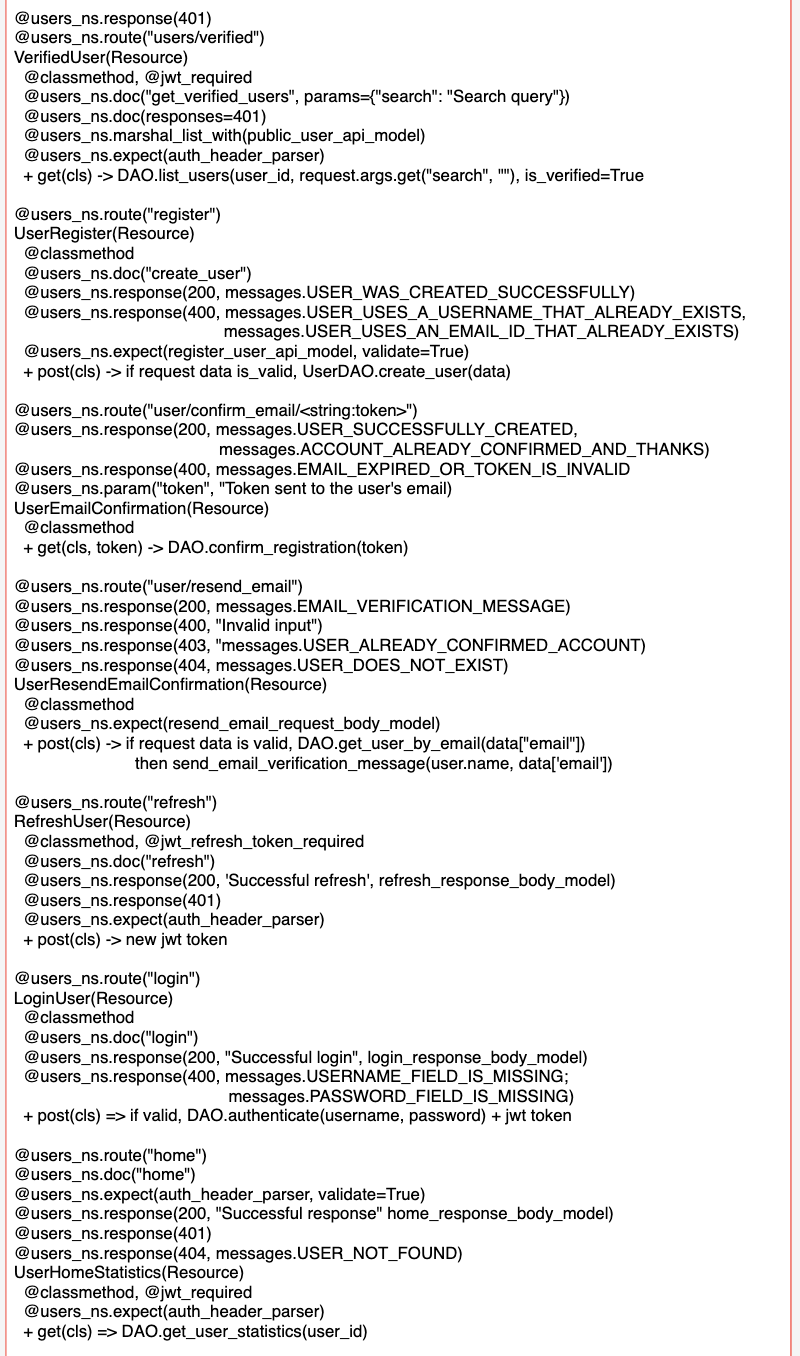
|
Hi @nandini45, I separated the classes by sections now. They look much clearer now (no zoom needed). It's just that I feel putting them in one page a bit too much. Maybe I should create different docs for different sections? Also, I didn't (haven't) put the testing classes there yet. |
mtreacy002
force-pushed
the
issue530-add-diagram-to-visualise-backend
branch
from
65a50c8 to
f7b4ca0
Compare
 mtreacy002
force-pushed
the
issue530-add-diagram-to-visualise-backend
branch
from
mtreacy002
force-pushed
the
issue530-add-diagram-to-visualise-backend
branch
from
f7b4ca0 to
2703140
Compare
|
@mtreacy002 yeah i think so too. because i think users need not know so much details. they can just fork clone and check that much details in depth. the main image that is the first one seems good and provides a lot description about the py files used in backend. |
|
Agree... So, should we keep it just with the first image and take out the class diagrams from the doc? Or keep it in there but on the same page not on different pages? I'm incline to just use the first image for overview and don't worry about using class diagrams for details 😂. @isabel, can we also ask your opinion here? |
|
yeah i wanted to say. ask isabel for further more opinion. |

| This diagram will give you a quick overview of what the backend system looks like. | ||
|
|
||
| ## What does the integration look like? | ||
|  |

There was a problem hiding this comment.
These images can be stored on the repository itself, we can never be sure what are the longevity of these URLs that are taken from inline comments.
There was a problem hiding this comment.
Thanks, for your suggestion, @SanketDG. Storing the images in the repository is no question the most ideal way. The thing is for normal contributors like us who're not maintainers of the repository, we don't have access and can't upload files as we like. So, @isabelcosta and I viewed this method (uploading to PR comment and refer it in doc) as the next best thing as alternative. Hope this makes sense 😉
There was a problem hiding this comment.
@mtreacy002 Apologies, I do not seem to understand. You can always put the images in the working directory of the git repository and then just git push them so that they appear here, and then they can be referenced from the README files
There was a problem hiding this comment.
Sorry, @SanketDG if I confused you. @isabelcosta and I discussed this matter (the best way to put image on repository/.md files) here. Instead of uploading the files as binary files we decided the better way is to use reference link from images uploaded to comments like these ones here. Please let me know if this clear up your doubt. Or perhaps you have a better suggestion, we'd like to hear about it. 😉
There was a problem hiding this comment.
Right, gotcha! I can see how this is beneficial (lesser repository size, smaller clone times) but Git can handle binary files pretty well but it also has a tradeoff, (offline READMEs not a possibility) But yeah, if the image sizes are a problem, then it's better not to add them to the repository.
There was a problem hiding this comment.
I am not sure if this is an effective way to communicate the architecture of the applcation to beginners. It's way too noisy and even though it might seem useful to first at beginners, it could intimidate users with information overload that they may not even need to contribute. I could be in some sort of bias here to not accept some new way of doing things, but there are already proved ways to document your architecture using high level component sketches, walkthroughs or just simple writeups.
This looks really great and I can see how this simplifies understanding, but it shouldn't be the front facing resource for beginners. A beginner resource should just explain the several components that make up the backend from a top level view, and it should ideally (can be debated) in written form.
Disclaimer: I am very new to this community so please take my advice with a grain of salt.
|
@SanketDG i agree that is way lot information for a beginner or any user i suppose. even maya would agree. we both were thinking to minimal it to only the main backend page. we are waiting Isabel opinion on it too. |
|
@SanketDG, yes, as @nandini45 have said. If you looked at our previous comments you'll see that we're doubting placing the in depth class like diagrams which actually can be explored by the beginners themselves on their own IDE on the repo they've cloned. Thank you for adding your opinion here, anyway, we really appreciate it. We'll have to wait what @isabelcosta think of this (placing just 1st image as overview and skip the class diagrams). 😉 PS: I'm also a beginner and still learning, so, we're on the same boat 👍 |
 nandini45
added
the
Category: Documentation/Training
nandini45
added
the
Category: Documentation/Training
 devkapilbansal
added
the
Status: Needs Review
devkapilbansal
added
the
Status: Needs Review

|
Why this PR is not reviewed till now? I added |
devkapilbansal
added
Status: On Hold
|
It was decided with @anitab-org/mentorship-maintainers that this PR will be closed in near future and a link will be added to the documentation for anyone who wants to look into this. |
4 participants


Description
This PR to add mentorship backend system visualisation diagrams to wiki.
Fixes #530
Type of Change:
How Has This Been Tested?
N/A
Checklist: