Private preview: ascend-tools is currently in private preview. Contact your Ascend representative to request access via service accounts on your Instance.
ascend-tools provides a CLI, Python SDK, Rust SDK, and MCP server for the Ascend REST API. This guide walks you through authentication and your first commands.
The fastest way to connect an AI assistant to Ascend — no local installation needed:
- Go to Settings > Instance > MCP Server in the Ascend UI
- Copy the
ASCEND_MCP_URL - Run:
# Claude Code
claude mcp add --transport http ascend $ASCEND_MCP_URL

# Codex CLI
codex mcp add --transport http ascend $ASCEND_MCP_URL
Authentication is handled automatically via OAuth (browser login). No service account required. See Set up the MCP server for more options.
The rest of this guide covers the local CLI, SDK, and MCP server setup (requires a service account).
- An Ascend Instance with permission to create service accounts
- uv (installed in the next section)
Navigate to Settings > Users in your Ascend Instance. Click + Create service account.
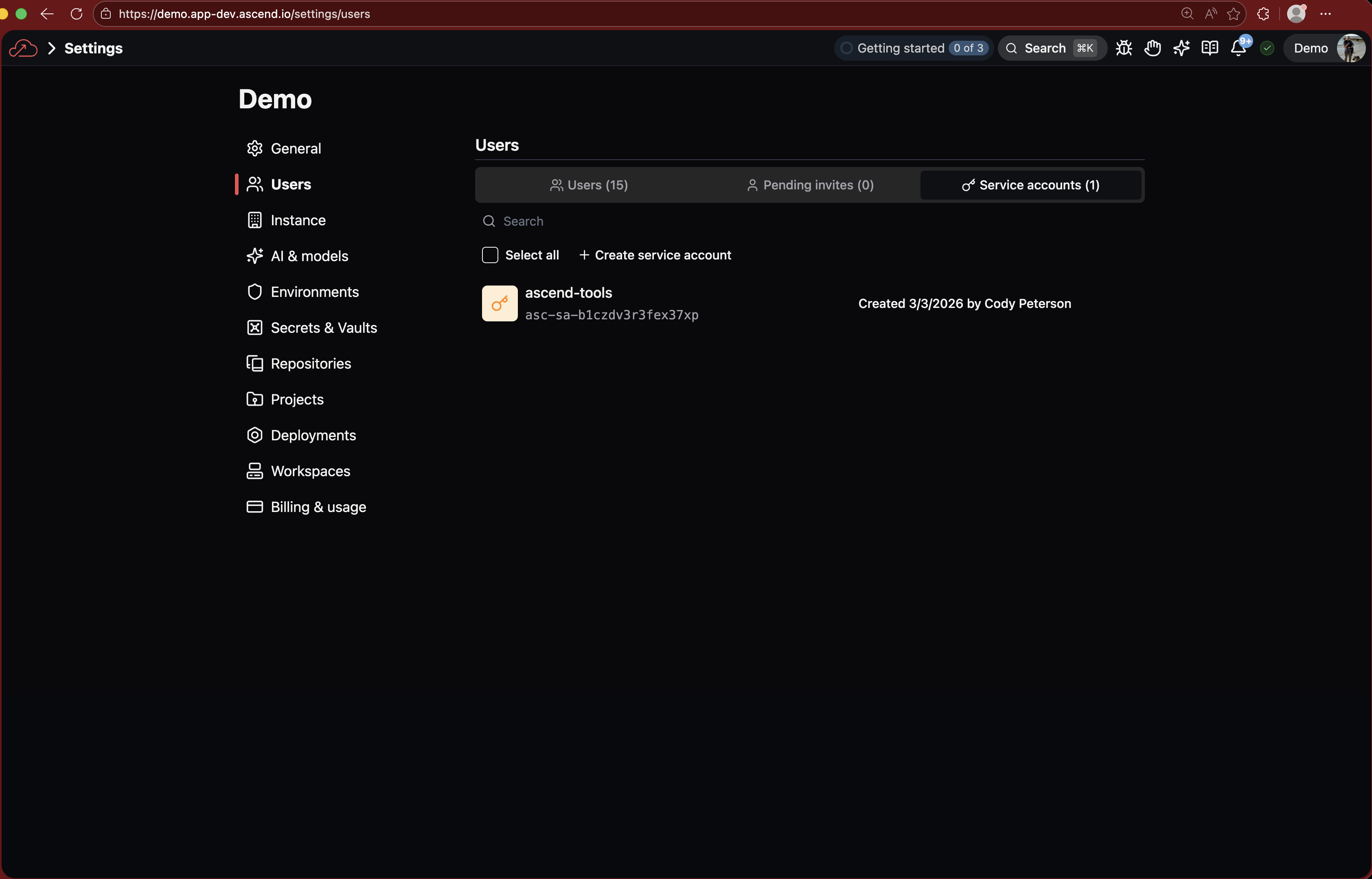
Enter a name (e.g., ascend-tools) and click Create service account.

The confirmation dialog shows three values. Copy each one and store them securely — the private key is shown only once.

Export the three values from the previous step:
export ASCEND_SERVICE_ACCOUNT_ID="<YOUR_SERVICE_ACCOUNT_ID>"
export ASCEND_SERVICE_ACCOUNT_KEY="<YOUR_SERVICE_ACCOUNT_KEY>"
export ASCEND_INSTANCE_API_URL="<YOUR_INSTANCE_API_URL>"
These are the only credentials you need. The SDK handles JWT signing, token exchange, and caching automatically.
Add these to your shell profile (~/.zshrc or ~/.bashrc) so they persist across sessions.
Install uv (if you don't have it):
curl -LsSf https://astral.sh/uv/install.sh | shInstall ascend-tools:
uv tool install ascend-toolsSee Installation for other methods (Cargo, pre-built binaries).
ascend-tools runtime listYou should see a table of runtimes in your Instance.
List available flows in a runtime, then trigger a flow run:
ascend-tools flow list --runtime <RUNTIME_UUID>
ascend-tools flow run <FLOW_NAME> --runtime <RUNTIME_UUID>
Or from Python:
from ascend_tools import Client

client = Client()
flows = client.list_flows(runtime_uuid="<RUNTIME_UUID>")
result = client.run_flow(runtime_uuid="<RUNTIME_UUID>", flow_name="<FLOW_NAME>")- CLI guide -- all commands with examples
- Python SDK guide -- Client methods, return types, error handling
- Rust SDK guide -- typed client with structs and error handling
- MCP server guide -- set up AI assistants with Ascend tools
- Installation -- all install methods (Cargo, pre-built binaries)