Home
Focus is a cross-platform productivity timer for the command line. It is based on the [Pomodoro Technique (https://en.wikipedia.org/wiki/Pomodoro_Technique), a time management method developed by Francesco Cirillo in the late 1980s.
- Pick a task you need to accomplish.
- Set a timer for 25 minutes and start working without interruptions.
- When the timer rings, take a short break or 5 minutes. Do something that is not work related such as stretching or relaxing.
- Once you’ve completed four work sessions, you can take a longer 15 minute break.
- Work and break lengths are customisable.
- You can pause and resume work sessions.
- You can customise the number of sessions before a long break.
- You can set a maximum number of sessions.
- Destop notifications are supported on all platforms.
- You can customise the notification messages.
- You can skip breaks.
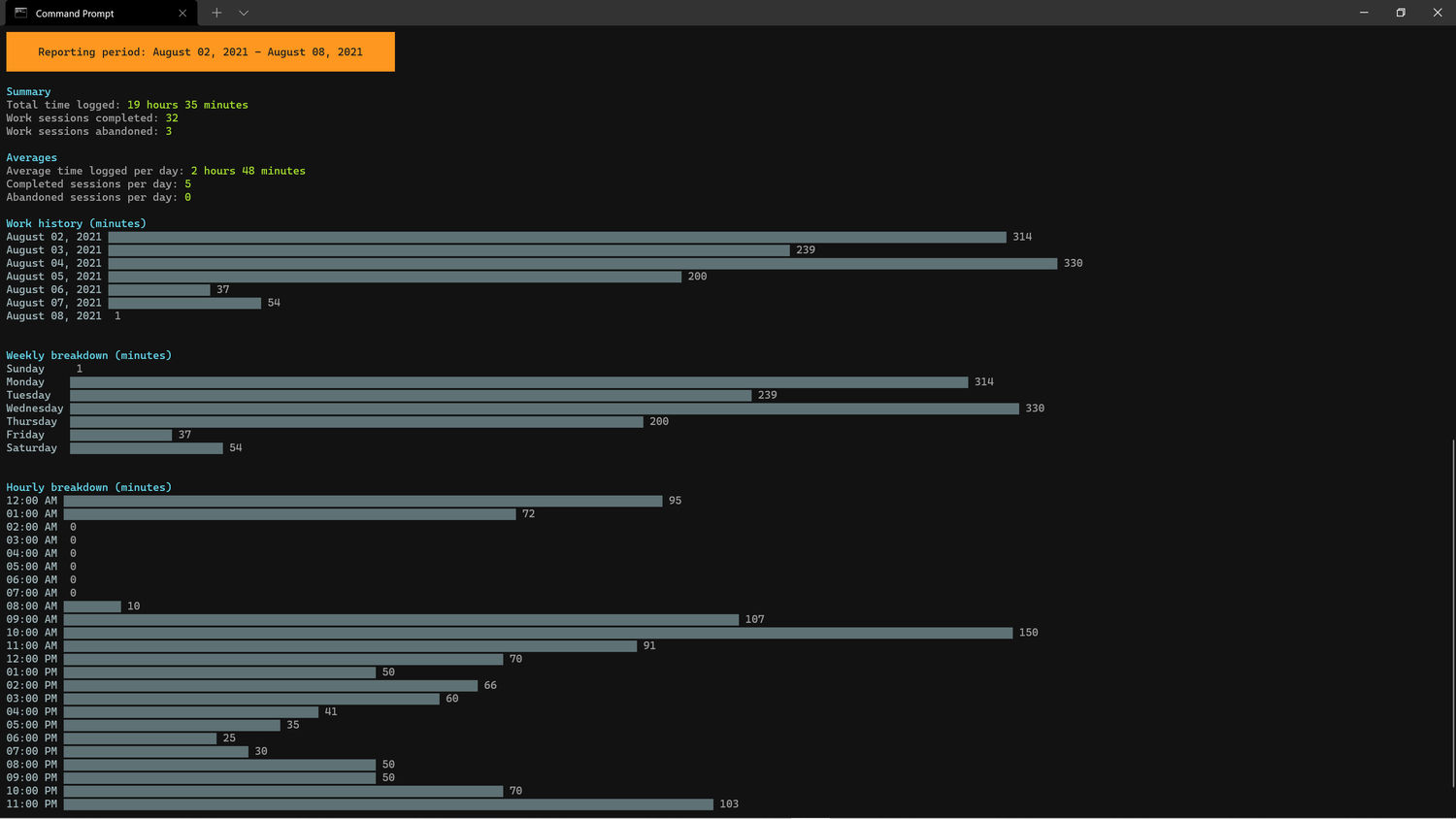
- Detailed statistics for your work history are provided including charts.
- Focus provided six built-in ambient sounds that you can play during a session, and you can add your own.
Focus is written in Go, so you can install it through go install (requires Go 1.16 or later):
$ go install github.com/ayoisaiah/focus/cmd/focus@latestYou can also install it via npm or yarn:
$ npm i @ayoisaiah/focus -g
# or
$ yarn global add @ayoisaiah/focus
Other installation methods are available here.
Once Focus is installed, run it using the command below:
$ focus
Note: Only one instance of focus can be active at a time.
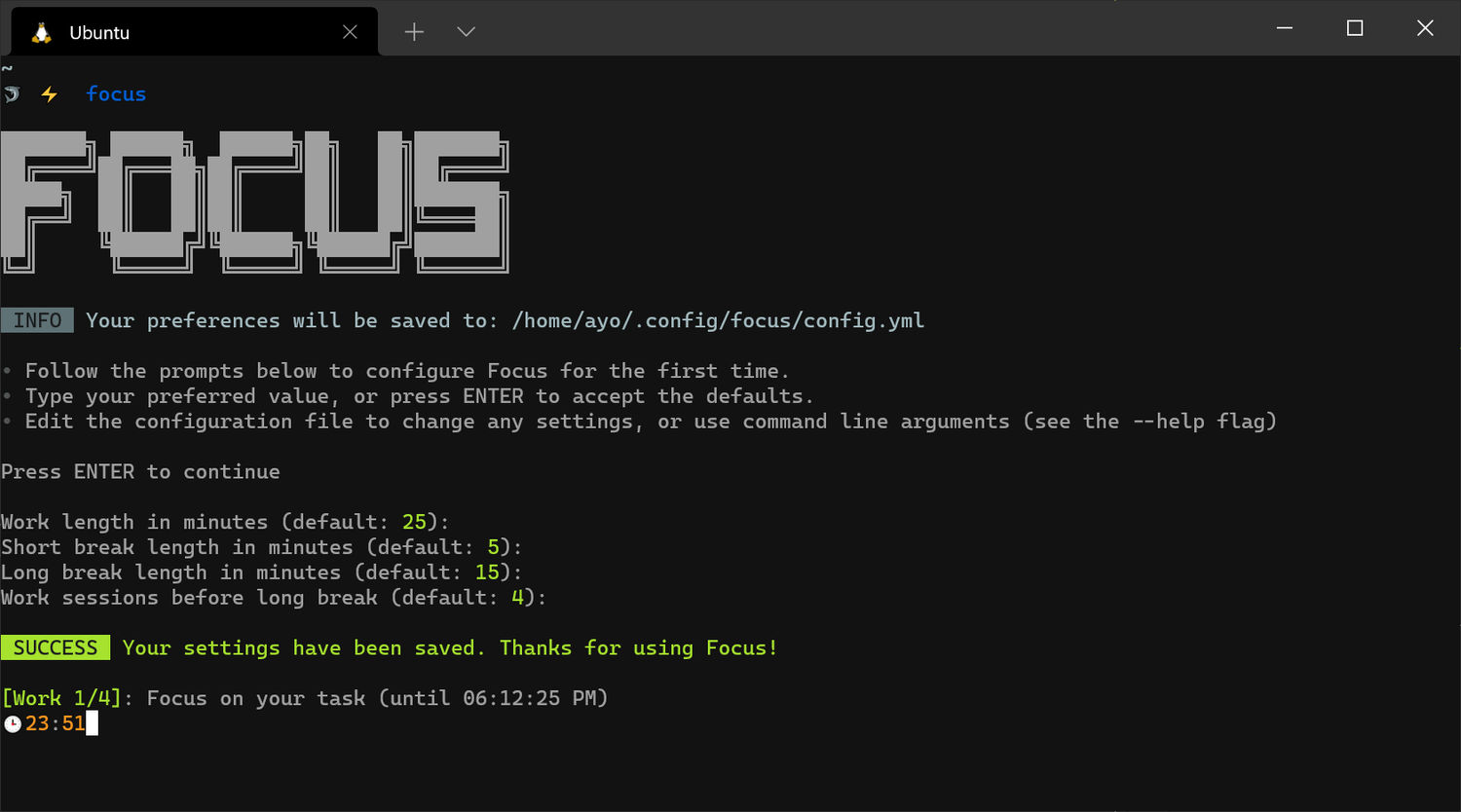
When you run Focus for the first time, it will prompt you to set your preferred timer lengths, and how many sessions before a long break. Afterwards, you may change these values by using command-line options or editing the config.yml file which will be located in ~/.config/focus/ on Linux, %LOCALAPPDATA%\focus on Windows, and ~/Library/Application Support/focus on macOS.
Here's the default configuration settings:
work_mins: 25 # work session length

work_msg: Focus on your task # work session message (shown in terminal and notification)

short_break_mins: 5 # short break session length

short_break_msg: Take a breather # short break session message (shown in terminal and notification)

long_break_mins: 15 # long break session length

long_break_msg: Take a long break # # long break session message (shown in terminal and notification)

long_break_interval: 4 # number of sessions before long break

notify: true # show desktop notifications

auto_start_work: false # Automatically start the next work session

auto_start_break: true # Automatically start the next break session

24hr_clock: false # Show time in 24 hour format

sound: "" # name of ambient sound to play

sound_on_break: false # play ambient sound during break sessions
If you specify a command-line argument while running focus, it will override the corresponding value in the config file.
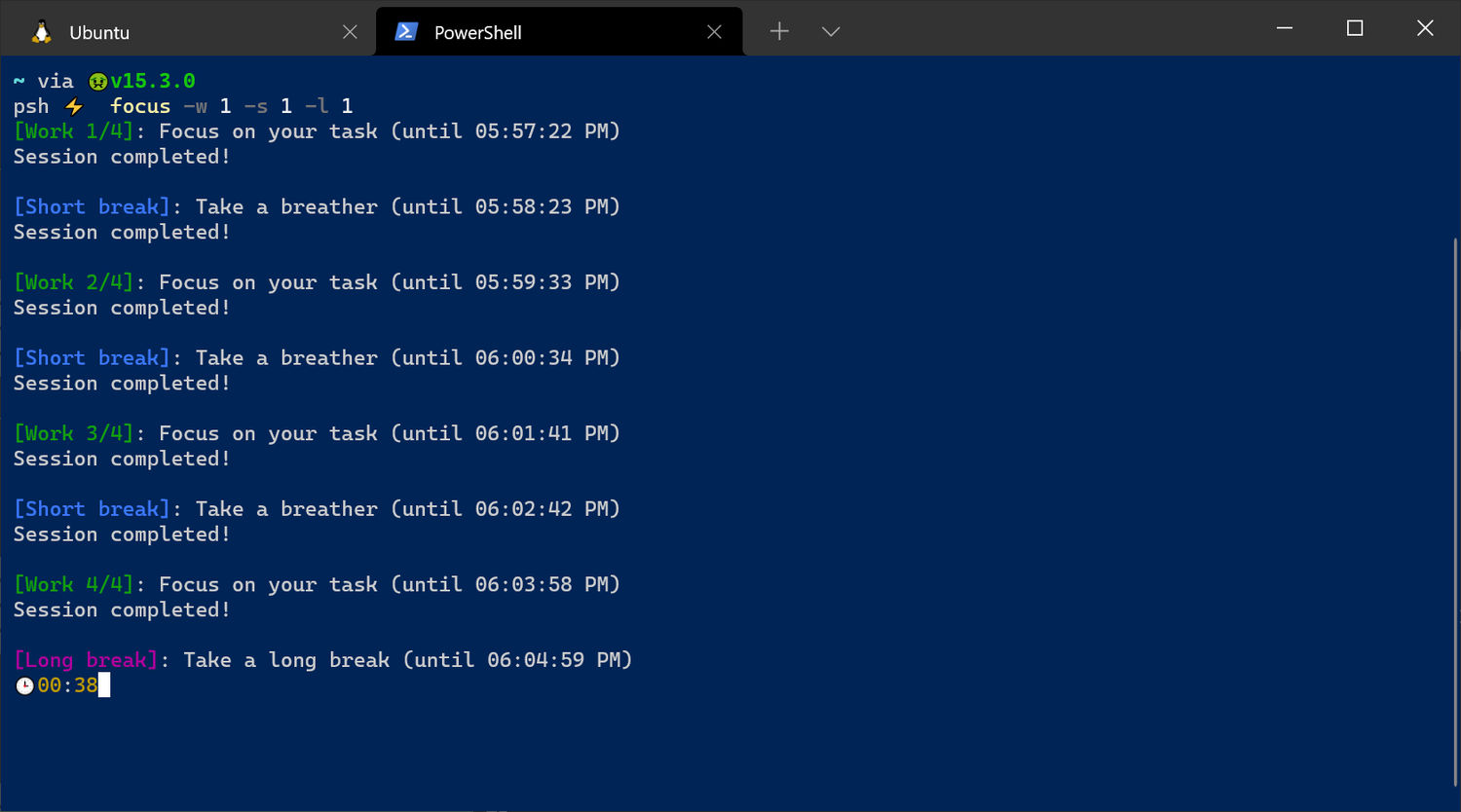
Focus has 3 types of sessions: work, short break, and long break.
- Set to 25 minutes length by default. Use the
--workor-woption to change the length, or changework_minsin theconfig.ymlfile. - Message displayed in the terminal and desktop notification can be changed using
work_msg. - You can pause a work session by pressing
Ctrl-C. Usefocus resumeto continue from where you stopped. - If
auto_start_workisfalse, you will be prompted to start each work session manually. Otherwise if set totrue, it will start without your intervention. - The maximum number of work sessions can be set using the
--max-sessionsor-maxoption. After that number is reached, focus will exit. - Use the
--long-break-intervalor-intoption to set the number of work sessions before a long break, or changelong_break_intervalin yourconfig.yml.
- Short break is 5 minutes by default. Use the
--short-breakor-soption to change the length, or setshort_break_minsin theconfig.ymlfile. - Long break is 15 minutes by default. Use the
--long-breakor-loption to change the length, or setlong_break_minsin theconfig.ymlfile. - Message displayed in the terminal and desktop notification can be changed using
short_break_msgandlong_break_msg. - Pressing
Ctrl-Cduring a break session will interrupt it. Runfocus resumeto skip to the next work session. - If
auto_start_breakisfalse, you will be prompted to start each break session manually. Otherwise if set totrue, it will start without your intervention.
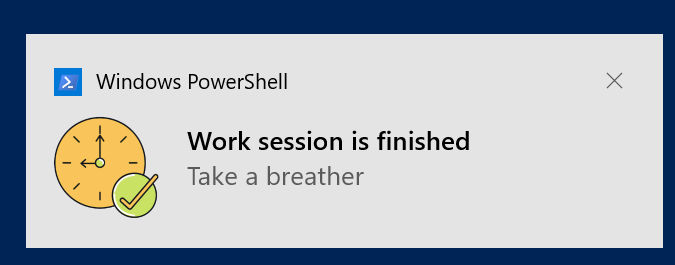
Notifications are turned on by default. Set notify to false in your config file, or use the --disable-notification cli option.
Focus provides six ambient sounds by default: coffee_shop, playground, wind, rain, summer_night, and fireplace. You can play a sound using the sound option, or set a default sound in your config file through the sound key.
$ focus --sound 'coffee_shop'
If you want to play a custom sound instead, copy the file (supports MP3, FLAC, OGG, and WAV) to the appropriate directory for your operating system:
-
Linux:
~/.local/share/focus/static -
Windows:
%LOCALAPPDATA\focus\static -
macOS:
~/Library/Application Support/focus/static
Afterwards, specify the name of the file in the sound key or --sound option. Note that custom sounds must include the file extension.
$ focus --sound 'university.mp3'
$ focus --sound 'subway.ogg'
$ focus --sound 'airplane.wav'
$ focus --sound 'stadium_noise.flac'