




This module allows to specify a different delivery address per sales order line, splitting deliveries if needed. Also, you can specify different stock locations associated to those addresses, then the sales order procurements will be run from this location.
Table of contents
- Activate the developer mode
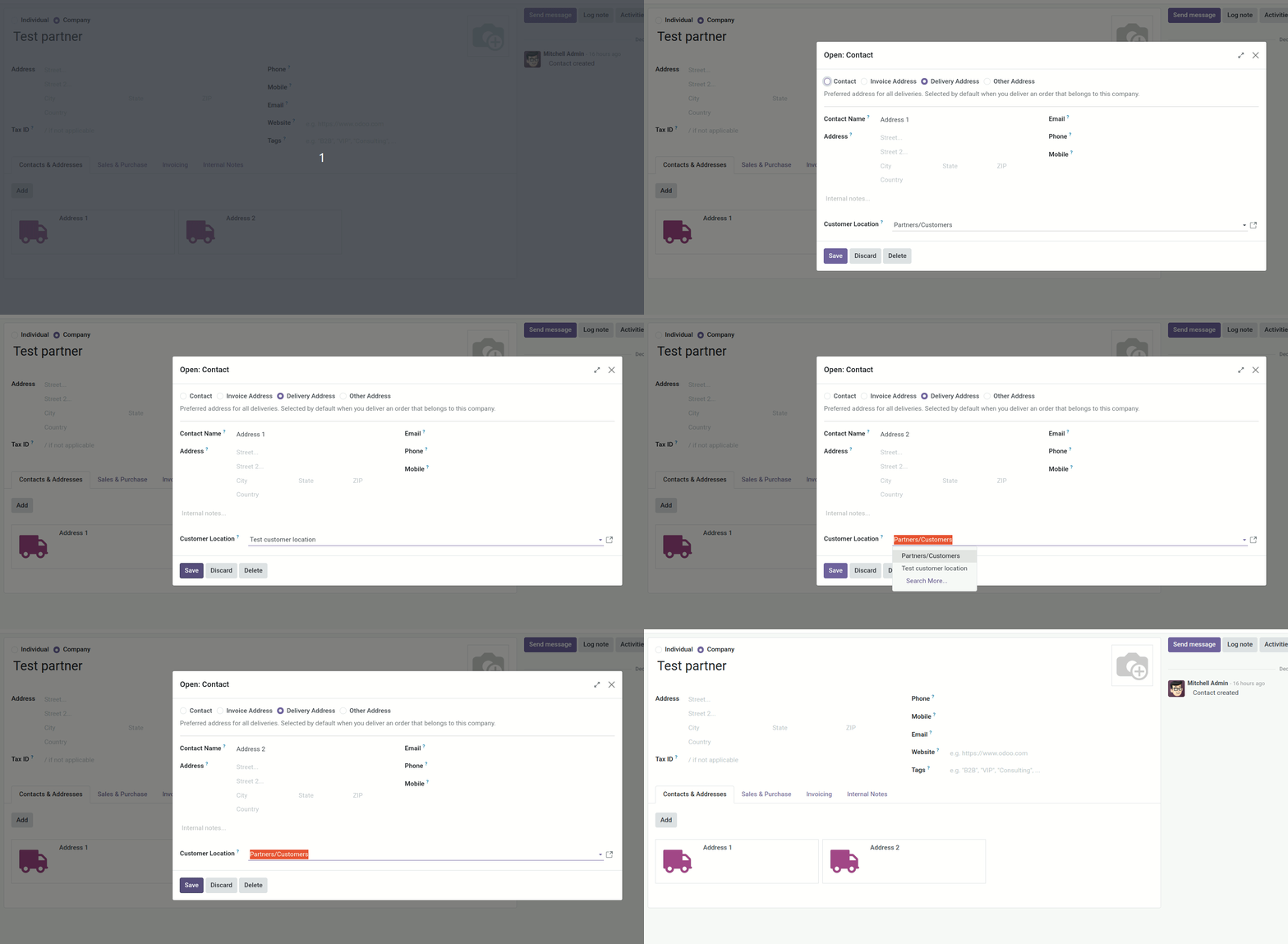
- Add different addresses to one partner
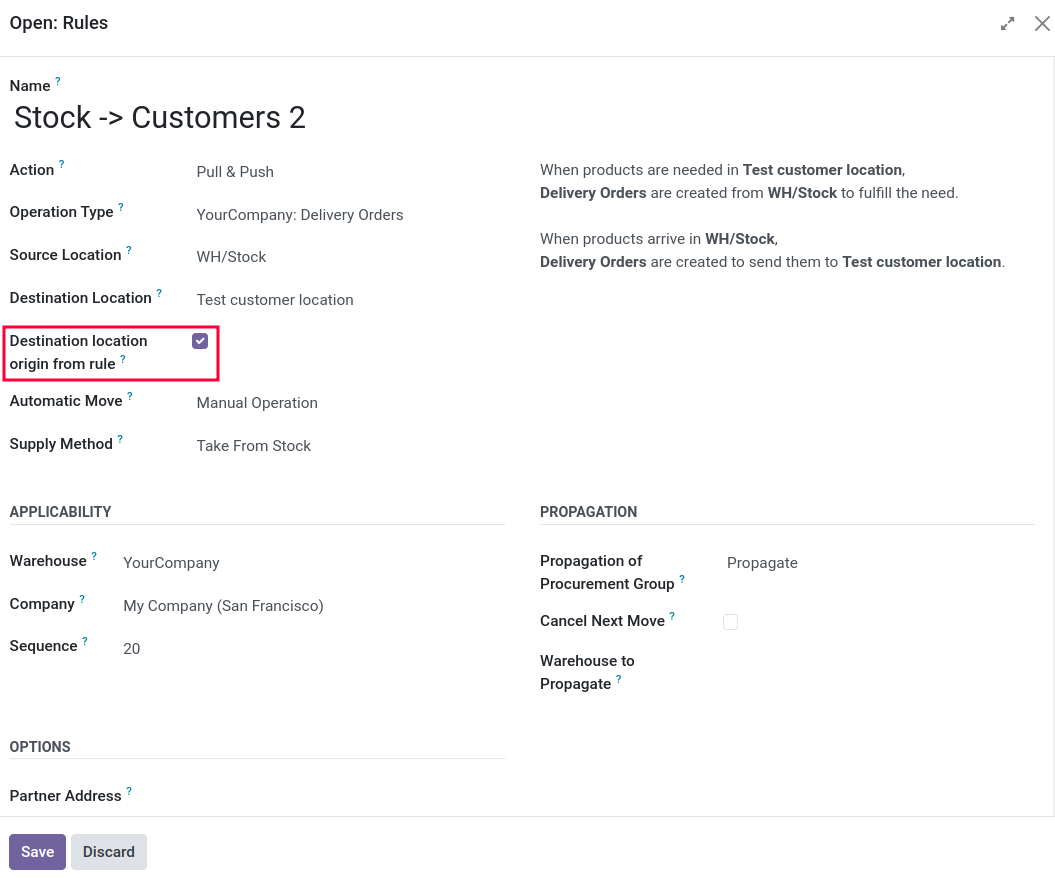
- The rules associated with those destination locations should have the
"Destination location origin from rule" set to True. When set to True
the destination location of the stock.move will be the rule.
Otherwise, it takes it from the picking type.
- When entering a sales order line specify a Destination Address.
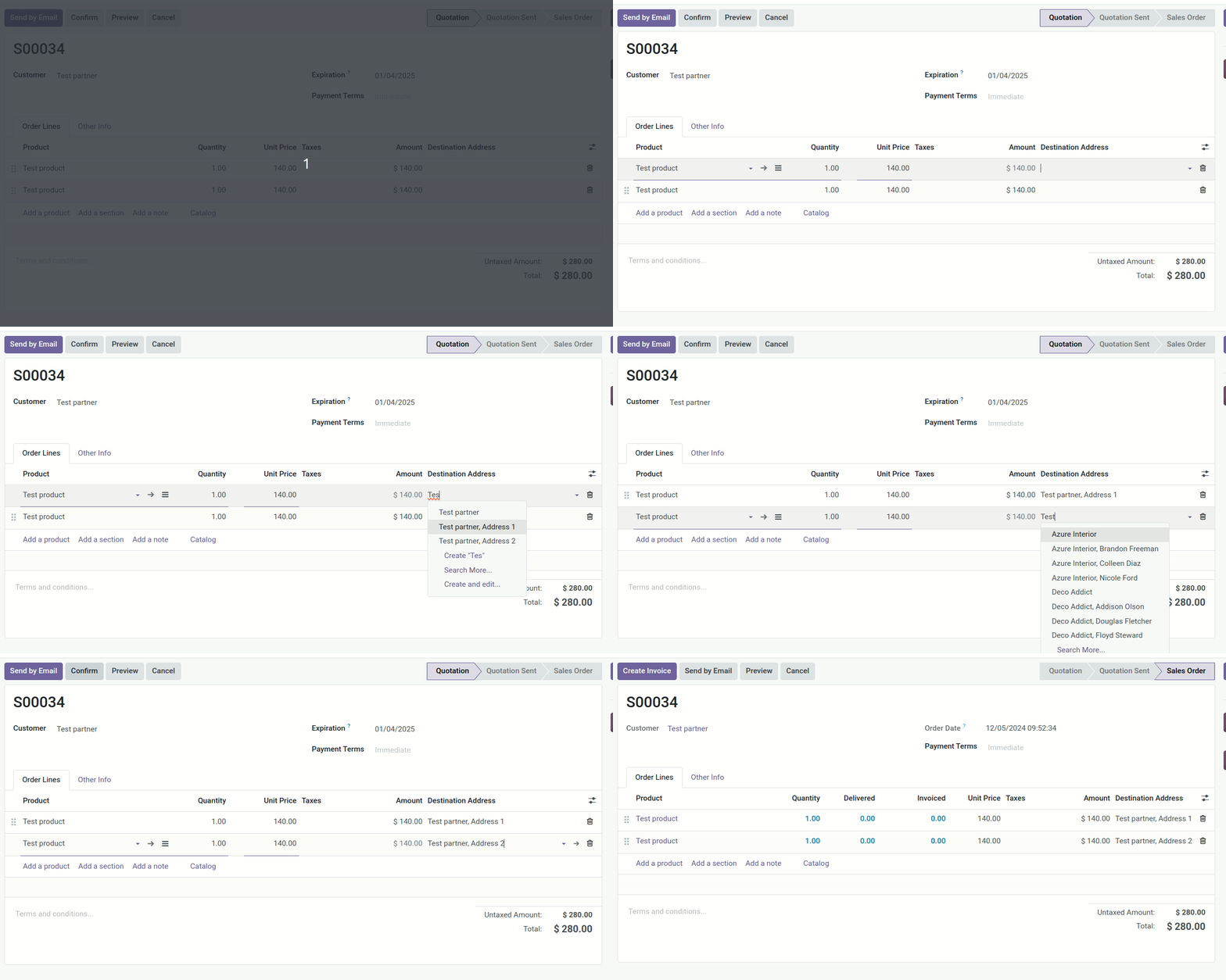 The deliveries will be split with
two different destination locations:
The deliveries will be split with
two different destination locations: 
- Specify different stock locations associated to those addresses
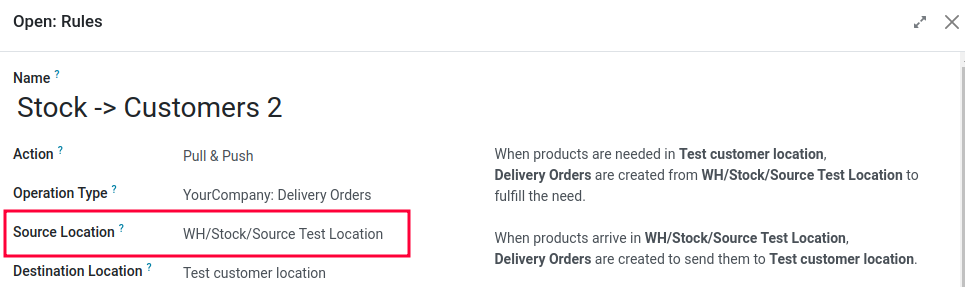 The sales order procurements will be run from this
location
The sales order procurements will be run from this
location 
Bugs are tracked on GitHub Issues. In case of trouble, please check there if your issue has already been reported. If you spotted it first, help us to smash it by providing a detailed and welcomed feedback.
Do not contact contributors directly about support or help with technical issues.
- ForgeFlow
- Lois Rilo <lois.rilo@forgeflow.com>
This module is maintained by the OCA.

OCA, or the Odoo Community Association, is a nonprofit organization whose mission is to support the collaborative development of Odoo features and promote its widespread use.
This module is part of the OCA/sale-workflow project on GitHub.
You are welcome to contribute. To learn how please visit https://odoo-community.org/page/Contribute.