A real-time biosignal visualization tool for Lab Streaming Layer (LSL) streams.




Welcome to MoBI-View, a Python application designed for real-time visualization of biosignal data from Lab Streaming Layer (LSL) streams. This tool allows researchers and clinicians to monitor and analyze various biosignals like EEG, eye-tracking data, and other physiological measurements through an intuitive and responsive interface.
- Real-time signal visualization from any LSL-compatible device streaming numerical data.
- Multi-stream support for simultaneous monitoring of different data sources.
- Specialized plot types optimized for different signal types.
- EEG plot widgets for neurophysiological data.
- Numeric plot widgets for other sensor data.
- Channel / Stream visibility control for focusing on specific data channels.
- Hierarchical stream organization through a tree-based interface.
- Automatic stream discovery.
First, install uv, a fast package installer and resolver for Python:
macOS/Linux:
curl --proto '=https' --tlsv1.2 -sSf https://astral.sh/uv/install.sh | shWindows (Powershell):
powershell -c "irm https://astral.sh/uv/install.ps1 | iex"
MoBI-Viewdepends on pylsl, which utilizes liblsl, a system-level dependency that is not installed by default. Install it by following the instructions from theInstalling liblslsection below.
Option 1: Install from PyPI
pip install mobi-viewOption 2: Install from Github
# Clone the repository
git clone https://github.com/childmindresearch/MoBI-View.git
cd MoBI-View

# Optional: Create virtual environment
uv venv

# Optional: Activate the environment
source .venv/bin/activate  # On Windows: .venv\Scripts\activate

# Install all dependencies including the package itself
uv syncThe pylsl package requires the liblsl binaries for your platform. You can install them using one of the following methods:
- Conda (all platforms):
conda install -c conda-forge liblsl- vcpkg (Windows/Linux):
vcpkg install liblsl- Conan (Windows):
conan install liblsl- Homebrew (macOS):
brew install labstreaminglayer/tap/lslgit clone --depth=1 https://github.com/sccn/liblsl.git cd liblsl mkdir build && cd build cmake .. cmake --build . --config Release cmake --install .
- Download the latest release for your platform from the liblsl Releases page
- Extract the zip file and add the library to your system's path:
Windows:
- Download the Windows ZIP file (e.g.,
liblsl-1.16.2-Win64.zip)- Extract the Zip file, which contains: -
bin/lsl.dll-lib/lsl.dll- header files ininclude/directory- Add the extracted
bindirectory to your PATH environment variable# Example: If unzipped to C:\liblsl $env:PATH += ";C:\liblsl\bin"macOS:
- Download the macOS package (e.g.,
liblsl-1.16.2-OSX-amd64.tar.bz2)- Extract the archive:
tar -xf liblsl-1.16.2-OSX-amd64.tar.bz2
- Inside you'll find: -
lib/liblsl.dylib- header files ininclude/directory- You can either: - Copy
lib/liblsl.dylibtolib- Or set theDYLD_LIBRARY_PATHto include the lib directoryLinux:
- Download the appropriate Debian package (e.g.,
liblsl-1.16.2-Linux64-focal.debfor Ubuntu 20.04)- Install using:
sudo dpkg -i liblsl-1.16.2-Linux64-focal.debOr download the liblsl-1.16.2-Linux64.tar.bz2 and extract:
tar -xf liblsl-1.16.2-Linux64.tar.bz2
sudo cp lib/liblsl.so* /usr/local/lib/
sudo ldconfig
-
Activate your environment (if not already activated):
-
Run MoBI-View (either method works):
# Method 1: Using uv run
uv run mobi-view

# Method 2: Direct execution
python -m src/main.py- Select LSL streams from the tree view to visualize data:
- EEG data appears in the EEG tab.
- Other physiological signals appear in the Numeric tab.
- Toggle streams and channels on/off by clicking checkboxes.
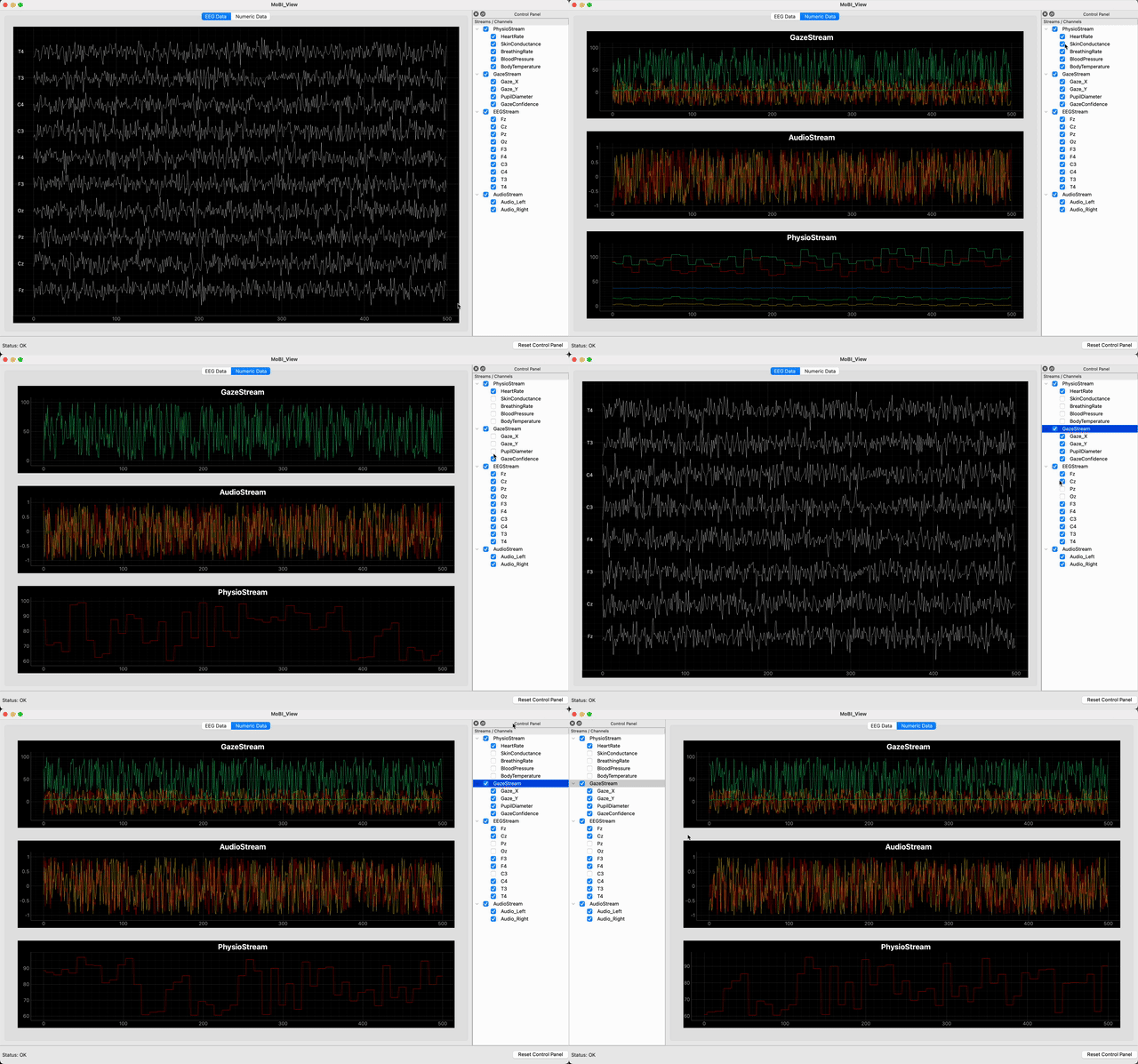
When you launch MoBI-View:
- Stream Discovery: The application automatically discovers available LSL streams.
- Visualization: Streams are displayed in appropriate plot widgets based on their type (EEG vs non-EEG).
- Control Panel: A tree view on the left shows available streams and channels. This control panel can be moved or separated out of the main window.
- Channel Selection: Toggle visibility of individual channels by clicking on their boxes in the Control Panel.
- Support for additional visualization types (non-numeric data and event markers).
- Custom filtering and signal processing options.
- Extended analysis tools for common biosignal metrics.
- EEG impedance checker for ease of setup.