Link the port end #1706


-
|
Hi! Can i connect two port end? Here are the electronic components.
Thanks in advance! |
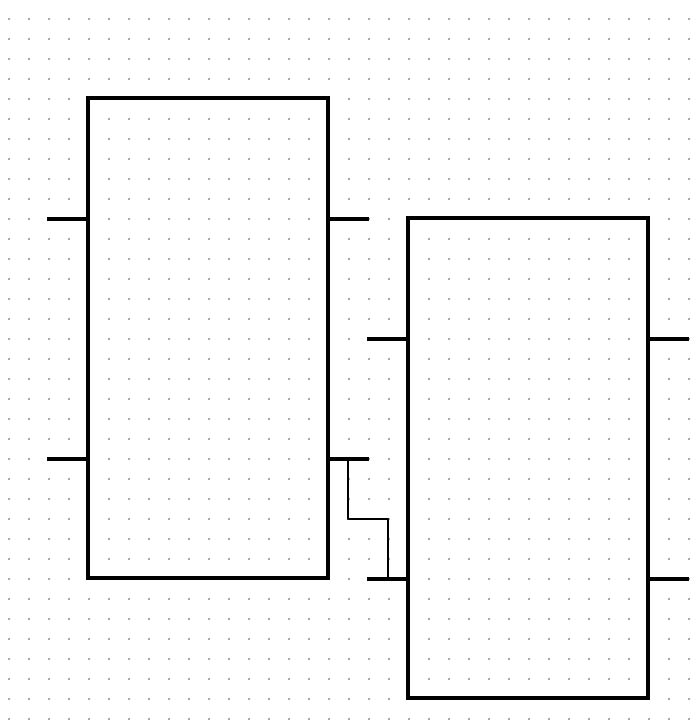
Beta Was this translation helpful? Give feedback.
Replies: 2 comments 6 replies

-
Beta Was this translation helpful? Give feedback.

-
|
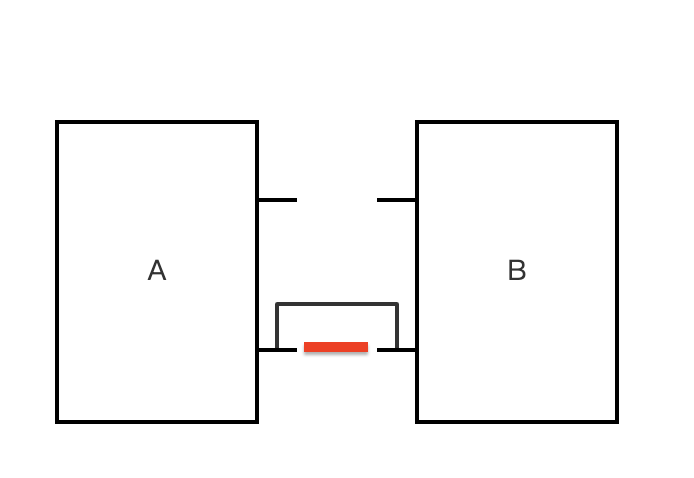
Thanks for your reply! This demo meets most of my needs!! But if i can link the port end, the app will looks more professional.(Linked as red line)
|
Beta Was this translation helpful? Give feedback.

-
|
You can use an anchor. |
Beta Was this translation helpful? Give feedback.
-
|
Thank you. This demo is very nice!! |
Beta Was this translation helpful? Give feedback.
-
|
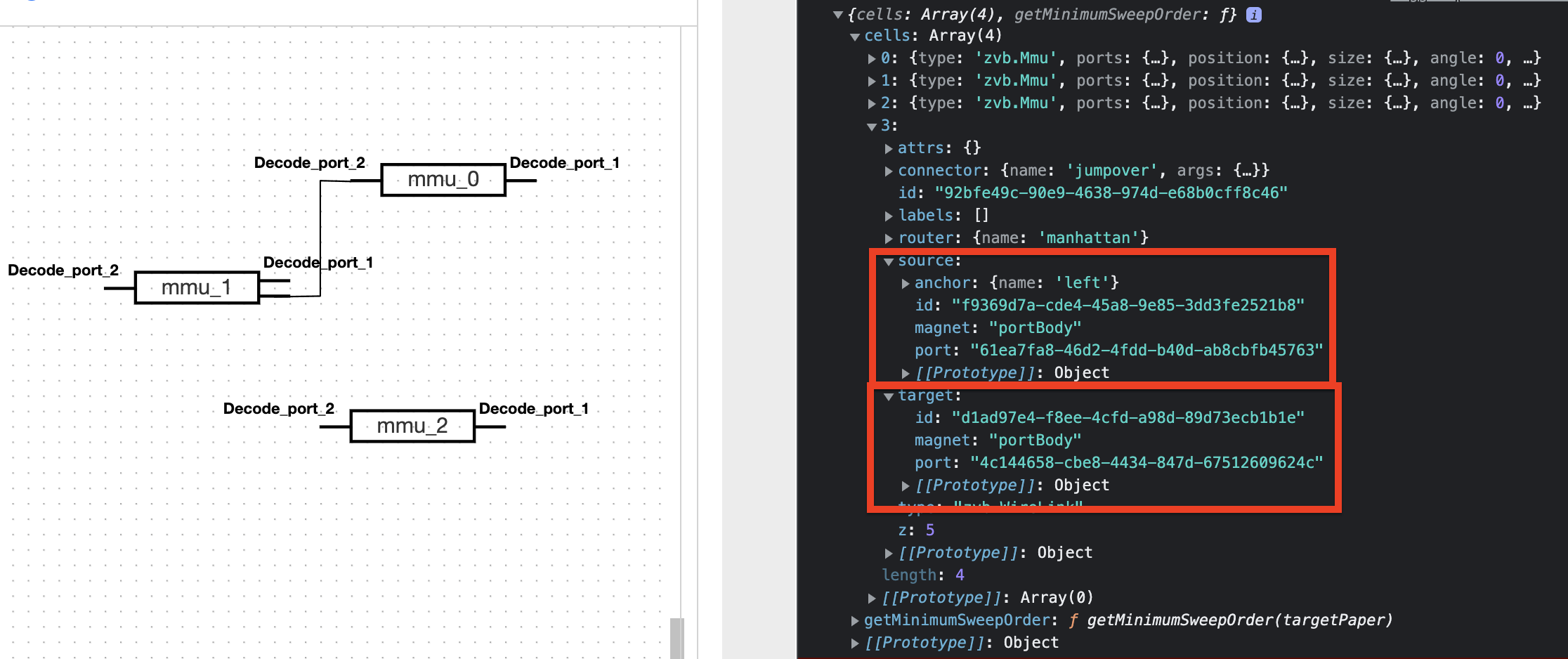
Hi, One more question. How to link like that manually? I have try to set the anchor in validateConnection: (cellViewS, magnetS, cellViewT, magnetT, end, linkView) => {
if (end === 'target') {
if (!magnetT) {
return false;
}
if (cellViewS === cellViewT) {
return false;
}
} else {
if (!magnetS) {
return false;
}
}
linkView.model.prop('source/anchor', { name: 'left' });
linkView.model.prop('target/anchor', { name: 'right' });
return true;
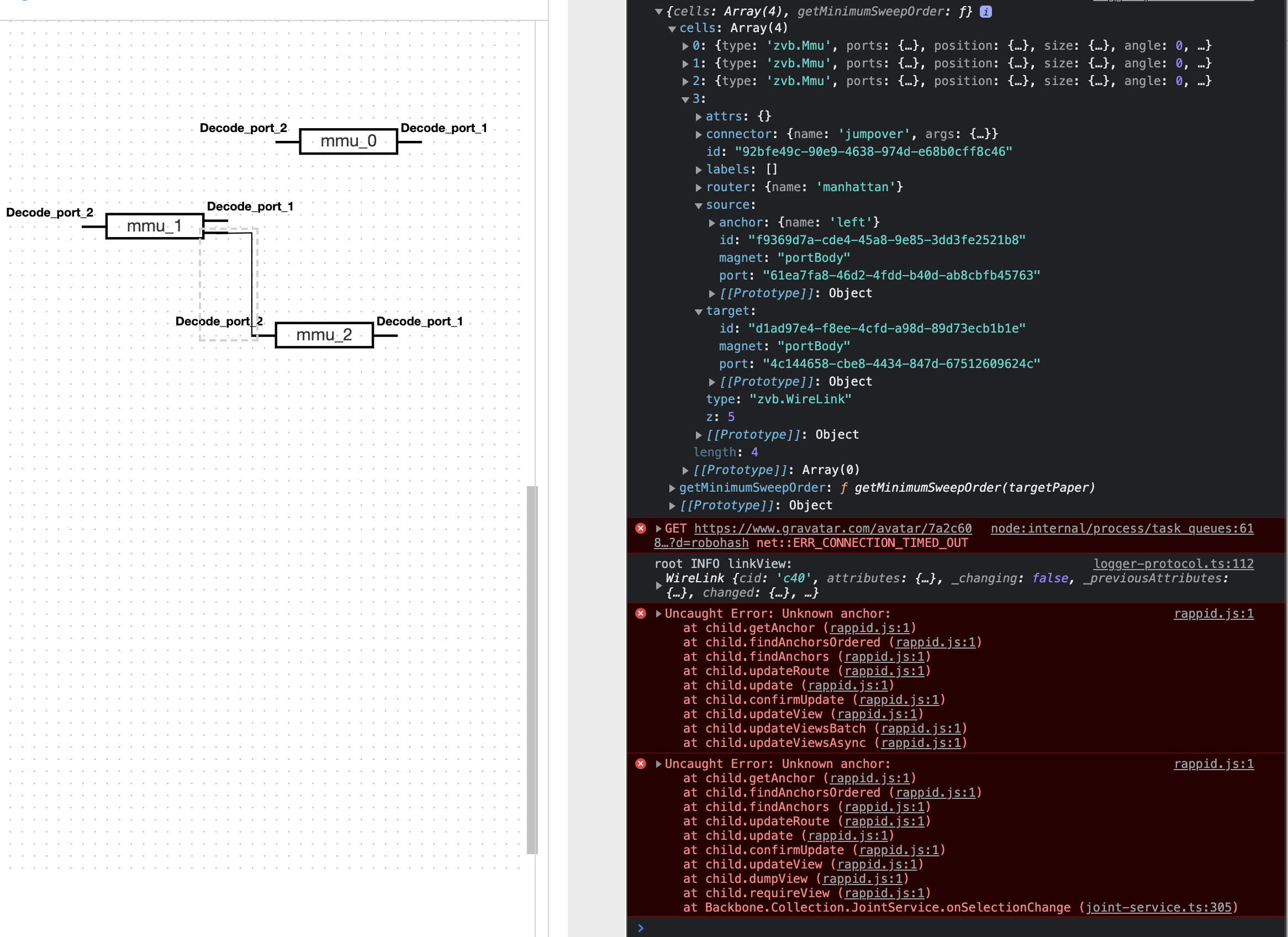
}but only the
And when i move the
Any help will appreciate! |
Beta Was this translation helpful? Give feedback.
-
|
The device maybe have 4 directions port. So link anchor need flexible. |
Beta Was this translation helpful? Give feedback.
-
|
Don't add side effects to the |
Beta Was this translation helpful? Give feedback.
-
|
Thank you very much! |
Beta Was this translation helpful? Give feedback.


Yes. https://jsfiddle.net/kumilingus/0m2zfthw/