When 'lightningd` is already running well and synchronizing, this is the screen I see:
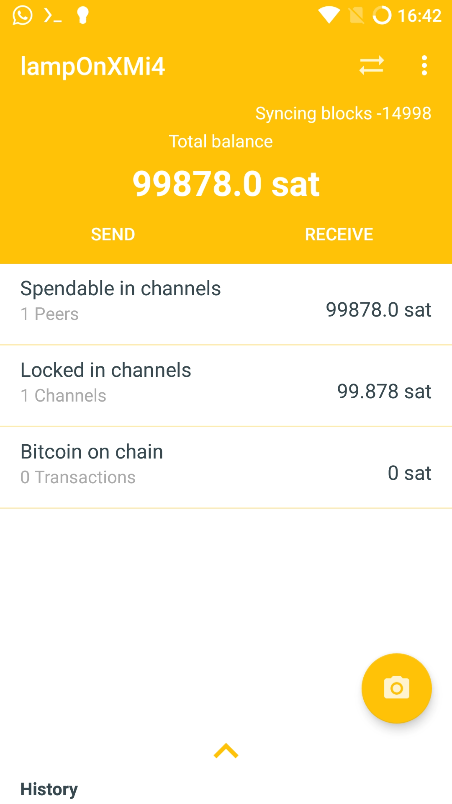
The decimal points are misleading. Choose to either show the American way (where comma delimits thousands and dot delimits decimals) or the French way (where thousands are delimited by an empty space and comma is used to delimit decimals), example:
Represented number is 125023/10

American way:
   12,502.3

French way:
   12 502,3
If I remember correctly. And the names are just how they taught us at school here in central Europe… (no harm or national preference intended).
Actually you may use some "Android Locale" settings (equivalent of LC_* environment variables in glibc-Linux).

When 'lightningd` is already running well and synchronizing, this is the screen I see:
The decimal points are misleading. Choose to either show the American way (where comma delimits thousands and dot delimits decimals) or the French way (where thousands are delimited by an empty space and comma is used to delimit decimals), example:
If I remember correctly. And the names are just how they taught us at school here in central Europe… (no harm or national preference intended).
Actually you may use some "Android Locale" settings (equivalent of
LC_*environment variables in glibc-Linux).