




This module extends the functionality of Point of Sale Restaurant to
handle correctly note field.
By default, once pos_restaurant is installed, a warning is done,
when a pos order is created via the create_from_ui function.
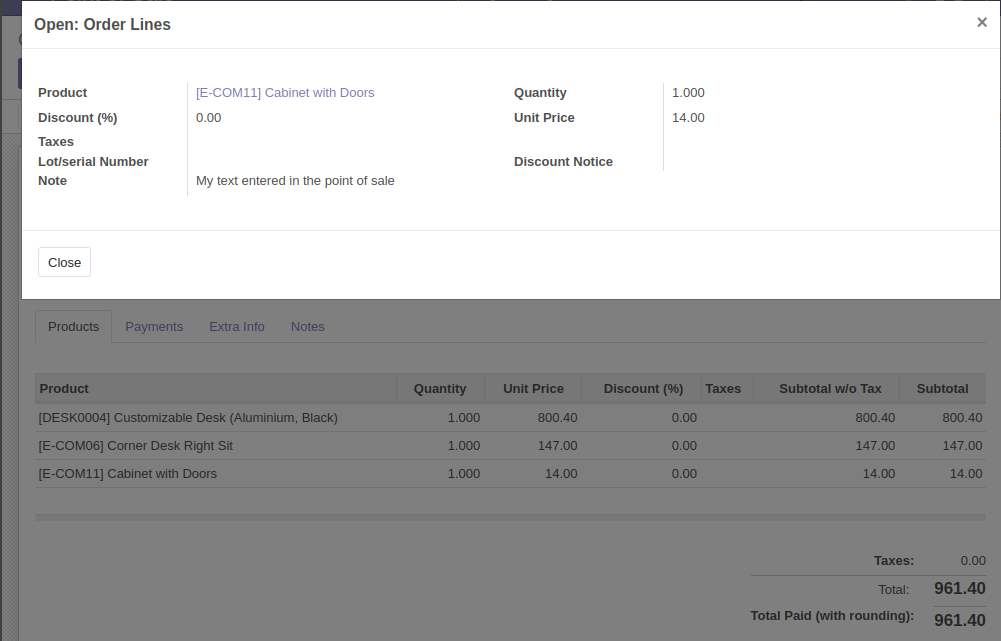
With this module, the note field is stored in database.
It will avoid incorrect warning in the odoo logs:
2020-12-22 20:33:40,567 31378 WARNING point_of_sale odoo.models: pos.order.line.create() with unknown fields: note
2020-12-22 20:33:40,578 31378 WARNING point_of_sale odoo.models: pos.order.line.create() with unknown fields: note
2020-12-22 20:33:40,585 31378 WARNING point_of_sale odoo.models: pos.order.line.create() with unknown fields: note
Table of contents
Open your Point of Sale
Set a note on an order line
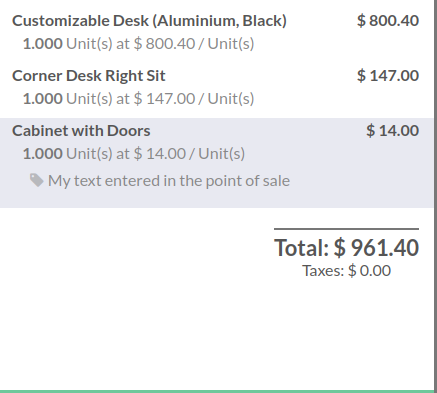
Save the order
In the back office, open the order, and click on the order line.
- Make a glue module between
pos_order_line_noteandpos_order_mgmtto have the possibility to load thenotefield, and keep the values, when duplicating orders.
Bugs are tracked on GitHub Issues. In case of trouble, please check there if your issue has already been reported. If you spotted it first, help us to smash it by providing a detailed and welcomed feedback.
Do not contact contributors directly about support or help with technical issues.
- GRAP
- Sylvain LE GAL <https://twitter.com/legalsylvain>
This module is maintained by the OCA.

OCA, or the Odoo Community Association, is a nonprofit organization whose mission is to support the collaborative development of Odoo features and promote its widespread use.
Current maintainer:

This module is part of the OCA/pos project on GitHub.
You are welcome to contribute. To learn how please visit https://odoo-community.org/page/Contribute.