Proxmox Backup Server inside a Docker container.
- Incremental Backups — Only the changes (deltas) made since the last backup are stored.
- Global deduplication — To save space identical data blocks are always stored only once.
- Storage flexibility — Offers a variety of storage options, including local storage, network-attached storage (NAS), and cloud-based storage.
- Integrated with Proxmox VE — Tight integration with Proxmox VE, allowing you to manage and schedule backups directly from the Proxmox web interface.
- Web interface and REST API — Provides a web-based management interface that allows administrators to monitor backup jobs, configure schedules, and manage restore operations.
services:
  pbs:
    hostname: pbs
    container_name: pbs
    image: dockurr/proxmox-backup
    environment:
      PASSWORD: "root"
      TZ: "America/New_York"
    ports:
      - 8007:8007
    tmpfs:
      - /run
    volumes:
      - ./config:/etc/proxmox-backup
      - ./data:/var/lib/proxmox-backup
    restart: always
stop_grace_period: 2mdocker run -it --rm --name pbs --hostname pbs -e "PASSWORD=root" -e "TZ=America/New_York" -p 8007:8007 --tmpfs /run -v "${PWD:-.}/config:/etc/proxmox-backup" -v "${PWD:-.}/data:/var/lib/proxmox-backup" --stop-timeout 120 docker.io/dockurr/proxmox-backup
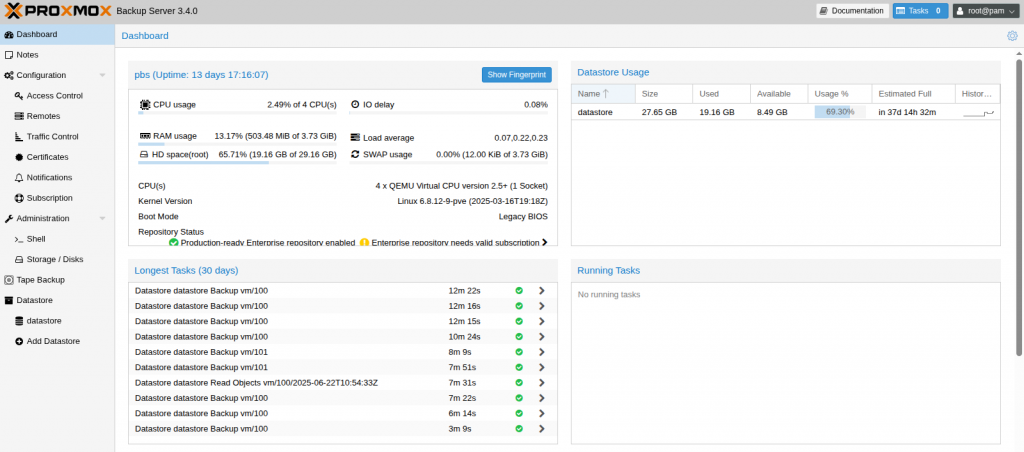
Very simple! These are the steps:
-
Start the container and connect to port 8007 using your web browser.
-
Login using the username
rootand the password you specified in thePASSWORDenvironment variable.
Enjoy your time with your brand new Proxmox Backup Server, and don't forget to star this repo!
To change the location of the configuration data, include the following two bind mounts in your compose file:
volumes:
- ./config:/etc/proxmox-backup
- ./data:/var/lib/proxmox-backup
Replace the example paths ./config and ./data with the desired folders or named volumes.
Yes, see our Proxmox VE and Proxmox Datacenter Manager containers.
Special thanks to feddar and wofferl, this project would not exist without their invaluable work.