What should happen?
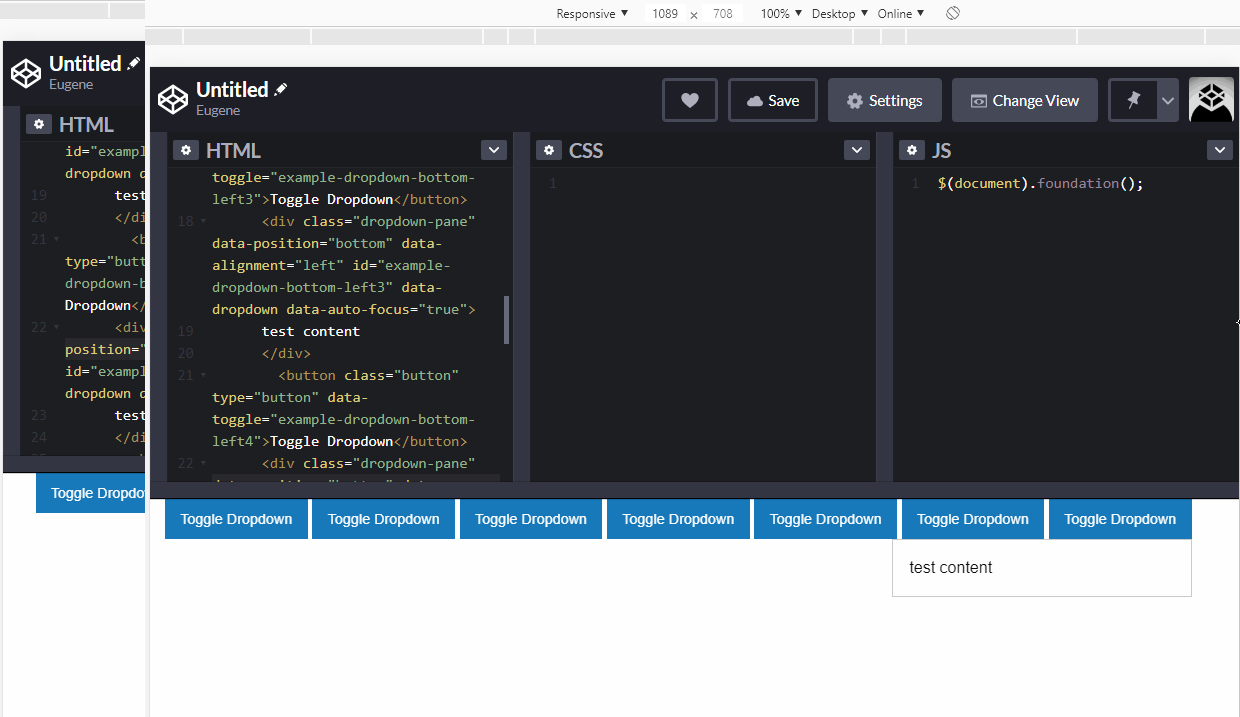
When alignment set to left, position to bottom (data-position="bottom" data-alignment="left") and there is not enough space for a dropdown pane it should stay aligned to the bottom edge of the anchor as explicit positioning set to 'bottom' and only alignment of the pane should be changed.
What happens instead?
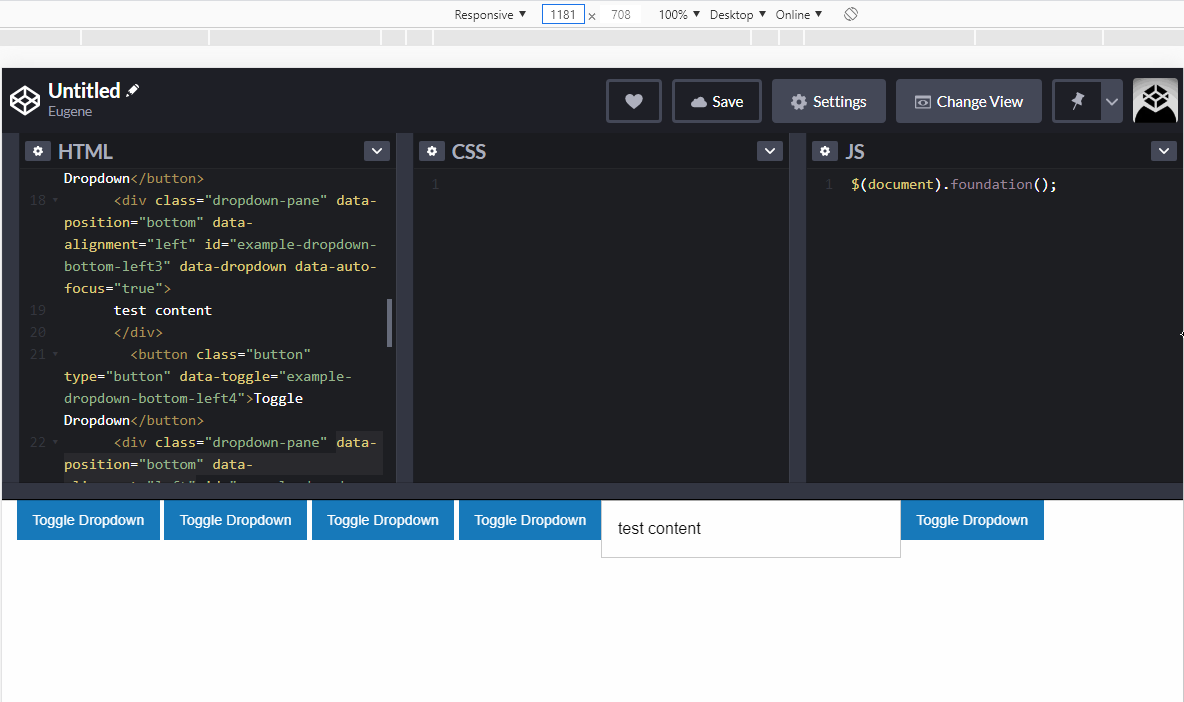
Dropdown pane get aligned to the left edge of the anchor as if positioning has been set to data-position="left" data-alignment="top"
Test Case and/or Steps to Reproduce (for bugs)
Test Case: https://codepen.io/Lazerproof/pen/GRprZKp
How to reproduce:
- On codepen example, change viewport width to something between 1058-1198px.

When there is enough space it works as expected

When there is not enough space
What is expected
Your Environment
- Foundation version(s) used: 6.6.3
- Browser(s) name and version(s): Chrome 80.0.3987.163
- Device, Operating System and version: Win 10
- Link to your project:
Checklist

What should happen?
When alignment set to left, position to bottom (data-position="bottom" data-alignment="left") and there is not enough space for a dropdown pane it should stay aligned to the bottom edge of the anchor as explicit positioning set to 'bottom' and only alignment of the pane should be changed.
What happens instead?
Dropdown pane get aligned to the left edge of the anchor as if positioning has been set to data-position="left" data-alignment="top"
Test Case and/or Steps to Reproduce (for bugs)
Test Case: https://codepen.io/Lazerproof/pen/GRprZKp
How to reproduce:
When there is enough space it works as expected

When there is not enough space

What is expected

Your Environment
Checklist