voltage value of capacitors not initially showing in the part label #3648

Description

Current Behaviour
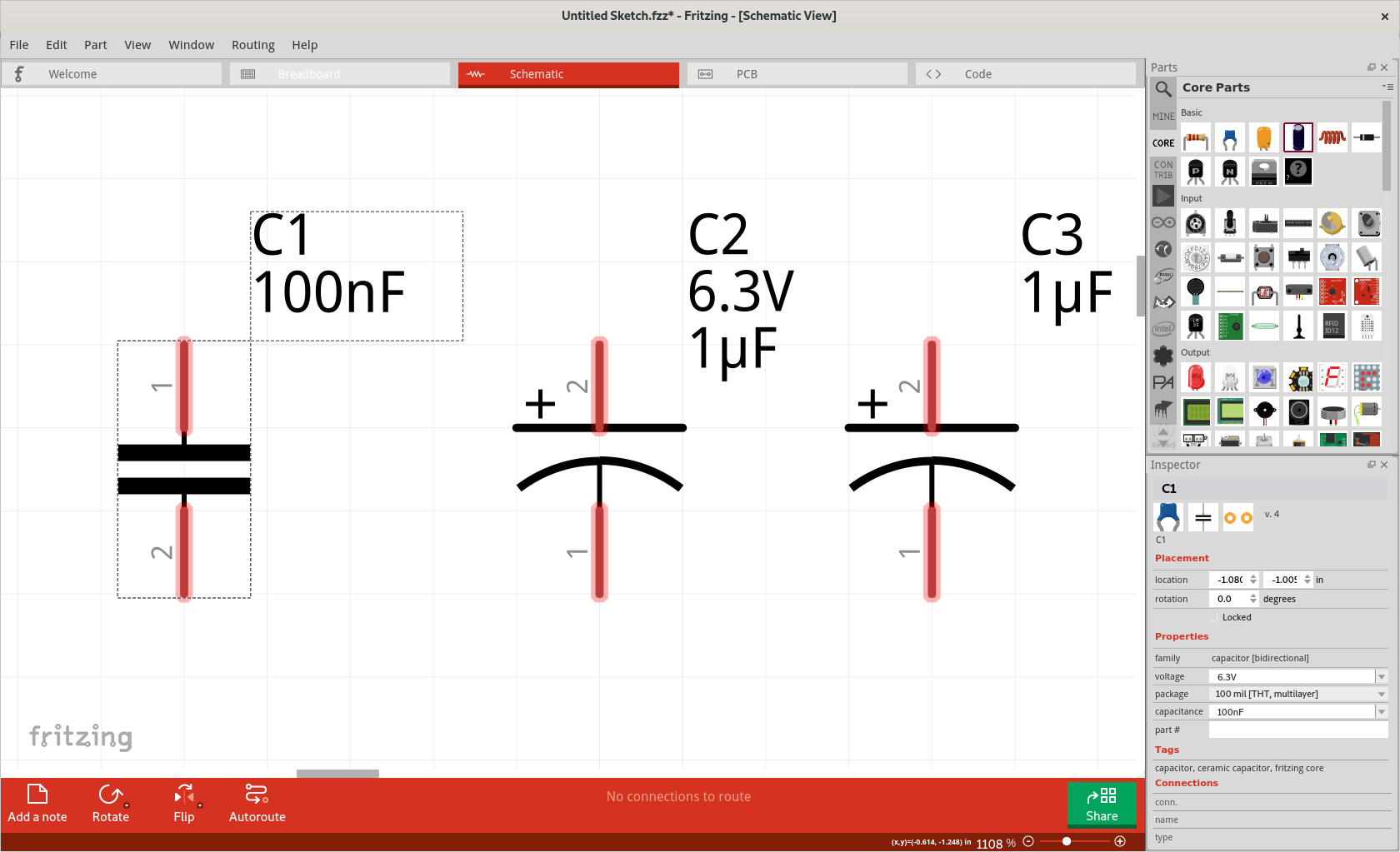
When a capacitor part is placed, it is initially configured to included the voltage in the part label. According to the "display/values" menu for the part label. However, the voltage is not actually being displayed. Turning unchecking and rechecking the voltage in the menu does not have any effect.
This is only being documented for the schematic view, but a quick check says it happens in breadboard and pcb views as well. Turning on the part label in breadboard view does not show the voltage, unless it has been modified in Inspector. Here again, the voltage is initially set to display according to the display/values menu. In pcb view, the voltage is not initially set to be displayed. Turning it on does not display the voltage, unless it has been modified in the inspector.
Interesting side note. I just discovered that I can take a screenshot bigger than my physical monitor. In the VM, setting a screen resolution bigger than the host monitor means (one scenario) scrolling around to see the edges. However, a screenshot of the current window (on the VM) gets the full defined area/resolution.
initial schematic view version 0.9.4b
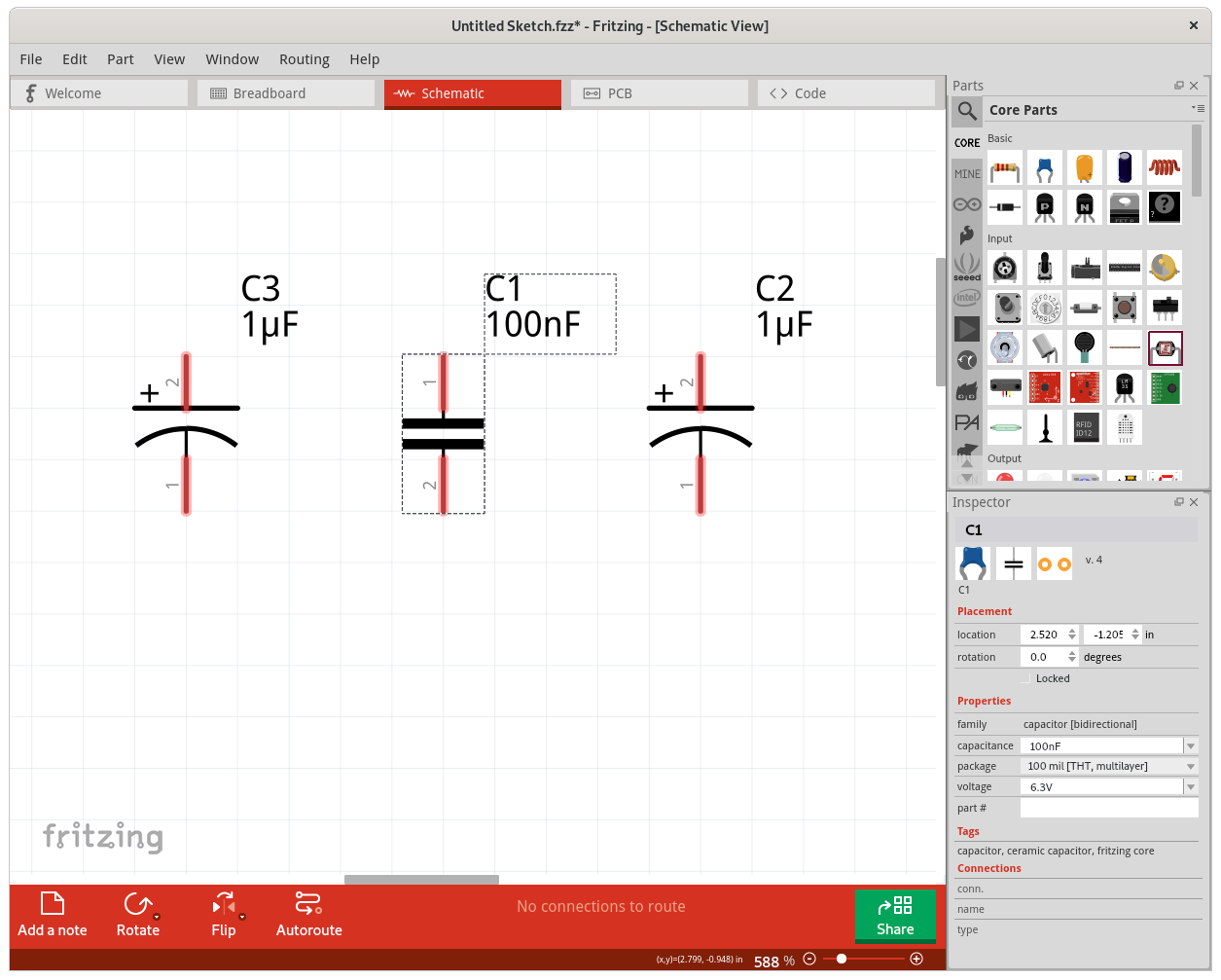
modified voltage of one part in inspector (and change back to initial value)
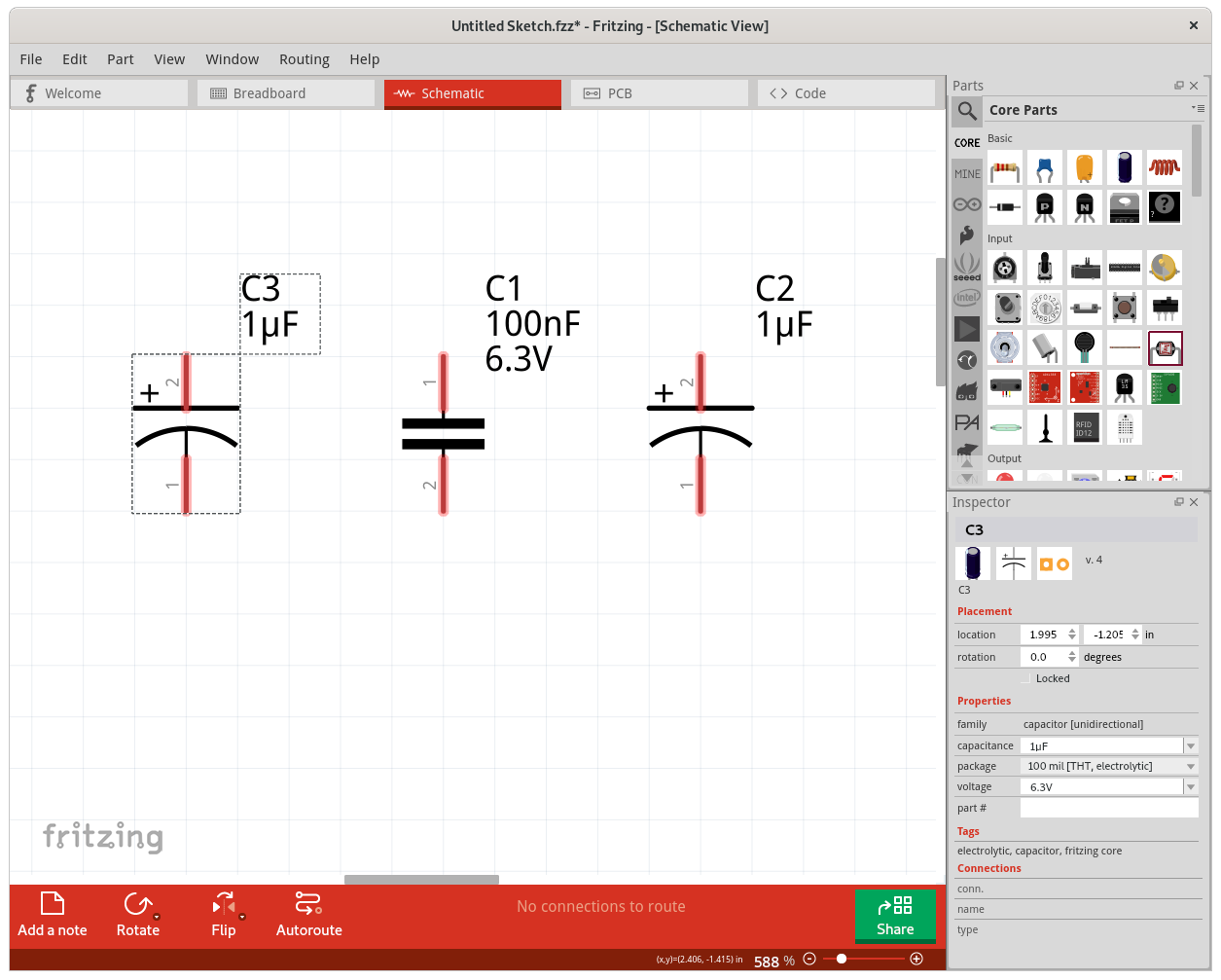
initial schematic view version 0.9.5
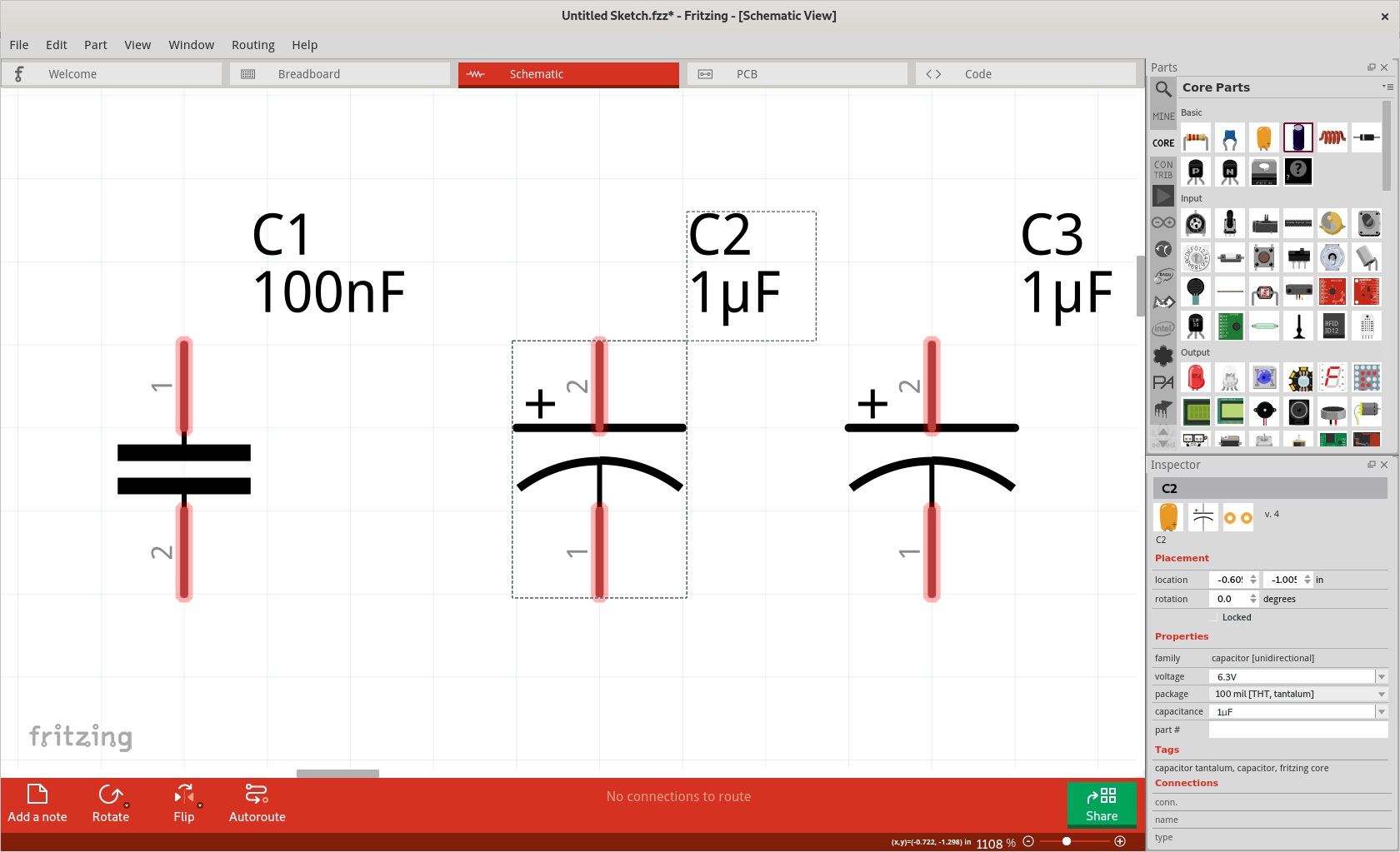
modified voltage of one part in inspector (and change back to initial value)
Build:
Fritzing version 0.9.4.2019-12-01.CD-498 - Qt version 5.13.2
Version 0.9.5 (dCD-548-1-gcc8758a1 2020-02-15) 64 [Qt 5.13.2]
Operating System:
Fedora 31
Steps to reproduce:
- place a capacitor part
- examine the part label text
- examine the enabled fields for the text label
- modify the part voltage in Inspector
- see that that the voltage is displayed in the part label
Expected Behaviour
The voltage should always be displayed when it is enabled in the display/value menu, and the label itself is enabled.