Virtual ELKS: A How To
ELKS runs fine in many, probably most x86/PC virtualisation tools. Actually most of ELKS development is done that way, with QEMU, which is the preferred and most capable virtual environment for the system. How to run ELKS in QEMU is discussed in the main Wiki.
While QEMU is capable, efficient and very fast, there are things it cannot do. Such as provide real 8086 emulation (it starts at the 386-level). Or deliver the speed of the original, which at times is important in order to simulate how ELKS will perform on a real system.
Thus other emulators are not only interesting, but important. This document describes how to run ELKS in some of these emulators. You are invited to add experience, hints, bugs and other information that may be valuable to other ELKS users.
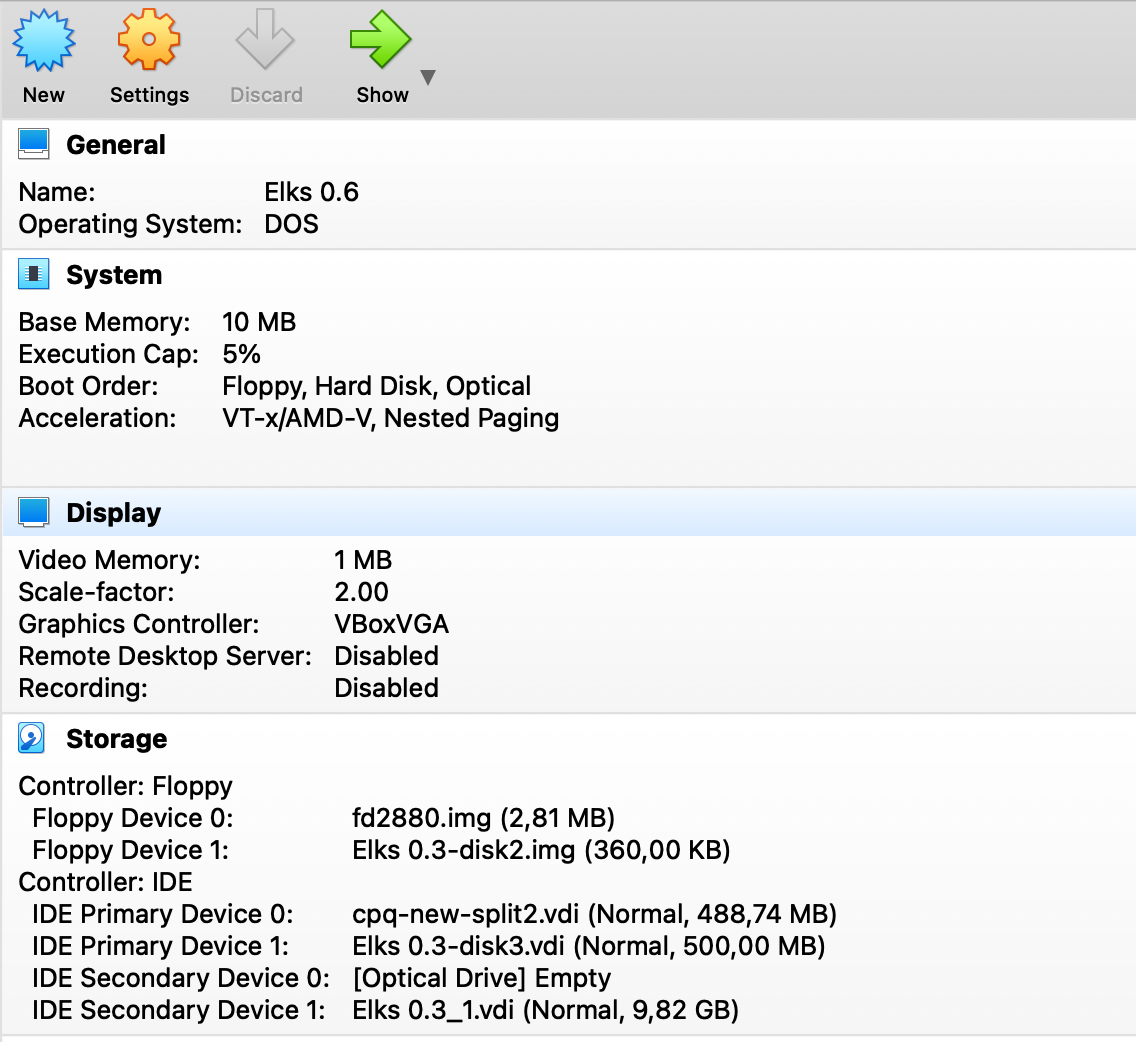
Oracle's VirtualBox is one of the most capable and widespread X86 emulators out there – extremely capable, wide platform coverage and an excellent GUI. For good results with ELKS, configure a DOS-type virtual machine with minimal resources (more than minimal resources is a waste). VB will boot just about any floppy image, including the 2.88MB variant which is very practical because it holds the entire system including manpages and extra tools.
Like QEMU, VB is very fast. You can slow it down by setting an execution cap, but unless your host machine is very slow, you're not getting close to 'real' speed for an old clunker.
Here a sample VB configuration:
VB does not emulate any of the Ethernet interfaces supported by ELKS, so networking is not available unless you can figure out how to use slip.
If you want to use one of the auto built ELKS HD images with VB, you need to convert the raw .img image to virtual box format .vdi:
`VBoxManage.exe convertfromraw --format VDI "d:\temp\hdd.bin" "d:\temp\hdd_vb.vdi"`
Attach the newly created drive as hdd. You will be able to boot it directly or mount it if you booted from floppy.