Describe the project you are working on
An Android launcher that is ui-heavy. (For IOS people-an android launcher is basically an app that you can set to override your home screen)
Describe the problem or limitation you are having in your project
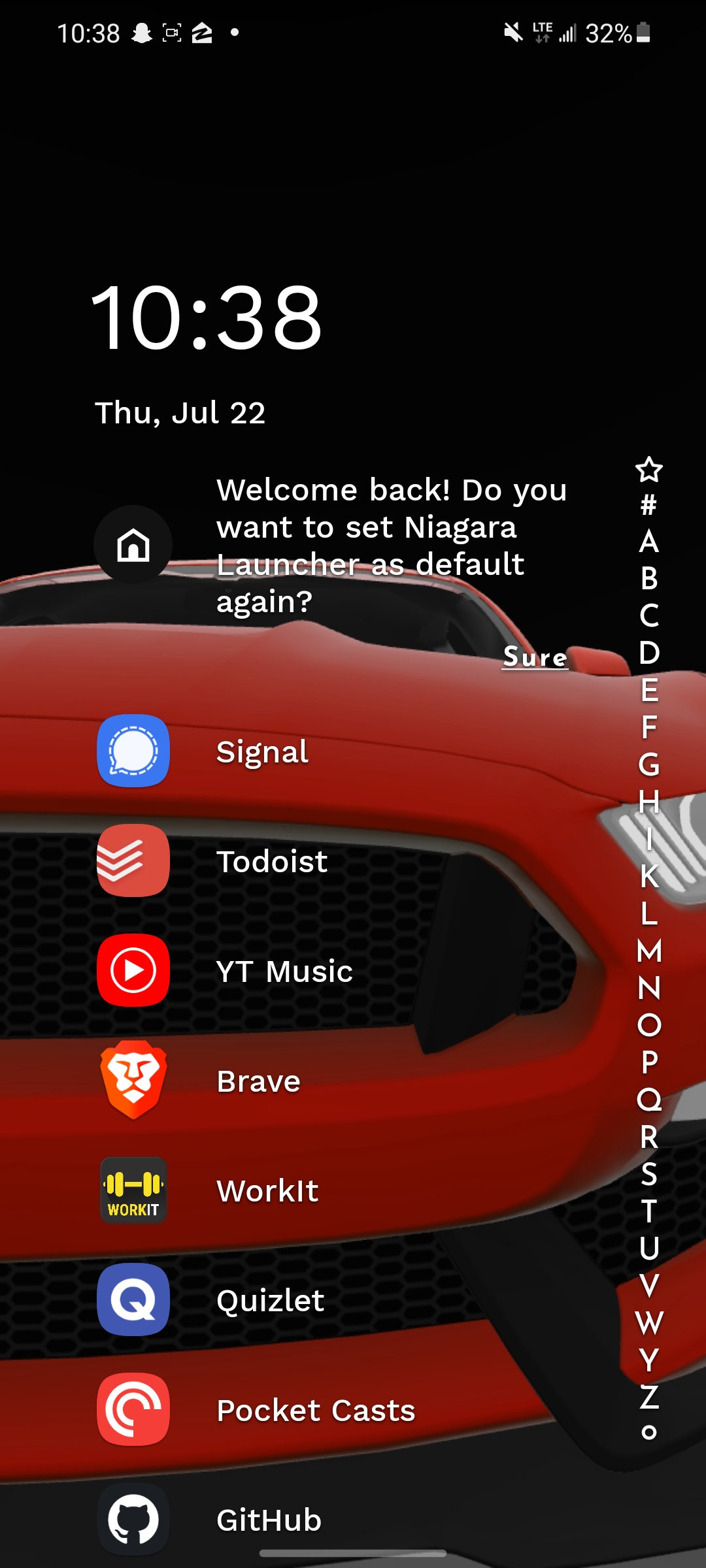
I'm trying to make a specific piece of ui that has proven to be difficult because of the texture button not supporting passby presses. Specifically, I'm trying to make something similar to this character slider on the right in the screenshot below. You can drag your finger over the letters and the launcher will bring you to apps with that letter. This has proven difficult because there's no built in support for control buttons to press a button when the mouse/finger slides over it.
Describe the feature / enhancement and how it helps to overcome the problem or limitation
Add the passby_press property from the touchscreen button to the base button. This would make it so I could replicate this feature really easily.
Describe how your proposal will work, with code, pseudo-code, mock-ups, and/or diagrams
Basically copy and paste the functionality of passby_press to the base button.
If this enhancement will not be used often, can it be worked around with a few lines of script?
I've tried and it's difficult/hacky to do. Currently the best method I've found is making one out of touchscreen buttons. But the problem with this is I lose the automatic scaling and all the other benefits of control nodes.
Is there a reason why this should be core and not an add-on in the asset library?
It concerns GUI functionality, which is core.
Describe the project you are working on
An Android launcher that is ui-heavy. (For IOS people-an android launcher is basically an app that you can set to override your home screen)
Describe the problem or limitation you are having in your project
I'm trying to make a specific piece of ui that has proven to be difficult because of the texture button not supporting passby presses. Specifically, I'm trying to make something similar to this character slider on the right in the screenshot below. You can drag your finger over the letters and the launcher will bring you to apps with that letter. This has proven difficult because there's no built in support for control buttons to press a button when the mouse/finger slides over it.
Describe the feature / enhancement and how it helps to overcome the problem or limitation
Add the passby_press property from the touchscreen button to the base button. This would make it so I could replicate this feature really easily.
Describe how your proposal will work, with code, pseudo-code, mock-ups, and/or diagrams
Basically copy and paste the functionality of passby_press to the base button.
If this enhancement will not be used often, can it be worked around with a few lines of script?
I've tried and it's difficult/hacky to do. Currently the best method I've found is making one out of touchscreen buttons. But the problem with this is I lose the automatic scaling and all the other benefits of control nodes.
Is there a reason why this should be core and not an add-on in the asset library?
It concerns GUI functionality, which is core.