


FloatingX A flexible and powerful permission-free hover window solution.
- Single instance holding floating window view
- Support for various callback listeners
- Chain calls, senseless insertion
- Support customizing whether to save history position and restore
- Support inserting
ViewGroup,Fragment,Activity - Allow custom hover window indicators, custom hidden display animation
- Support cross-border rebound, multi-finger touch, small screen adaptation, screen rotation
- Support custom position direction, with auxiliary positioning display coordinates
- Perfect
kotlinbuild extensions, and friendly compatibility withJava. - Support display location [force fix], for special models (need to open separately)
- Perfect logging system, open to see different levels of Fx running process, more convenient to find problems
- ...
build.gradle
Gradle 7.0 and below
allprojects {
		repositories {
			// ...
			maven { url 'https://jitpack.io' }
		}
}
AndroidStudio-Arctic Fox && Gradle7.0+, and have adjusted the dependency method, you may need to add to the following location.
settings.gradle
dependencyResolutionManagement {
repositories {

// ...
maven { url 'https://jitpack.io' }
}
}
dependencies {
	  implementation 'com.github.Petterpx:FloatingX:1.1.0'
}| 全屏,activity,fragment,单view | 小屏展示 | 非正常比例缩放屏幕 |
|---|---|---|
 |
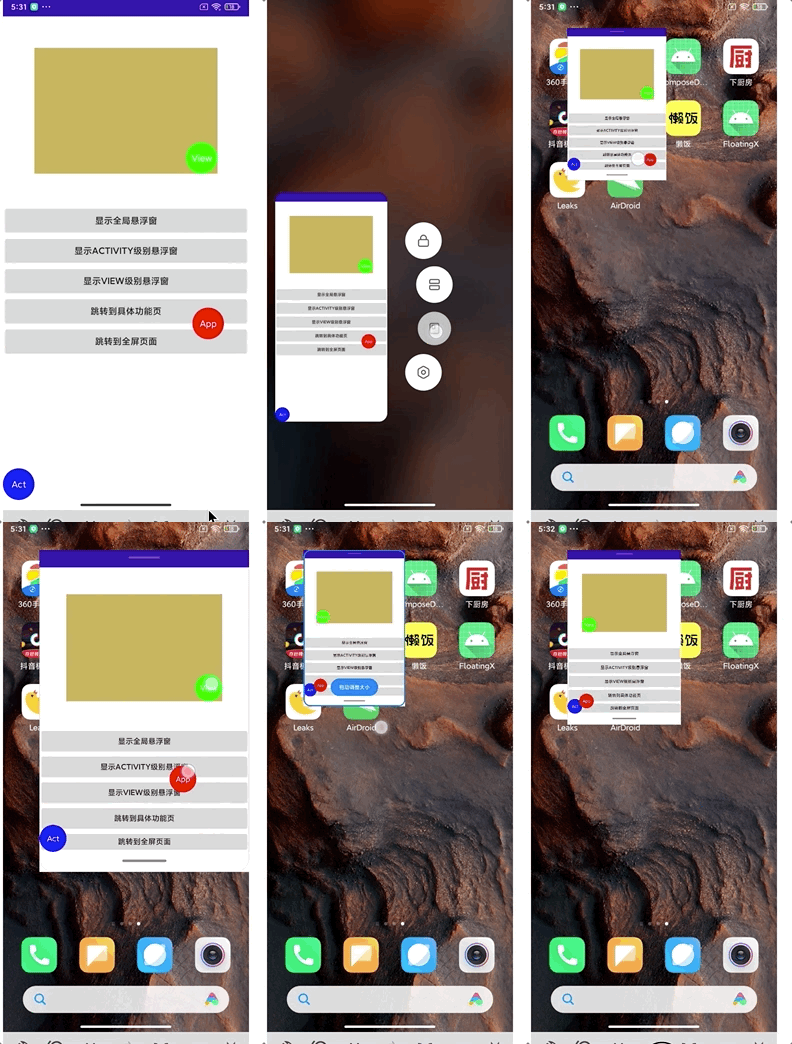 |
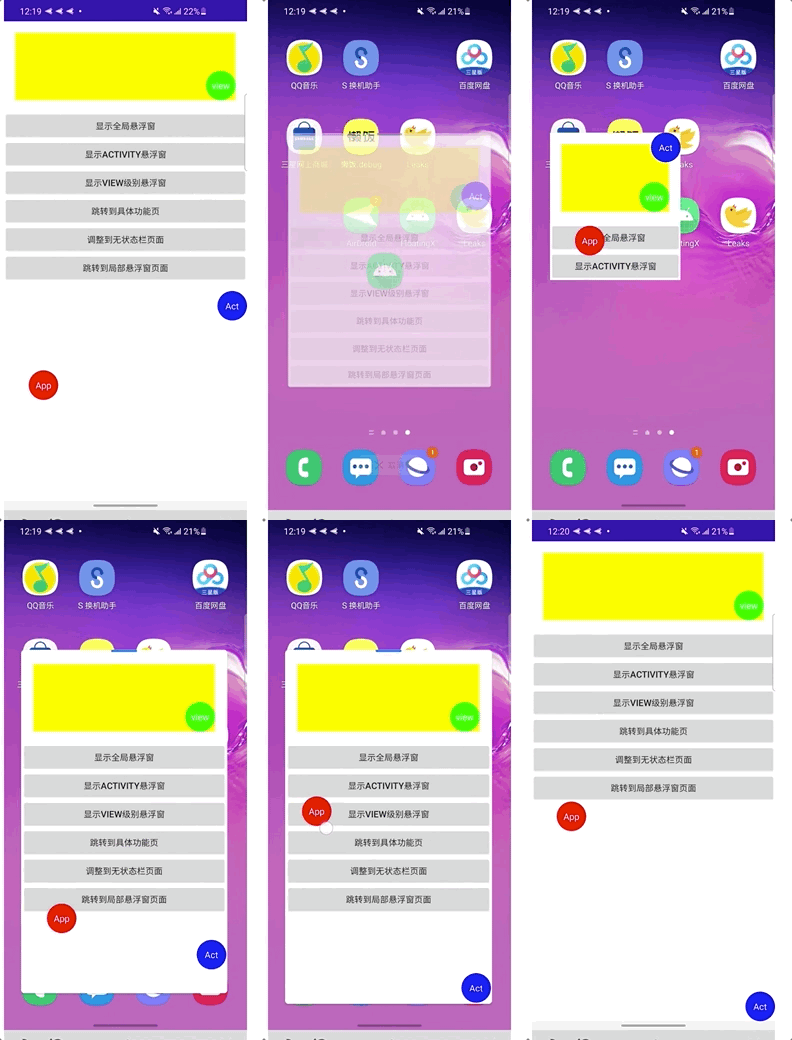 |
| 屏幕旋转 | 功能演示 | |
|---|---|---|
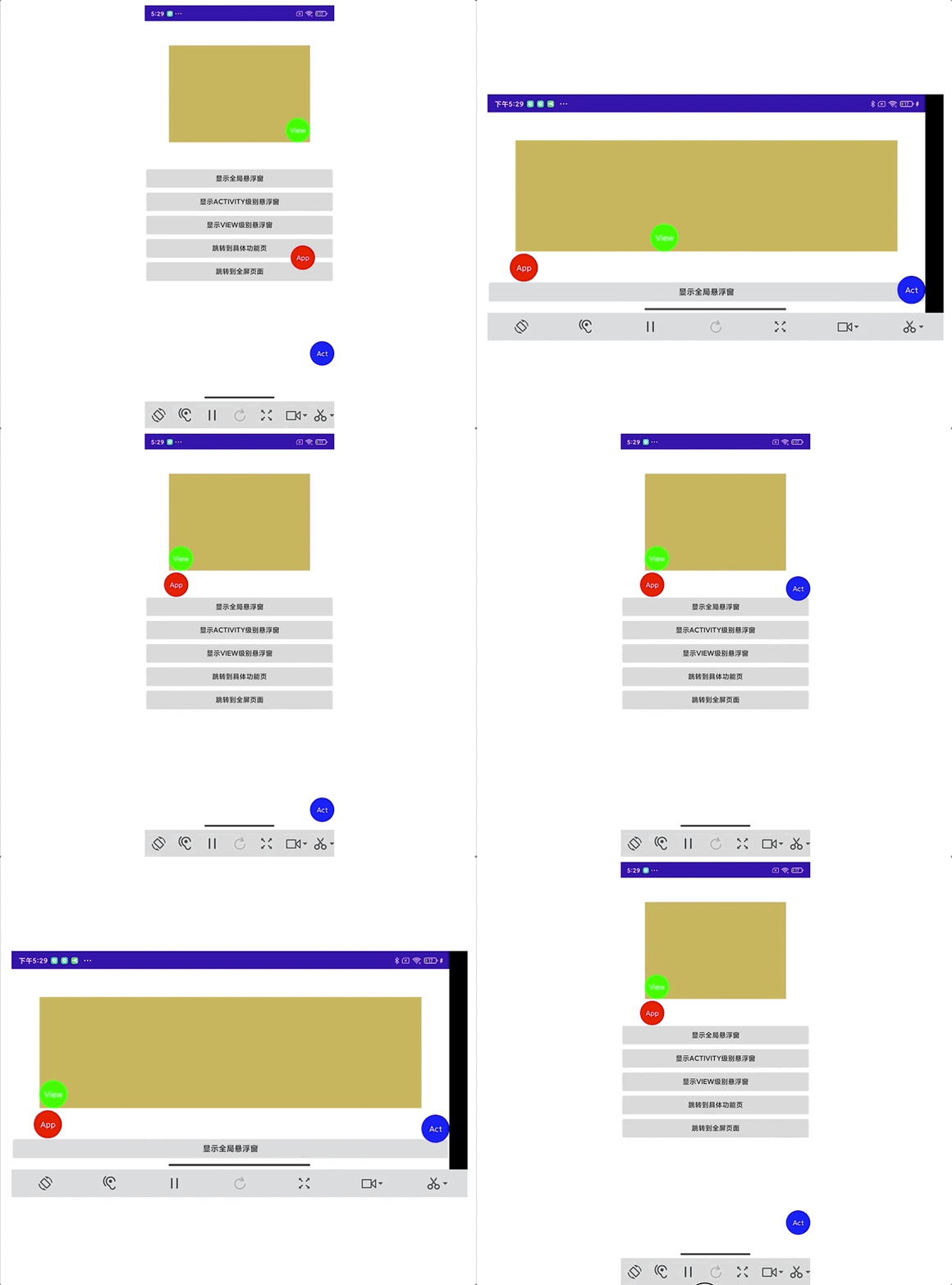 |
|
Open the log viewer, you will see the whole track of Fx, which is easier to find the problem and track the solution. Also support custom log tag。
| App | Activity | ViewGroup |
|---|---|---|
 |
 |
 |
kt
FloatingX.init {
        setContext(this@CustomApplication)
        setLayout(R.layout.item_floating_new)
  			addBlackClass(
                MainActivity::class.java,
                NewActivity::class.java,
                ImmersedActivity::class.java
         )
  			//only if show is called, it will listen to the app-lifecycle, and then it will be inserted into the activity automatically
        show()
}
Java
AppHelper helper = AppHelper.builder()
        .setContext(application)
        .setLayout(R.layout.item_floating)
        .build();
FloatingX.init(helper);kt
ScopeHelper.builder {
  setLayout(R.layout.item_floating)
}.toControl(activity)
kt && java
ScopeHelper.builder()
            .setLayout(R.layout.item_floating)
            .build()
            .toControl(activity)
            .toControl(fragment)
.toControl(viewgroup)private val activityFx by activityToFx(activity) {
setLayout(R.layout.item_floating)
}private val fragment by fragmentToFx(fragment) {
setLayout(R.layout.item_floating)
}private val viewFx by createFx({
init(viewGroup)
}) {
setLayout(R.layout.item_floating)
setEnableLog(true, "main_fx")
}private val customCreateFx by createFx {
setLayout(R.layout.item_floating)
build().toControl(activity)
build().toControl(fragment)
build().toControl(viewgroup)Base HoverView sourced from FloatingMagnetView of EnFloatingView implementation with some improvements on top of it.
For the measurement of the navigation bar part of the code from, wenlu, and on top of it added more adaptations, has covered 95% of the market models, can be said to be the only tool that can be searched for accurate measurement.