How to configure right-click on taskbar menu? #1855


-
|
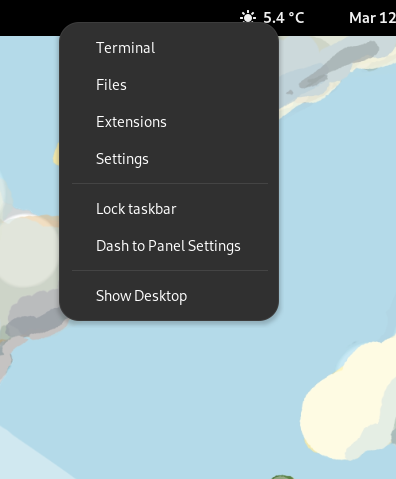
Could someone explain to me how to configure the menu, which is shown in the picture below (triggered by right-click on taskbar)?
For example, I would like to put "Extensions Manager" instead of "Extensions" - is this a dash to panel configuration element? |
Beta Was this translation helpful? Give feedback.
Replies: 1 comment 1 reply

-
|
This isn't configurable atm, but you could easily change it. Open Of course you'll need to make this change again if the extension is updated as it will overwrite this file. |
Beta Was this translation helpful? Give feedback.

-
|
It worked - thank you very much!! I've been looking for a long time how this configuration can be called and where it can be changed. |
Beta Was this translation helpful? Give feedback.


This isn't configurable atm, but you could easily change it. Open
~/.local/share/gnome-shell/extensions/dash-to-panel@jderose9.github.com/appIcons.js, go to line 1810 - 1811, and replace the titleExtensionsand commandgnome-shell-extension-prefsto what you want. Pay attention to leave the surrounding single quotes. Save and restart gnome-shell.Of course you'll need to make this change again if the extension is updated as it will overwrite this file.