Error in rebuild Libmesh after reseting MOOSE to old version #21548


-
|
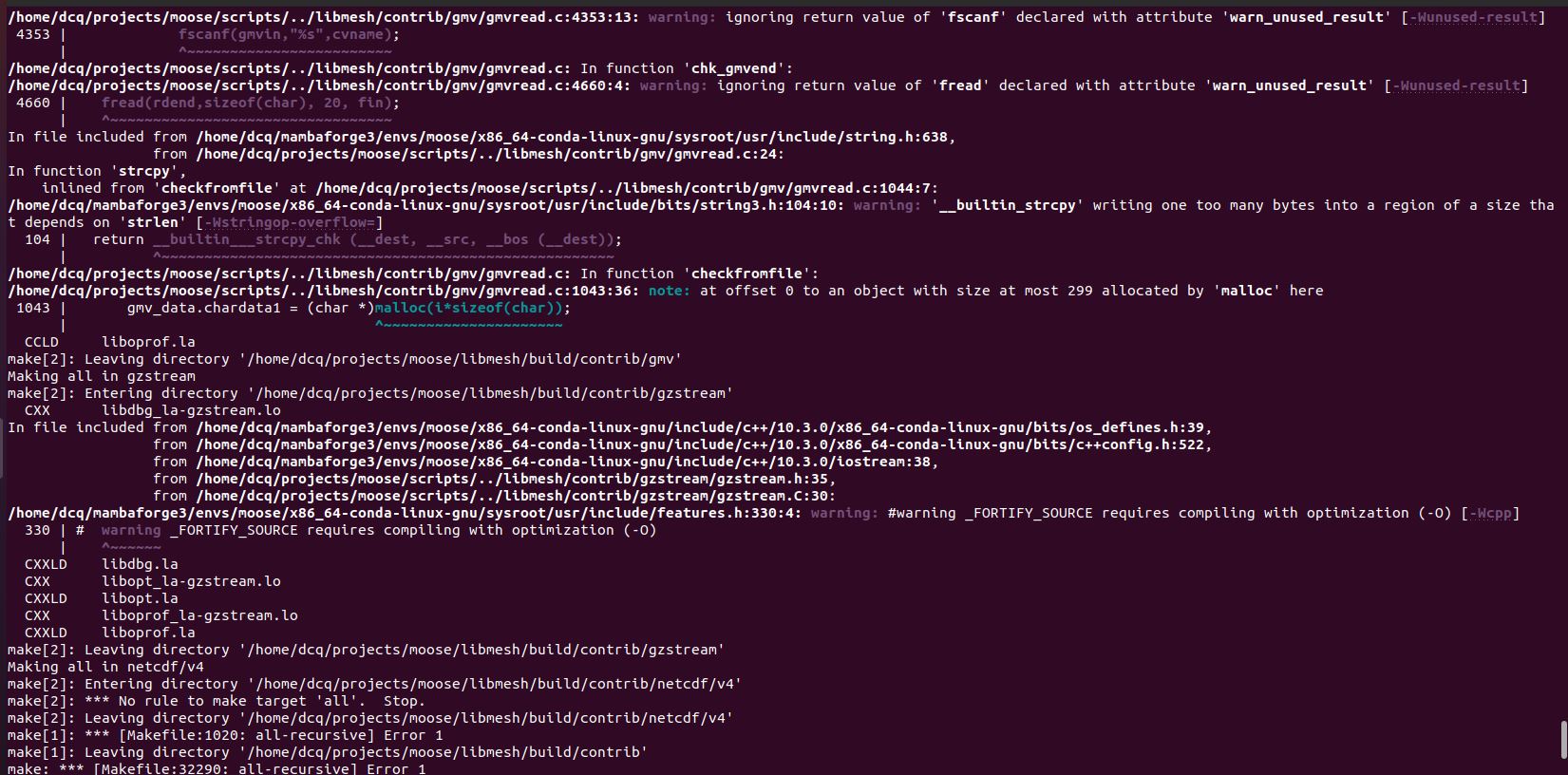
Hi all, However, for some reason, i have to reset moose to old version, for example, the 2021 version (commit 25abc3b). So i run the following command: And then clean the previous compilation: After that, i try to rebuild libmesh: However, it show errors finally : here is the Please help to resolve the problem, thanks! |
Beta Was this translation helpful? Give feedback.
Replies: 1 comment 22 replies

-
|
Part of the issue is, that you have install moose-libmesh (as denoted by the environment variable): Yet you are also trying to install your own via the Delete the current 'moose' environment, and start over, and not attempting to run mamba activate base
mamba env remove -n moose
mamba create -n moose moose-tools moose-libmesh
mamba activate moose
cd ~/projects/moose
git clean -xfd
git submodule foreach --recursive git clean -xfd
cd test
make -j4
./run_tests -j 4And continue with your end goal (building your own App, etc using Stork, etc) |
Beta Was this translation helpful? Give feedback.

-
|
I run the |
Beta Was this translation helpful? Give feedback.

-
|
Ubuntu usually doesn't give us this much trouble building MOOSE. Since you're trying to build a specific version of moose, I assume its built before on this machine? Any recent changes to the machine? Lets install the basics (just in case) including bison and try again: sudo apt install build-essential bison |
Beta Was this translation helpful? Give feedback.
-
|
Actually, i'm building moose in a Ubuntu virtual machine. I installed the moose sucessfully in the machine before, now i try to build a specific version of moose, (commit 25abc3b). It's odd that the bison should be installed, since it is a commercial Moose application that I don't have access to install. And I've never installed it before. |
Beta Was this translation helpful? Give feedback.
-
|
Perhaps you could suggest a commit ID for another possible 2021 version of moose. My main goal is to avoid mismatches between the new version of moose and the program I developed earlier. |
Beta Was this translation helpful? Give feedback.
-
|
Well the binary That hash should work, as its based on a master commit... |
Beta Was this translation helpful? Give feedback.


Part of the issue is, that you have install moose-libmesh (as denoted by the environment variable):
Yet you are also trying to install your own via the
./update_and_rebubild_libmesh.shscript. While this should work by completely overwriting what was installed by conda, you should refrain from doing so. I suggest you do the following:Delete the current 'moose' environment, and start over, and not attempting to run
./update_and_rebuild_libmesh.sh