Use this file as a copy/paste kit for publishing IP Linux on Reddit, X/Twitter, LinkedIn, Mastodon, Hacker News-style communities, Indie Hackers, Product Hunt-style launches, personal blogs and developer forums.
Do not overclaim. IP Linux is not a real Linux distribution and does not run native binaries. Present it as a browser-based desktop environment, web OS experiment, local-first interactive demo and frontend/product UI showcase.
Live site: https://ip-os-linux.vercel.app/
GitHub: https://github.com/ikerperez12/IP-OS-LINUX
Use these when a platform supports images or GIFs:
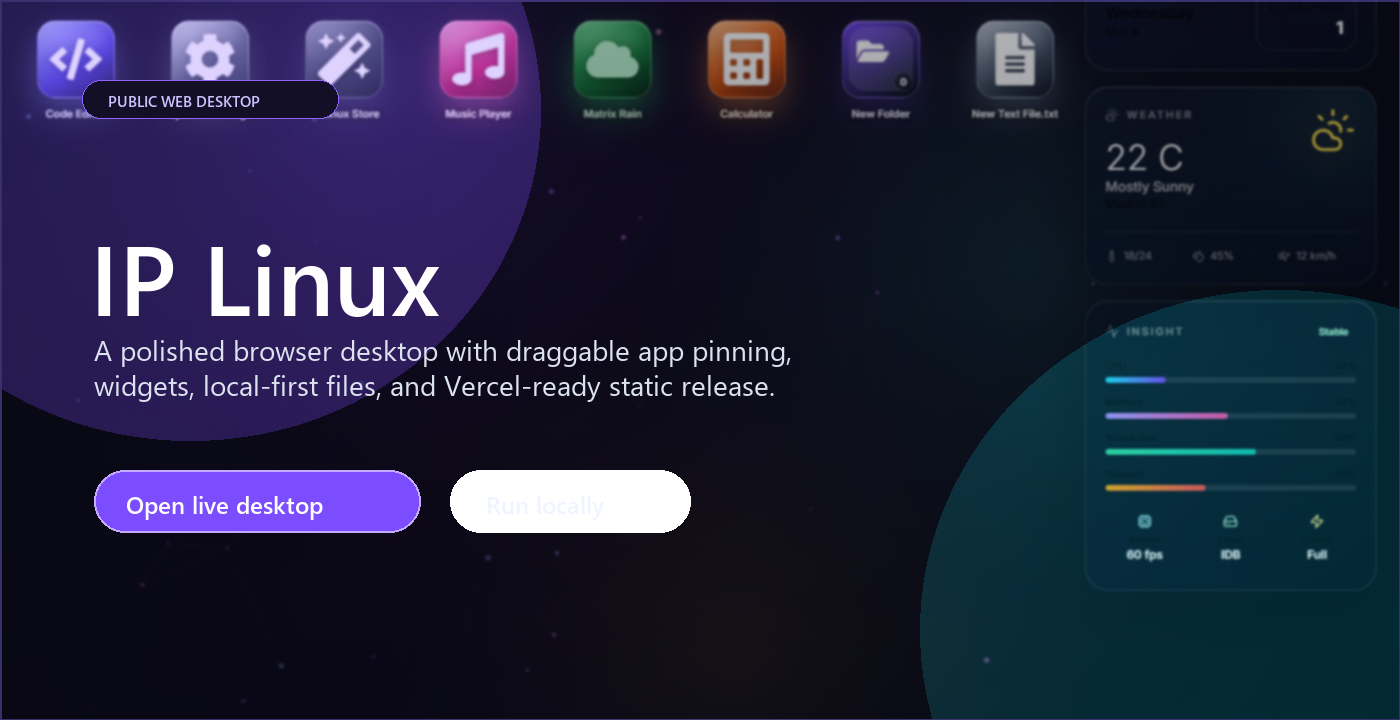
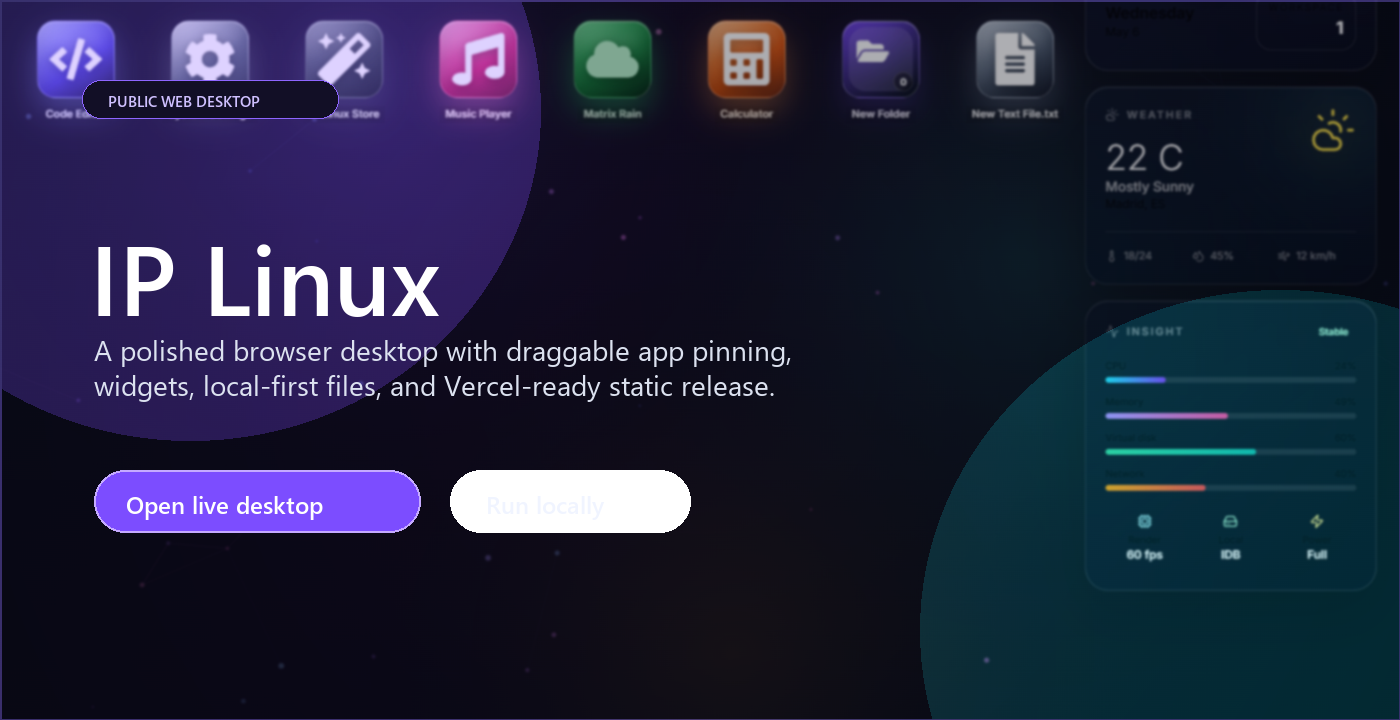
- Hero: https://raw.githubusercontent.com/ikerperez12/IP-OS-LINUX/main/.github/assets/ip-linux-hero.png
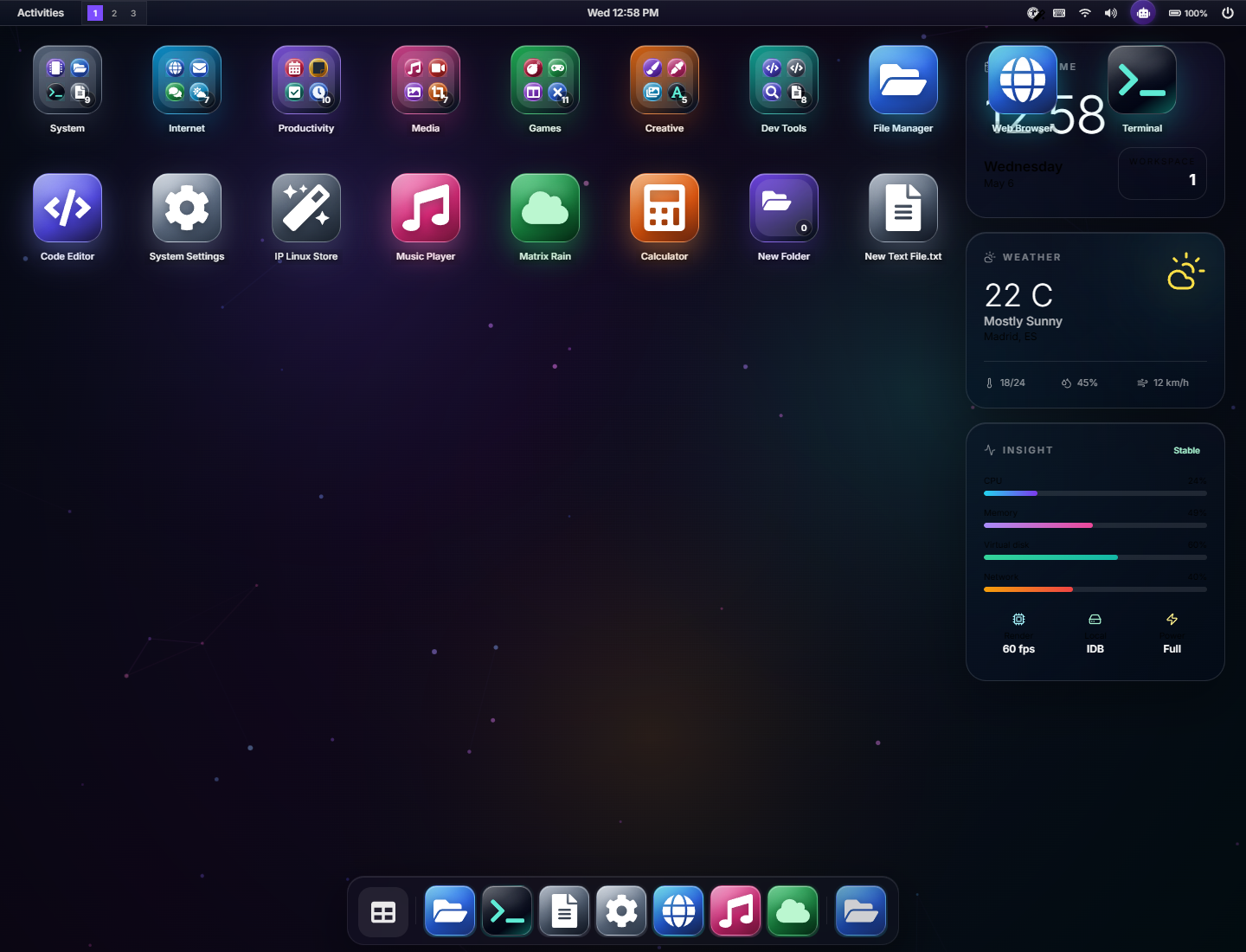
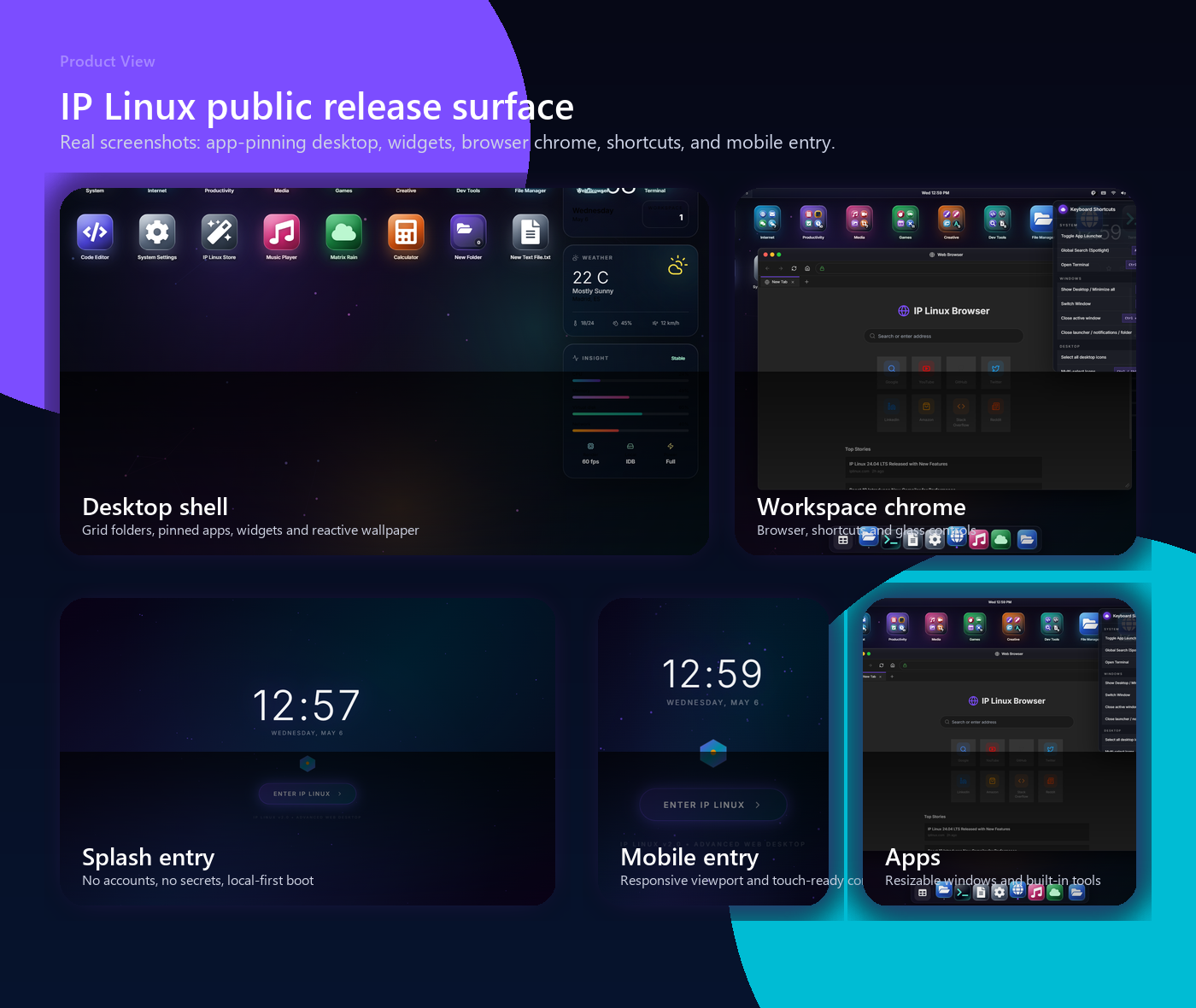
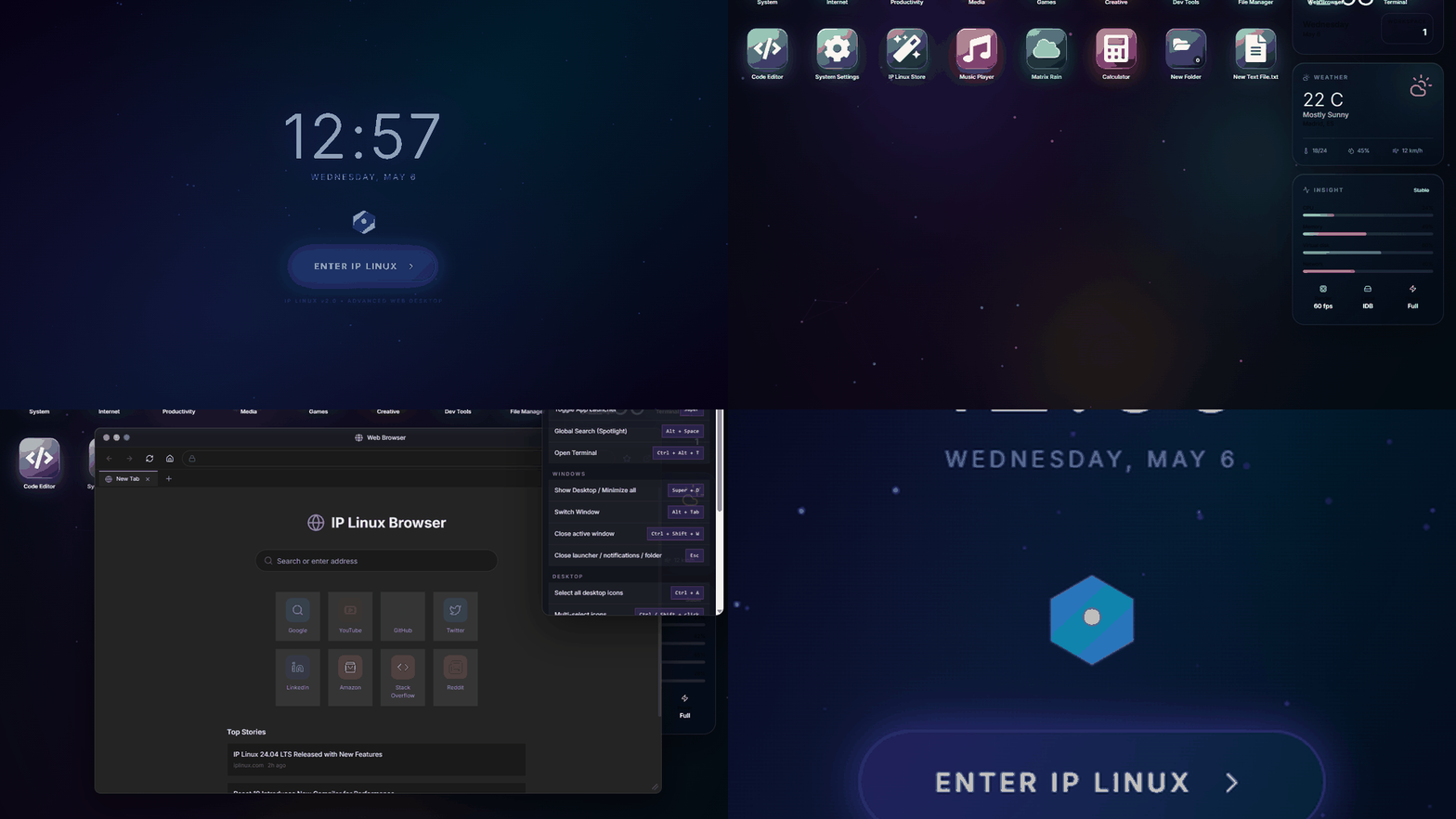
- Desktop screenshot: https://raw.githubusercontent.com/ikerperez12/IP-OS-LINUX/main/.github/assets/ip-linux-desktop.png
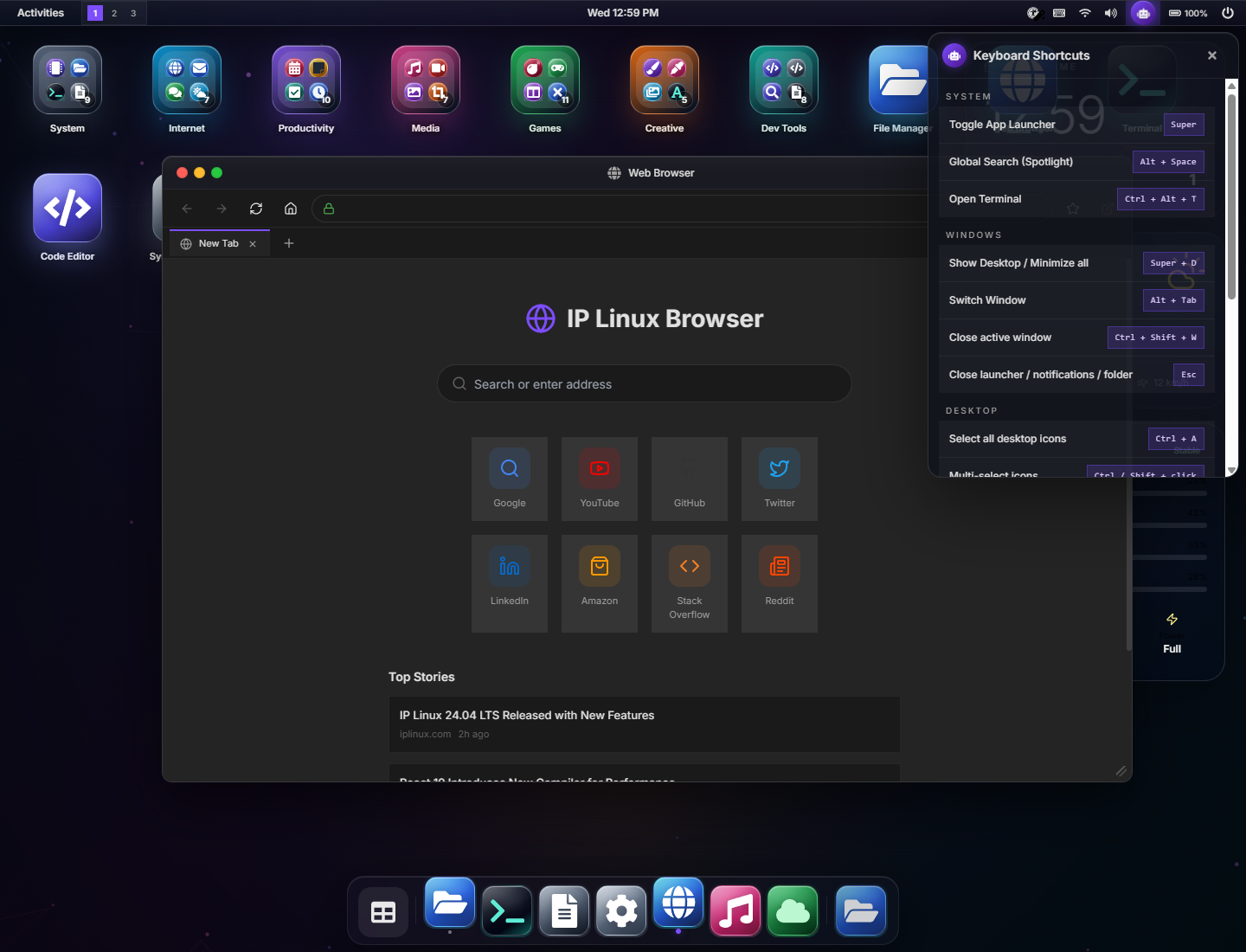
- Workspace screenshot: https://raw.githubusercontent.com/ikerperez12/IP-OS-LINUX/main/.github/assets/ip-linux-workspace.png
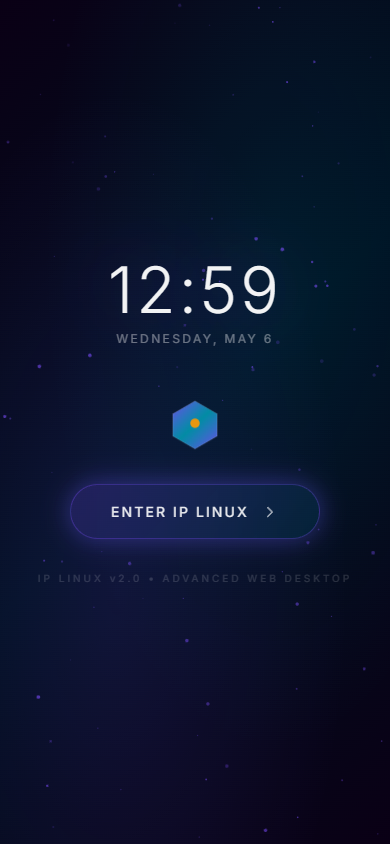
- Mobile screenshot: https://raw.githubusercontent.com/ikerperez12/IP-OS-LINUX/main/.github/assets/ip-linux-mobile.png
- Bento overview: https://raw.githubusercontent.com/ikerperez12/IP-OS-LINUX/main/.github/assets/ip-linux-bento.png
- Demo GIF: https://raw.githubusercontent.com/ikerperez12/IP-OS-LINUX/main/.github/assets/ip-linux-preview.gif
- Social card / OG image: https://ip-os-linux.vercel.app/og-image.png
Suggested alt text:
- "IP Linux desktop running in a browser, showing a glass UI desktop with app icons, dock, top bar and reactive wallpaper."
- "Bento overview of IP Linux showing the splash screen, desktop shell, window manager, app launcher and mobile layout."
- "Animated preview of a browser-based desktop environment with windows, dock, apps and visual effects."
- "IP Linux workspace showing resizable app windows, glass chrome, desktop widgets and a dock."
- Lead with the problem: building a web desktop that feels like a small OS, not just a landing page.
- Be honest: say it is a browser-based desktop environment / web OS experiment, not a native Linux distro.
- Show the visual demo first, then mention the repo.
- Include both links: live site and GitHub.
- Ask for specific feedback: window management, UX, accessibility, performance, app ideas, repo structure.
- Avoid overclaiming: no real cloud sync, no real auth, no native binaries, no full web browser guarantee.
- For strict communities, use the soft self-promo version.
- If posting in technical subreddits, frame it as a frontend architecture/UI experiment and ask for critique.
- If posting in design communities, focus on interaction design, glass UI, desktop metaphors and polish.
- If posting in open-source communities, focus on repo quality, security posture, docs, CI and deploy.
Recommended tags:
webdev, frontend, react, typescript, vite, vercel, pwa, local-first, desktop-ui, open-source, ui, ux, webapp, javascript, glassmorphism, product-design
Recommended Reddit targets:
- r/webdev
- r/reactjs
- r/frontend
- r/javascript
- r/opensource
- r/SideProject
- r/InternetIsBeautiful
- r/UI_Design
- r/UXDesign
- r/programming, only with a technical angle and no hype
Community caution:
- Some subreddits are strict about self-promotion. Use the soft version, disclose that you built it, and ask one concrete question.
- Avoid posting the same text everywhere. Rotate the titles and opening paragraph.
- Reply to feedback thoughtfully. Do not argue with comments about "this is not Linux"; agree and clarify that it is a browser desktop inspired by Linux/desktop OS workflows.
Title options:
- I built a browser-based desktop environment with React, Vite and local-first apps
- IP Linux: a web desktop experiment with windows, apps, dock and reactive wallpapers
- I turned a React app into a small browser desktop OS experiment
- Building IP Linux: what I learned from making a desktop UI run entirely in the browser
- A local-first web desktop with glass UI, app windows and a Vercel deployment
- I built a public web OS-style demo to explore desktop interaction patterns in React
Copy:
# I built a browser-based desktop environment with React, Vite and local-first apps

I have been working on a project called **IP Linux**: a browser-based desktop environment that runs as a static web app.

Live site: https://ip-os-linux.vercel.app/
GitHub: https://github.com/ikerperez12/IP-OS-LINUX

It is not a real Linux distribution, and it does not run native binaries. The idea is different: I wanted to explore how far a polished desktop-like experience can go inside a normal browser tab.

The result is a small web OS-style environment with:

- A splash / entry screen
- A desktop with icons, folders and widgets
- A top panel with system controls
- A dock and app launcher
- Resizable and draggable windows
- Virtual workspaces
- Snap assist
- A global search / Spotlight-style command palette
- Local-first apps
- Reactive wallpapers
- Glass UI and visual effects
- A public GitHub repo and Vercel deployment

## Why I built it

Most web demos are landing pages, dashboards or small single-purpose apps. I wanted to build something that feels more like an environment.

I was interested in questions like:

- Can a web app feel physical and desktop-like?
- How should windows behave inside a browser viewport?
- How do you organize many small apps without making the UI messy?
- How far can local-first storage go before a backend is actually needed?
- How do you publish a visual project publicly without exposing secrets or overcomplicating the stack?

IP Linux became a way to test all of that in one project.

## What is inside

The app includes a catalog of built-in apps and tools: Files, Terminal, Browser, Settings, App Store, Music Player, Matrix Rain, games, developer tools, productivity apps and visual utilities.

The apps are loaded lazily, so the initial shell does not need to download every app upfront. The virtual file system and user preferences are stored locally in the visitor's browser with IndexedDB/localStorage. There is no backend, no account system and no required environment variables for the public release.

## What I focused on

The main focus was the shell experience:

- Window resizing and dragging
- Dock behavior
- Desktop icon grid
- App launcher workflow
- Keyboard shortcuts that do not interfere with inputs or the terminal
- Responsive behavior for compact viewports
- Wallpaper rendering that respects reduced motion and tab visibility
- Public-safe security posture
- A README that presents the project like a real product

There were also a few important constraints. For example, a full YouTube page cannot be embedded in an iframe because YouTube blocks that for security reasons. So IP Linux includes a YouTube Lite / embed-aware fallback instead of pretending that every website can load inside the internal browser.

## Stack

The project is built with:

- React
- TypeScript
- Vite
- Tailwind CSS
- Radix UI primitives
- Lucide / React Icons
- DOMPurify
- IndexedDB via idb-keyval
- Vercel static hosting
- Vercel Web Analytics

The repo also includes a public release setup:

- README with screenshots and GIF
- MIT license
- SECURITY.md
- Vercel config
- Security headers
- Robots and sitemap
- Manifest
- GitHub Actions CI for audit, lint and build

## What I learned

The biggest lesson was that a desktop UI is mostly about small interaction details.

A window that opens slightly too small feels broken.
A dock icon that scales inside a clipped container feels wrong.
Desktop icons that can overlap make the whole shell feel unfinished.
Keyboard shortcuts that steal Tab from the terminal are frustrating immediately.

Fixing those details made the project feel much more real than adding another decorative effect.

I also learned that public release work matters. A project can look good locally but still feel unfinished if the repo has a generic README, no security notes, no screenshots, no CI and no clear deploy story.

## Feedback welcome

I am sharing it because I think browser-based desktop interfaces are a fun area for frontend experimentation.

I would especially appreciate feedback on:

- Window management
- Desktop organization
- Accessibility
- Performance
- App ideas
- Whether the repo presentation is useful for other developers

Live: https://ip-os-linux.vercel.app/
Code: https://github.com/ikerperez12/IP-OS-LINUXTitle options:
- I built a browser-based desktop environment with React and Vite
- I made a small web OS-style desktop that runs entirely in the browser
- IP Linux: a local-first desktop UI experiment built with React
- I built a React desktop shell with windows, dock, apps and reactive wallpapers
- Looking for feedback on my browser-based desktop environment
Copy:
I built **IP Linux**, a browser-based desktop environment that runs as a static web app.

Live: https://ip-os-linux.vercel.app/
GitHub: https://github.com/ikerperez12/IP-OS-LINUX

It is not a real Linux distro and it does not run native binaries. It is more of a web OS / desktop UI experiment: a React app that behaves like a small desktop environment inside the browser.

It includes:

- Desktop icons and folders
- A dock and app launcher
- Resizable / draggable windows
- Virtual workspaces
- Snap assist
- Global search
- Local-first apps
- A terminal demo
- Browser fallback with YouTube embed support
- Reactive wallpapers
- Glass UI and screen effects
- Local storage / IndexedDB persistence

The public release is static on Vercel, with no backend and no required environment secrets.

The main thing I wanted to explore was how close a web app can get to feeling like a small desktop shell, while still being safe and simple to publish as an open-source project.

I would love feedback from frontend devs:

- Does the window management feel natural?
- Is the desktop organization clear?
- What app or interaction would you add next?
- Any accessibility or performance issues you notice?I have been experimenting with desktop-style interfaces in the browser, and I built a small project called **IP Linux**.
It is a React/Vite web app that behaves like a browser-based desktop environment: windows, dock, app launcher, desktop icons, folders, widgets, local apps and reactive wallpapers.
Live: https://ip-os-linux.vercel.app/
GitHub: https://github.com/ikerperez12/IP-OS-LINUX
To be clear, it is not a real Linux distribution. It is a frontend / UX experiment around web OS-style interfaces and local-first browser apps.
I am mainly looking for feedback on:
- Window resizing and dragging
- Desktop layout and icon organization
- Whether the UI feels intuitive
- What accessibility/performance improvements you would prioritize
If you have built desktop-like web apps before, I would love to hear what patterns worked well for you.Suitable for r/reactjs, r/webdev, r/frontend, r/javascript.
I built a browser-based desktop environment with React, TypeScript and Vite.

Project: **IP Linux**
Live: https://ip-os-linux.vercel.app/
Repo: https://github.com/ikerperez12/IP-OS-LINUX

This is not a real Linux distro. It is a local-first web desktop experiment: a static React app with a desktop shell, app windows, dock, launcher, widgets, file manager, terminal demo, browser fallback, games and visual tools.

Some technical details:

- React 19 + TypeScript + Vite
- App modules are lazy-loaded with `React.lazy`
- Vite manual chunks split React, icons, UI primitives and sanitization code
- Desktop icon placement uses a grid layout engine to avoid overlaps
- Virtual filesystem uses IndexedDB through `idb-keyval`
- Some app preferences use localStorage
- HTML preview surfaces are sanitized with DOMPurify
- No backend or required env vars in the public release
- Vercel static deployment with CSP/security headers
- GitHub Actions runs audit, lint and build
- Vercel Web Analytics is installed

The most interesting parts to build were not the visual effects, but the OS-like details:

- Window resize handles
- Keeping windows inside compact viewports
- Preventing desktop icons from overlapping
- Avoiding keyboard shortcuts inside inputs/terminal
- Making drag-to-desktop usable with a non-drag `+` alternative
- Handling iframe-blocked sites honestly instead of pretending the browser can load everything

I would appreciate technical feedback on the architecture and tradeoffs.

What would you improve first: the state architecture, accessibility coverage, performance, or the app system?I published **IP Linux**, an open-source browser desktop environment built with React, TypeScript and Vite.
Live: https://ip-os-linux.vercel.app/
GitHub: https://github.com/ikerperez12/IP-OS-LINUX
The project is a static, local-first web app that simulates a desktop shell: windows, dock, launcher, desktop folders, widgets, workspaces, apps, wallpapers and system controls.
What I tried to make public-release friendly:
- MIT license
- Public README with real screenshots and GIF
- SECURITY.md
- No required secrets or backend
- `.env` and `.vercel` ignored
- CSP and security headers in Vercel config
- GitHub Actions for npm audit, lint and build
- Vercel production deployment
It is still a demo / web OS experiment, not a production OS or native environment.
I would love repo-level feedback:
- Is the README clear?
- Is the security posture enough for a public frontend-only project?
- What tests would you add first?
- Would you structure the app registry / window manager differently?I built IP Linux: a browser-based desktop environment with React, TypeScript and Vite.
Windows, dock, launcher, desktop folders, widgets, local-first apps, reactive wallpapers and a public Vercel deploy.
Live: https://ip-os-linux.vercel.app/
GitHub: https://github.com/ikerperez12/IP-OS-LINUX
Not a real Linux distro, but a web OS / frontend UX experiment.
1/ I built IP Linux, a browser-based desktop environment that runs as a static web app.

It is not a real Linux distro. It is a web OS-style frontend experiment built with React, TypeScript and Vite.

Live: https://ip-os-linux.vercel.app/
GitHub: https://github.com/ikerperez12/IP-OS-LINUX
2/ The goal was to see how far a desktop-like experience can go inside a browser tab:

- Desktop icons and folders
- Dock and launcher
- Resizable windows
- Virtual workspaces
- Snap assist
- Global search
- Local-first apps
- Reactive wallpapers
3/ The hardest parts were the small interaction details:

Window resizing.
Keyboard shortcuts that do not steal Tab from inputs.
Desktop icons that cannot overlap.
Dock magnification that does not get clipped.
Fallbacks for websites that block iframes.
4/ The public release is intentionally static:

- No backend
- No required secrets
- IndexedDB/localStorage for local state
- DOMPurify for HTML preview surfaces
- Vercel security headers
- GitHub Actions for audit/lint/build
5/ I also treated the repo as part of the product:

README with real screenshots/GIF, MIT license, SECURITY.md, Vercel config, sitemap, robots, manifest and a live deployment.

Feedback welcome, especially on UX, accessibility and architecture:

https://ip-os-linux.vercel.app/
I have been working on **IP Linux**, a browser-based desktop environment built with React, TypeScript and Vite.

Live: https://ip-os-linux.vercel.app/
GitHub: https://github.com/ikerperez12/IP-OS-LINUX

It is not a native operating system or a real Linux distribution. It is a frontend/product experiment: how far can a web app go in feeling like a small desktop environment?

The project includes:

- A desktop shell with icons, folders and widgets
- A dock and app launcher
- Resizable and draggable app windows
- Virtual workspaces and snap assist
- Global search
- Local-first apps
- Reactive wallpapers and screen effects
- A public Vercel deployment

I also used the project to practice the release side of frontend work:

- Public README with real screenshots and GIFs
- MIT license
- SECURITY.md
- No required secrets or backend
- CSP and security headers
- GitHub Actions for audit, lint and build
- Vercel Web Analytics

The biggest lesson: visual polish matters, but interaction details matter more. If windows resize badly, shortcuts interfere with typing, or icons overlap, the whole illusion breaks immediately.

I would love feedback from frontend developers, product designers and open-source maintainers.

What would you improve first: accessibility, performance, app architecture or the desktop UX?I built IP Linux, a browser-based desktop environment with React, TypeScript and Vite.
It has windows, dock, launcher, desktop folders, widgets, local-first apps, reactive wallpapers and a public Vercel deployment.
Not a real Linux distro; it is a web OS / frontend UX experiment.
Live: https://ip-os-linux.vercel.app/
Code: https://github.com/ikerperez12/IP-OS-LINUX
Feedback welcome on UX, accessibility and architecture.
#WebDev #React #TypeScript #Vite #OpenSource #Frontend
Show HN: IP Linux - a browser-based desktop environment built with React and Vite

I built IP Linux as a frontend experiment: a small desktop-like environment that runs entirely in the browser.

Live: https://ip-os-linux.vercel.app/
Code: https://github.com/ikerperez12/IP-OS-LINUX

It includes a desktop, dock, app launcher, resizable windows, folders, widgets, virtual workspaces, local-first apps, reactive wallpapers and a browser fallback for iframe-blocked sites.

It is not a real Linux distribution and does not run native binaries. The goal was to explore desktop UI patterns, local-first browser storage and public static deployment.

Tech stack: React, TypeScript, Vite, Tailwind, Radix UI, IndexedDB, DOMPurify and Vercel.

Feedback welcome, especially on the architecture and interaction design.IP Linux is a browser-based desktop environment and web OS-style experiment built with React, TypeScript and Vite.
I built it to explore how a web app can feel like a polished desktop shell: windows, dock, launcher, desktop folders, widgets, virtual workspaces, local-first apps and reactive wallpapers.
It is fully static, deployed on Vercel, and does not require a backend or secrets for the public release.
Live: https://ip-os-linux.vercel.app/
GitHub: https://github.com/ikerperez12/IP-OS-LINUX
It is not a native Linux distribution; it is a frontend/product UI experiment.
I would love feedback on the desktop UX, app organization and overall polish.Use these as replies under posts.
Small clarification: IP Linux is not a real Linux distribution. It is a browser-based desktop UI experiment inspired by OS workflows.
The project is intentionally local-first. There is no backend in the public release, and user state stays in the browser via IndexedDB/localStorage.
The internal browser cannot embed every website because many sites block iframes with security headers. For YouTube, I added an embed-aware YouTube Lite fallback.
The repo is part of the experiment too: README, screenshots, SECURITY.md, CI, Vercel config and public deployment are all included.
IP Linux turns a React/Vite app into a browser-based desktop environment with windows, dock, launcher, widgets and local-first apps.
A web OS-style desktop shell running in the browser: glass UI, reactive wallpaper, app windows and a public Vercel deployment.
I built IP Linux to explore desktop interaction patterns on the web: window management, app launching, local storage and visual polish.
Opciones de titulo:
- He creado un escritorio web con React, Vite y apps local-first
- IP Linux: un experimento de web OS con ventanas, dock, apps y wallpapers reactivos
- Converti una app React en un pequeno escritorio que funciona dentro del navegador
- Que aprendi construyendo un entorno de escritorio en el navegador
- Un escritorio web local-first con glass UI, ventanas y deploy en Vercel
- He creado una demo publica tipo sistema operativo para explorar UI avanzada en React
Texto:
# He creado un escritorio web con React, Vite y apps local-first

He estado trabajando en un proyecto llamado **IP Linux**: un entorno de escritorio que funciona dentro del navegador como una web estatica.

Web: https://ip-os-linux.vercel.app/
GitHub: https://github.com/ikerperez12/IP-OS-LINUX

Importante: no es una distribucion Linux real y no ejecuta binarios nativos. La idea es otra: queria explorar hasta donde puede llegar una experiencia de escritorio pulida dentro de una pestana normal del navegador.

El resultado es una especie de web OS con:

- Pantalla de entrada
- Escritorio con iconos, carpetas y widgets
- Barra superior con controles del sistema
- Dock y launcher de apps
- Ventanas redimensionables y arrastrables
- Workspaces virtuales
- Snap assist
- Busqueda global tipo Spotlight
- Apps local-first
- Wallpapers reactivos
- Glass UI y efectos visuales
- Repositorio publico y deploy en Vercel

## Por que lo hice

La mayoria de demos web son landing pages, dashboards o apps muy concretas. Yo queria construir algo que se sintiese mas como un entorno.

Me interesaban preguntas como:

- Puede una web sentirse fisica y parecida a un escritorio?
- Como deberian comportarse las ventanas dentro del viewport del navegador?
- Como se organizan muchas apps pequenas sin que la interfaz se vuelva caotica?
- Hasta donde llega un enfoque local-first antes de necesitar backend?
- Como se publica un proyecto visual de forma segura, documentada y sin complicar el stack?

IP Linux se convirtio en una forma de probar todo eso en un solo proyecto.

## Que incluye

El proyecto incluye bastantes apps y herramientas internas: Files, Terminal, Browser, Settings, App Store, Music Player, Matrix Rain, juegos, herramientas de desarrollo, productividad y utilidades visuales.

Las apps se cargan de forma lazy, asi que el shell inicial no descarga todo de golpe. El sistema de archivos virtual y las preferencias se guardan localmente en el navegador con IndexedDB/localStorage. No hay backend, no hay cuentas de usuario y no hacen falta variables de entorno para la release publica.

## En que me centre

El foco principal fue la experiencia del shell:

- Redimensionar y mover ventanas
- Comportamiento del dock
- Grid de iconos del escritorio
- Flujo del launcher
- Atajos de teclado que no molesten en inputs o terminal
- Responsive en viewports compactos
- Wallpaper reactivo que respeta reduced motion y visibilidad de pestana
- Seguridad para publicarlo como repo publico
- Un README que presente el proyecto como producto real

Tambien hubo limites importantes. Por ejemplo, una pagina completa de YouTube no se puede cargar en un iframe porque YouTube lo bloquea por seguridad. Por eso IP Linux incluye una superficie YouTube Lite / embed-aware en vez de prometer que cualquier web puede cargarse dentro del navegador interno.

## Stack

El proyecto esta hecho con:

- React
- TypeScript
- Vite
- Tailwind CSS
- Radix UI primitives
- Lucide / React Icons
- DOMPurify
- IndexedDB con idb-keyval
- Hosting estatico en Vercel
- Vercel Web Analytics

El repositorio tambien incluye:

- README con capturas y GIF
- Licencia MIT
- SECURITY.md
- Vercel config
- Headers de seguridad
- Robots y sitemap
- Manifest
- GitHub Actions para audit, lint y build

## Que aprendi

La mayor leccion fue que una UI de escritorio depende muchisimo de los detalles pequenos.

Una ventana que se abre demasiado pequena se siente rota.
Un icono del dock que se escala dentro de un contenedor recortado queda mal.
Iconos del escritorio que se pisan hacen que todo parezca sin terminar.
Atajos de teclado que roban Tab dentro de la terminal molestan al instante.

Arreglar esos detalles hizo que el proyecto se sintiera mucho mas real que simplemente anadir otro efecto visual.

Tambien aprendi que la parte de publicacion importa. Un proyecto puede verse bien en local, pero si el repo tiene un README generico, no hay capturas, no hay notas de seguridad, no hay CI y no hay deploy claro, se percibe como incompleto.

## Feedback

Lo comparto porque creo que las interfaces tipo escritorio dentro del navegador son un campo muy interesante para experimentar con frontend.

Me interesa especialmente feedback sobre:

- Gestion de ventanas
- Organizacion del escritorio
- Accesibilidad
- Rendimiento
- Ideas de apps
- Presentacion del repo para otros desarrolladores

Web: https://ip-os-linux.vercel.app/
Codigo: https://github.com/ikerperez12/IP-OS-LINUXOpciones de titulo:
- He creado un escritorio web con React y Vite
- He montado una pequena interfaz tipo sistema operativo que funciona en el navegador
- IP Linux: un experimento de desktop UI local-first hecho con React
- He creado un shell de escritorio en React con ventanas, dock, apps y wallpapers reactivos
- Busco feedback sobre mi escritorio web hecho con React
Texto:
He creado **IP Linux**, un entorno de escritorio que funciona dentro del navegador como una web estatica.

Web: https://ip-os-linux.vercel.app/
GitHub: https://github.com/ikerperez12/IP-OS-LINUX

No es una distribucion Linux real y no ejecuta binarios nativos. Es mas bien un experimento de web OS / desktop UI: una app React que se comporta como un pequeno entorno de escritorio dentro del navegador.

Incluye:

- Iconos y carpetas de escritorio
- Dock y launcher de apps
- Ventanas redimensionables y arrastrables
- Workspaces virtuales
- Snap assist
- Busqueda global
- Apps local-first
- Demo de terminal
- Browser con fallback y soporte para embeds de YouTube
- Wallpapers reactivos
- Glass UI y efectos visuales
- Persistencia local con IndexedDB/localStorage

La release publica es estatica en Vercel, sin backend y sin variables de entorno obligatorias.

Lo que queria explorar es hasta que punto una web puede sentirse como un pequeno desktop shell, manteniendo el proyecto simple, publico y seguro.

Me encantaria recibir feedback de otros devs frontend:

- La gestion de ventanas se siente natural?
- La organizacion del escritorio se entiende?
- Que app o interaccion anadirias?
- Ves algun problema de accesibilidad o rendimiento?Estoy experimentando con interfaces tipo escritorio dentro del navegador y he creado un proyecto llamado **IP Linux**.
Es una app React/Vite que se comporta como un entorno de escritorio web: ventanas, dock, launcher, iconos, carpetas, widgets, apps locales y wallpapers reactivos.
Web: https://ip-os-linux.vercel.app/
GitHub: https://github.com/ikerperez12/IP-OS-LINUX
Aclaro que no es una distribucion Linux real. Es un experimento frontend/UX sobre interfaces tipo web OS y apps local-first.
Me interesa sobre todo feedback en:
- Redimensionado y movimiento de ventanas
- Layout del escritorio y organizacion de iconos
- Si la interfaz se entiende de forma natural
- Que mejoras de accesibilidad/rendimiento priorizariais
Si habeis construido interfaces tipo escritorio en web, me encantaria saber que patrones os funcionaron bien.Para r/reactjs, r/webdev, r/frontend, r/javascript.
He creado un entorno de escritorio en el navegador con React, TypeScript y Vite.

Proyecto: **IP Linux**
Web: https://ip-os-linux.vercel.app/
Repo: https://github.com/ikerperez12/IP-OS-LINUX

No es una distribucion Linux real. Es un experimento local-first de escritorio web: una app estatica en React con shell de escritorio, ventanas, dock, launcher, widgets, file manager, terminal demo, browser fallback, juegos y herramientas visuales.

Detalles tecnicos:

- React 19 + TypeScript + Vite
- Modulos de apps cargados con `React.lazy`
- Vite manual chunks para React, iconos, UI primitives y sanitizacion
- Motor de grid para iconos del escritorio
- Sistema de archivos virtual con IndexedDB usando `idb-keyval`
- Preferencias de algunas apps en localStorage
- Superficies HTML sanitizadas con DOMPurify
- Sin backend ni variables de entorno obligatorias
- Deploy estatico en Vercel con CSP/security headers
- GitHub Actions para audit, lint y build
- Vercel Web Analytics instalado

Lo mas interesante no fueron los efectos visuales, sino los detalles tipo sistema operativo:

- Handles de resize de ventanas
- Mantener ventanas dentro de viewports compactos
- Evitar solapes de iconos
- No robar atajos de teclado dentro de inputs/terminal
- Drag-to-desktop con alternativa mediante boton `+`
- Fallback honesto para webs que bloquean iframes

Me interesa feedback tecnico sobre arquitectura y tradeoffs.

Que mejorariais primero: arquitectura de estado, accesibilidad, rendimiento o sistema de apps?He publicado **IP Linux**, un entorno de escritorio web open-source hecho con React, TypeScript y Vite.
Web: https://ip-os-linux.vercel.app/
GitHub: https://github.com/ikerperez12/IP-OS-LINUX
El proyecto es una app estatica local-first que simula un desktop shell: ventanas, dock, launcher, carpetas, widgets, workspaces, apps, wallpapers y controles de sistema.
He intentado dejarlo presentable como repo publico:
- Licencia MIT
- README con capturas reales y GIF
- SECURITY.md
- Sin backend ni secretos obligatorios
- `.env` y `.vercel` ignorados
- CSP y security headers en Vercel
- GitHub Actions para npm audit, lint y build
- Deploy de produccion en Vercel
Sigue siendo una demo / experimento de web OS, no un sistema operativo nativo.
Me vendria muy bien feedback a nivel repo:
- Se entiende el README?
- La postura de seguridad os parece suficiente para un proyecto frontend publico?
- Que tests anadiriais primero?
- Estructurariais de otra forma el app registry o el window manager?He creado IP Linux: un entorno de escritorio que funciona en el navegador con React, TypeScript y Vite.
Ventanas, dock, launcher, carpetas, widgets, apps local-first, wallpapers reactivos y deploy publico en Vercel.
Web: https://ip-os-linux.vercel.app/
GitHub: https://github.com/ikerperez12/IP-OS-LINUX
No es una distro Linux real; es un experimento web OS / frontend UX.
1/ He creado IP Linux, un entorno de escritorio que funciona como web estatica dentro del navegador.

No es una distro Linux real. Es un experimento web OS / frontend UX hecho con React, TypeScript y Vite.

Web: https://ip-os-linux.vercel.app/
GitHub: https://github.com/ikerperez12/IP-OS-LINUX
2/ La idea era probar hasta donde puede llegar una experiencia tipo escritorio dentro de una pestana:

- Iconos y carpetas
- Dock y launcher
- Ventanas redimensionables
- Workspaces
- Snap assist
- Busqueda global
- Apps local-first
- Wallpapers reactivos
3/ Lo mas dificil fueron los detalles pequenos:

Resize de ventanas.
Atajos que no roben Tab en inputs.
Iconos del escritorio que no se solapen.
Magnificacion del dock sin recortes.
Fallback para webs que bloquean iframes.
4/ La release publica es intencionadamente estatica:

- Sin backend
- Sin secretos obligatorios
- IndexedDB/localStorage para estado local
- DOMPurify para superficies HTML
- Headers de seguridad en Vercel
- GitHub Actions para audit/lint/build
5/ Tambien cuide el repo como parte del producto:

README con capturas/GIF, licencia MIT, SECURITY.md, Vercel config, sitemap, robots, manifest y deploy publico.

Feedback bienvenido, sobre todo en UX, accesibilidad y arquitectura:

https://ip-os-linux.vercel.app/
He estado trabajando en **IP Linux**, un entorno de escritorio web construido con React, TypeScript y Vite.

Web: https://ip-os-linux.vercel.app/
GitHub: https://github.com/ikerperez12/IP-OS-LINUX

No es un sistema operativo nativo ni una distribucion Linux real. Es un experimento frontend/producto: hasta donde puede llegar una web para sentirse como un pequeno desktop shell?

El proyecto incluye:

- Escritorio con iconos, carpetas y widgets
- Dock y launcher de apps
- Ventanas redimensionables y arrastrables
- Workspaces virtuales y snap assist
- Busqueda global
- Apps local-first
- Wallpapers reactivos y efectos visuales
- Deploy publico en Vercel

Tambien lo he usado para practicar la parte de release profesional en frontend:

- README publico con capturas y GIFs reales
- Licencia MIT
- SECURITY.md
- Sin backend ni secretos obligatorios
- CSP y security headers
- GitHub Actions para audit, lint y build
- Vercel Web Analytics

La mayor leccion: el polish visual importa, pero los detalles de interaccion importan mas. Si una ventana redimensiona mal, un atajo interfiere al escribir o los iconos se pisan, la ilusion se rompe al instante.

Me encantaria recibir feedback de desarrolladores frontend, perfiles de producto y gente de open source.

Que mejorariais primero: accesibilidad, rendimiento, arquitectura de apps o UX del escritorio?He creado IP Linux, un entorno de escritorio en el navegador con React, TypeScript y Vite.
Tiene ventanas, dock, launcher, carpetas, widgets, apps local-first, wallpapers reactivos y deploy publico en Vercel.
No es una distro Linux real; es un experimento web OS / frontend UX.
Web: https://ip-os-linux.vercel.app/
Codigo: https://github.com/ikerperez12/IP-OS-LINUX
Feedback bienvenido sobre UX, accesibilidad y arquitectura.
#WebDev #React #TypeScript #Vite #OpenSource #Frontend
Show HN: IP Linux - un entorno de escritorio en el navegador hecho con React y Vite

He creado IP Linux como experimento frontend: un pequeno entorno tipo escritorio que funciona completamente dentro del navegador.

Web: https://ip-os-linux.vercel.app/
Codigo: https://github.com/ikerperez12/IP-OS-LINUX

Incluye escritorio, dock, launcher de apps, ventanas redimensionables, carpetas, widgets, workspaces, apps local-first, wallpapers reactivos y fallback para sitios que bloquean iframes.

No es una distribucion Linux real y no ejecuta binarios nativos. El objetivo era explorar patrones de desktop UI, almacenamiento local-first y deploy estatico publico.

Stack: React, TypeScript, Vite, Tailwind, Radix UI, IndexedDB, DOMPurify y Vercel.

Feedback bienvenido, especialmente sobre arquitectura e interaccion.IP Linux es un entorno de escritorio en el navegador y un experimento tipo web OS construido con React, TypeScript y Vite.
Lo he creado para explorar como una web puede sentirse como un desktop shell pulido: ventanas, dock, launcher, carpetas, widgets, workspaces, apps local-first y wallpapers reactivos.
Es totalmente estatico, esta desplegado en Vercel y no necesita backend ni secretos para la release publica.
Web: https://ip-os-linux.vercel.app/
GitHub: https://github.com/ikerperez12/IP-OS-LINUX
No es una distribucion Linux nativa; es un experimento frontend/product UI.
Me encantaria recibir feedback sobre la UX del escritorio, la organizacion de apps y el polish general.Aclaracion: IP Linux no es una distribucion Linux real. Es un experimento de desktop UI en el navegador inspirado en flujos de sistemas operativos.
El proyecto es local-first a proposito. No hay backend en la release publica y el estado del usuario se queda en su navegador via IndexedDB/localStorage.
El navegador interno no puede cargar cualquier web porque muchos sitios bloquean iframes con security headers. Para YouTube anadi un fallback YouTube Lite con soporte para embeds.
Tambien cuide el repo como parte del producto: README, capturas, SECURITY.md, CI, Vercel config y deploy publico.
IP Linux convierte una app React/Vite en un entorno de escritorio dentro del navegador, con ventanas, dock, launcher, widgets y apps local-first.
Un desktop shell tipo web OS funcionando en el navegador: glass UI, wallpaper reactivo, ventanas de apps y deploy publico en Vercel.
He creado IP Linux para explorar patrones de interaccion de escritorio en la web: window management, app launching, almacenamiento local y polish visual.
- Best opening style: "I built X because I wanted to explore Y."
- Avoid opening with "revolutionary", "AI-powered", "next-gen", "game changer".
- Do not call it "Linux OS" without clarifying it is browser-based.
- Ask one concrete question at the end.
- If someone says "this is not Linux", reply politely: "Correct, it is not a native Linux distribution; the name is more of a product/experiment label for a browser desktop."
- If someone asks about security, mention: no backend, no required secrets, local browser storage, DOMPurify, Vercel headers.
- If someone asks why YouTube does not fully load, mention iframe restrictions and the YouTube Lite/embed fallback.
Use the English or Spanish "Soft Self-Promo Version" first in strict communities. Use the "Technical Deep-Dive" in React/frontend communities.
Use the single post with the hero image or demo GIF. Then reply to your own post with:
Some details:

- Static deploy on Vercel
- No backend or required secrets
- Apps lazy-loaded with React.lazy
- IndexedDB/localStorage for local state
- DOMPurify for HTML preview surfaces
- GitHub Actions for audit/lint/build
Use the LinkedIn version with the bento overview image. It reads more professionally and is less likely to feel like direct self-promo.