You signed in with another tab or window. Reload to refresh your session.You signed out in another tab or window. Reload to refresh your session.You switched accounts on another tab or window. Reload to refresh your session.Dismiss alert
Keyboard emulation (available only on ESP32-S3) — either as a USB HID keyboard or Bluetooth LE keyboard — allows PedalinoMini™ to act exactly like a standard keyboard.
Instead of only sending MIDI messages, it can send key presses directly to your computer, tablet, or phone.
✅ Works with any software, not just MIDI-enabled apps
Many apps (presentation tools, video editors, streaming software) support keyboard shortcuts but do not accept MIDI directly.
With keyboard emulation, pedals can be mapped to:
Next/previous slide
Start/stop recording
Trigger sound effects
Toggle camera or mic
Any custom hotkey combination
✅ Simpler integration
No need for virtual MIDI drivers or extra software bridges.
Just plug in and control as if you're pressing keys on a real keyboard.
✅ Fully wireless option (BLE)
Bluetooth LE keyboard mode enables wireless connection to tablets, laptops, or smartphones.
Ideal for live presentations or on-stage movement.
✅ Supports modifier keys
You can send advanced combinations such as:
Ctrl + Shift + P (e.g., play/pause in streaming or video apps)
Cmd + Option + Esc (macOS commands)
Media keys (volume, play/pause, next track, etc.)
✅ Cross-platform
Works on Windows, macOS, iOS, Android, Linux — anything that supports standard keyboards.
Supported Key Names
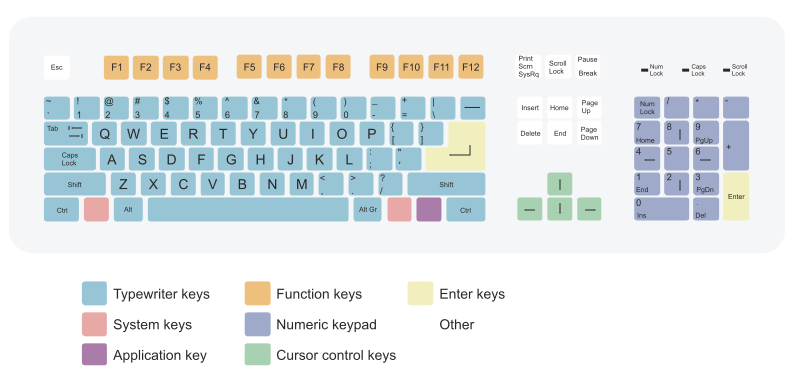
Note: The key names correspond to the physical positions on a standard US keyboard layout, not necessarily the printed labels on your keyboard.
For example, a key labeled differently on non-US layouts will still be identified by its US position.
Key strings are case insensitive except for A to Z and a to z.
🧩 Modifier Keys
Key String
Aliases
Ctrl
LeftCtrl
RightCtrl
—
Shift
LeftShift
RightShift
—
Alt
LeftAlt, Option
RightAlt
RightOption
GUI
Win, Cmd, LeftGUI, LeftWin, LeftCmd
RightGUI
RightWin, RightCmd
"Win" = Windows key (also known as "GUI" or "Cmd")
🔤 Alphanumeric Keys
Key String
A to Z
a to z
0 to 9
🎯 Function Keys
Key String
F1 to F24
🔢 Number Row Symbols (via Shift or ASCII)
You can use either the symbol itself (e.g., !) or the equivalent Shift+Number form (e.g., Shift+1).
Both are valid in key combinations.