This is a performance comparison of the QB3 image compression relative to PNG. QB3 is a lossless image compression algorithm sixty times faster than PNG for 8 bit data while compressing natural images measurably better. QB3 can compress all integer type raster data and multiple color bands. QB3 is based on a portable, low complexity, single pass compression algorithm that has no measurable memory overhead and no external dependencies. PNG (Portable Network Graphics) is a widely used lossless image format, based on the DEFLATE compression algorithm used by the ZIP archives. The image specific part of PNG is a filter applied to the input data before compressing it with DEFLATE. The filter is selected from a small set of algorithms that predict the value of a pixel based on the values of the previous pixels, which makes the image data more compressible. PNG can handle images with 8-bit and 16-bit unsigned values. Similar to PNG, QB3 consist of a predictor filter to make the data more compressible, followed by a much simpler coding scheme.
This comparison is done on the images from the Cloudinary Image Dataset ’22 (CID22) dataset, shown below.
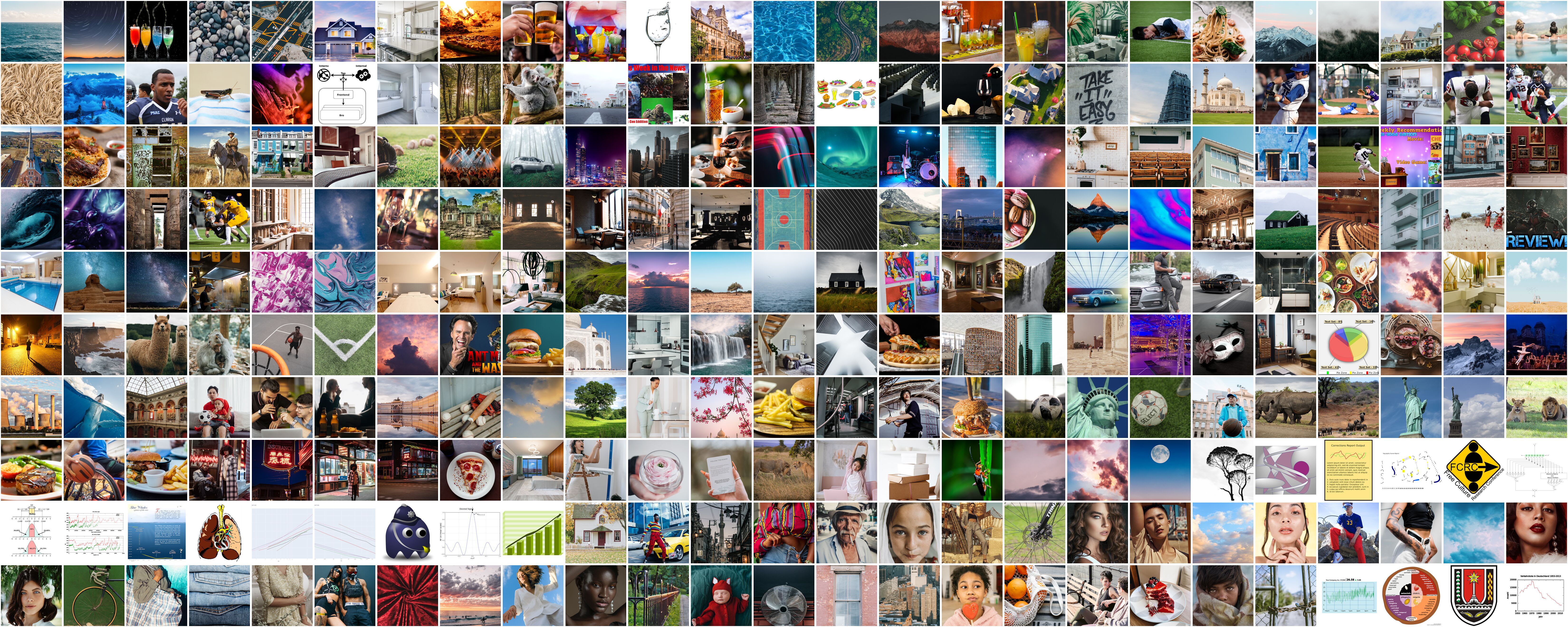
The 512x512 8bit RGB reference images are used, with the two single band (grayscale) images being ignored. The images are mostly natural photographs plus a few illustrations and computer generated images. The input images are compressed using the cqb3 tool, using various QB3 settings available. Then the qb3 output images are converted back to PNG, also using the cqb3 conversion utility, which in turn relies on libpng 1.6.44 and zlib 1.3.1.1 at the default settings. The PNG images used in comparison are the restored PNGs, not the original ones. The computer used has an AMD Threadripper Pro 5955Wx CPU with sufficient memory, running Windows 11. QB3 V 2.0 compiled using Visual Studio 22 with the CLang-CL compiler was used. The timings used are the ones measured by the cqb3 tool, which include only the time spent for the compression from raw image to compressed image, in memory. Finally, a Jupyter notebook was used to analyze the timings and the size of the image files and to plot various graphs.
The following graph shows the size of the compressed images relative to the raw size, for the various QB3 settings. QB3 modes include FAST, BASE and BEST, in the order of increasing compression and time. In addition to the default R-G, G, B-G band filter, cqb3 can try all the possible RGB band combinations and pick the one that results in the smallest file. This option was applied in combination with the best mode, which results in the smallest file size achievable with QB3 only. It is possible to apply DEFLATE or ZSTD to the QB3 compressed image as a post-processing step, which frequently reduces the file size even further. This second step has a larger impact for synthetic, computer generated images which benefit from the reduction of identical input sequences.

The images are sorted by the size of the PNG file, from the smallest to the largest, the dashed black line. The
limits of the QB3 modes are the blue and the yellow lines, which are the FAST and BEST + Band mix modes. The green
lines are the best band mix sizes combined with ZSTD at the default level of 3.
It is clear that QB3 is able to compress these images better than PNG even in the least compression (FAST) mode,
with few exceptions. Especially significant is the large difference between the QB3 and PNG size for the
largest images. The noticeable drop in size in the first 20 images is due to the fact that these images
are computer generated, very suitable for the PNG compression which reaches compression ratios of 1:4
or better. Yet even for these images QB3 is competitive. Adding the ZSTD post processing step improves the
compression for these images more than it does for the photographs.
Another way of looking at the compression quality is to look at the aggregate size savings of the QB3 compression vs PNG.

The savings are cumulative for the 248 images, split in two groups. The first group, for images 0 to 50, are the images where images compressed with QB3 FAST mode are larger than the corresponding PNG, resulting in negative savings. The second group are the rest of the images, where QB3 FAST is equal or smaller than the corresponding PNG, thus the size savings are positive. Within each group, the images are sorted from the smallest difference to the largest. In other words, the slope of the graph is steeper when the difference in size between the two compression methods is larger, either positive or negative, while the slope is almost flat where the difference is small. This order makes it easier to see inflection point, or the ratio of image where QB3 is better than PNG. The other QB3 modes are plotted on the same scale, using the QB3 FAST image order. The conclusion here is that for the complete dataset all the QB3 modes are better than PNG, saving between 6 and 7 MB out of the 90MB of PNG images. The difference between the QB3 modes is not large, with the FAST and BASE modes being almost identical. The BEST + band mix brings a significant improvement. Adding ZSTD increases the savings further, by an extra 3 MB, which is very significant in this context. In best mode, the total savings vs PNG are 7.66%, which is very good for any lossless compression, increasing to 8.51% with the best band mix, and finally increasing to 11.75% with zstd post processing. This type of savings are very significant for long term archival.
Total size of input PNGs: 90431161, 46.3666% of raw
QB3 fast: 6461485 7.15%
QB3 base: 6555068 7.25%
QB3 best: 6927795 7.66%
QB3 best + band mix: 7696225 8.51%
QB3 best + band mix + zstd: 10629785 11.75%
Total QB3 output: 88.25% of the PNGs
QB3 40.9164% of raw

In the graph above, the images are sorted by the compression time of the PNG, which tends to be roughly proportional to the PNG output size, the thicker purple line, varying between 14 and 150 milliseconds, with an average of 83 milliseconds. The QB3 modes are the almost flat lines at the bottom of the graph, taking between 1 and 5 milliseconds to compress a 512x512x3 8 bit image, showing very little variation between images. There is a massive difference between QB3 and PNG in compression speed. Summarizing the results in just a few numbers:
| Time (ms) | FAST | BASE | BEST | PNG |
|---|---|---|---|---|
| Max | 1.62 | 1.82 | 5.69 | 150 |
| Avg | 1.39 | 1.50 | 4.07 | 82.90 |
| Min | 0.85 | 0.85 | 1.17 | 12 |
| Rate (MB/s) | FAST | BASE | BEST | PNG |
|---|---|---|---|---|
| Max | 929.04 | 922.61 | 673.72 | |
| Avg | 564.29 | 523.34 | 193.23 | 9.50 |
| Min | 484.94 | 432.70 | 138.29 |
QB3 compression is 20-60 times faster than PNG for natural images. Even the QB3 BEST + Band mix mode, which compresses the input image 10 times in sequence, is still faster than the PNG compression in most cases. This is the red line on the graph above, which is the only one that is even close to the PNG line. Note the compression rate of QB3, measured based on the raw data volume, which for the FAST mode averages 564MB/s, with a peak above 900MB/s! The PNG average compression rate is 9.5MB/s, which is almost 60 times slower than the average of QB3 FAST mode. The difference is even larger at the extreme, for the slowest image to compress, the QB3 FAST compression is 100 times faster than PNG. Within QB3 modes, the FAST mode is 10 to 20 % faster than the BASE mode, while the BEST mode is about half of the BASE speed. As a reference point, data rate for HD video (1920x1080) 8 bit RGB at 60 FPS is 356MB/s, which is considerably under the average compression rate for both the FAST and BASE modes of QB, single thread, on the 4.5 GHz Zen 3 CPU.
For PNG the decompression is much faster than compression, one of reasons for its popularity. QB3 decompression is faster than PNG, although the difference is much smaller than the compression speed difference. The decompression speed of QB3 is also more consistent than the PNG decompression, depending much less on the data itself. On the average, PNG decompression is 50% slower than QB3 decompression. The results are for the QB3 FAST mode, they would only be 10-20% slower for the BASE or BEST mode. The decompression rate is sufficient for real time 1920x1080 video at 60 FPS.

| Rate (MB/s) | QB3 | PNG |
|---|---|---|
| Max | 442.94 | 652.91 |
| Avg | 366.19 | 235.07 |
| Min | 336.19 | 180.64 |
In contrast to most compression algorithms, QB3 decompression is slower than the compression, except in the BEST mode. This is due to the very long dependency chain when decompressing, which lowers the instruction level parallelism, and because it is harder for the compiler to vectorize. The decompression speed values shown here are for the QB3 FAST mode. It is very close to being sufficiently fast to decode a full RGB HD video stream at 60 FPS. Decompression speed for QB3 BASE or BEST mode is about 30% slower than in FAST mode, and more dependent on the data.
There are very few 16bit image datasets available for use on the internet. The image set available from https://imagecompression.info/test_images/ is one such set. The set consists of 14 images of varying sizes available in both 8 and 16 bit versions, selected for being difficult to compress. When compressing the 8 bit images, on the average QB3 is almost the same as PNG as far as compression ratio goes, only the BEST mode with band mix results in space savings. The results are much better for the 16 bit linear images, where QB3 saves 9 to 10% smaller than PNG overall, an amazing result for lossless compression. It should be mentioned that overall, PNG only compresses this dataset by about 20% compared with raw, while QB3 reaches 30%. Obviously, the hard to compress description of the dataset is true. The better behavior of QB3 for 16 bit data is expected, QB3 is fully data type aware while PNG is only partially so. As far as the compression speed, QB3 FAST mode averages 280MB/s while PNG is around 15.5MB/s, making QB3 FAST 18 times faster than PNG. PNG in this case is somewhat favored, since the data doesn't compress much at all with the DEFLATE algorithm, which makes it considerably faster than usual. At the same time, the QB3 rate is penalized a little by the larger output data size generated, at least relative to the 8 bit CID22 test case. Adding ZSTD doesn't seem to help much in this case, improving compression by less than 0.2%. Out of the images in the dataset, the one named artificial.png is the one where QB3 lags being PNG the most, it is a synthetic image with a lot of repeated patterns. fireworks.png is also a difficult image to compress, being noisy and high contrast, yet using R-G, G, B color mix helps keeping QB3 competitive.
QB3 is not a full replacement for PNG. One of the important features of PNG is stability, it has been
around for more than 30 years without breaking compatibility, likely a reason for its popularity. The
standard libPNG has many features that are not intrinsic to the PNG format, but make the library more useful.
There are many PNG features that QB3 lacks and vice versa. This study is just a simple comparison of the
performance on a particular set of 8 bit RGB images, which both formats can handle, to show the potential
of QB3.
It should be relatively easy to improve PNG compression, for example by adding the band decorrelation
step that QB3 uses. Or by replacing the DEFLATE entropy coding with ZSTD, which is considerably faster
than DEFLATE and can achieve better compression ratios. It would be a different kind of PNG at that point,
not backwards compatible, which is a big negative.
Similarly, the improved compression from the second pass ZSTD shows that QB3 compression could be improved
by replacing or enhancing the entropy coding with a more sophisticated one.
Further, it should be possible to have QB3 added to PNG as an additional compression method. Since it's
so fast, it could be done in addition to the existing PNG compression, and have the encoder pick the best
one, without increasing the compression time much. Since DEFLATE is already part of PNG, it could be used
as the second pass entropy encoding for QB3, making it even better. Of course this would not be fully
backwards compatible, but it could be done while keeping the PNG API unchanged, so at least some
applications would only need to be recompiled to take advantage of the new compression method.
The two grayscale images that are part of the CID22 dataset have been removed from the comparison. Keeping them would have made the results harder to explain, because the QB3 band decorrelation doesn't apply to single band images. The raw sizes and the time taken on these would have been significant outliers, such as being 9 times faster on the band mix, since there are no RGB bands to mix. The overall compression results would have been very similar even with those images included, one of the images compresses better with QB3 than PNG and the other one compresses worse, as single band grayscale. Promoting these images to RGB by duplicating the grayscale band would have favored QB3, since the standard band decorrelation in QB3 would compress much better than PNG can.
There are other lossless image formats or lossless variants of other formats, such as WebP and JpegXL. In
comparison to these, QB3 is not heavily optimized for compression ratio. Yet QB3 in general compresses
better than PNG, which is the most widely used lossless image format. The formats that obtain better compression
ratios than QB3 are usually slower and more complex. They also frequently have large memory requirements
and use multiple threads in parallel to achieve reasonable compression speeds.
This comparison is not exhaustive, but it is representative of the performance of QB3 in general.
There are alternative PNG compression implementations, which could be faster or better than the
reference libPNG used here. Even the standard libPNG has settings that can be adjusted to increase
compression at the expense of speed or vice versa. It is not within the scope of this study to
exhaustively explore the PNG capabilities, the default PNG settings are a chosen to produce a reasonable
compression in a reasonable amount of time.
QB3 relies only on the locality of the image data for compression and does not have a long term context. This is
fine for natural images, but for computer generated, synthetic images, QB3 might lag in compression ratio when
compared to PNG, needing a post processing step with a contextual entropy encoder such as DEFLATE or ZSTD to
achieve competitive results. This is only an issue for images that are highly compressible to start with, which
are not a significant issue in general. The ZSTD or DEFLATE should be done at a very low effort level, which is
still very fast and produces most of the size reduction. Applying a higher effort level entropy coding does
not increase the savings over the lower effort in most cases.
At the other extreme, like any lossless compression, QB3 compression is poor for noisy and high contrast images. In some cases the QB3 algorithm ends up expanding the data slightly, then reverting to storing the raw input as is. There are also other image datasets, many of which have different characteristics than the CID22 dataset used here. For example the Kodak image set, which is a set of 24 natural images, slightly larger than the CID22 images. QB3 compresses better than PNG for each and every image in the Kodak set. Another image dataset is available from https://imagecompression.info/test_images/. This set is smaller, consisting of images of various sizes, selected to be hard to compress. QB3 is about the same as PNG on this set overall, with the expected problems with artificial and noisy images. This set also contains 16 bit images, where QB3 is able to compress significantly better than PNG.
On Windows, the QB3 library compiled using Clang-CL outperforms the MSVC compiled library by about 20%. QB3 also works well on ARM64 architecture. On a g7 (Graviton 3) Linux al2023 instance on AWS, the results for this test are about 10 to 20% slower across the board. On a g8 instance (Graviton 4) the results are 10 to 20% faster than the ones presented here. PNG decompression is much slower on that architecture, making QB3 decompression look better in comparison.