MassGen v0.0.12-v0.0.14 introduces comprehensive logging functionality and improved workspace management for multi-agent workflows, enabling better debugging, analysis, and artifact tracking. This case study demonstrates these improvements through a creative web development task.
:depth: 3
:local:
"Create a website about a diverse set of fun facts about LLMs, placing the output in one index.html file"
Prior to v0.0.12, for multiple Claude Code agents to collaborate, they need to use the same workspace, which often cause conflicts. If they use separate workspaces, they don't collaborate smoothly.
massgen --config @examples/tools/filesystem/claude_code_context_sharing "Create a website about a diverse set of fun facts about LLMs, placing the output in one index.html file"Agents don't know where to find the workspace associated with an agent. Even if that info is included in the answer of an agent, the agents might overwrite each other's work or create conflicting files in the same directory, leading to confusion and lost work.
Before v0.0.14, MassGen had basic logging but lacked critical features:
- No Version History: Lost intermediate agent iterations - only final outputs were preserved in
agent_outputs - No Final Workspace Copy: Winning solution wasn't duplicated to a clear
final_workspacedirectory for easy access - No Agent-Specific Versioning: Outputs weren't organized in per-agent timestamped folders for tracking evolution
The new logging and workspace features would be considered successful if:
- Comprehensive Logging: All agent activities logged with timestamps
- Final Deliverables: Explicit capture of final workspace snapshots and selected agent
- Timestamped Organization: Clear chronological structure of all outputs
- Workspace Isolation: Each agent maintains separate working directories
- Debug Capabilities: Easy analysis of multi-agent coordination and decision-making
- Per-agent versioned logging: Every generated answer is saved in timestamped folders per agent (e.g., claude_code_agent1/20250901_202649_594259/).
- Final workspace snapshot: A final_workspace/ copy of the winning solution for quick access and reproducibility.
MassGen v0.0.14 (September 1, 2025)
The enhanced logging and workspace management system in v0.0.14 provides:
1. Per-Agent Versioned Logging
- Every generated answer saved in timestamped folders per agent
- Format:
agent_name/YYYYMMDD_HHMMSS_microseconds/ - Enables tracking evolution of each agent's work over time
2. Final Workspace Snapshot
- Automatic copy of winning solution to
final_workspace/directory - Provides quick access to final deliverable
- Ensures reproducibility of selected solution
3. Comprehensive Debug Capabilities
- Complete audit trail of multi-agent coordination
- Timestamped organization for chronological analysis
- Easy comparison of different agent approaches
Configuration file: massgen/configs/tools/filesystem/claude_code_context_sharing.yaml
Key workspace configuration:
agents:
  - name: claude_code_agent1
    workspace: claude_code_workspace1

  - name: claude_code_agent2
    workspace: claude_code_workspace2
massgen --config @examples/tools/filesystem/claude_code_context_sharing "Create a website about a diverse set of fun facts about LLMs, placing the output in one index.html file"-
Agent 1 (claude_code_agent1): Creates website in
/claude_code_workspace1/- Focus: Traditional grid-based layout with fact cards
-
Agent 2 (claude_code_agent2): Creates website in
/claude_code_workspace2/- Focus: Interactive features with animations and sparkle effects
Both agents use Claude Code's file management capabilities with:
- Write tool for creating HTML files
- Bash tool for checking directory structure
- Read tool for verifying created content
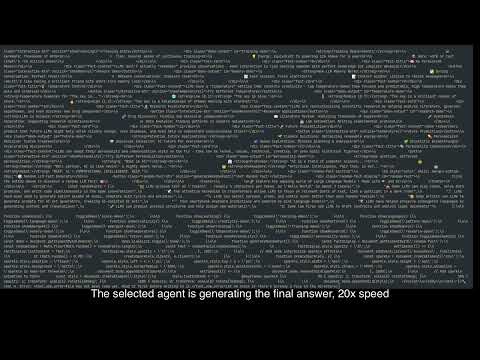
The v0.0.14 logging and workspace improvements successfully achieved all success criteria and demonstrated new collaboration capabilities.
The most significant change is the comprehensive logging system that captures every aspect of multi-agent workflows:
Evidence from actual log directory structure:
massgen_logs/
└── log_20250901_202552/
    ├── agent_outputs/
    │   ├── system_status.txt                       # Complete timeline with timestamps
    │   ├── claude_code_agent1.txt                  # Agent 1's complete output
    │   ├── claude_code_agent2.txt                  # Agent 2's complete output
    │   └── final_presentation_claude_code_agent2.txt  # Winning solution (40K+ tokens)
    ├── claude_code_agent1/                         # Agent 1's versioned outputs
    │   └── 20250901_202649_594259/                 # Timestamped iteration with microseconds
    │       └── index.html                          # Generated website version
    ├── claude_code_agent2/                         # Agent 2's versioned outputs
    │   └── 20250901_202706_647603/                 # Timestamped iteration with microseconds
    │       └── index.html                          # Generated website version
    ├── final_workspace/                            # Final deliverable
    │   └── claude_code_agent2/
    │       └── 20250901_203333_084001/             # Final winning version timestamp
    │           └── index.html                      # Selected implementation
    └── massgen.log                                 # Main execution log
- Clear timestamps throughout:
[20:26:40],[20:26:55],[20:34:58]for debugging
Before: "Error: File already exists" or silently overwrites existing work
After: Each agent successfully creates its own version without conflicts
The agents now:
- Work independently in separate workspace directories
- Preserve all outputs for later comparison and voting
With isolated workspaces, the voting process becomes more meaningful:
- Voters can compare complete, unmodified implementations
- No risk of partial overwrites affecting evaluation
- Clear attribution of work to specific agents
The two agents took distinctly different approaches:
Agent 1's Website Implementation:
- 12 fact cards in a responsive grid layout
- Random fact generator feature
- Staggered animation on page load
- Clean, professional design

Agent 2's Website Implementation:
- Enhanced interactivity with demo buttons for each fact
- Sparkle effects following mouse movement
- More elaborate animations and transitions
- Playful, engaging user experience

Winning Agent: Agent 2 (claude_code_agent2) with elements from Agent 1
The final implementation combined the best features from both agents:
- From Agent 1: Clean grid layout structure and comprehensive fact cards
- From Agent 2: Interactive demo buttons, sparkle effects, and enhanced animations
- Result: A comprehensive website with 12 detailed fact cards, each featuring interactive elements
The final solution demonstrated MassGen's ability to:
- Synthesize multiple approaches into a superior final product
- Preserve all iterations in timestamped folders for reference
- Select and enhance the best implementation through the voting process
The complete final implementation was preserved in:
final_workspace/claude_code_agent2/20250901_203333_084001/index.htmlfinal_presentation_claude_code_agent2.txt(40K+ tokens documenting the complete solution)

The logging and workspace improvements in v0.0.14 represent crucial advancements for multi-agent collaboration:
- Add_log Feature: Preserves every generated answer version from each agent
- Final Deliverables: Clear identification of selected outputs and agents
- Timestamped Organization: Chronological tracking of all agent activities
- Workspace Isolation: Conflict-free parallel agent execution
- Version History: Complete iteration tracking for debugging and analysis
Broader Implications: This establishes MassGen as a platform capable of:
- Complete workflow debugging through comprehensive logging
- Analyzing agent decision-making processes with timestamped data
- Tracking final deliverables and selection criteria
- Running parallel agent tasks without interference
- Building complex projects with full auditability
The success of this case study validates the workspace isolation approach and demonstrates clear value for users requiring multiple agents to work on file-based tasks simultaneously.
- ✅ Planning phase completed
- ✅ Features implemented
- ✅ Testing completed
- ✅ Demo recorded
- ✅ Results analyzed
- ✅ Case study reviewed