Let MCP Handle Your Development Workflows
If you’ve ever wished your AI assistant could actually do things — like check your calendar, pull data from Notion, analyze a spreadsheet... Or for developers, hecking a GitHub repo, creating a Jira ticket, or pulling live documentation — that’s what MCP is made for.
MCP stands for Model Context Protocol — an open standard that defines how AI models can securely connect and interact with other tools, apps, and data sources.
Whether it’s a productivity app, a knowledge base, or your favorite developer platform, MCP provides a common way for AI systems to access real information and take action — instead of working in isolation.
Large Language Models (LLMs) are powerful, but they have one big limitation:
they only know what’s inside their training data.
When you ask for something outside that scope — say, “What’s the status of my PR?” — the model can’t access live info. It might even hallucinate.
MCP solves this problem by letting LLMs fetch real data from trusted sources, so they can stay accurate and context-aware.

Before MCP, every tool needed a custom integration to talk to an LLM:
- GitHub? Build one adapter.
- Jira? Another one.
- Microsoft Learn docs? Yep — another.
It was like needing a different charger 🔌 for every device.
Developers had to maintain multiple model-specific connectors — messy, redundant, and hard to scale.
MCP changes all that.
Think of it as USB-C for AI models and tools — one universal connector that lets models communicate with any compatible service.
Open-sourced by Anthropic, MCP defines a standardized protocol for communication between AI models and external tools — such as GitHub, Jira, Notion, Figma, or even your own internal applications.
Under the hood, MCP uses JSON-RPC over channels like stdio or websockets to exchange structured messages between a Host (where the model runs) and one or more MCP Servers (which expose capabilities and data sources).
Each server describes its available functions, resources, and prompts in a consistent schema, so the model can discover, query, and invoke them dynamically — without custom integration code.
This standardization means any model that supports MCP can interact with any MCP-compliant server — no more one-off connectors or brittle API glue.
MCP defines a few key components to make this connection happen:
The Host is the environment where the language model runs.
Examples include:
- AI-enhanced IDEs like VS Code, Claude Desktop, or Cursor
- Other AI-powered tools that embed model capabilities
Inside the Host is a Client component — it handles the communication with external MCP servers, managing authentication, messaging, and connection lifecycle.
The Servers are what bridge the model to your data or services.
Each one exposes a set of resources or actions that the model can access:
- GitHub MCP Server → repositories, pull requests, commits
- Microsoft Learn MCP Server → technical docs and tutorials
- Atlassian MCP Server → Jira issues, Confluence pages
- Custom MCP Server → your internal APIs or local data sources
A Host can connect to multiple MCP servers, giving your model access to everything it needs in your dev ecosystem.
This isn’t your typical one-way API call.
While traditional APIs fetch data before generating a response (think RAG pipelines), MCP is two-way and stateful.
That means the model can:
- Interact with tools in real time
- Maintain context across multiple steps
- Make dynamic decisions as it goes
So instead of just getting data, the model can actually do things, like:
“Implement the feature in this Jira ticket" then "create a PR in GitHub.”
That’s the difference between an AI assistant and an AI agent — MCP makes the latter possible.
MCP is still evolving, but it’s already being adopted across developer tools.
By giving LLMs a reliable, standardized way to interact with real-world systems, MCP brings us closer to truly agentic AI — models that don’t just generate answers, but take meaningful action inside your workflow.
In short:
MCP bridges the gap between AI and your dev tools — securely, consistently, and at scale.

Now let's learn how you can leverage these MCP servers!
Watch the video, MCP (Model Context Protocol) - Let MCP Handle Your Development Workflows on YouTube:
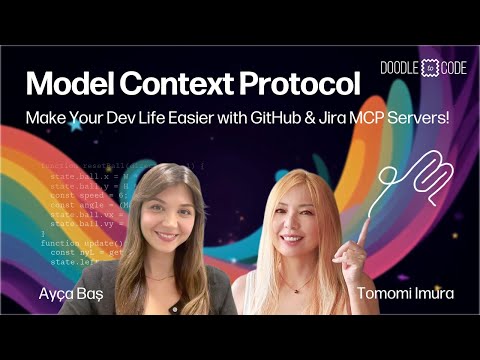
Once you are familiar with the basics, go deep-dive into the world of agentic AI and MCP!
MCP for Beginners is a multi-lingual course teaching everything you need to know to start building AI applications that communicate with different tools and services.

If you are interested in building enterprise grade AI agents for M365 platform, Copilot Developer Camp is for you to learn various types of agents and how to build them!