-
Notifications
You must be signed in to change notification settings - Fork 1
Final Report: Description
Commpute helps people with heavy computational needs by allowing them to easily create personal distributed computing networks with friends and volunteers. The final version of the site would allow users to submit arbitrary code to all nodes in their personal network to be run inside a secure container on the host machine. The current version has the following features:
- Log in easily and securely with Twitter OAuth (Facebook and Google coming soon)
- Download the Node program and run it to begin contributing to the computational network
- Submit demo jobs to the network, and view their progress in real time in the Jobs view
Each feature is explained in detail below:
#OAuth Login ![Twitter Login] (https://raw.githubusercontent.com/nickpope/commpute/master/production/Report-Screenshots/TwitterLogin.png)

Users can log in using Twitter (soon Google and Facebook too) immediately, without having to register or fill out any forms. This makes the cost to enter and experiment with the site very low, and means that the site doesn't have to store passwords or login information.
#Node Download ![Node Download] (https://raw.githubusercontent.com/nickpope/commpute/master/production/Report-Screenshots/DownloadPage.png)
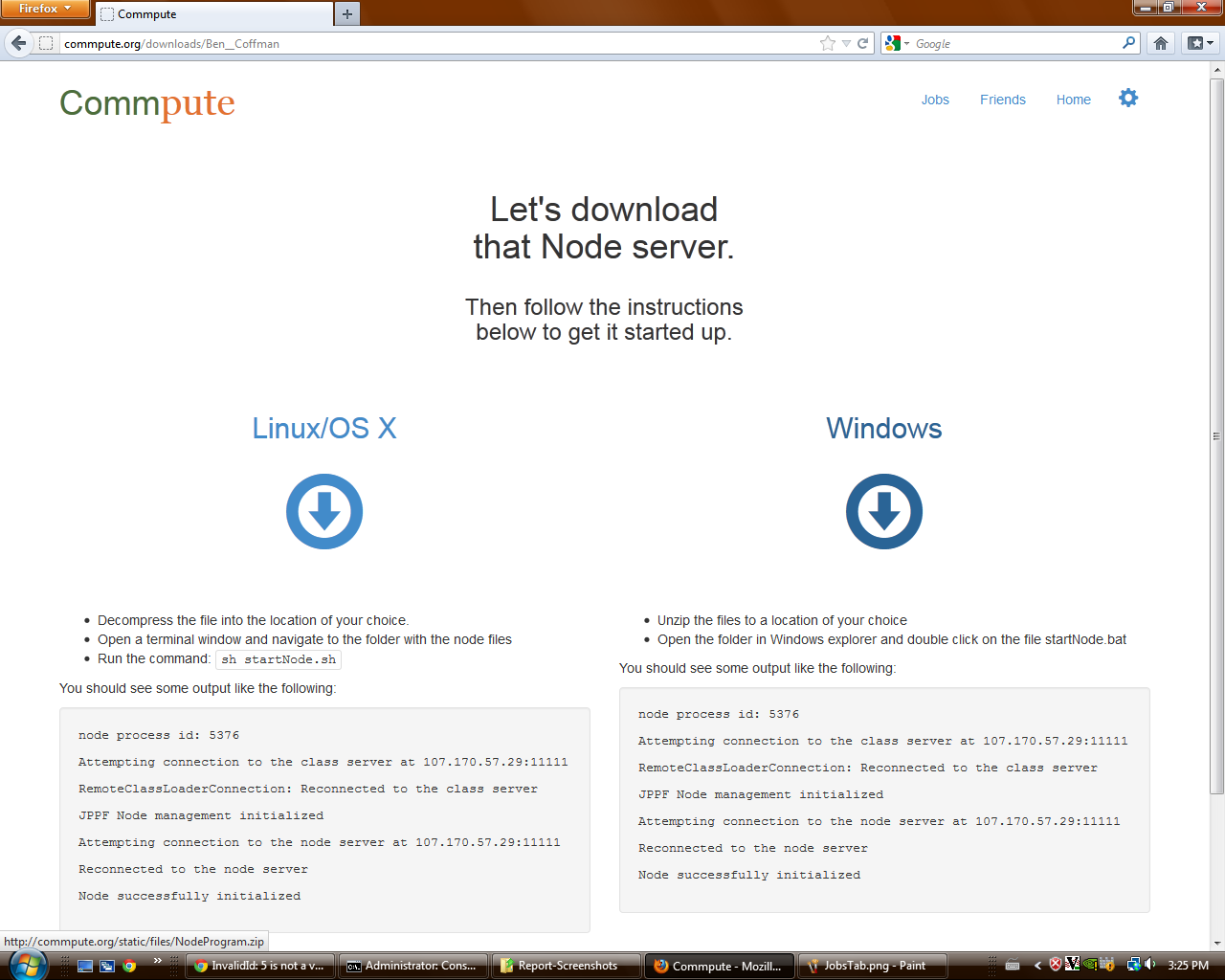
Authenticated users can download and run the Node program, which automatically connects to our server and begins accepting tasks. The program is Java-based, so it can run on any machine with a JRE; it is presented as two different download files on the web site only to make the instructions as simple for users as possible. When a user downloads and runs the Node program, he/she can then submit test jobs to the network and see some tasks get assigned to his/her computer.
#Job View ![Job View] (https://raw.githubusercontent.com/nickpope/commpute/master/production/Report-Screenshots/JobsTab.png)
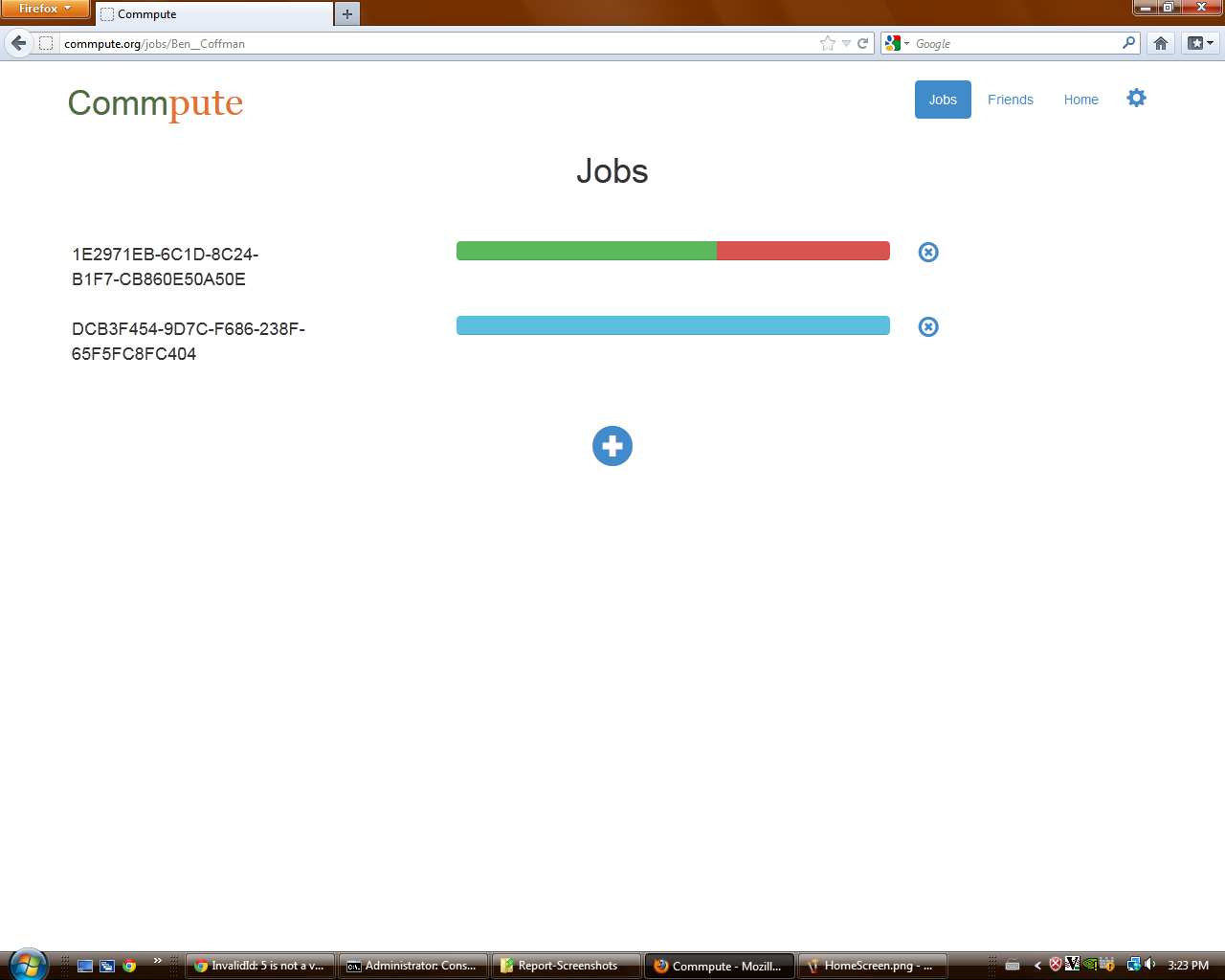
This view allows users to submit demo jobs to the computational network. Each job is made up of 10 tasks that simply display a message and then wait for 1-10 seconds. Each task in a demo job has a 30% chance of "failing", in which case it shows up as red on the progress bar. This is to simulate real task failure in order to test the GUI. The progress bars for each job update in real time, thanks to some javascript magic.