 Marp
Marp


-
|
Hi, First of all a big thank you to the Marp team, really great tool! I would also like to use it for professional presentations, it must use a specific layout for this. I already have some customization, but get stuck on three points. Is it possible to
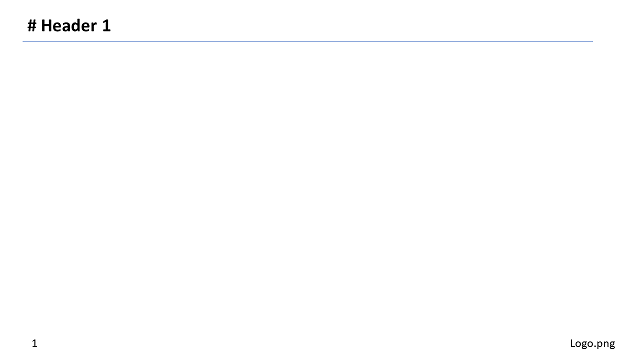
An example is shown here: Thanks in advance! Regards, |
Beta Was this translation helpful? Give feedback.
Replies: 1 comment 7 replies

-
|
Of course! We have made no CSS limitations to create your own template. :)
h1 {
  border-bottom: 1px solid #8aa6da;
}
https://web.dev/learn/css/borders/
There are several ways. Choose one according to your use case. Place an inline image to the footer<!-- footer:  -->
<style>
footer {
/* Unset default placing inherited from the built-in theme */
left: auto;
right: auto;
top: auto;
bottom: auto;
/* Place to right-bottom */
right: 20px;
bottom: 20px;
}
</style>Please note that this approach will limit the usage of Use background image with specific sizesection {
background-image: url('https://marp.app/assets/marp.svg');
background-repeat: no-repeat;
background-position: bottom 20px right 20px;
background-size: 150px auto;
}Please note that the footer logo will be removed if used the background image(s) in Markdown contents via Add
|
Beta Was this translation helpful? Give feedback.

-
|
I have resolved the problem by easily correct bottom into top. section::before { } Thank you! |

Beta Was this translation helpful? Give feedback.

-
can I resize my content? it is too big right now |
Beta Was this translation helpful? Give feedback.

-
|
@bilogic Just shrink |
Beta Was this translation helpful? Give feedback.
-
|
@yhatt thanks the SVG does shrink but the PNG does not |
Beta Was this translation helpful? Give feedback.
-
|
@bilogic If so, instead of generating the image content directly, you can generate the blank box content and set its background image by section::before {
display: block;
content: '';
background: url('https://example.com/example.png') no-repeat right bottom / contain;
width: 150px;
height: 150px;
position: absolute;
right: 20px;
bottom: 10px;
}In this case, you have to specify the both of
|
Beta Was this translation helpful? Give feedback.


Of course! We have made no CSS limitations to create your own template. :)
https://web.dev/learn/css/borders/
There are several ways. Choose one according to your use case.
Place an inline image to the footer
Ple…