 Portainer.io

Replies: 3 comments 3 replies

-
|
One addition to that: We have either a very light or very dark logo. On the very light login page, I would like to use the dark logo because the background is very light gray, while after the login, the background for the logo becomes dark blue, so I would like to use the light logo. Would it be possible to have an additional option for that? |
Beta Was this translation helpful? Give feedback.

-
|
I'm needing to do this as well. I found a way... But it's not very pleasant. To Customize your Portainer Favicon
In case anyone is interested these were my attempts, but they were too detailed & didn't work Unfortunately for me DSM's color is so close to Portainer's that using the DSM color (That first one is using it rather than the Portainer color) made it unnoticable from the original one running on my Proxmox cluster so I'm still looking for an alternative. I also tried this replacing the logo in the login & dashboard, but it didn't work. I can change the logo in the dash & it does also show the logo on the Login Page, but it can't call for a local file unfortunately. BUT if I map the edited file to the - /volume1/docker/portainer/63c1259abd88a9d2cebc-dsm.svg:/public/63c1259abd88a9d2cebc.svg # Business
# - /volume1/docker/portainer/7e697c5bab4f819328df.svg:/public/7e697c5bab4f819328df.svg # Communityworks with - /volume1/docker/portainer/63c1259abd88a9d2cebc-dsm.svg:/public/63c1259abd88a9d2cebc-dsm.svg # Business
# - /volume1/docker/portainer/7e697c5bab4f819328df.svg:/public/7e697c5bab4f819328df.svg # CommunityDoesn't work with Here's a sample of my SVG so you can use it how you like |


Beta Was this translation helpful? Give feedback.

-
|
I realized I made this much more complicated than it needs to be. Here's an updated version that is much easier.
![endif]--><link rel="apple-touch-icon" sizes="180x180" href="[63a301f0574f1a696ce6.png](view-source:https://192.168.0.101:9443/63a301f0574f1a696ce6.png)"/><link rel="icon" type="image/png" sizes="32x32" href="[2dcfc527d067d4ae3424.png](view-source:https://192.168.0.101:9443/2dcfc527d067d4ae3424.png)"/><link rel="icon" type="image/png" sizes="16x16" href="[112a479c093f4729251d.png](view-source:https://192.168.0.101:9443/112a479c093f4729251d.png)"/>
    ports:
      - 9000:9000
      - 9443:9443
    volumes:
      - /var/run/docker.sock:/var/run/docker.sock:ro
      - /volume1/docker/portainer/portainer_data:/data
      - /volume1/docker/portainer/portainer-dsm-colors-129x180.png:/public/63a301f0574f1a696ce6.png   # 180x180
      - /volume1/docker/portainer/portainer-dsm-colors-25x35.png:/public/2dcfc527d067d4ae3424.png     #  25x32
      - /volume1/docker/portainer/portainer-dsm-colors-25x35.png:/public/112a479c093f4729251d.png     #  12x16
      - /volume1/docker/log/var/log:/var/log:rw
    restart: always
    ports:
      - 9000:9000
      - 9443:9443
    volumes:
      - /var/run/docker.sock:/var/run/docker.sock:ro
      - /volume1/docker/portainer/portainer_data:/data
      - /volume1/docker/portainer/portainer-dsm-colors-129x180.png:/public/63a301f0574f1a696ce6.png     # 180x180
      - /volume1/docker/portainer/portainer-dsm-colors-25x35.png:/public/2dcfc527d067d4ae3424.png       #  25x32
      - /volume1/docker/portainer/portainer-dsm-colors-25x35.png:/public/112a479c093f4729251d.png       #  12x16
      - /volume1/docker/portainer/63c1259abd88a9d2cebc-dsm-colors.svg:/public/63c1259abd88a9d2cebc.svg  # Business
     # - /volume1/docker/portainer/7e697c5bab4f819328df.svg:/public/7e697c5bab4f819328df.svg            # Community
      - /volume1/docker/log/var/log:/var/log:rw
restart: always |
Beta Was this translation helpful? Give feedback.

-
|
Does this persist across updates or does it go back to default when you update Portainer? |
Beta Was this translation helpful? Give feedback.
-
I have updated many times & it seems to persist. I don't know if a major update will change that, but as long as the logo location stays the same it should work without issue |
Beta Was this translation helpful? Give feedback.

-
|
Portainer could really do with adding this as a customisation option, and possibly even colour themes to really drive it home and make it as distinguishable between instances as possible Right now, the only was we can distinguish when on the tab is the logo and outside of the tab by updating the environment name |
Beta Was this translation helpful? Give feedback.


Uh oh!
There was an error while loading. Please reload this page.
-
I noticed there is a feature for a custom logo in the Settings:
Apart from being restrictively small and rectangular (155px x 55px), it only shows up on the left frame of the WebUI (and is tiny).
I was expecting it to be the new favicon and to see it on the login page too.
Discourse does a good job of this and asks for two images, one square and one more banner like to use across the WebUI.
The login screen still looks like this:
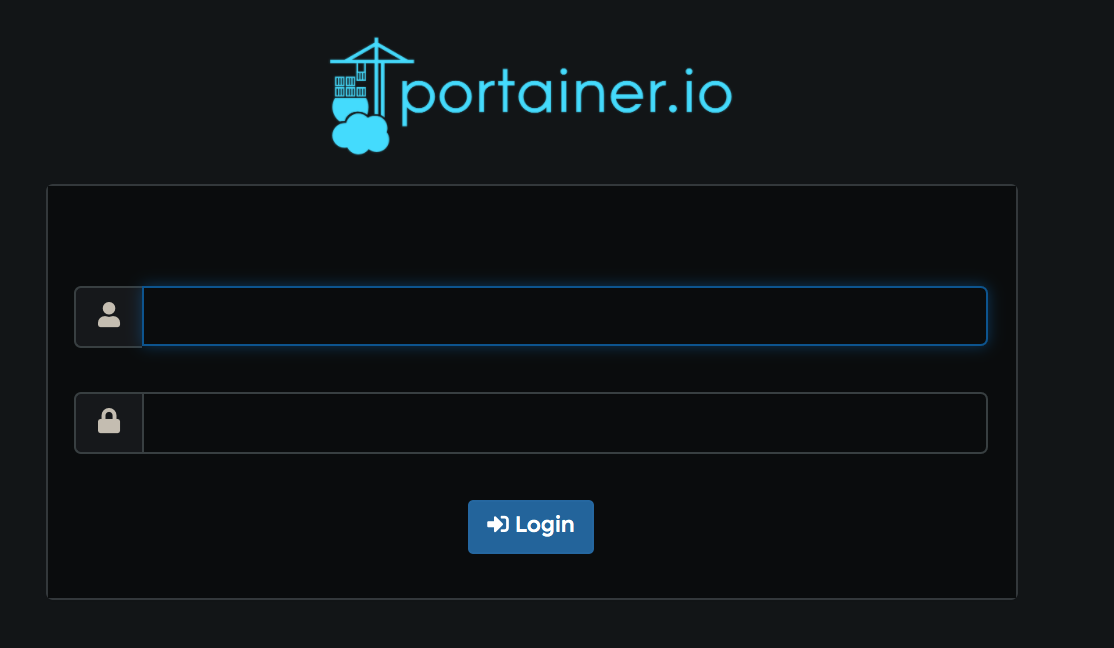
The favicon is still the default:

Beta Was this translation helpful? Give feedback.
All reactions