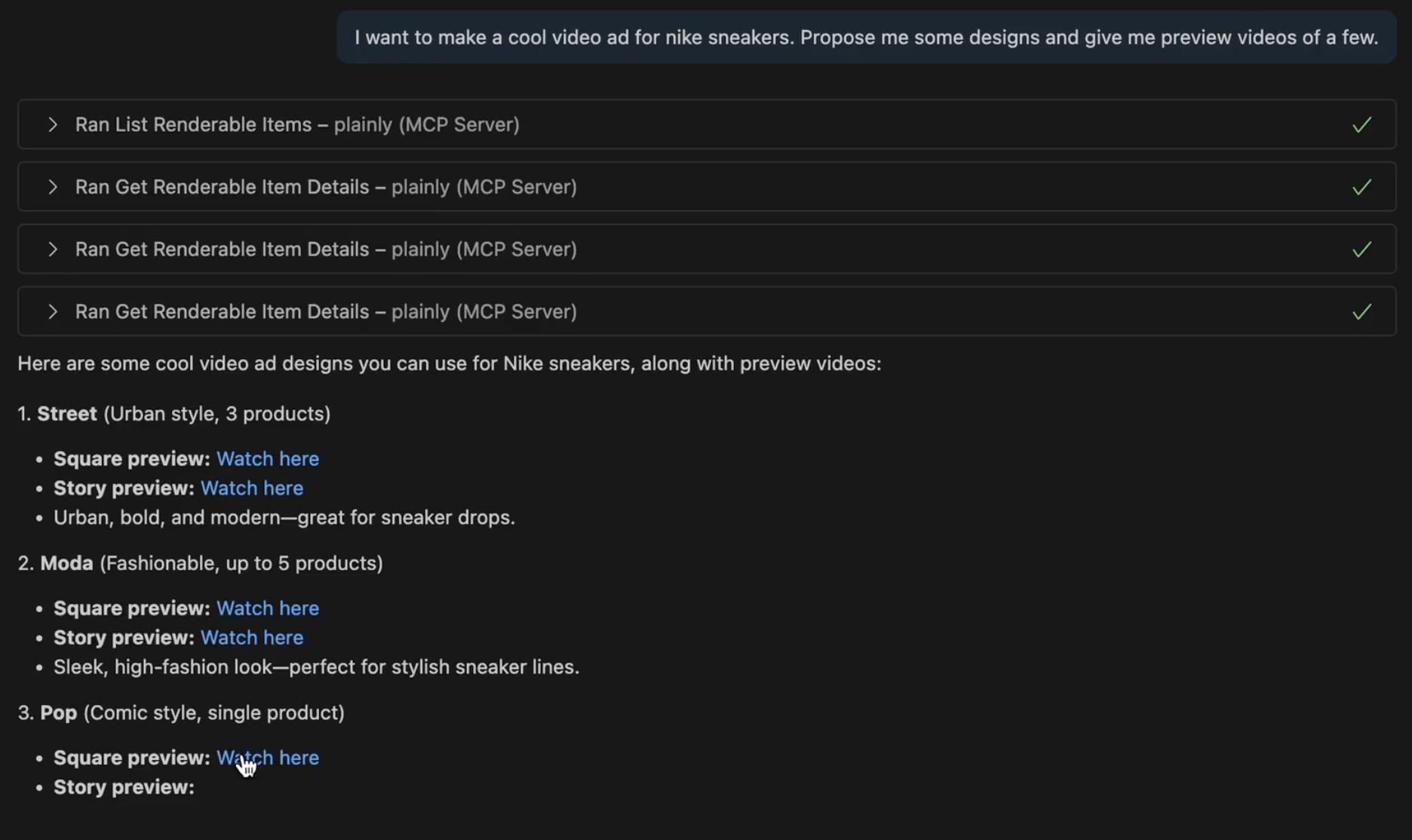
Implementation of MCP server for Plainly in NodeJS. Enables LLM clients to connect and interact with Plainly APIs.
- Node.js ≥ 18 (required)
- NPM
- Plainly Account
- Get your Plainly API key
- Go to Settings page
- Create a new API key
- Copy the new API key
- Add config to your editor
{
  "servers": {
    "plainly": {
      "command": "yarn",
      "args": ["dlx", "@plainly-videos/mcp-server@latest", "mcp-server"],
      "env": {
        "PLAINLY_API_KEY": "<PLAINLY_API_KEY>"
      }
    }
  }
}list_renderable_items- returns a list of all criteria matching designs and custom projects for authenticated userget_renderable_items_details- returns details of a single design or custom project, such as: required and optional parameters, preview links, aspect ratios, etc.render_item- submits a render with all needed parameterscheck_render_status- checks the render status and report error or preview links
This implementation does not include prompts or resources from the MCP specification. However, this may change in the future when there is broader support across popular MCP clients.
If you want to run the server in development mode, you can install dependencies and run the server using the following command:
- Clone, install, and build:
git clone git@github.com:plainly-videos/mcp-server.git
cd mcp-server

yarn install
yarn build- Add your API key in
.vscode/mcp.json
{
  "servers": {
    "plainly": {
      "command": "node",
      "args": ["<FULL PATH TO dist/index.js>"],
      "env": {
        "PLAINLY_API_KEY": "<PLAINLY_API_KEY>"
      }
    }
  }
}- Start MCP server from
.vscode/mcp.json