Releases: presscustomizr/nimble-builder
v1.1.0
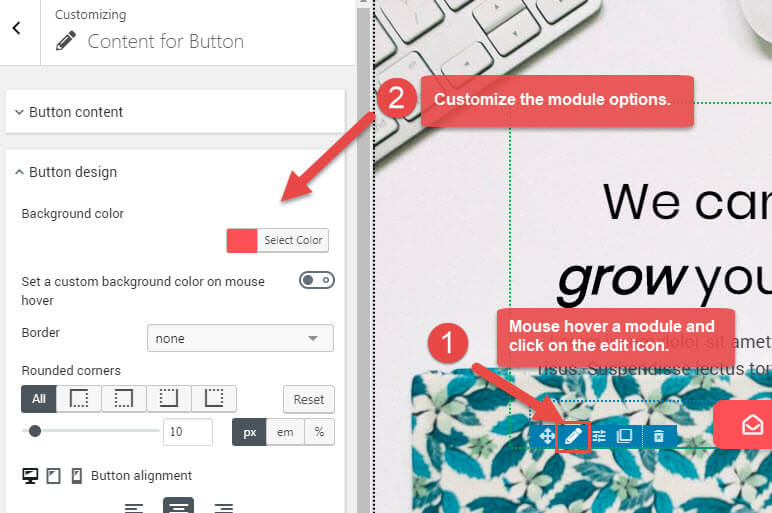
= 1.1.0 : October 5th, 2018 =
- This version includes major improvements. Many new modules and pre-designed sections are now available to create your pages.
- New modules : heading, icon, button, Google map, Html content, quote, spacer, divider, contact form.
- The user interface has been enhanced with a non intrusive top bar, including do/undo buttons, and global settings for the Nimble builder.
v1.1.0-beta
v1.1.0-beta build v2
v1.0.4
= 1.0.4 : June 14th, 2018 =
- fixed : when margins and paddings are not defined ( number field emptied ), no related CSS properties should be printed.
- fixed : sek-sektion-inner should not have a padding of 15px on front.
- fixed : a nested sektion should reset its parent column padding.
- fixed : empty sektions wrapper should only be printed when customizing.
- fixed : prevent element in the wp content to be displayed out of the wp-content-wrapper when previewing.
- fixed : dynamic CSS can be printed twice : inline and enqueued as CSS file when user logged in.
v1.0.3
= 1.0.3 : June 9th, 2018 =
- fixed : missing dropzones around nested sections
- fixed : reseting the spacing of a level was not changing the main setting.
- fixed : the tinyMceEditor not collapsing on 'sek-notify'
- improved : tinyMce text editor => attach callbacks on 'input' instead of 'change keyup'
- improved : module dynamic ui => print the module name instead of 'module' at the bottom
- improved : when clicking more than one time one the + ui icon, visually remind the user that a module should be dragged, with a light animation on the module picker container
- added : encapsulate the singular post / page content inside a dom element so we can generate a dynamic ui around it when customizing + add an edit link to the post or page
- added : introduced a loader overlay printed when the markup of any level being refreshed.
- added : a "+" icon to add module from the sections dynamic UI
v1.0.2
Nimble has been approved
Congratulations, your plugin hosting request for Nimble Builder has been approved.
Within one hour you will have access to your SVN repository with the WordPress.org username and password you used to log in and submit your request. Your username is case sensitive.
https://plugins.svn.wordpress.org/nimble-builder
Here are some handy links to help you get started.
WordPress Plugin Directory Guidelines:
https://developer.wordpress.org/plugins/wordpress-org/detailed-plugin-guidelines/Using Subversion with the WordPress Plugin Directory:
https://developer.wordpress.org/plugins/wordpress-org/how-to-use-subversion/FAQ about the WordPress Plugin Directory:
https://developer.wordpress.org/plugins/wordpress-org/plugin-developer-faq/WordPress Plugin Directory readme.txt standard:
https://wordpress.org/plugins/developers/#readmeA readme.txt validator:
https://wordpress.org/plugins/developers/readme-validator/Plugin Assets (header images, etc):
https://developer.wordpress.org/plugins/wordpress-org/plugin-assets/If you have issues or questions, please reply to this email and let us know.
Enjoy!
--
The WordPress Plugin Directory Team
https://make.wordpress.org/plugins
= 1.0.2 : June 7th, 2018 =
- info : Nimble has been approved to be hosted on the wordpress.org plugin repository!
- fixed : the background overlay should not be applied to a level when there's no background image
- added : a border-radius css rule to the pickable modules
- added : the location type printed at the bottom of the dynamic ui when hovering
- improved : the ui icon size gets smaller when number of columns is >= 4
- improved : the "Insert new section" is revealed when mouse is coming 50 pixels around
v1.0.1
= 1.0.1 : June 6th, 2018 =
- fixed : submission issue on wordpress.org. The plugin must use unique function names, namespaces, defines, and classnames.
- fixed : location levels need the css rule clear:both
- fixed : clicking on the pencil icon of the tiny_mce_module should expand the editor
- fixed : impossible to resize a fresh new column
- fixed : impossible to move a fresh new module
- fixed : alpha color input unwanted expansion when 2 instances displayed at the same time
- fixed : before (after) loop sections might be duplicated in some edge cases
- improved : reconsider behavior on mouse click (release) in the preview
v1.0.1-beta
v1.0.1-beta build v1
v1.0.0
= 1.0.0 : June 1st, 2018 =
- First offical release
Submission screenshot
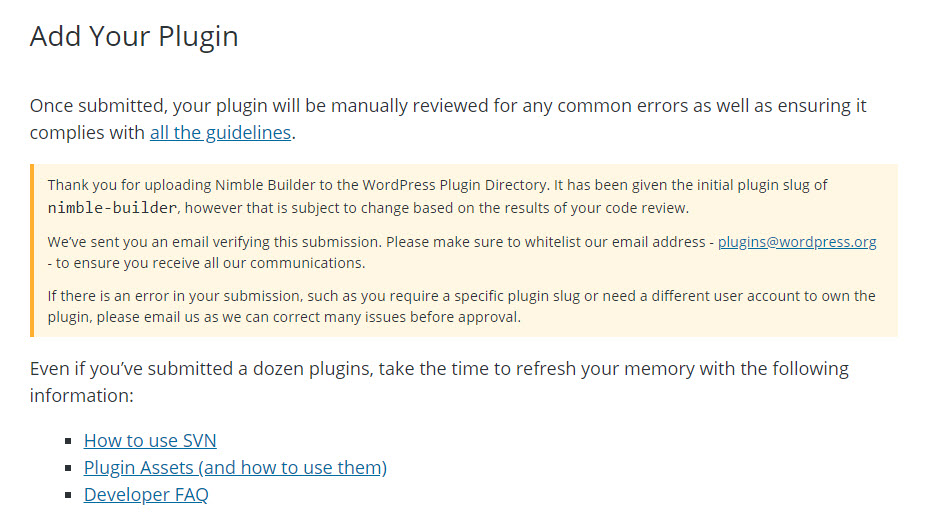
Status after submission
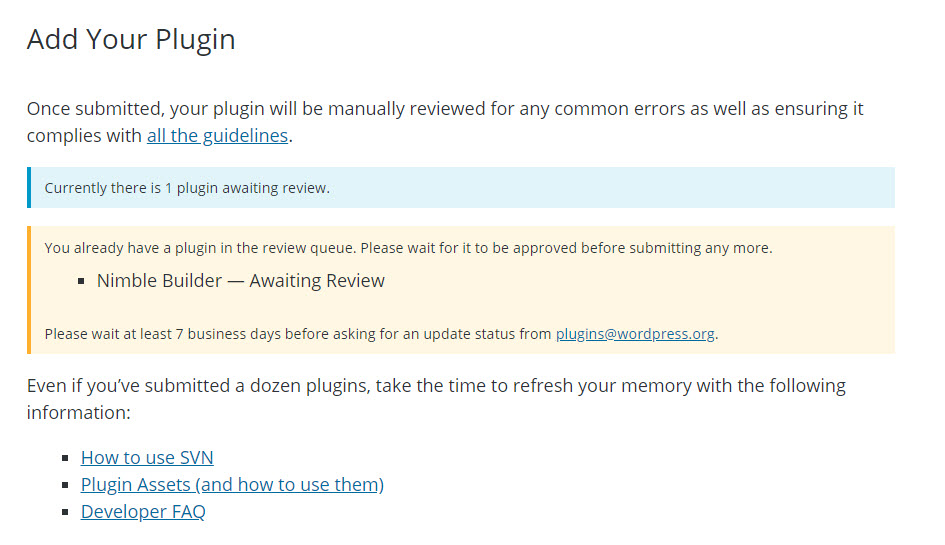
Submission message
Thank you for uploading Nimble Builder to the WordPress Plugin Directory. We will review your submission as soon as possible and send you a follow up email with the results.
Your plugin has been given the initial slug of nimble-builder, however this is subject to change based on the results of your review.
If there is a problem with this submission, such as an incorrect display name or slug, please reply to this email and let us know. In most cases, we can correct errors as long as the plugin has not yet been approved. Please do not submit your plugin multiple times in an attempt to correct the issue, just email us.
Remember to read the developer guidelines: https://developer.wordpress.org/plugins/wordpress-org/detailed-plugin-guidelines/
Please make sure to follow our official blog: https://make.wordpress.org/plugins/
--
The WordPress Plugin Directory Team
v1.0.0-beta-2
fixed : stop focusing on module picker control when clicking on an in…