Populating Q-Table from Array #12195


-
|
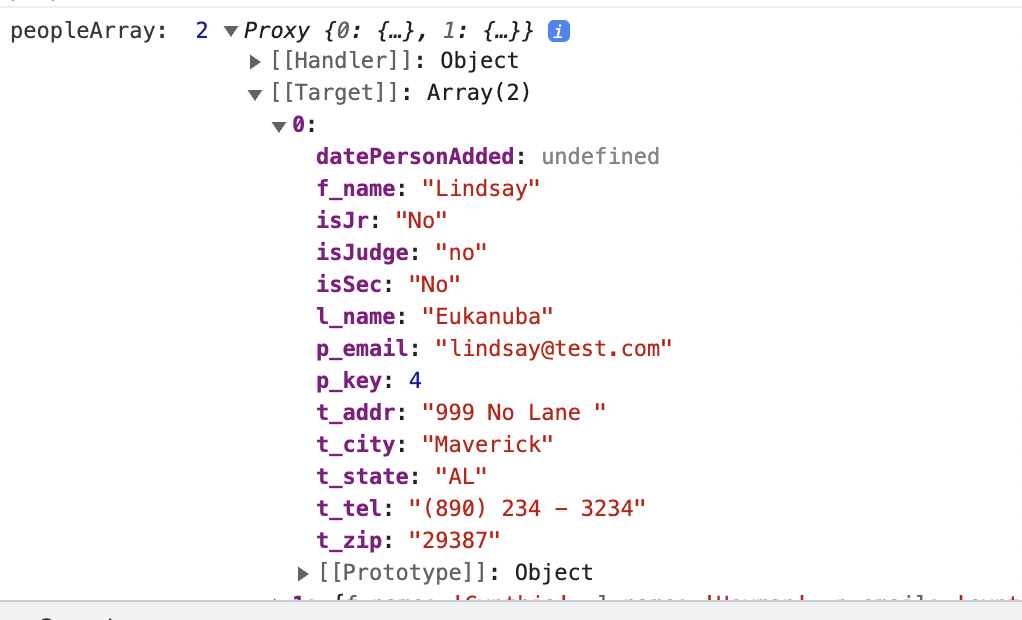
I do a database call where I pull my data from an IndexedDB table (via Dexie) and load it into an Array. That works fine. I'm totally stuck on how to load that data into a q-table. Here is my little q-table taken from the quasar table basic example. I have columns and rows defined in my data() section with test data. Of course the row information will change once I get it from the array instead of hard-coded in. I need to pull the value from my array to load the table. I do the database read and load the array from the created method so I'm assuming that the array is available immediately on page load. If I try to change the column That doesn't work. So I try to put the array bit into the row name: field like this: But I get an undefined error on that one.
I would greatly appreciate help! |
Beta Was this translation helpful? Give feedback.
Replies: 3 comments 5 replies

-
|
Set columns: [
{
name: 'firstName',
label: 'First Name',
field: row => row.f_name,
},
{
name: 'lastName',
label: 'Last Name',
field: row => row.l_name,
},
// ...
] |
Beta Was this translation helpful? Give feedback.

-
|
Thanks... but I tried that (as in my original post) like this: field: row => this.peopleArray.l_name and it doesn't work. Or am I not understanding right? |
Beta Was this translation helpful? Give feedback.
-
|
This still isn't working... |
Beta Was this translation helpful? Give feedback.

-
|
Your field is If you still can't fix it, please create a minimal reproduction repo so I can play with it. |
Beta Was this translation helpful? Give feedback.
-
|
I really appreciate your help. I dont know how to put it onto a codepen since I'm getting my data from a IndexedDB database. So do you mean something like this... and my code: |
Beta Was this translation helpful? Give feedback.
-
Beta Was this translation helpful? Give feedback.
-
|
Thank you so much! I copied your code, trimmed it down, and I finally have my table working! :) :) <3 |
Beta Was this translation helpful? Give feedback.
-
|
Here is what I did... I'm not sure it's completely right, but I am getting my data from the array just fine. :) and.. |
Beta Was this translation helpful? Give feedback.


https://codepen.io/milospaunovic/pen/WNXvbJZ?editors=1011