Quasar Browser Cache Issue #12967


-
|
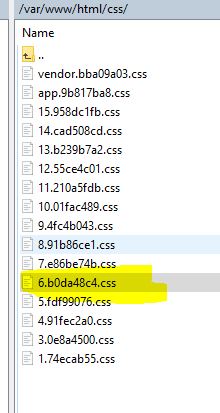
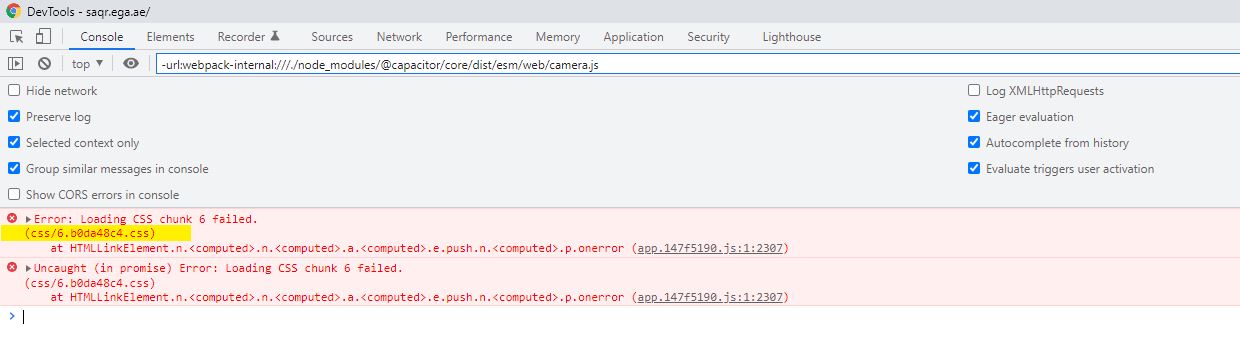
Dear Team, First of all thanks for a great framework. I am facing one minor issue please help me to fix this. I have developed an Microservice based enterprise web application by using Quasar (Deployed in Apache Server) & Springboot (Tomcat). When I deploy the frontend application after build it is working fine for some users, but updates are not reflecting for the remaining users it is working after clearing the cache. Also sometimes I am getting " chunk not found errors" but it works after cache clearance & refresh in the chrome browser. The file 6.b0da48c4.css is available in the server , but it was not getting loaded in browser. Please find screenshot below. Server File
Browser Error
Can you please help me to fix this browser cache & chuck issue, every deployment I will increase the package.json version still I am facing the issue. Expectation Whenever I deploy the application in production it should reflect for all users without any cache or chuck issue. |
Beta Was this translation helpful? Give feedback.
Replies: 2 comments 2 replies

-
|
Make sure that the index.html is also not cached. Otherwise it doesn't matter how well you configure the other assets (js, css, etc). |
Beta Was this translation helpful? Give feedback.

-
|
Thanks Razvan for your quick response . I am not configuring anything for cache , just I am building through npm build & deploying into the production (Apache Server) . Can you please guide / help me how to remove index.html from cache. |
Beta Was this translation helpful? Give feedback.

-
That's the problem: you have to configure your Apache Server to make sure the index.html of your Quasar deployment is not cached. How to: Explained why: |
Beta Was this translation helpful? Give feedback.
-
|
Thanks @ontwikkelfabriek dobbel , I will try today & let you know the result. |
Beta Was this translation helpful? Give feedback.


@jmriyaz84
That's the problem: you have to configure your Apache Server to make sure the index.html of your Quasar deployment is not cached.
How to:
https://stackoverflow.com/questions/22891965/how-to-disable-cache-of-apache
Explained why:
https://elelad.medium.com/avoid-cache-trap-when-serving-angular-app-c5981653d156