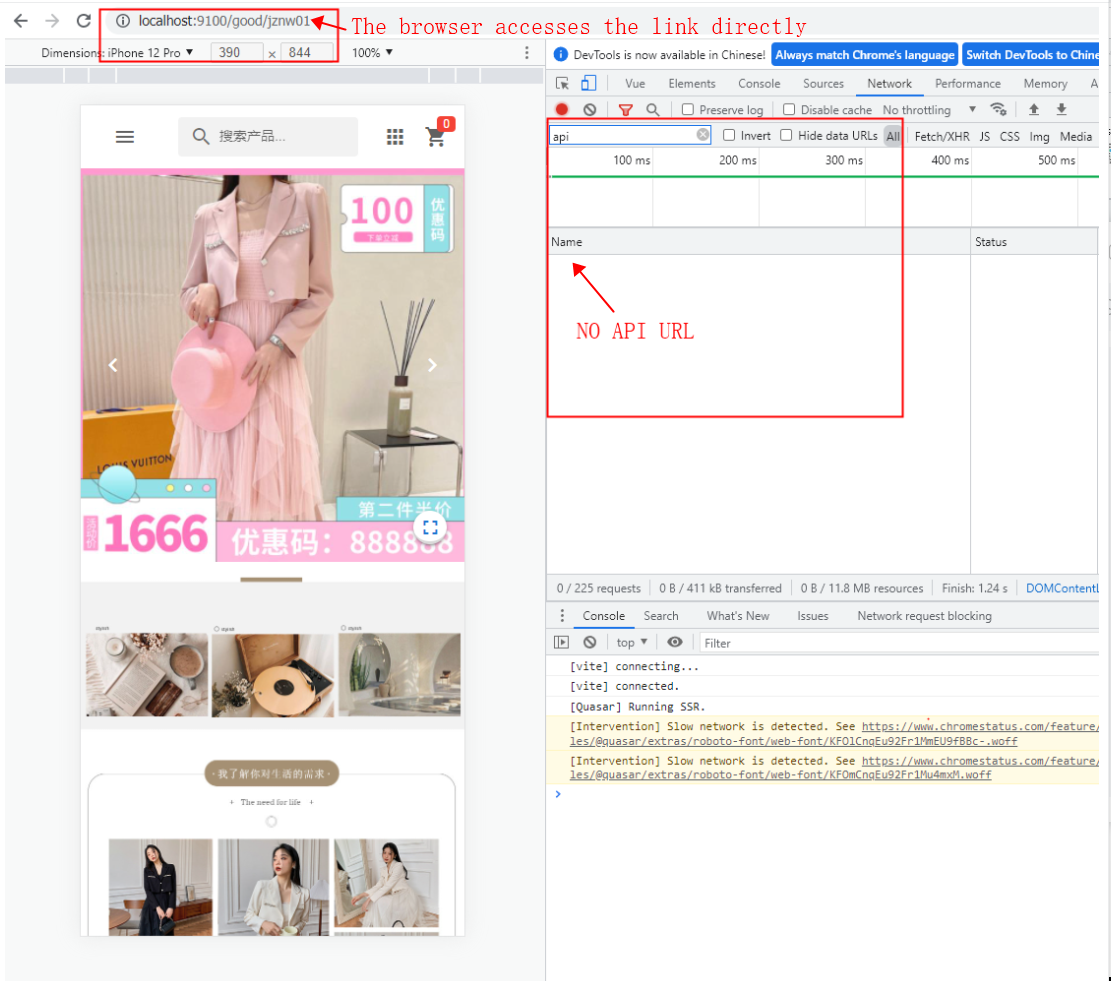
When I use the Prefetch hook to preload data, I find that there is no API network request when I access the link console directly from the browser. If I click the route to enter the sub-page of the console, there is no API network request when I click the route to jump to the rotor page. How can I solve this problem #13133


-
|
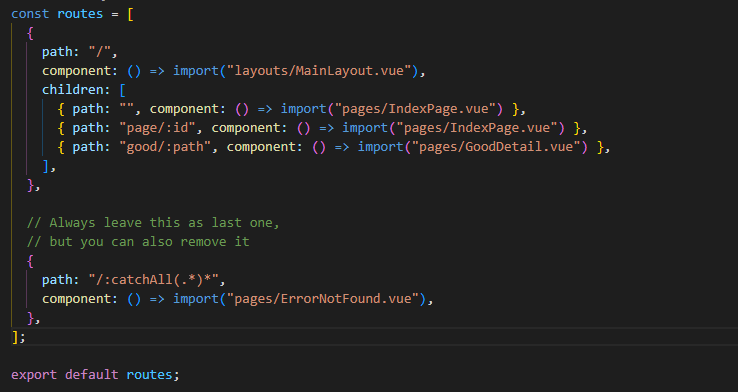
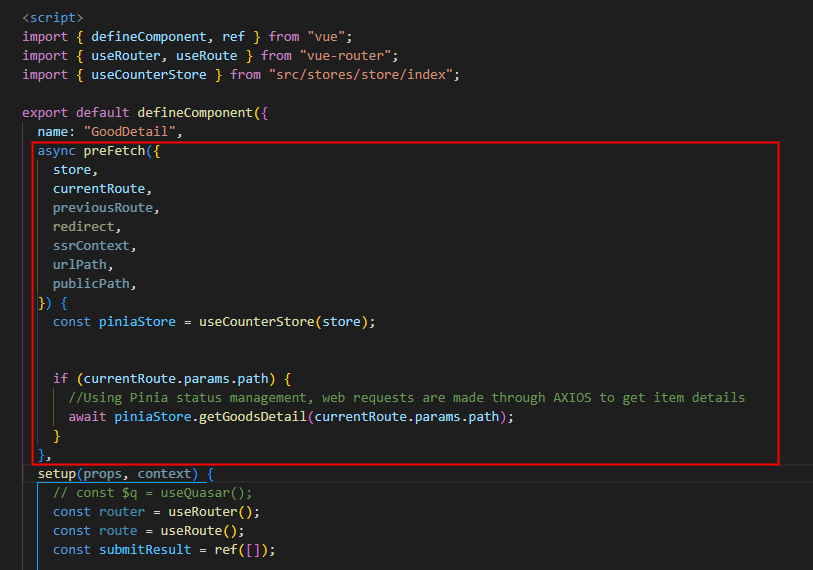
When I use the Prefetch hook to preload data, I find that there is no API network request when I access the link console directly from the browser. If I click the route to enter the sub-page of the console, there is no API network request when I click the route to jump to the rotor page. How can I solve this problem。 The desired result My router.js Prefetch code Console screenshot |

Beta Was this translation helpful? Give feedback.
Replies: 1 comment

-
|
Hi, When using SSR, the preFetch occurs on server and populates the page. Then, when client-side takes over, there is no need to fetch that data again, because it was populated from server-side (and hopefully you saved it on a store). Continuing on the client-side now, when you visit different pages then Quasar checks if those pages have preFetch and if so, executes them. From what I see in your routes.js screenshot, the rendering page doesn't change when you go from /good/A to /good/B, because it's the same route. What you need is a watcher on the route parameter to trigger the fetch. |
Beta Was this translation helpful? Give feedback.


Hi,
When using SSR, the preFetch occurs on server and populates the page. Then, when client-side takes over, there is no need to fetch that data again, because it was populated from server-side (and hopefully you saved it on a store).
Continuing on the client-side now, when you visit different pages then Quasar checks if those pages have preFetch and if so, executes them. From what I see in your routes.js screenshot, the rendering page doesn't change when you go from /good/A to /good/B, because it's the same route. What you need is a watcher on the route parameter to trigger the fetch.