Here is the user manual! Have fun!
| Commands | Usage |
|---|---|
todo [description] |
Adds todo task to the list |
deadline [description] /by[dd/MM/yyyy HHmm] |
Adds deadline task to the list |
event [description] /at[dd/MM/yyyy HHmm] |
Adds event task to the list |
list |
Lists all the tasks in chronological order |
done [taskNumber] |
Marks task at taskNumber as completed |
delete [taskNumber] |
Deletes task at taskNumber |
find [keyword] |
Finds task with relevant keyword |
bye |
Exits the application |
Adds todo task to the list
Example of usage:
todo complete homework
Expected outcome:
☺ Got it. I've added this task:
[T][ ] complete homework
Now you have 1 task in the list.
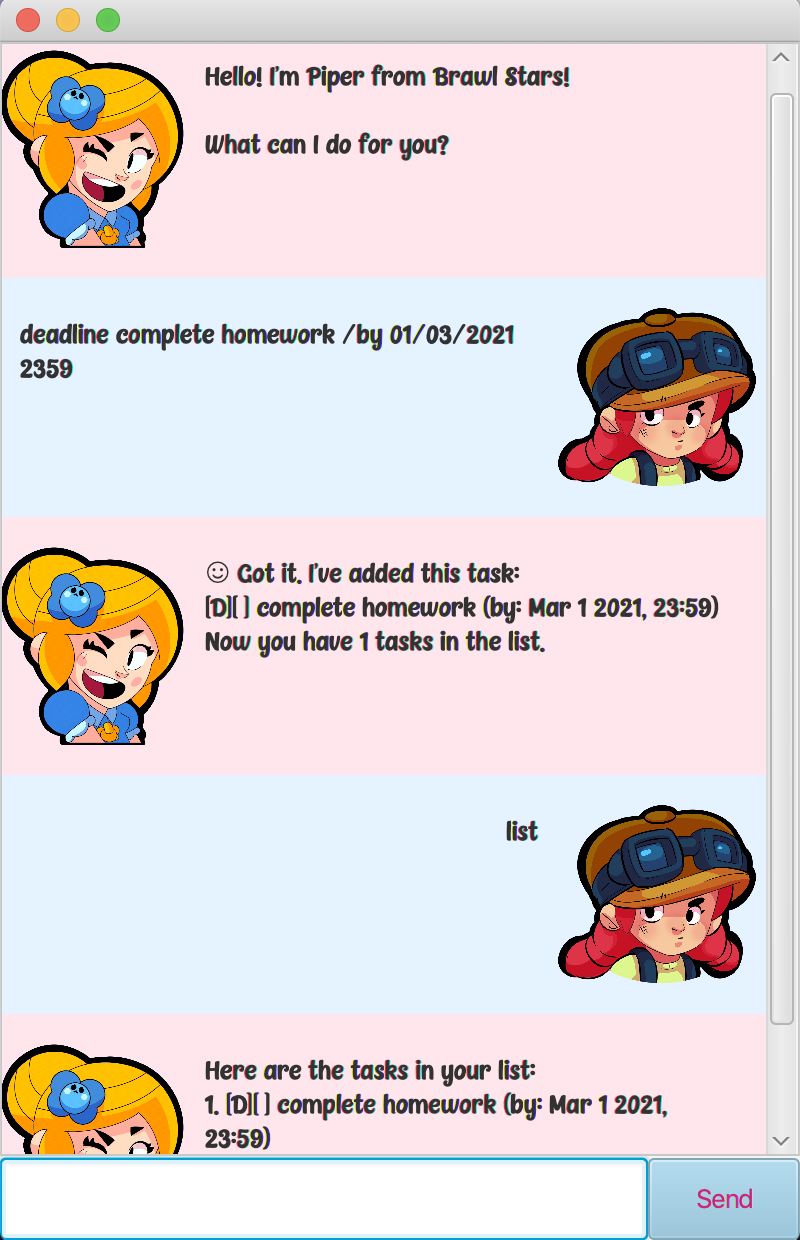
Adds deadline task to the list
Example of usage:
deadline complete assignment /by 01/03/2021 2359
Expected outcome:
☺ Got it. I've added this task:
[D][ ] complete assignment (by: Mar 1 2021, 23:59)
Now you have 2 tasks in the list.
Adds event task to the list
Example of usage:
event marathon /at 01/03/2021 0500
Expected outcome:
☺ Got it. I've added this task:
[E][ ] marathon (at: Mar 1 2021, 05:00)
Now you have 3 tasks in the list.
List all tasks in chronological order
Example of usage:
list
Expected outcome:
Here are the tasks in your list:
1. [E][ ] marathon (at: Mar 1 2021, 05:00)
2. [D][ ] complete assignment (by: Mar 1 2021, 23:59)
3. [T][ ] complete homework
Marks task at taskNumber in list as completed
Example of usage:
done 3
Expected outcome:
☺ Nice! I've marked this task as done
[T][✓] complete homework
Deletes task at taskNumber
Example of usage:
delete 3
Expected outcome:
☺ Noted. I've removed this task:
[T][✓] complete homework
Now you have 2 task in the list.
Find and shows tasks with relevant keyword
Example of usage:
find assignment
Expected outcome:
Here are the matching tasks in your list:
1. [D][ ] complete assignment (by: Mar 1 2021, 23:59)
Exits the application
Example of usage:
bye
Expected outcome:
Bye. Hope to see you again soon! ☺