







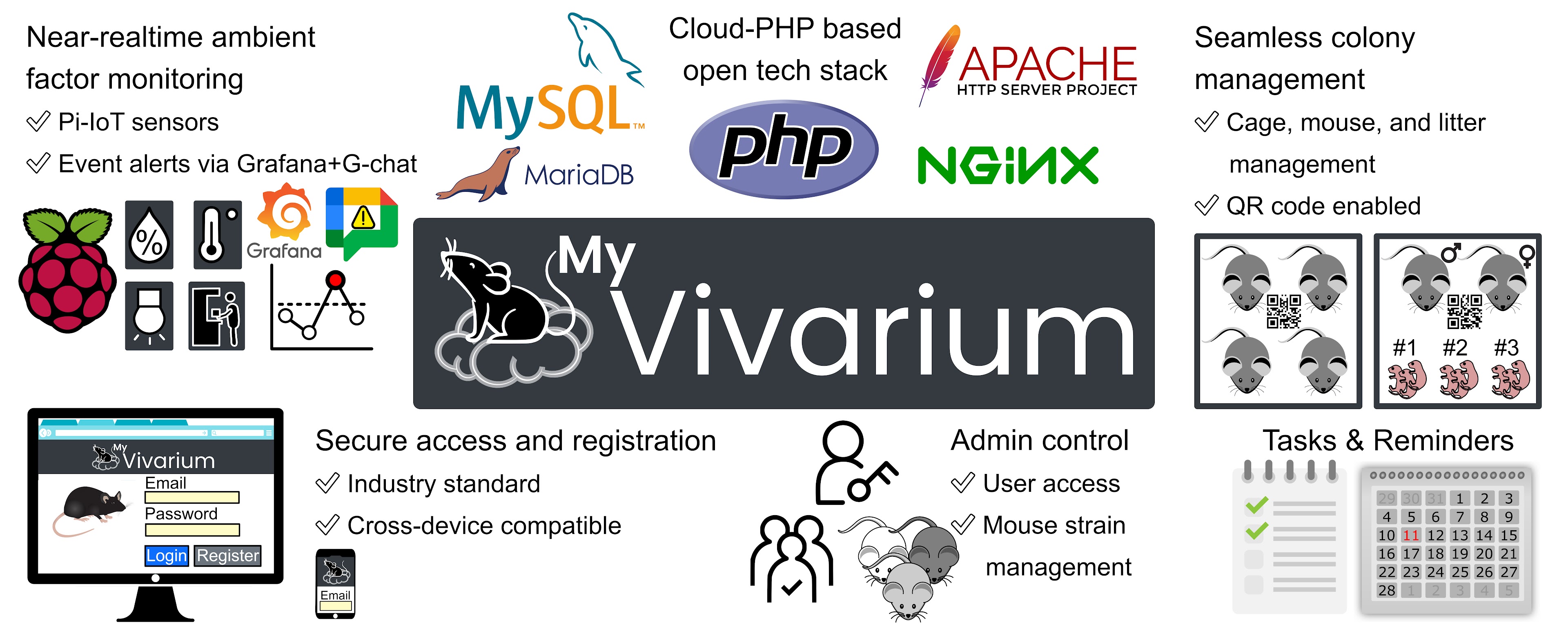
MyVivarium is an online platform designed to manage your vivarium effectively. It provides features such as user registration, profile management, lab management, task and reminder scheduling, calendar views, and real-time environmental monitoring with IoT sensors.
MyVivarium-2 is the enhanced version with improved security, new features, and a better user experience. It builds on the original MyVivarium v1 — the release described in the published paper (see Citations) — which remains available at myvivarium/MyVivarium and is preserved as the initial release. If you are upgrading from v1, see Migrating from v1.
- What's New in v2
- Features
- Screenshot
- Installation
- Migrating from v1
- Usage
- File Reference
- Citations
- Contributing
- License
A mouse is now a first-class record with stable identity that survives
cage moves and survives the cage itself. The holding table is gone;
mouse-level facts (strain, sex, DOB, genotype, ear code, parents) live
on the mouse, not the cage.
- Canonical
micetable —mouse_idis user-supplied, globally unique, and editable. Renaming a mouse cascades through every FK (parent links, cage history, breeding rows). - Cage move history — every cage assignment is logged in
mouse_cage_history(append-only, with timestamps + actor + reason). The current cage is just the row whose interval is still open. - Per-mouse lineage —
sire_id/dam_idare FKs intomiceitself, with optional*_external_reftext fallback for founder mice that came from outside the system, andsource_cage_labelto preserve V1's cage-level breadcrumb. - Status lifecycle —
alive/sacrificed/transferred_out/archived, replacing soft-delete columns. Sacrifice records the date and reason and closes the open history interval. - Admin hard delete — gated behind retype-confirmation, role check, and audit-log entry written before the delete so the trail survives.
- Mice dashboard + per-mouse view — searchable, filterable list at
mouse_dash.php, with amouse_view.phpshowing the cage history timeline, offspring, and status-aware action buttons (Move / Sacrifice / Edit / admin-Delete). - Inline "+ Add new cage" — when registering a mouse, the cage dropdown has an Add-new option that opens a modal, creates the cage server-side, and selects it in the parent form (Aaron's UX).
- Per-row Transfer button — every mouse row in a cage view has a Transfer action that opens the move modal pre-populated; the move POSTs to
mouse_move.phpwhich atomically closes the open interval, opens a new one, and updates the denormalized current-cage pointer. - Slim breeding cage —
breeding.male_id/female_idare FKs intomice. Per-parent DOB / genotype / parent-cage columns are dropped; that data is JOINed from the mouse entity at read time, so the source of truth is unambiguous. - V1 → V2 import — admin uploads a JSON file produced by V1's "Export for V2 Migration" admin page; the importer transforms V1 holding + mice + breeding parents into the V2 mouse model in a single transaction. Pre-flight aborts unless the V2 database is empty (or the admin explicitly checks "overwrite"). See database/README.md for SQL- and shell-based alternatives.
- Calendar View -- Interactive monthly calendar (FullCalendar v6) showing tasks and reminders with color-coded status, grid and list views, rich event details, and mobile-responsive layout
- Task Management -- Create, assign, and track tasks with status workflow (Pending, In Progress, Completed), due dates, cage association, and user assignment
- Reminder System -- Recurring reminders (daily, weekly, monthly) with automated email notifications via cron jobs, archive/restore workflow, and calendar integration
- Reminder Archiving -- Archive reminders instead of deleting, with restore and permanent delete options (matches cage archive pattern)
- Cage Archiving -- Soft-delete cages instead of permanent deletion, with restore capability
- Cage ID Editing -- Rename cage IDs with automatic propagation across all related tables
- Cage Duplication -- Clone an existing cage to quickly create a similar one (copies cage metadata: PI, room/rack, IACUC, users, remarks). Mice are independent entities in v2 and aren't auto-cloned — register them into the new cage as needed.
- Move Mouse Between Cages -- Transfer mice between any two cages (holding ↔ breeding) with full append-only history (
mouse_cage_history); the move is atomic and recorded with timestamp, actor, and reason. - Sticky Notes -- Per-cage sticky notes for quick annotations visible on cage view pages
- Configurable Pagination -- Choose 10, 20, 30, or 50 cages per page on dashboards
- Column Sorting -- Sort cage lists by cage ID in ascending or descending order
- Location Tracking -- Room and rack fields on all cage types
- Genotype Fields -- Track genotype on holding cages and male/female genotype on breeding cages
- Parent Cage Tracking -- Track male and female source/parent cage on breeding cages
- Flexible Cage Creation -- Only cage ID is required; all other fields are optional
- Custom Strains -- "None / Not Applicable" and "Custom" strain options with free-text input
- Vivarium Manager Role -- Dedicated role with maintenance notes oversight across all cages
- Activity/Audit Log -- Track who changed what and when (create, edit, archive, restore, delete, rename, transfer, role changes)
- Cage Lineage View -- Visual tree with searchable Select2 dropdown for cage selection
- Date Range Filters -- Filter maintenance notes by date range with From/To date inputs
- Dark Mode -- Full dark mode support across all pages using Bootstrap 5.3 CSS variables (preference saved in localStorage)
- PWA Support -- Progressive Web App with service worker for offline fallback, installable on mobile and desktop
- Dashboard Stats -- Home page shows active vs. archived cage counts
- Archive Workflow -- Intuitive Restore and Delete Forever buttons on archived cages with double confirmation for permanent deletion
- SQL injection fixes (prepared statements throughout)
- CSRF token validation on all state-changing operations
- XSS prevention with proper output encoding
- Session security hardening (HttpOnly, SameSite, 30-min timeout, ID regeneration)
- Security headers (X-Frame-Options, X-Content-Type-Options, Referrer-Policy, Permissions-Policy)
- Authentication checks on all API endpoints
- Removed deprecated
FILTER_SANITIZE_STRING(PHP 8.2+ compatible) - Fixed double-escaping bugs with
mysqli_real_escape_string+bind_param - CLI-only guard on
process_reminders.php - Standardized on Bootstrap 5.3.3 (removed all Bootstrap 4 conflicts)
- Responsive mobile-first design with card-based table layouts on small screens
- Hamburger menu for mobile navigation with dropdown sub-menus
- Calendar dropdown in nav with Calendar, Tasks, and Reminders sub-pages
- Replaced all hardcoded CSS colors with Bootstrap CSS variables for consistent dark mode
- Migrated from Bootstrap 4
.form-groupclass to Bootstrap 5mb-3utility - Button tooltips on dashboard action buttons (View, Tasks, Edit, Archive, Restore, Delete Forever)
- Tooltips properly initialize on dynamically loaded AJAX content
- Section cards with consistent styling across all view pages
- Consistent action button sizing across all tables
- Footer positioning fix (no longer overlaps content on long pages)
- Dark mode support for Select2 dropdowns, form controls, alerts, modals, and FullCalendar
- Fixed broken cage permission checks (now uses
cage_usersjunction table) - Fixed login error messages not displaying
- Fixed account lock time mismatch
- Prevented username enumeration on login
- Fixed premature
</body></html>in header.php - Added search debounce (300ms) to prevent excessive AJAX requests
- Fixed footer rendering in middle of page content (changed
height: 100%tomin-height: 100vh)
- User registration and login with email verification
- User profile management and password reset
- Admin functionalities for managing users and labs
- Vivarium Manager role for maintenance oversight
- Interactive calendar with task and reminder visualization
- Task management with status tracking and cage association
- Recurring reminders with email notifications and archive support
- Cage archiving with restore and permanent delete options
- Cage duplication (clone cage metadata for quick cage creation)
- First-class mouse records: lineage (sire/dam), cage move history, sacrifice/archive lifecycle
- Mouse transfer between any cages with audit trail
- Cage lineage view (derived from per-mouse sire/dam in v2)
- Sticky notes per cage for quick annotations
- Activity/audit log with search, date range, and entity filters
- Configurable pagination and sorting on cage dashboards
- Date range filters on maintenance notes
- Location tracking (room/rack) and genotype fields
- Dark mode with localStorage persistence
- Progressive Web App (PWA) with offline support
- Real-time environmental monitoring using IoT sensors (RPi-IoT Repository)
- Secure and compliant data management

-
Sign up for a DigitalOcean account using the referral link above to get your credits.
-
Create a PHPMyAdmin Droplet:
- Deploy DigitalOcean's PHPMyAdmin Droplet (1-click setup: PHPMyAdmin, MySQL, Apache, PHP, Certbot).
- Choose your Region and Datacenter.
- Select Basic plan with Regular (1 GB / 1 CPU).
- Set up SSH Key or password access.
- Click Create Droplet.
-
Access the Droplet:
- Use the console in the DigitalOcean dashboard.
- If you have a domain, point an A record to the droplet's IPv4 address.
-
Download and run the installation script:
curl -O https://raw.githubusercontent.com/robinson-vidva/MyVivarium-2/main/setup/setup.sh
chmod +x setup.sh
sudo ./setup.sh
-
Follow the prompts to configure email, domain, database password, and SMTP settings.
MyVivarium is a standard PHP + MySQL application, so it runs on any Linux distribution that can provide a web server, PHP, and MySQL/MariaDB. The steps below are distribution-agnostic; only the package-install command and a couple of default names (the web-server user and document root) differ between distributions — those differences are called out inline.
- PHP 8.1+ with the
mysqli,mbstring,openssl,curl, andjsonextensions - MySQL 8.0+ or MariaDB 10.5+
- A web server: Apache 2.4+ (with
mod_phpor PHP-FPM) or Nginx + PHP-FPM - Composer (PHP dependency manager)
- git and cron (most distros ship cron as
cronorcronie)
Debian / Ubuntu (and derivatives: Mint, Pop!_OS, Raspberry Pi OS)
sudo apt update
sudo apt install -y apache2 mariadb-server php php-cli php-mysqli \
    php-mbstring php-curl php-xml libapache2-mod-php composer git cron
RHEL / CentOS Stream / Rocky / AlmaLinux / Fedora
# RHEL family uses dnf (yum on older releases)
sudo dnf install -y httpd mariadb-server php php-cli php-mysqlnd \
    php-mbstring php-curl php-xml php-json composer git cronie
sudo systemctl enable --now httpd mariadb crond
Arch Linux / Manjaro
sudo pacman -Syu --needed apache mariadb php php-apache \
    composer git cronie
# Initialize MariaDB's data directory on first install:
sudo mariadb-install-db --user=mysql --basedir=/usr --datadir=/var/lib/mysql
sudo systemctl enable --now httpd mariadb cronie
openSUSE
sudo zypper install -y apache2 mariadb php8 php8-cli php8-mysql \
    php8-mbstring php8-curl php8-openssl apache2-mod_php8 composer git cron
sudo systemctl enable --now apache2 mariadb cron
Web-server user and document root vary by distribution. Use the right values for yours in the ownership and virtual-host steps below:
Distribution family Web-server user:group Default document root Debian / Ubuntu www-data:www-data/var/www/htmlRHEL / Fedora / Rocky / Alma apache:apache/var/www/htmlArch / Manjaro http:http/srv/httpopenSUSE wwwrun:www/srv/www/htdocsThe rest of this guide uses
www-dataand/var/www/htmlas examples — substitute your distribution's values. You can confirm the web-server user withps aux | grep -E 'apache|httpd|php-fpm'.
git clone https://github.com/robinson-vidva/MyVivarium-2.git
cd MyVivarium-2cp .env.example .envEdit .env with your database and SMTP settings (see Configuration).
composer install# Use your distribution's document root from the table above.
sudo cp -r . /var/www/html/# Secure the database server on a fresh install (sets the root password, etc.):
sudo mysql_secure_installation
# Create the empty database (the installer doesn't CREATE DATABASE itself):
sudo mysql -e "CREATE DATABASE myvivarium;"
# Apply the schema using the installer (reads .env, reports each table created):
php /var/www/html/database/install.phpNeed to wipe a dev database and re-apply? php database/install.php --reset drops every table, then re-installs. Lost the seeded admin password? php database/reset_admin.php --email=you@lab.org --password='...'.
# Substitute your distribution's web-server user:group and document root.
sudo chown -R www-data:www-data /var/www/html
sudo chmod -R 755 /var/www/htmlMyVivarium sends queued emails and processes reminders from two CLI scripts that should run every minute. Install them under the web-server user so they share the same file permissions:
sudo crontab -u www-data -eAdd (adjust the PHP path — which php — and document root for your system):
* * * * * /usr/bin/php /var/www/html/send_email.php > /dev/null 2>&1
* * * * * /usr/bin/php /var/www/html/process_reminders.php > /dev/null 2>&1
Apache — enable URL rewriting and point a virtual host at the document root:
# Debian/Ubuntu: sudo a2enmod rewrite && sudo systemctl reload apache2
# RHEL/Fedora:   mod_rewrite ships enabled; sudo systemctl reload httpd
Ensure the <Directory> for your document root has AllowOverride All so the
app's settings take effect, then reload the service.
Nginx + PHP-FPM — use a server block like:
server {
    listen 80;
    server_name yourdomain.com;
    root /var/www/html;
    index index.php;

    location / {
        try_files $uri $uri/ /index.php?$query_string;
    }
    location ~ \.php$ {
        include fastcgi_params;
        fastcgi_pass unix:/run/php/php-fpm.sock;  # path varies by distro
        fastcgi_param SCRIPT_FILENAME $document_root$fastcgi_script_name;
    }
}Use Certbot to obtain a free Let's Encrypt
certificate (certbot --apache or certbot --nginx). Keep
SESSION_COOKIE_SECURE=true (the default) once HTTPS is in place.
Want this automated? On a Debian/Ubuntu host the
setup/setup.shscript performs steps 2–10 (packages, database, Apache vhost, SSL, and cron) for you:curl -O https://raw.githubusercontent.com/robinson-vidva/MyVivarium-2/main/setup/setup.sh chmod +x setup.sh sudo ./setup.shIt assumes
aptand thewww-datauser, so use the manual steps above on non-Debian distributions.
DB_HOST=localhost
DB_USERNAME=username
DB_PASSWORD=password
DB_DATABASE=myvivariumSMTP_HOST=smtp.example.com
SMTP_PORT=587
SMTP_USERNAME=username
SMTP_PASSWORD=password
SMTP_ENCRYPTION=tls
SENDER_EMAIL=sender@example.com
SENDER_NAME=MyVivarium# Encryption key for stored AI-provider and SMTP secrets (AES-256-CBC).
# Must be 64 hex characters (32 bytes). Generate one with:
# php -r "echo bin2hex(random_bytes(32)), PHP_EOL;"
# If omitted, a key is auto-generated and written to .env the first time an
# admin opens the AI Configuration page. Set a stable value before saving any
# provider keys or SMTP credentials, or you won't be able to decrypt them later.
AI_SETTINGS_ENCRYPTION_KEY=
# Set to false only for local HTTP development so session cookies aren't
# restricted to HTTPS (defaults to true).
SESSION_COOKIE_SECURE=trueSee database/README.md for more on the AI/email encryption key.
V2 is a greenfield rewrite — it doesn't upgrade an existing v1 database
in place. To bring v1 production data over, see database/README.md.
The summary: v1 produces a JSON export (or mysqldump), v2 admin uploads
it through Administration → Import from Previous Version, the system
transforms it into the v2 mouse-as-entity model in a single transaction.

- Access the application at
http://yourdomain.com - Register a new user or log in with existing credentials.
- Manage your lab, users, and monitor environmental conditions in real-time.
- Email:
admin@myvivarium.online - Password:
P@ssw0rd
Important: Delete this default admin user and create a new admin after initial setup.
| Role | Permissions |
|---|---|
| Admin | Full access: manage users, IACUC, strains, labs, export data, all cage operations |
| Vivarium Manager | View/add/edit/delete maintenance notes across all cages, standard cage operations |
| User | Standard cage operations on assigned cages only |
| File | Description |
|---|---|
dbcon.php |
Database connection using environment variables |
config.php |
SMTP configuration loader (PHPMailer + Dotenv) |
session_config.php |
Secure session settings (HttpOnly, HTTPS, SameSite, 30-min timeout) |
header.php |
Navigation header with dark mode toggle and responsive mobile menu |
footer.php |
Footer with dynamic lab name and copyright year |
message.php |
Session message display helper |
log_activity.php |
Helper function for recording audit trail entries |
| File | Description |
|---|---|
index.php |
Login page with brute-force protection |
register.php |
User registration with email verification |
forgot_password.php |
Password reset email sender |
reset_password.php |
Password reset form handler |
confirm_email.php |
Email verification handler |
logout.php |
Session destruction |
| File | Description |
|---|---|
home.php |
Home page with active/archived cage stats and quick links |
user_profile.php |
User profile management |
| File | Description |
|---|---|
manage_users.php |
User management (roles: admin, vivarium_manager, user) |
manage_lab.php |
Lab settings (name, logo) |
manage_strain.php |
Strain management (JAX IDs, RRID, aliases) |
manage_iacuc.php |
IACUC protocol management with file uploads |
export_data.php |
CSV export of all database tables |
admin_import.php |
Import data from a previous version's JSON export (transforms V1 holding+mice+breeding into V2 mouse entities in a single transaction) |
| File | Description |
|---|---|
mouse_dash.php |
Dashboard listing every mouse, with status / sex / cage filters and toggleable optional columns |
mouse_fetch_data.php |
AJAX endpoint: paginated list, parent-picker search, inline cage create |
mouse_addn.php |
Register a new mouse; cage dropdown has an inline "+ Add new cage" modal |
mouse_view.php |
Detail page with cage history timeline, offspring, status-aware action buttons |
mouse_edit.php |
Edit mouse fields including cage-source breadcrumb; rename cascades through every FK |
mouse_move.php |
Atomic cage move handler — closes the open history interval, opens a new one |
mouse_sacrifice.php |
Mark sacrificed; closes history interval, sets status, records reason |
mouse_drop.php |
Admin-only hard delete with retype-confirmation and audit log |
| File | Description |
|---|---|
hc_dash.php |
Dashboard with pagination, sort, search, archive toggle |
hc_fetch_data.php |
AJAX data fetch with dynamic limit/sort/filter |
hc_addn.php |
Add cage (room, rack, genotype, custom strain) |
hc_view.php |
View cage details with notes, files, mice, maintenance log |
hc_edit.php |
Edit cage (includes cage ID rename with propagation) |
hc_drop.php |
Archive/restore/permanent delete with permission checks |
| File | Description |
|---|---|
bc_dash.php |
Dashboard with pagination, sort, search, archive toggle |
bc_fetch_data.php |
AJAX data fetch with dynamic limit/sort/filter |
bc_addn.php |
Add cage (room, rack, genotypes, parent cages, custom strain) |
bc_view.php |
View cage details with litters, files, maintenance log |
bc_edit.php |
Edit cage (includes cage ID rename with propagation) |
bc_drop.php |
Archive/restore/permanent delete with permission checks |
| File | Description |
|---|---|
calendar.php |
Interactive calendar (FullCalendar v6) with grid and list views |
calendar_events.php |
AJAX JSON endpoint for calendar event data |
manage_tasks.php |
Task management (add/edit/delete with status tracking) |
get_task.php |
Retrieve task details (AJAX endpoint) |
manage_reminder.php |
Reminder management with archive/restore/permanent delete |
get_reminder.php |
Retrieve reminder details (AJAX endpoint) |
process_reminders.php |
Process scheduled reminders and create tasks (cron job, CLI only) |
send_email.php |
Send queued emails from outbox (cron job) |
| File | Description |
|---|---|
vivarium_manager_notes.php |
Maintenance notes CRUD with search, date range filter, pagination, print |
maintenance.php |
Add maintenance records from cage view pages |
activity_log.php |
Activity/audit log viewer with search, date range, entity type filter |
cage_lineage.php |
Cage lineage view, derived from per-mouse sire/dam in v2 |
| File | Description |
|---|---|
nt_app.php |
Sticky notes application (embedded in cage views) |
nt_add.php |
Add a new sticky note |
nt_edit.php |
Edit an existing sticky note |
nt_rmv.php |
Remove a sticky note |
| File | Description |
|---|---|
slct_crd.php |
Card-printing selector — picks any mix of holding + breeding cages and opens prnt_crd.php in a new tab |
prnt_crd.php |
Renders printable cage cards (a 2×2 letter-landscape sheet); pulls cage metadata + currently-resident mice for holding cages and JOINs parent details from the mice table for breeding cages |
| File | Description |
|---|---|
iot_sensors.php |
IoT sensor data display (temperature, humidity, light) |
delete_file.php |
File attachment deletion handler |
sw.js |
Service worker for PWA offline support and caching |
manifest.json |
PWA manifest (app name, icons, theme) |
| File | Description |
|---|---|
database/schema.sql |
Canonical, complete v2 schema (31 tables: core + REST API + AI chatbot, mouse-as-entity model) |
database/install.php |
CLI installer: applies schema.sql to the DB configured in .env. --reset drops existing tables first |
database/reset_admin.php |
CLI helper to create or reset an admin user with a known email/password |
database/api_setup.php |
Idempotent upgrader that adds the API/AI tables to an older v2 DB (no-op on a fresh install) |
database/README.md |
Schema and V1-import documentation |
database/erd.png |
Entity-Relationship Diagram (stale — pending regeneration) |
| File | Description |
|---|---|
setup/setup.sh |
Automated deployment script (Apache, MySQL, SSL, cron) |
.env.example |
Environment variables template (database + SMTP) |
composer.json |
PHP dependencies (PHPMailer, Dotenv) |
- Email:
admin@myvivarium.online - Password:
P@ssw0rd
Disclaimer: This is a demo site for exploring features. All data will be cleared periodically. Do not enter sensitive information.
If you use this code, please cite the peer-reviewed paper:
Vidva, R., Raza, M. A., Prabhakaran, J., Sheikh, A., Sharp, A., Ott, H., Moore, A., Fleisher, C., Netherton, H., Goldstein, E., Pitychoutis, P. M., Nguyen, T. V., & Sathyanesan, A. (2025). MyVivarium: A cloud-based lab animal colony management application with realtime ambient sensing. Computational and Structural Biotechnology Journal, 27, 612–623. https://doi.org/10.1016/j.csbj.2025.01.025
@article{Vidva2025MyVivarium,
	author  = {Vidva, Robinson and Raza, Mir Abbas and Prabhakaran, Jaswant and Sheikh, Ayesha and Sharp, Alaina and Ott, Hayden and Moore, Amelia and Fleisher, Christopher and Netherton, Hailey and Goldstein, Evan and Pitychoutis, Pothitos M. and Nguyen, Tam V. and Sathyanesan, Aaron},
	title   = {MyVivarium: A cloud-based lab animal colony management application with realtime ambient sensing},
	journal = {Computational and Structural Biotechnology Journal},
	year    = {2025},
	volume  = {27},
	pages   = {612--623},
	doi     = {10.1016/j.csbj.2025.01.025},
	url     = {https://doi.org/10.1016/j.csbj.2025.01.025}
}Regression tests, the test plan, and historical regression reports live in a companion repository: MyVivarium-2-tests.
That repo contains:
- A Docker-based test environment (PHP/MySQL)
- A Playwright regression suite
- A 300+ row test plan tracking coverage
- A synthetic dataset for fast realistic testing
- Public regression reports snapshotted on every run
Contributors are encouraged to run the regression suite locally before submitting PRs.
We welcome contributions to improve MyVivarium. Please follow these steps:
- Fork the repository.
- Create a new branch:
git checkout -b feature/your-feature-name - Commit your changes:
git commit -m 'Add some feature' - Push to the branch:
git push origin feature/your-feature-name - Open a pull request.
This project is licensed under the LGPL License - see the LICENSE file for details.