Request
Please, add one-pressing Tab, not two-pressing Tab for Directory listing.
Justification
Now if exist 2 or many files, when may be a completed, after first press Tab I saw Complete, but no unique in Status Bar and I need press Tab again.

I do not understand, why must press Tab 2 times. One-time press saves time for users.
Extended behavior
Ctrl+Shift+P → iOpener: Find File → I press first letters of name file of folder → I press Tab → if completed files more than one I still get Quick Panel, when I can select file or folder.
Even better, if you will make autocomplete. Ctrl+Shift+P → iOpener: Find File → I press first letters of name file of folder → Quick Panel is open automatically.
Examples in other applications
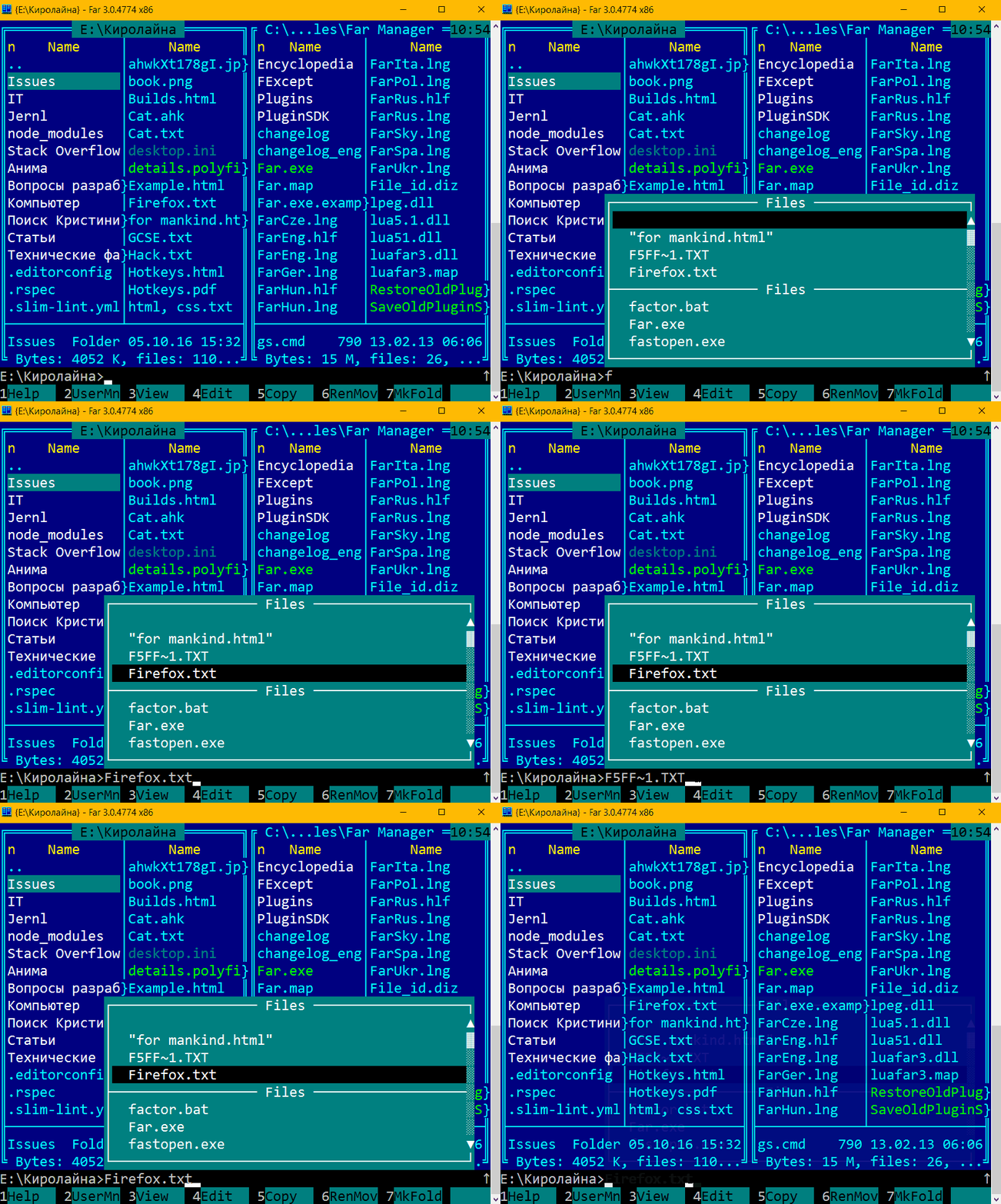
Far Manager autocomplete file/folder:
Thanks.
Request
Please, add one-pressing Tab, not two-pressing Tab for Directory listing.
Justification
Now if exist 2 or many files, when may be a completed, after first press Tab I saw
Complete, but no uniquein Status Bar and I need press Tab again.I do not understand, why must press Tab 2 times. One-time press saves time for users.
Extended behavior
Ctrl+Shift+P →
iOpener: Find File→ I press first letters of name file of folder → I press Tab → if completed files more than one I still get Quick Panel, when I can select file or folder.Even better, if you will make autocomplete. Ctrl+Shift+P →
iOpener: Find File→ I press first letters of name file of folder → Quick Panel is open automatically.Examples in other applications
Far Manager autocomplete file/folder:
Thanks.