Trying to play a video with plyr, nextjs but got AbortError: The play() request was interrupted by a call to pause() if the source video is video/mp4; codecs="avc1.640020,mp4a.40.2"
If the source video is video/webm; codecs=\"vp9,opus\", the Chrome will play the video normally, so I don't think there is an issue in my code.
"use client";

import {
  useEffect,
  useRef,
  useState,
  useCallback,
} from "react";
import { Loader2, AlertCircle, Lock } from "lucide-react";
import { Button } from "@/components/ui/button";

interface R2VideoPlayerProps {
  detailId: number;
  autoPlay?: boolean;
  className?: string;
}

type PlayerState =
  | { status: "idle" }
  | { status: "loading" }
  | { status: "playing" }
  | { status: "error"; message: string }
  | { status: "devtools" };

export function R2VideoPlayer({
  detailId,
  autoPlay = false,
  className,
}: R2VideoPlayerProps) {
  const videoRef = useRef<HTMLVideoElement>(null);
  const mediaSourceRef = useRef<MediaSource | null>(null);
  // eslint-disable-next-line @typescript-eslint/no-explicit-any
  const plyrRef = useRef<any>(null);
  const [state, setState] = useState<PlayerState>({ status: "idle" });

  // ── Plyr initialisation ────────────────────────────────────────────────────

  useEffect(() => {
    const video = videoRef.current;
    if (!video) return;

    // Dynamic import: Plyr reads `document` at module load, which crashes SSR.
    let destroyed = false;
    void (async () => {
      const [{ default: Plyr }] = await Promise.all([
        import("plyr"),
        import("plyr/dist/plyr.css"),
      ]);
      if (destroyed) return;

      const player = new Plyr(video, {
        controls: [
          "play",
          "progress",
          "current-time",
          "duration",
          "mute",
          "volume",
          "settings",
          "fullscreen",
        ],
        settings: ["speed"],
        speed: { selected: 1, options: [0.5, 0.75, 1, 1.25, 1.5, 2] },
        clickToPlay: false,
        disableContextMenu: true,
        keyboard: { focused: true, global: false },
        tooltips: { controls: true, seek: true },
        i18n: {
          speed: "Tốc độ",
          normal: "Bình thường",
          quality: "Chất lượng",
          loop: { start: "Bắt đầu", end: "Kết thúc", all: "Tất cả", reset: "Đặt lại", none: "Không" },
        },
      });
      plyrRef.current = player;
    })();

    return () => {
      destroyed = true;
      if (plyrRef.current) {
        plyrRef.current.destroy();
        plyrRef.current = null;
      }
    };
  }, []);


  const startPlayback = useCallback(async () => {
    const video = videoRef.current;
    if (!video) return;

    const ms = new MediaSource();
    mediaSourceRef.current = ms;
    video.src = URL.createObjectURL(ms);

    ms.addEventListener("sourceopen", async () => {
      try {
        // const sb = ms.addSourceBuffer("video/mp4; codecs=\"avc1.640020,mp4a.40.2\"");
        const sb = ms.addSourceBuffer("video/webm; codecs=\"vp9,opus\"");

        // const res = await fetch('https://lean-flow-local.845a4a2082ef9d67ee80ac430ccc7643.r2.cloudflarestorage.com/videos/detail-1/ec256bdf-87ab-49ff-90ed-b4ffc146c596.mp4?X-Amz-Algorithm=AWS4-HMAC-SHA256&X-Amz-Content-Sha256=UNSIGNED-PAYLOAD&X-Amz-Credential=090065969346c85bb318d043243065c7%2F20260516%2Fauto%2Fs3%2Faws4_request&X-Amz-Date=20260516T082140Z&X-Amz-Expires=604799&X-Amz-Signature=a8a4957ad30b1848fbc7853ca2740b50a955dbaff0cc69012f755487e473496f&X-Amz-SignedHeaders=host&x-amz-checksum-mode=ENABLED&x-id=GetObject');
        const res = await fetch('https://raw.githubusercontent.com/chromium/chromium/b4b3566f27d2814fbba1b115639eb7801dd691cf/media/test/data/bear-vp9-opus.webm');
        if (!res.ok) throw new Error(`R2 fetch failed: HTTP ${res.status}`);

        const a = await res.arrayBuffer()
        sb.appendBuffer(a)
        setTimeout(() => ms.endOfStream(), 50000)

        setState({ status: "playing" });
        if (true) video.play().catch((e) => {console.error(e)});
      } catch (err) {
        console.error(err);
        if (ms.readyState === "open") ms.endOfStream("decode");
        setState({ status: "error", message: (err as Error).message });
      }
    });

    ms.addEventListener("sourceclose", () => {
      URL.revokeObjectURL(video.src);
    });
  }, [detailId, autoPlay]);

  // Cleanup on unmount
  useEffect(() => {
    return () => {
      if (mediaSourceRef.current?.readyState === "open") {
        mediaSourceRef.current.endOfStream();
      }
    };
  }, []);

  // ── Render ──────────────────────────────────────────────────────────────────

  return (
    <div
      className={`relative aspect-video overflow-hidden rounded-xl bg-black ${className ?? ""}`}
      onContextMenu={(e) => e.preventDefault()}
    >
      {/* Idle screen */}
      {state.status === "idle" && (
        <div className="absolute inset-0 z-20 flex flex-col items-center justify-center gap-3">
          <Button onClick={startPlayback} size="lg" className="rounded-full">
            ▶ Phát video
          </Button>
        </div>
      )}

      {/* Loading overlay */}
      {state.status === "loading" && (
        <div className="absolute inset-0 z-20 flex items-center justify-center bg-black/80">
          <Loader2 className="size-10 animate-spin text-white" />
        </div>
      )}

      {/* Error overlay */}
      {state.status === "error" && (
        <div className="absolute inset-0 z-20 flex flex-col items-center justify-center gap-3 bg-black/90 p-4 text-center">
          <AlertCircle className="size-8 text-destructive" />
          <p className="text-sm text-white">{state.message}</p>
          <Button
            size="sm"
            variant="outline"
            onClick={() => setState({ status: "idle" })}
          >
            Thử lại
          </Button>
        </div>
      )}

      {/* DevTools warning overlay */}
      {state.status === "devtools" && (
        <div className="absolute inset-0 z-50 flex flex-col items-center justify-center gap-3 bg-black/95 p-6 text-center">
          <Lock className="size-10 text-amber-400" />
          <p className="text-base font-semibold text-white">
            Vui lòng đóng DevTools để tiếp tục xem
          </p>
          <p className="text-xs text-white/60">
            Video được bảo vệ bản quyền. Không được ghi lại trái phép.
          </p>
          <Button
            size="sm"
            onClick={() => setState({ status: "idle" })}
            className="mt-2"
          >
            Tiếp tục
          </Button>
        </div>
      )}

      {/* Isolation wrapper: Plyr restructures the DOM inside this div.
          React only tracks this wrapper div as a child — never the <video>
          directly — so React's insertBefore calls never reference a node
          that Plyr has moved, preventing the "Child is not a child of this
          node" error when overlay state changes trigger re-renders. */}
      <div className="absolute inset-0">
        <video
          ref={videoRef}
          className="h-full w-full"
          controlsList="nodownload"
          disablePictureInPicture
          playsInline
        />
      </div>
    </div>
  );
}
Please note that I have const sb = ms.addSourceBuffer("video/webm; codecs=\"vp9,opus\""); and const res = await fetch('https://raw.github.../bear-vp9-opus.webm'); to play a webm video. The code DOES WORK with a minor issue: The video action bar (to play/pause/seek etc) gone (please see 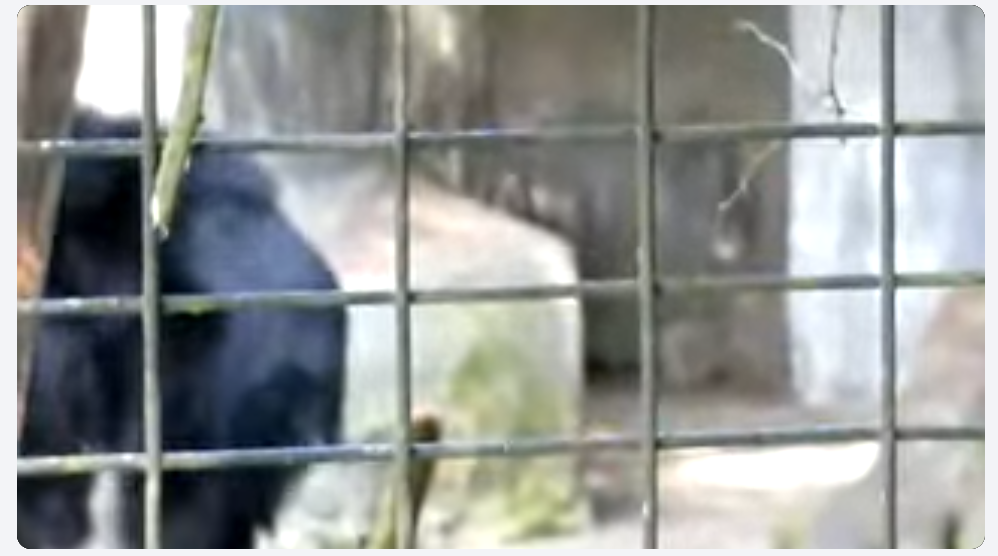 ), if I double left-click to the video to enter fullscreen mode, the action bar appear (pleasse see
 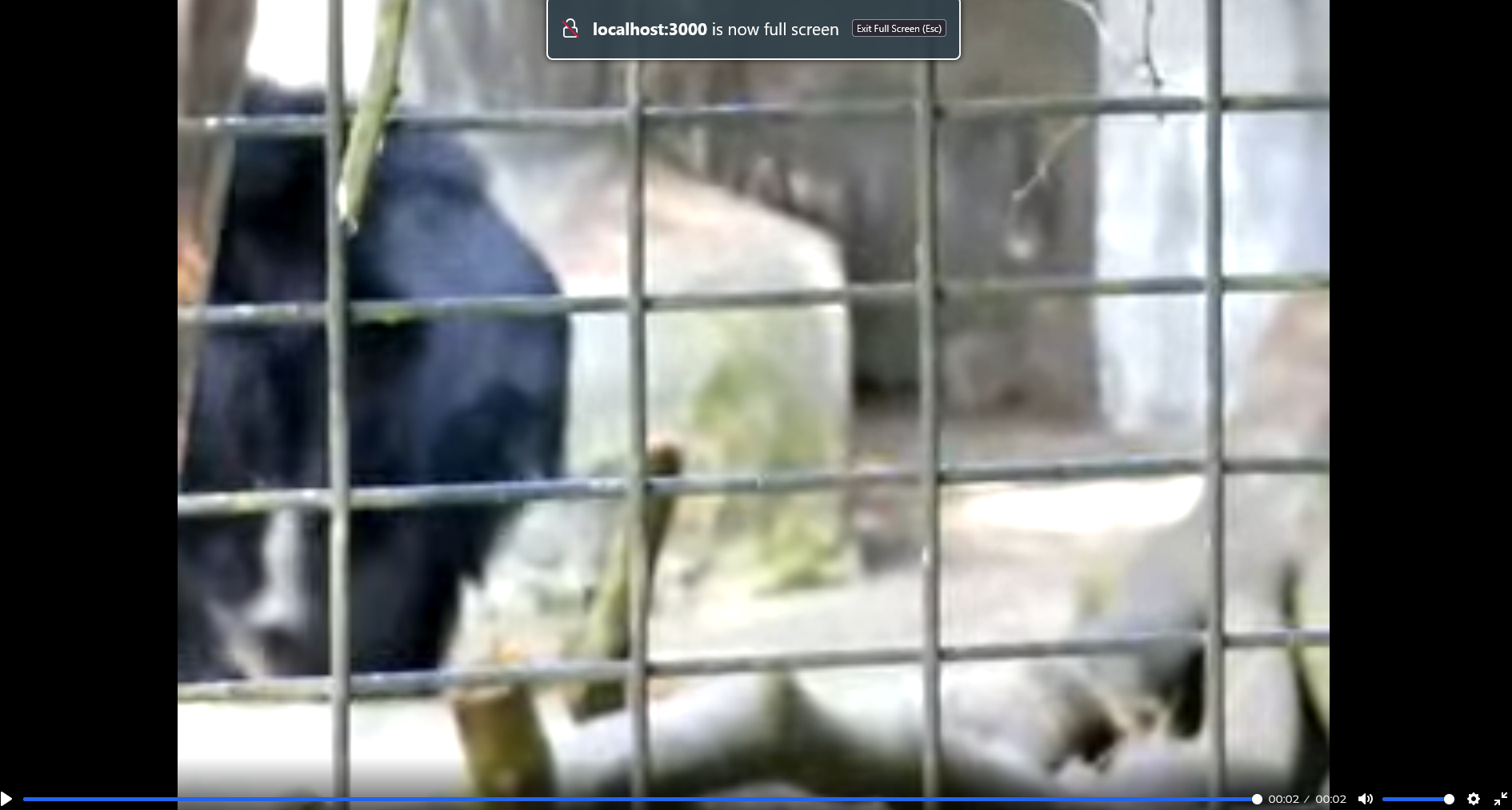 )!
)!
Now, if I comment // const sb = ms.addSourceBuffer("video/webm; codecs=\"vp9,opus\""); and // const res = await fetch('https://raw.github.../bear-vp9-opus.webm'); and UNCOMMENT const sb = ms.addSourceBuffer("video/mp4; codecs=\"avc1.640020,mp4a.40.2\""); and const res = await fetch('https://lean-flow-local.8...&x-amz-checksum-mode=ENABLED&x-id=GetObject'); to play other mp4 video, the code DOES NOT WORK: AbortError: The play() request was interrupted by a call to pause().
I'm sure that I never either invoke pause() in my code, or click pause button in the web UI. I'm also sure that the url https://lean-flow-local.8...&x-amz-checksum-mode=ENABLED&x-id=GetObject is alive and accessible for a week from now.
===========================================================
UPDATE
The issues happen on latest Google Chrome (148.0.7778.168 (Official Build) (64-bit)). When I try Firefox, the video plays for 5 second and then it get NS_ERROR_OUT_OF_MEMORY (0x8007000e)
Media resource blob:http://localhost:3000/1baf8d99-ff78-4790-8428-b076ad279278 could not be decoded. 27 java-1
Media resource blob:http://localhost:3000/1baf8d99-ff78-4790-8428-b076ad279278 could not be decoded, error: Error Code: NS_ERROR_OUT_OF_MEMORY (0x8007000e)
Details: virtual MediaResult __cdecl mozilla::H264ChangeMonitor::CheckForChange(MediaRawData *): ConvertSampleToAVCC
How it is possible? My laptop have 24 GB of RAM and the mp4 video is just 15 MB! I even tried to close almost applications but still NS_ERROR_OUT_OF_MEMORY (0x8007000e)
Trying to play a video with plyr, nextjs but got
AbortError: The play() request was interrupted by a call to pause()if the source video isvideo/mp4; codecs="avc1.640020,mp4a.40.2"If the source video is
video/webm; codecs=\"vp9,opus\", the Chrome will play the video normally, so I don't think there is an issue in my code.Please note that I have ), if I double left-click to the video to enter fullscreen mode, the action bar appear (pleasse see
  )!
)!
const sb = ms.addSourceBuffer("video/webm; codecs=\"vp9,opus\"");andconst res = await fetch('https://raw.github.../bear-vp9-opus.webm');to play a webm video. The code DOES WORK with a minor issue: The video action bar (to play/pause/seek etc) gone (please seeNow, if I comment
// const sb = ms.addSourceBuffer("video/webm; codecs=\"vp9,opus\"");and// const res = await fetch('https://raw.github.../bear-vp9-opus.webm');and UNCOMMENTconst sb = ms.addSourceBuffer("video/mp4; codecs=\"avc1.640020,mp4a.40.2\"");andconst res = await fetch('https://lean-flow-local.8...&x-amz-checksum-mode=ENABLED&x-id=GetObject');to play other mp4 video, the code DOES NOT WORK:AbortError: The play() request was interrupted by a call to pause().I'm sure that I never either invoke
pause()in my code, or click pause button in the web UI. I'm also sure that the url https://lean-flow-local.8...&x-amz-checksum-mode=ENABLED&x-id=GetObject is alive and accessible for a week from now.===========================================================
UPDATE
The issues happen on latest Google Chrome (148.0.7778.168 (Official Build) (64-bit)). When I try Firefox, the video plays for 5 second and then it get
NS_ERROR_OUT_OF_MEMORY (0x8007000e)How it is possible? My laptop have 24 GB of RAM and the mp4 video is just 15 MB! I even tried to close almost applications but still
NS_ERROR_OUT_OF_MEMORY (0x8007000e)