Custom Table in Block Content Example? #19

Description

Sanity.io is an amazing project - and we're all in - but sheesh - sometimes it's tough.
This is a good example.
The README for this plugin explains exactly how to use the @sanity/table plugin as a field. Excellent.
But we'd really like to give our editors a table in the block content editor - aka - portable text.
This is as far as I've gotten (definded in a blockContent definition file as an array with 'block' and 'types')...
 {
      title: 'Table',
      name: 'inlineTable',
      type: 'object',
      components: {
        preview: TablePreview, // Add custom preview component
      },
      fields: [
        {
          name: 'table',
          title: 'Table',
          type: 'table', // Specify 'table' type
        },
        {
          name: 'caption',
          type: 'string',
          title: 'Caption',
        },
      ],
    },
Which appears in the editor as this...
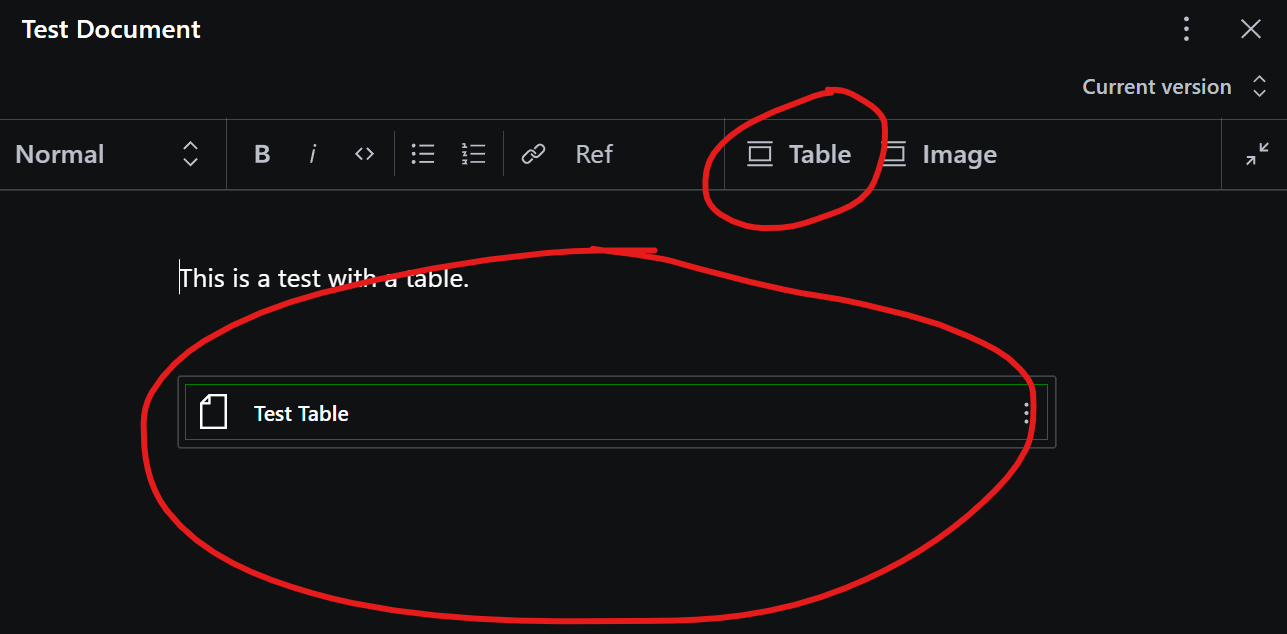
I have a very simple preview component TablePreview - which simply wraps the object in a div and gives it a border for now...
export function TablePreview(props: any) {
  return <div style={{border: '1px solid green'}}>{props.renderDefault(props)}</div>
}
I'm totally okay with the concepts of portable text, and custom render components - but after reading the docs for a couple of hours now, I have absolutely no idea how to take this further and create a custom preview component in Studio, and custom render component (formerly serializers) in our published document.
Any suggestions, pointers, example code etc., greatly appreciated