图片与正文间距问题 #50


|
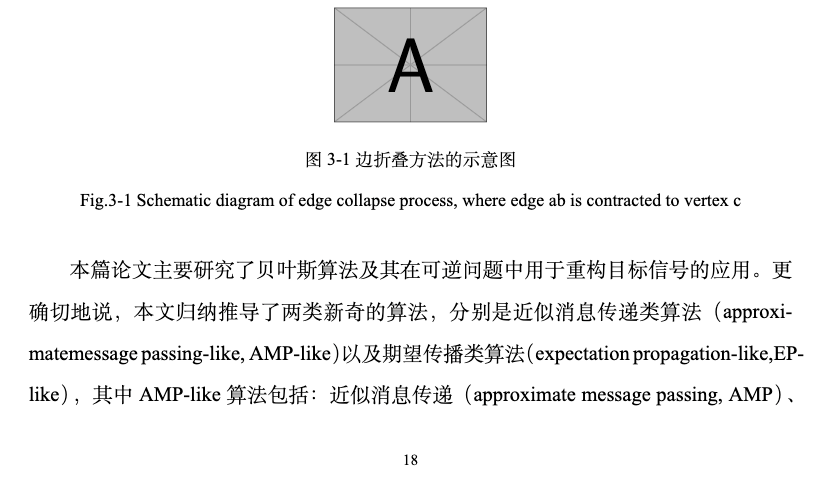
作者您好,在正文中插入图片,图片与上面的正文间距正常,但与图片下的正文出现空行,间距过大,请问如何解决。 |

Replies: 2 comments 10 replies

|
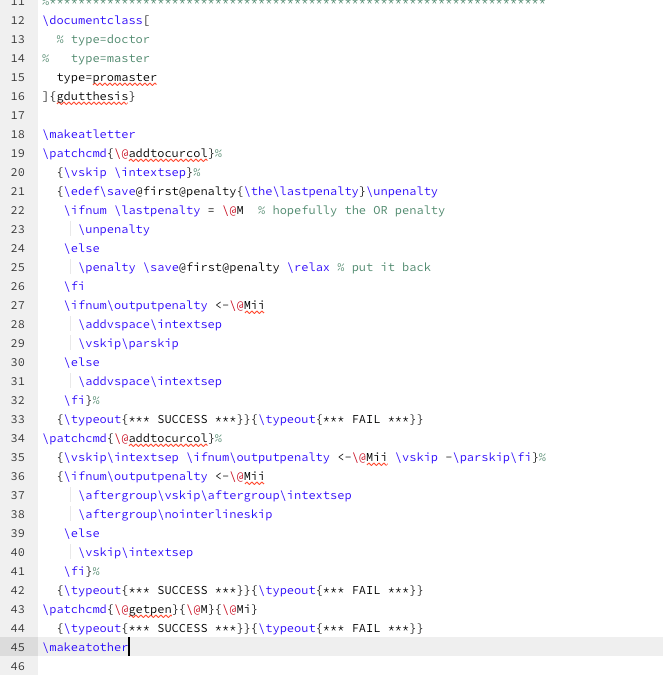
这部分间距调起来比较复杂,参考《LaTeX 如何在设置行距后让字体垂直居中?》1。 解决方案:在导言区加上 \makeatletter
\patchcmd{\@addtocurcol}%
{\vskip \intextsep}%
{\edef\save@first@penalty{\the\lastpenalty}\unpenalty
\ifnum \lastpenalty = \@M % hopefully the OR penalty
\unpenalty
\else
\penalty \save@first@penalty \relax % put it back
\fi
\ifnum\outputpenalty <-\@Mii
\addvspace\intextsep
\vskip\parskip
\else
\addvspace\intextsep
\fi}%
{\typeout{*** SUCCESS ***}}{\typeout{*** FAIL ***}}
\patchcmd{\@addtocurcol}%
{\vskip\intextsep \ifnum\outputpenalty <-\@Mii \vskip -\parskip\fi}%
{\ifnum\outputpenalty <-\@Mii
\aftergroup\vskip\aftergroup\intextsep
\aftergroup\nointerlineskip
\else
\vskip\intextsep
\fi}%
{\typeout{*** SUCCESS ***}}{\typeout{*** FAIL ***}}
\patchcmd{\@getpen}{\@M}{\@Mi}
{\typeout{*** SUCCESS ***}}{\typeout{*** FAIL ***}}
\makeatother其实模板也做了相应的处理 Lines 1061 to 1089 in 54b0d45 只是 latex3 的语法让这段代码没有成功 patch。 Footnotes |

|
你好,我搜索了一下cls的文件格式,貌似都没有提到导言区这个结构,请问这个导言区到底是在哪里呢? |

tex 文件的 |
你好,我测试了一下好像没有作用。 然后这里是我编译后的效果,好像还是没解决问题 |

|
可以试一下 图片前和图片后 都空一行 'Enter'键 空行 我就是这么解决的。 |
好的多谢,已解决该问题🙏 |

|

|

|
非常感谢您的及时回复,
|


|
Lines 1148 to 1174 in 0f37451 最新的模板不需要添加本 issue 中所提的代码,之前已经修复了这个问题。 更新 cls 文件试试,看看是不是模板版本较低导致的。 |
|
我删除了 issue 中所提的代码,并跟新了cls文件,仍然不能解决问题,图片、表格与文字空格依旧会空一行。 |


这部分间距调起来比较复杂,参考《LaTeX 如何在设置行距后让字体垂直居中?》1。
解决方案:在导言区加上